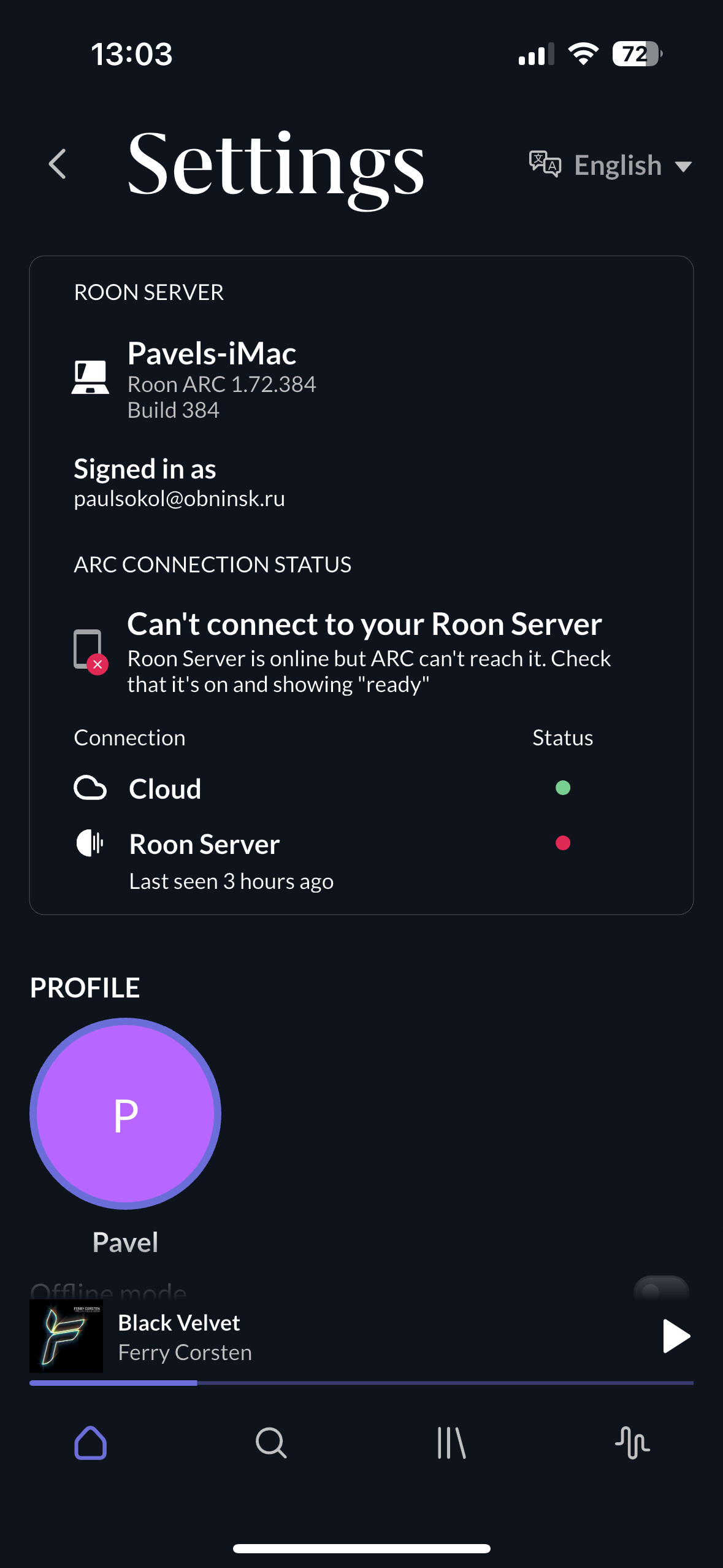
Maybe - but not within my network. If I disable the port forwarding rule (or the associated firewall allow rule) in my router, ARC fails to connect from outside of my local network as you would expect.
having the same issue. just started recently. my forwarding rules look right on my router (ASUS Zen Wifi). My roon server is on a windows machine. Regular Roon works within network. Just Arc does not work.
For users for whom ARC worked before, it continues to work despite this currently widespread „error code 526“ in the diagnostics, which is related to Roon’s ongoing cloud issues. At least for most users, according to many such confirmations (including myself).
Not sure why that’s different for you.
it works if im on my local network. it does not work if im outside my local network.
actually, i just re-retested it and it works again on mobile network after i disconnected and reconnected on local network first.
Not sure if related, but Roon ARC is failing for me now, it was working ok, I haven’t changed anything on my router, just installed Roon and ARC updates, if its helpful, here is my Diagnostics print…
{
"ipv4_connectivity": {"status":"NetworkError","status_code":526,"error":"error code: 526"},
"external_ip": {"actual_external_ip":"24.aaa.bbb.ccc","actual_external_ipv6":"null","router_external_ip":"null"},
"natpmp_autoconfig": {"status":"NotFound"},
"upnp_autoconfig": {"status":"NotFound"},
"multinat_autoconfig": {"status":"Failed","error":"Unknown Error code"}
}
Same issue my Roon arc outside my network stopped working after the latest update.
{
“ipv6_connectivity”: {“status”:“NetworkError”,“status_code”:526,“error”:“error code: 526”},
“ipv4_connectivity”: {“status”:“NetworkError”,“status_code”:526,“error”:“error code: 526”},
“external_ip”: {“actual_external_ip”:“74.aaa.bbb.ccc”,“actual_external_ipv6”:“2600:ddd:eee:fff:eee:ggg:hhh:iii”,“router_external_ip”:“74.aaa.bbb.ccc”},
“natpmp_autoconfig”: {“status”:“NotFound”},
“upnp_autoconfig”: {“server_ip”:“192.168.1.1”,“found_upnp”:true},
“multinat_autoconfig”: {“status”:“Failed”,“error”:“No uPnP Routers found on LAN”}
}
This is the error we’ve all been seeing. Something is failing on Roon’s end causing the 526.
Arc still works for me unless I have a VPN enabled on my phone which wasn’t affecting it before this.
just constantly refreshes the Listen Later section, but aside from that it’s fine. Loading speed has drastically improved as well which is nice.
I’m getting error code 526 when trying to connect Roon ARC.
Setup:
- ISP: NCV (Niigata Cable Vision), Japan
- Router: Buffalo WSR-3000AX4P-BK
- Port forwarding configured for port 55002 to Roon Core
- External port test confirms port 55002 is open
What I’ve tried:
- Configured manual port forwarding (port 55002)
- Fixed Roon Core’s local IP address via DHCP reservation
- Disabled firewall temporarily
- Disabled IPv6
- Enabled UPnP
- Tried different port numbers
- Restarted router and Roon Core multiple times
Error continues:
{
“ipv4_connectivity”: {“status”:“NetworkError”,“status_code”:526},
“natpmp_autoconfig”: {“status”:“NotFound”},
“upnp_autoconfig”: {“status”:“NotFound”},
“multinat_autoconfig”: {“status”:“Success”,“routers”:1,“routers_mapped”:1}
}
Any suggestions would be appreciated!
@niibero_0619 - this is a known error and Roon Labs are working on it. I’ve merged your post into the existing thread.
I think ARC should still be working for you, despite this error showing up.
Seeing that some people have 526 error and working ARC despite that I decided to disconnect ARC from core. After that it failed to see my Roon in local network at all. I deleted the app from my iPhone and reinstalled. Only after that it started to see Roon core but with the warning that it will not work outside the local network. I pressed ‘Connect’ button and after some timeout (a minute or so) it says that connection attempt failed.
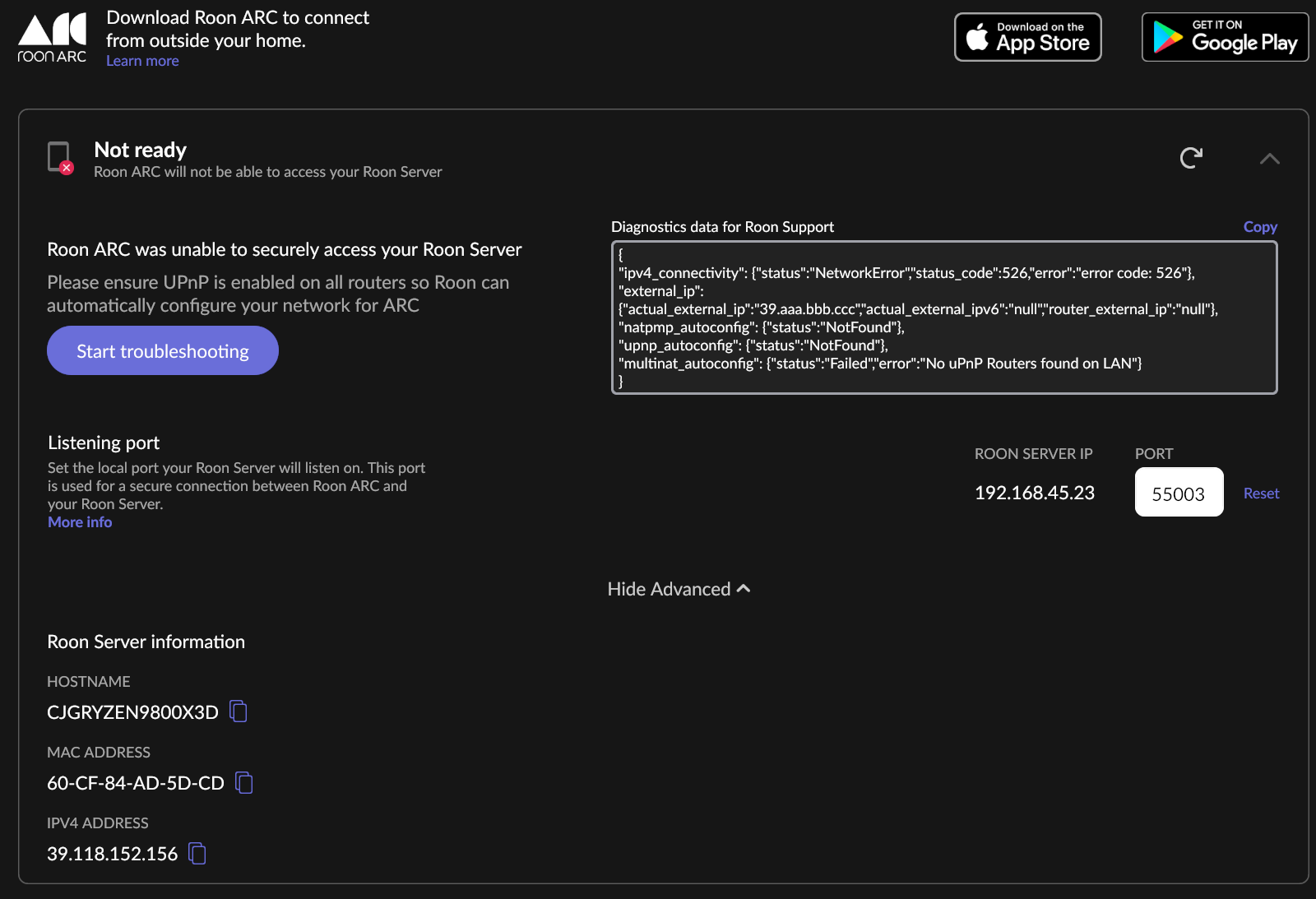
I have a similar issue. After roon update 2 days ago. Roon ARC says “not ready” and with help from chat gpt and google gemini with 10~20 conversations, it doesn’t work still. the error message and screen shot are as below
{
“ipv4_connectivity”: {“status”:“NetworkError”,“status_code”:526,“error”:“error code: 526”},
“external_ip”: {“actual_external_ip”:“39.aaa.bbb.ccc”,“actual_external_ipv6”:“null”,“router_external_ip”:“null”},
“natpmp_autoconfig”: {“status”:“NotFound”},
“upnp_autoconfig”: {“status”:“NotFound”},
“multinat_autoconfig”: {“status”:“Failed”,“error”:“No uPnP Routers found on LAN”}
}
AI won’t solve this issue, this whole thread is about how it’s not on our end but on Roon’s end.
The update this afternoon solved it. In my case 
Well holy moly! Would you look at that! My picture is back, it loads like lightning, and Arc is no longer screaming about 526! Great job Roon team!
I just deleted and redownloaded Roon Arc and Roon to my phone in an effort to update. Arc is now on 1.72 (384). I don’t believe that’s an update. Still not able to play downloads when offline in Arc. Suggestions? Thanks in advance.
This is the latest version (from the Roon 2.58 update, there was no later update for ARC together with Roon 2.60):
Find the list of updates here:
This probably a different problem. Note that after reinstalling, all downloads are gone. You will first have to create new downloads. If that does not work, open a support ticket.
Click here → Support and then the big Get Help button.
I had the normal blue massage that there was an update for Roon and since then everything is ok. I had never a problem with ARC. In my router port 55000 is open for Roon/Arc. I’m not a specialist in router stuff. Sorry.
Where did you get your blue massage? I’ve never heard it called that. 
thank you. had to go to Support/Get Help. Appreciate it.
The situation changed yesterday. The 526 error is gone. Now everything is looking good. And Roon ARC eventually started to work. I kept pressing ‘Connect’ button from time to time and at some moment it resulted in success. BUT! Now I have a new situation. Roon ARC only working from outside of my local network. But from home it doesn’t see the server.