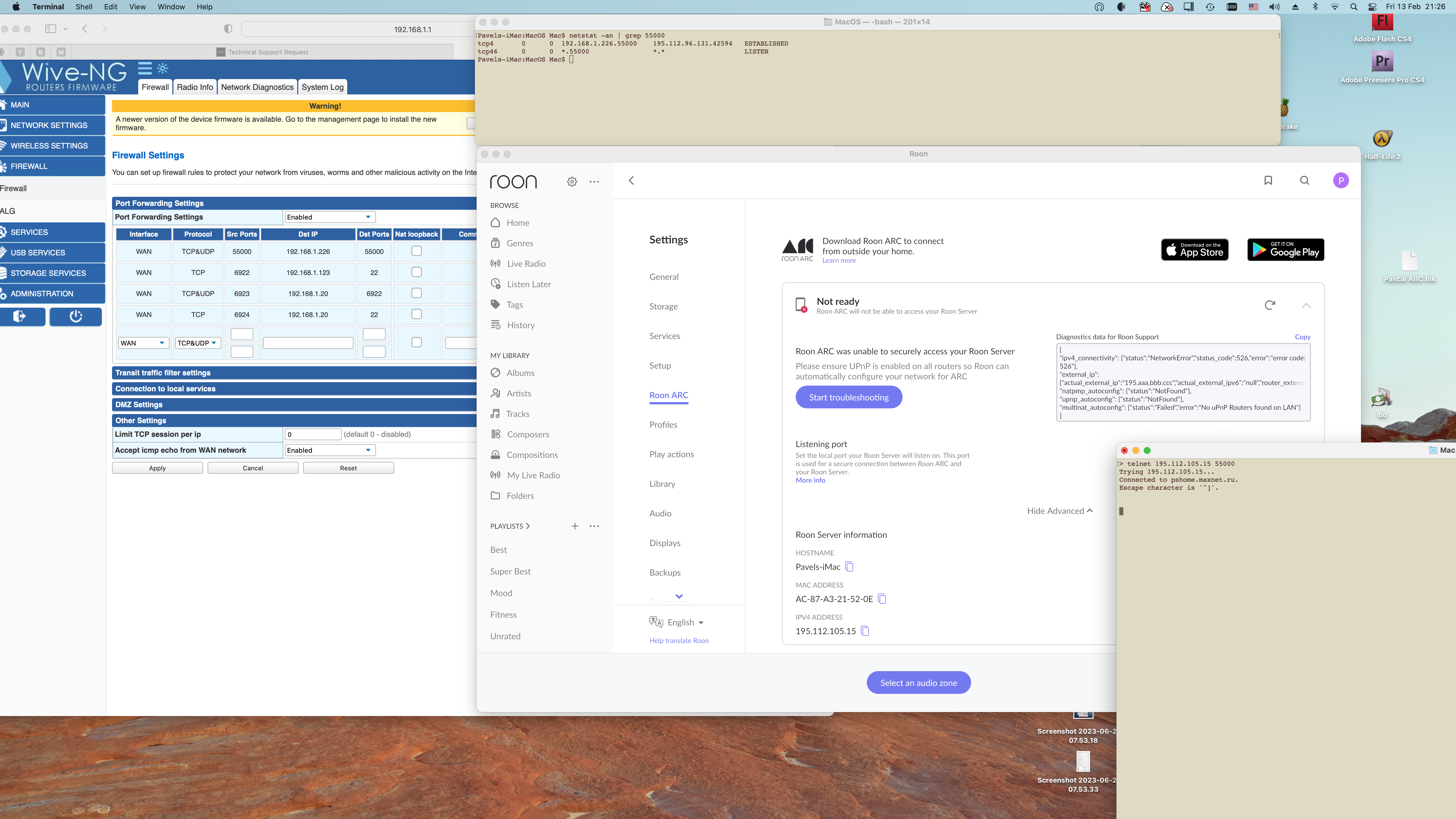
· "Roon ARC was unable to securely access your Roon Server." Network error: 526. For last two days my Roon ARC says that "There is an issue with your RoonServer". Manually I can connect to 55000 port from outside but Roon ARC can't. Looks like some SSL certificate problem but couldn't find any solution.
Tell us about your home network
· This is not related to the router. It worked for years with Roon and ARC. No recent updates. Port forwarding configured fine - again I can connect from outside and see connections via net stat. No switch no extenders no VPN. As an network provider employee (actually CEO) for last 30 years trust me router is not an issue.
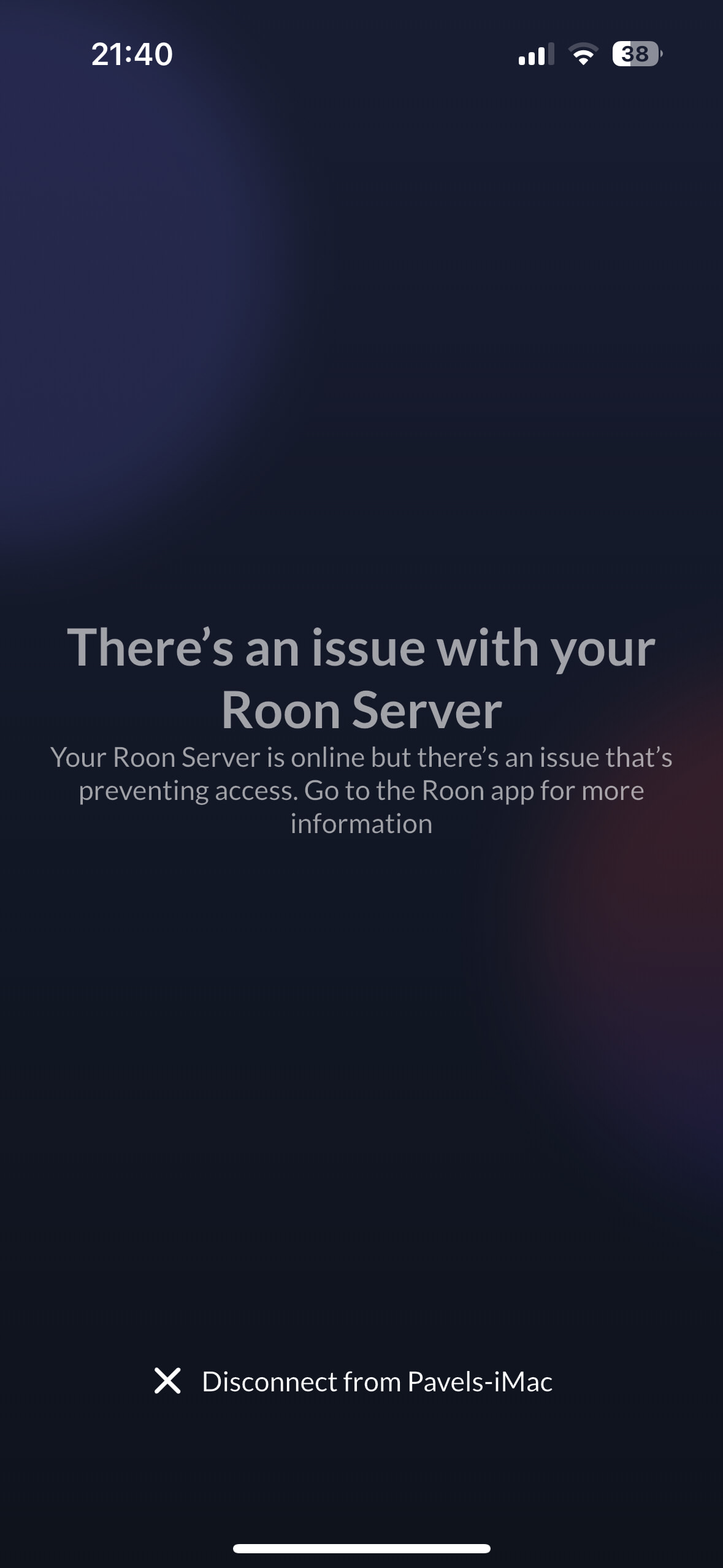
I must add that Roon ARC is totally useless in that case. I have 100+GB of music cached on my iPhone but not even able to switch to offline mode. The only screen I see is this (attached). Even if I turn off the network (switch to airplane mode without any connection) - it still offers me one choice - disconnect from the server that will automatically cleans up all the music I downloaded for local listening.
· Roon ARC has no access to Roon server. This issue has not occurred before. No changes have been made to my network. UPnP is enabled on my router. ARC functions normally. Yet Roon indicates there is an issue with ARC getting access to my Roon Server.
Tell us about your home network
· Router is FritzBox 7590. All WiFi access is setup through several Ubiquiti UniFi AP Pro’s.
Have you successfully located and enabled the UPnP or NAT-PMP settings in your router's web UI?
· I've turned UPnP/ NAT-PMP on and ARC won't connect
Select the Diagnostic Keyword or Text String
· Something else
Don't give up yet.
· I'm stuck. I'd like to create a post to ask Roon Community for help.
Describe the issue
I have issues with connecting to Roon Arc. Get poor connection or no connection at all. Its been rock solid for a good year with no issues. I have made no changes to my setup
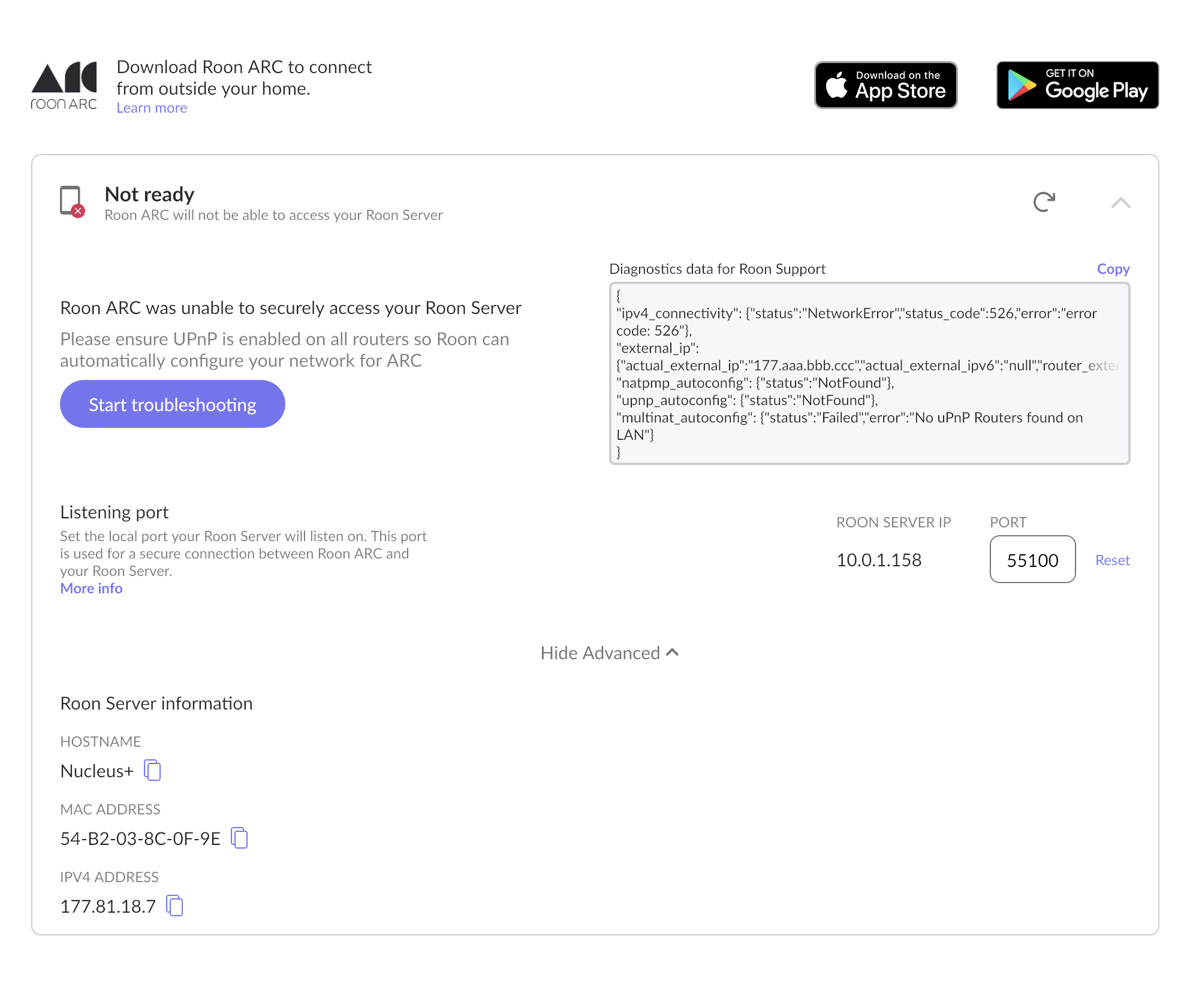
I am unable to get Roon ARC to connect. The app shows the "Not ready" status with a 526 error code. I have already performed extensive network troubleshooting, and I can technically confirm my port is completely open and accessible from the outside. The issue seems to be an SSL certificate validation failure between my Nucleus+ and the Roon Cloud.
Here is my setup and the precise steps I've already taken:
Core: Roon Nucleus+ (IP: 10.0.1.158, reserved via MAC address in the router).
Router: Apple AirPort Time Capsule (Set to DHCP and NAT mode).
Port Forwarding: Manually created a mapping rule for Port 55100 (TCP/UDP) pointing strictly to the Nucleus+ IP.
Network Verification: I tested port 55100 on canyouseeme.org, and it returns SUCCESS (see attached screenshot). My ISP is providing a clean Public IP, and the router is successfully passing the traffic to the Nucleus+.
Further Troubleshooting: I disabled IPv6 on the router (forcing IPv4), tested Google/Cloudflare DNS (8.8.8.8 / 1.1.1.1) on the Nucleus+ Web UI, rebooted the entire network chain multiple times, and logged out/logged back into my Roon account under Settings > General to force an SSL certificate renewal. The error persists.
Here is the exact diagnostic data from the ARC settings:
{ "ipv4_connectivity": {"status":"NetworkError","status_code":526,"error":"error code: 526"}, "external_ip": {"actual_external_ip":"177.aaa.bbb.ccc","actual_external_ipv6":"null","router_external_ip":"null"}, "natpmp_autoconfig": {"status":"NotFound"}, "upnp_autoconfig": {"status":"NotFound"}, "multinat_autoconfig": {"status":"Failed","error":"No uPnP Routers found on LAN"} }
Since my network is proven to be open and routing flawlessly, could you please check my account on your backend? It looks like my Nucleus+ SSL certificate is stuck, failing to validate, or corrupted on the cloud side.
Thanks in advance for your help!
Tell us about your home network
· Router Make and Model: Apple AirPort Time Capsule (configured in DHCP and NAT mode).
ISP/Modem: My ISP equipment is in Bridge Mode. I am getting a clean Public IPv4 address directly to my Apple Router (Verified: No CGNAT and No Double NAT).
Switches/Extenders: Just a standard home network setup, no complex managed switches.
VPN use: No VPNs in use. No custom firewalls.
Anything else that matters:
IPv6: Disabled / set to "Link-local only" on the Apple Router to prevent IPv4/IPv6 routing conflicts.
Port Forwarding: Manually set for port 55100 (TCP/UDP) pointing strictly to the Nucleus+ reserved IP (10.0.1.158).
Crucial Detail: Port 55100 was successfully tested as OPEN from the outside using canyouseeme.org. The Nucleus+ is receiving the traffic perfectly.
Troubleshooting done: I have already tried rebooting the Core, changing the Nucleus DNS to 8.8.8.8, and logging out/in to force an SSL certificate refresh, but the 526 error persists.
Have you successfully located and enabled the UPnP or NAT-PMP settings in your router's web UI?
· I've turned UPnP/ NAT-PMP on and ARC won't connect
Select the Diagnostic Keyword or Text String
· Something else
Don't give up yet.
· I'm stuck. I'd like to create a post to ask Roon Community for help.
Describe the issue
Roon ARC was unable to securely access your Roon server. Looking at the diagnostic data, status code 526 jumps out. I only have one router and UPnP is enabled.
Describe your network setup
Comcast is my ISP via cable. I have the 2.5 Gbps service. My cable modem is a Ubiquiti UCI that then feeds to a Ubiquiti Cloud Gateway Max (router). The OS is running on a Nucleus One. My main way of control is via Mac-mini (M2).
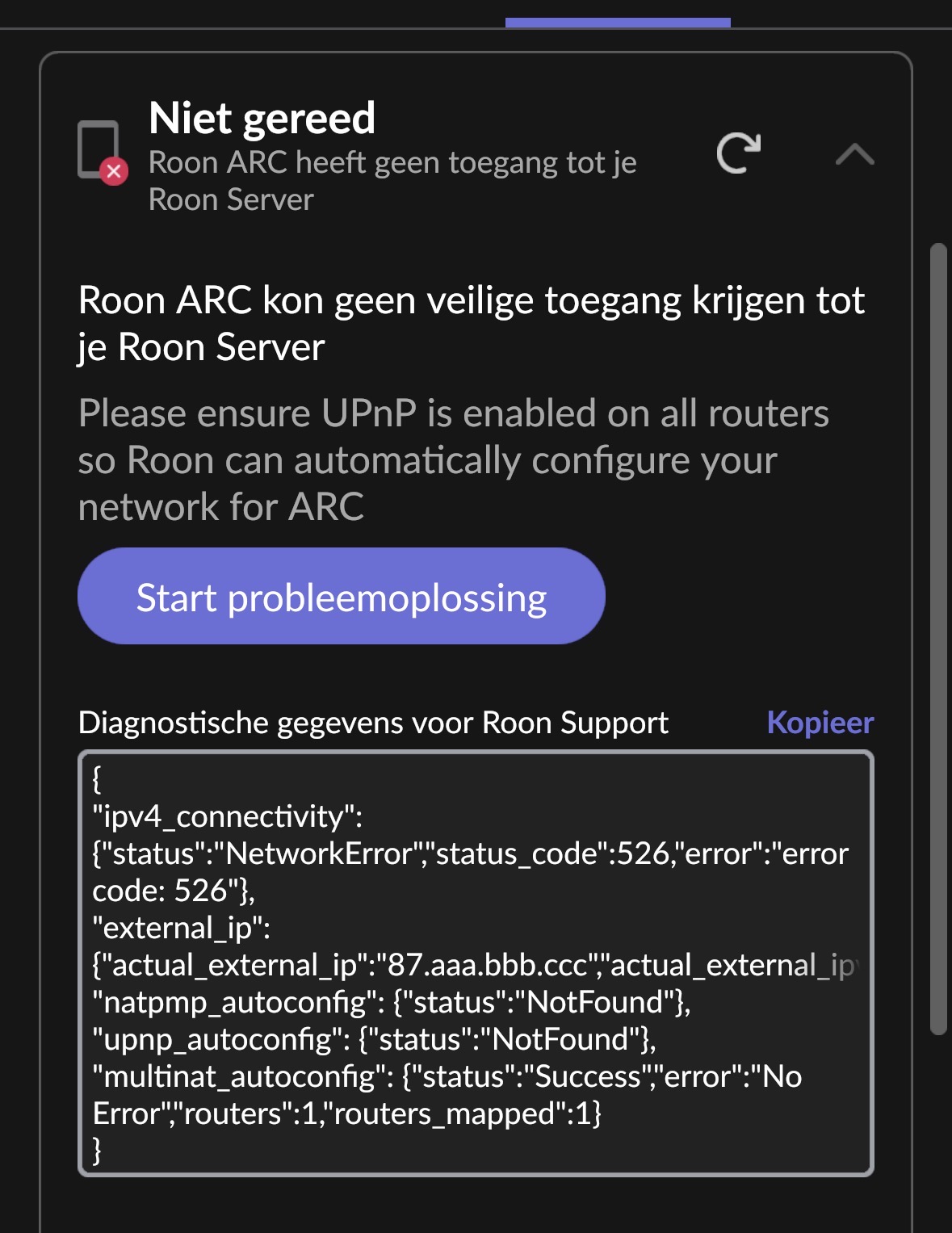
Same here, ARC is still working on my iPhone and showing as connected in ARC settings. But in Roon settings, ARC shows as unavailable, with similar error message:
I had been considering moving Roon to my NAS or one of my Linux servers. I moved it to the QNAP NAS for now, and sure enough, it sees the bridge again.
Like @Suedkiez above though, I found that, after re-establishing local ARC connectivity, remote connectivity also worked despite the error 526 ‘Not Ready’ status in the Roon - Settings - Roon ARC page.
In my case, I lost local access as well - which would affect Tailscale - however, following a prompt on another thread, I disconnected ARC and reconnected. It then appeared to connect but had problems synchronizing. I subsequently cleared ARC storage and cache (on Android) and tried connecting again at which point it synchronised correctly and full operation was restored (including, I presume, Tailscale).
Interestingly, once I had ARC working on my local network, I tested it using a cellular connection (external access) and it continued to work without issue - despite the ‘Not Ready’ and 526 error in the Roon settings page which continued to report no external connection.