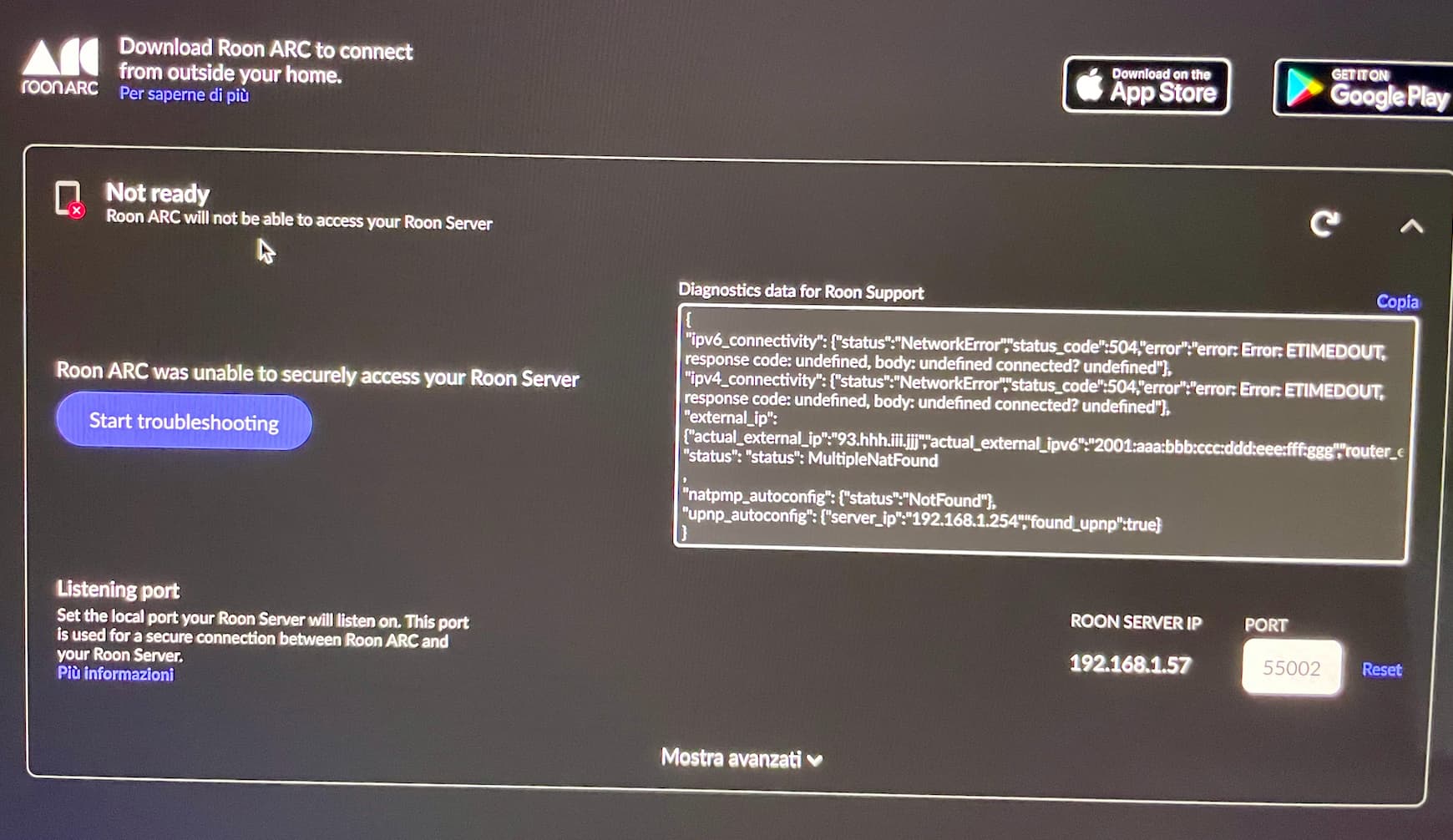
“MultipleNATFound”, as seen in the diagnotisc data, means one or both of two things.
It means that either:
you have two routers in your local network.
or
Your ISP is using CG-NAT to provide you with an ip address which will not be unique to you.
The gateway configured on your Roon server is 192.168.1.254 which is a common ip address for routers supplied by ISP’s and, if so, implies that the Roon Server is connected directly to the NEXXT router so this would suggest that CG-NAT may be the cause. If this is the case, you will need to contact your ISP and ask them if they can provide a solution for home servers (Roon Server in this case). The solution is often a static ip address but some ISP’s also offer a dynamic ip address from a different ip address pool which does not employ CG-NAT.
Otherwise, if your ISP is not using CG-NAT, the first scenario applies and is often caused by the addition of a MESH Wifi system (which is almost certainly a router). If you have such a system, it should be put into ‘Access point’ mode so that it does not provide routing/DHCP/uPnP services.
As an alternative, you may be able to put the main router - the Fastweb NEXXT supplied by the ISP - into bridge mode - sometime called modem only mode.
Finally, and the least preferred solution to double NAT on your local network, it to disable uPnP on all routers and then configure an explicit port forwading rule on both routers.
On the first router (the NEXXT) add a port forwaring rule to forward the ARC port (as seen on Roon → Settings → ARC) to the second router. On the second router, add a port forwarding rule for forward the ARC port to the Roon Server ip address (again as seen on Roon → Settings → ARC).