Please try to restart your network setup by unplugging, waiting 30 seconds and then replugging in your networking gear.
· No, the issue remains the same
Please select how you've connected your Roon Server to the internet
· Roon Server is connected by *Ethernet*
Have you checked your firewall settings to ensure that Roon is allowed through?
· Roon still won't connect even after checking this aspect
Have you verified that Roon Server is on the same subnet as your Remotes?
· My Remotes and Server are on the same subnet and I still can't connect
Sometimes the issues can be resolved with a reinstall of your Roon Remote app. Let's try to perform a reinstall and see if it helps.
· I've reinstalled the Roon Remote but it did not help
What is the operating system of your Roon Server host machine?
· Roon on a *NAS* (Synology, QNAP, ASUSTOR)
Select any of the following components that are present in your local network setup
· None of the above
Describe the issue
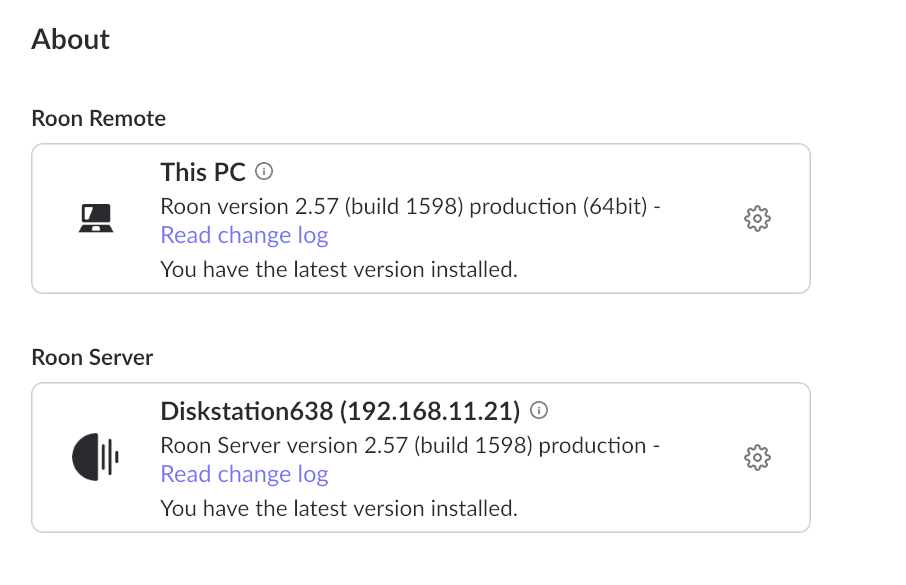
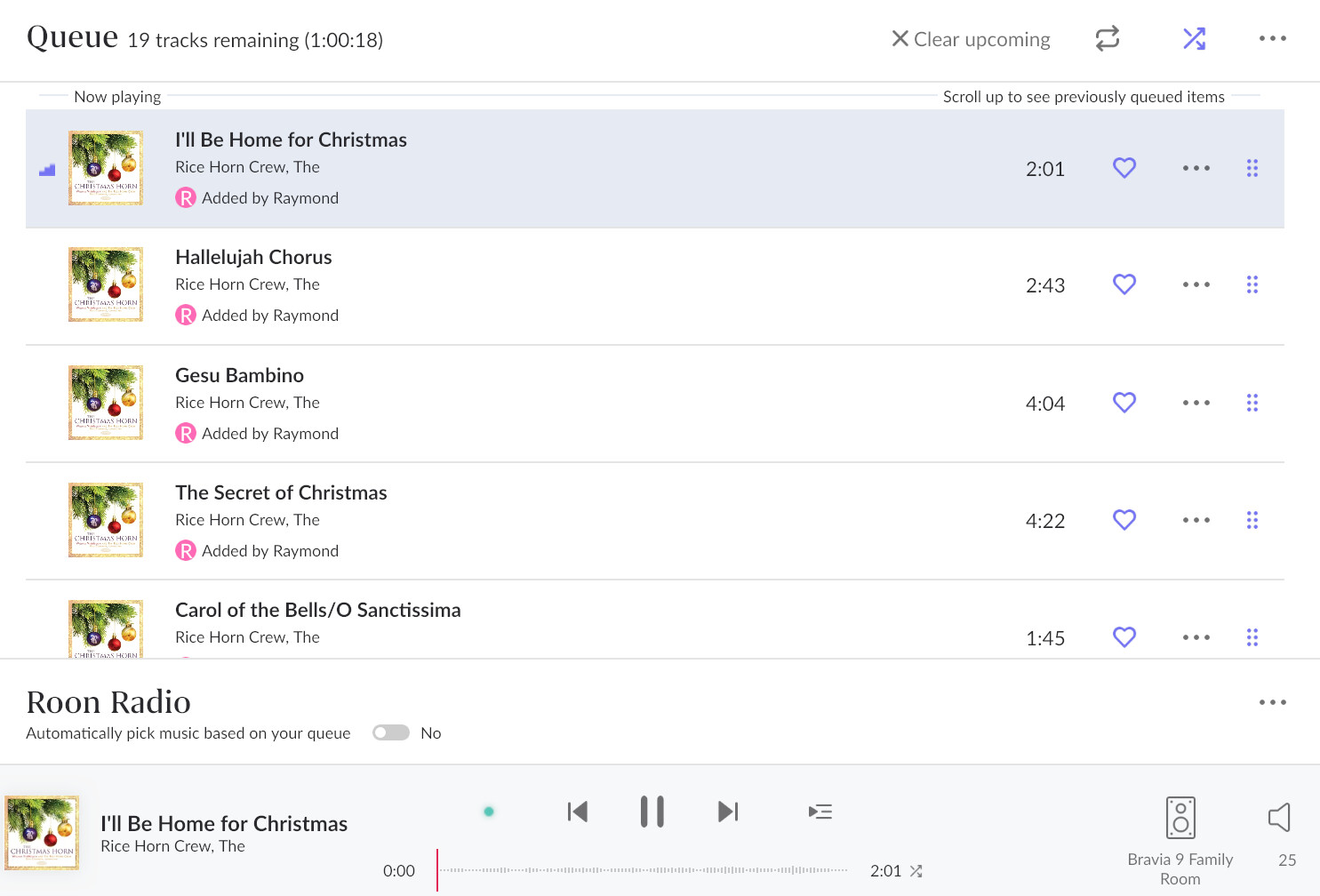
Roon Server 2.57 (build 1598) on Synology NAS DSM 7.1.1-42962 Update 9 at 192.168.11.21. I am managing endpoints from Windows 11 25H2, Roon Remote at the same version/build as the server. Settings/Audio/Other network devices shows Sony Bravia 9 via AirPlay2 at 192.168.11.150. I have Airplay set to "On" at the Bravia 9. When I click on Enable, Bravia 9 entry changes to proper local device name and shows Setup gear. Clicking on Setup gear shows only Volume control/Device volume so I cancel out. Bravia 9 is shown in the endpoint list and I select it. I queue local content to the endpoint and hit play. Nothing changes on the Bravia 9 (no Roon screen) and the progress ruler doesn't increment. What is the next step?
Describe your network setup
Synology DS1515+, Unifi Dream Machine Pro, Unifi 24 port switch, Unifi 4 port switch, Unifi UAP-AC-LR access point
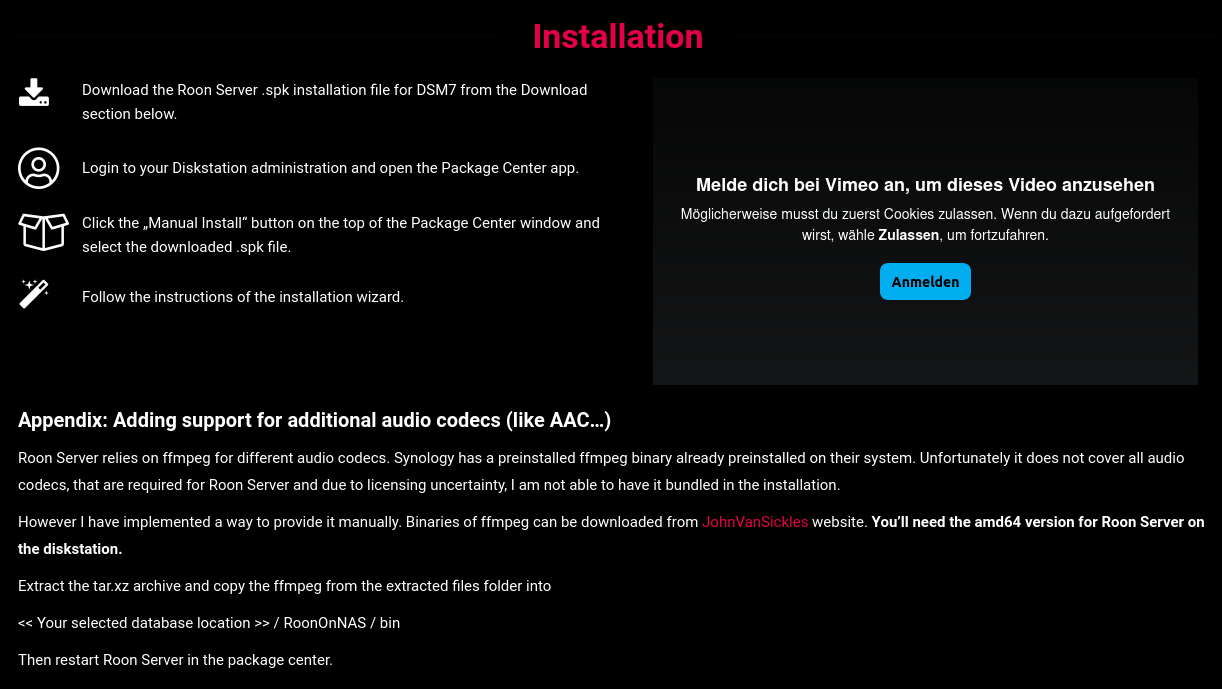
Hmmmm… that could be it - I’ll give it a try. The instruction you attached states “You’ll need the amd64 version for Roon Server on the diskstation”. I have a DS1515+ which is an older Intel processor. Do I still use the amd64 version?
OK, git master version of [ffmpeg-git-amd64-static.tar.xz] downloaded and installed, Roon core restarted (twice). Still no change on Bravia 9.
Bravia 9 runs Google TV. The Bravia 9 Google TV shows up in Roon “Other network devices” as “via AirPlay2”. I have three other stand-alone Google TV streamer devices which Roon sees as “via Chromecast streaming”. These all work well with Roon with no additional settings required on the Google TV streamer devices. The AirPlay page in the Bravia 9 setup talks about password or code and also talks about pairing devices.
I realize that between Roon on NAS and Google TV “via AirPlay2” we are dragging in a lot of potential issues. Could it be that additional AirPlay settings are needed?
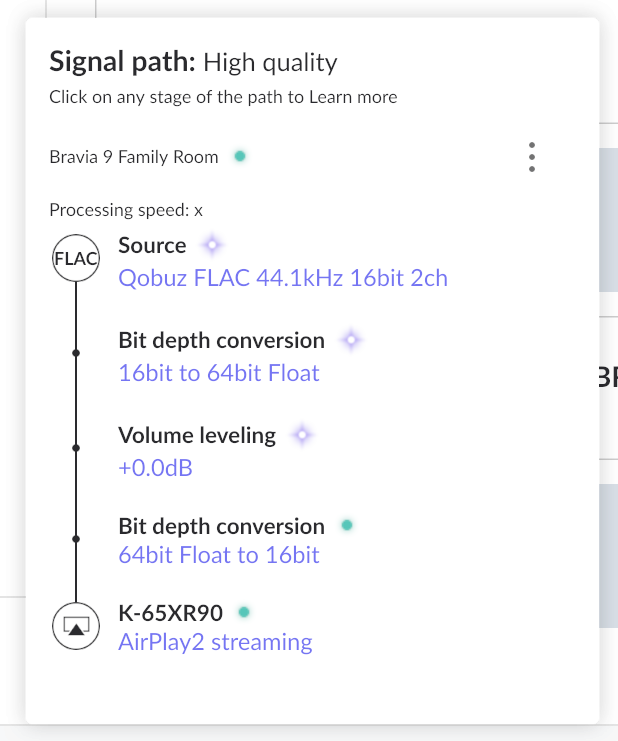
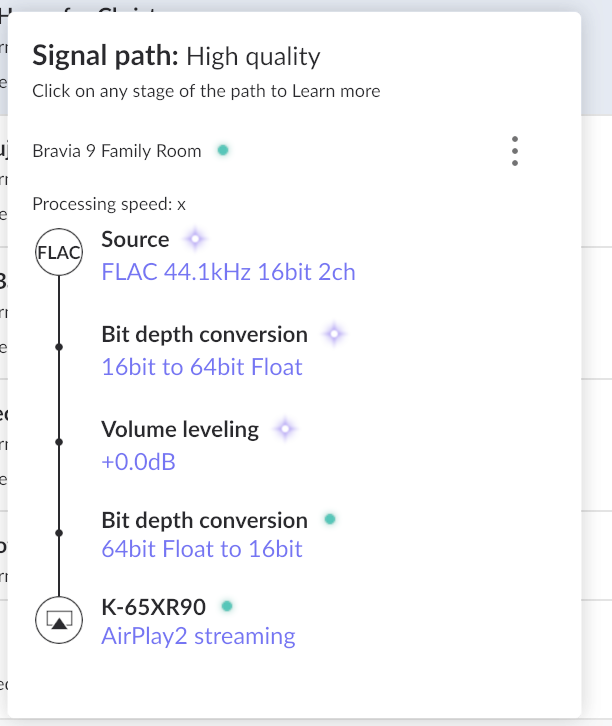
Went through all of those… The Bravia 9 Google TV Airplay setup doesn’t exactly match any of the Documentation you cited. I have gone through all of the steps that seem to apply and Roon appears to see the Brava 9 as a proper device:
But no sound plays and the progress ruler stays at “0”. Keep in mind that the same track from the same source plays through a stand-alone Google TV streamer device via Chromecast with no issues. To me, this validates the network chain.
I think the next step here is to enable some diagnostics on your account so our technical staff can get some more insight into what’s going on here.
However, before I enable this feature, I’d like to ask for your help ensuring we gather the right information.
First, can you please reproduce the issue once more and note the time at which the error occurs. Then respond here with that time, and I’ll make sure we review the diagnostics related to that timestamp.
However, there is no ROON splash screen on the TV, there is no sound on the TV, and the progress cursor is not moving.
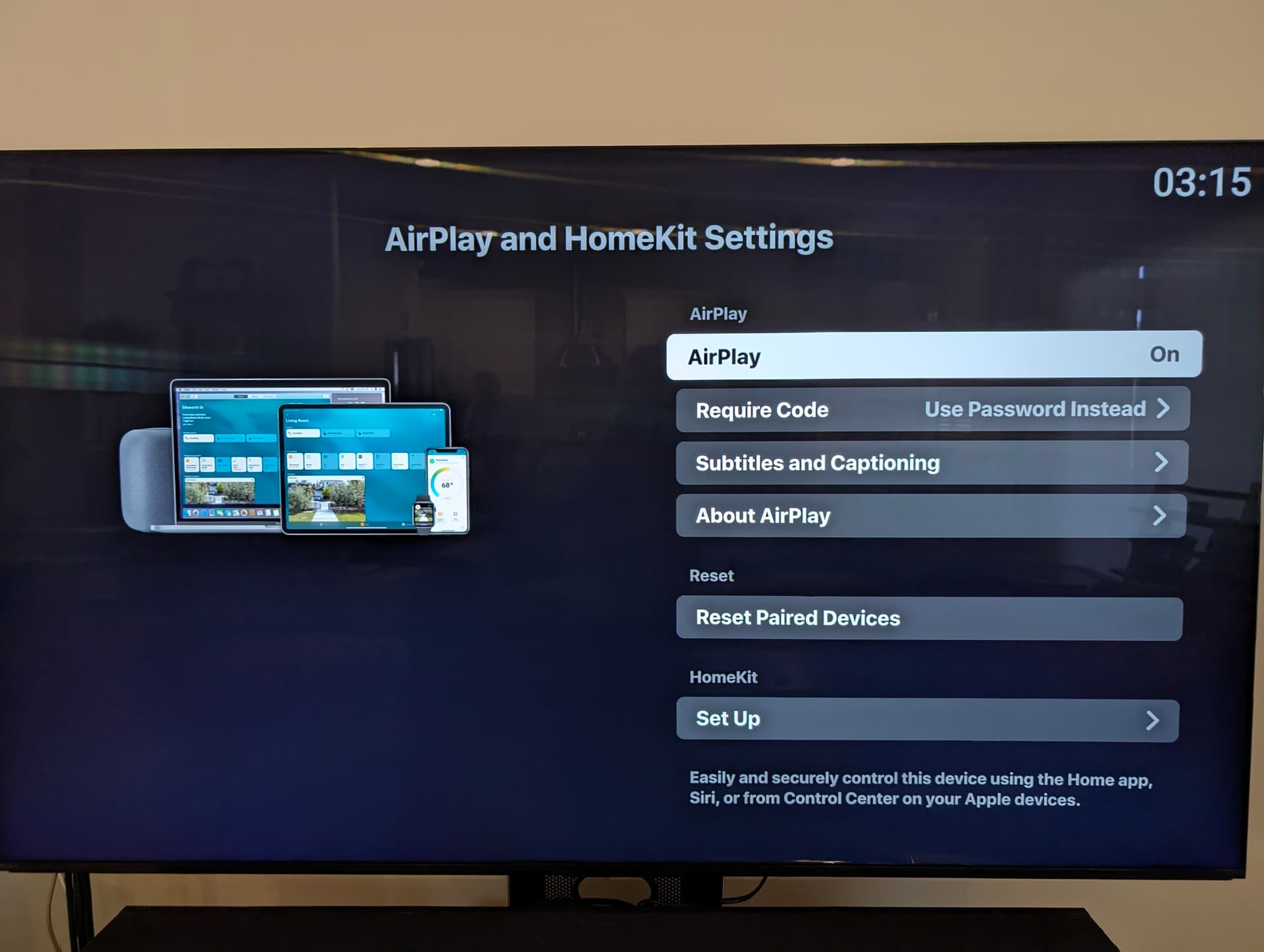
While I went through all the steps noted in previous entries above, the only change I have made to the TV is to set AirPlay to “ON”. I suspect I should have done more to the TV but I can’t find anything that says exactly what that “more” is.
Thanks for the update @Raymond_Elseth - I think getting a set of manual logs from your Roon Server would be most helpful next.
Can you please use the directions found here and send over a set of logs to our File Uploader? Once logs have been uploaded, please let us know so that we can check the server for your files, thanks!
The photo you are showing looks like it’s coming from some older Apple TV and not from your Bravia TV itself.
If you want to make it work like that (via Apple TV) then go back please to the section “AirPlay and HomeKit settings” and in the menu “Require Code” please change option “Use Password instead” to the state where it will ask just for the OTP code .
Also, considering that you have older Apple TV I’d also recommend you to try out to enable “Compatibility Mode”
Let us know please whether it has worked for you .
It sounds like you are not familiar with the Sony Bravia 9 which was first on sale in 2024 and is still the top of the line in its class (although CES is coming soon…).
All the pictures I provided are in fact screen shots from the Bravia 9.
Note the earlier screen shot I provided of Roon’s Audio page showing Brava 4K AE2 - this is the Bravia 9.
The Bravia 9 is loaded with Google TV by Sony at the factory - Google TV is its operating system. I don’t know why Roon’s Audio page is showing it as “via AirPlay2” but I can’t see any way I can alter this.
The Bravia 9 (running Google TV) does in fact serve as a Chromecast target and I know Roon works with other Google TV devices and Chromecast. What has to be changed for Roon endpoint to see the Bravia 9 (either WiFi or Ethernet) as an 'Other network device" connectible via Chromecast?
Yes, you are correct. I’m sorry for misleading information.
In this case can we ask you please to change the authentication for AirPlay to “ask code every time” and try to connect again, note time time stamp (time + date when you tried to connect), gather logs from Roon Server as per this instruction and upload them to logs storage ?
As I mentioned in the previous reply, the Bravia 9 is a Google TV system. I have other Google TV devices in my home and my Roon configuration does find and connect to those other Google TV devices via Chromecast streaming. I would rather connect to my Bravia 9 via Chromecast streaming but that connection method does not show for the Bravia 9 device in the Roon “Other Network Devices” list. All I am offered is Bravia 9 via AirPlay 2. Is there anything I can do to get the Bravia 9 to appear in the “Other Network Devices” list with the ‘via Chromecast streaming’ option showing? Other devices, specifically a Pixel 8 Pro phone, do see the Bravia 9 as a Chromecast target and can cast to the Bravia 9.
Thanks for the reply - we were able to review the logs you sent over (thank you for that!) and see clear traces of the bravia initially connecting via chromecast:
Zone display registered: CastDevice[BRAVIA 4K AE2]
This tells us:
Roon sees the Bravia TV’s Chromecast endpoint correctly
mDNS discovery is working
Network reachability is fine at this moment
All is seemingly well for a moment, and then, rather suddenly, we see:
Zone display unregistered: CastDevice[BRAVIA 4K AE2]
[cast] lost device ... because it disconnected
This tells us the TV stopped advertising or responding to Chromecast services.
A few follow-up tests:
Have you tested the bravia out when hardwired via ethernet? Please let me know if you’re able to, and if it changes any behavior.
See if you’re able to review any of the below settings on the TV:
Settings → Power & Energy, Disable:
Idle TV standby
Network standby optimization
Eco / low-power modes
Also:
Enable “Always allow network access”
Keep “Quick Start” enabled
Do you keep the TV on while testing? It’s worth noting that Sony TVs aggressively: