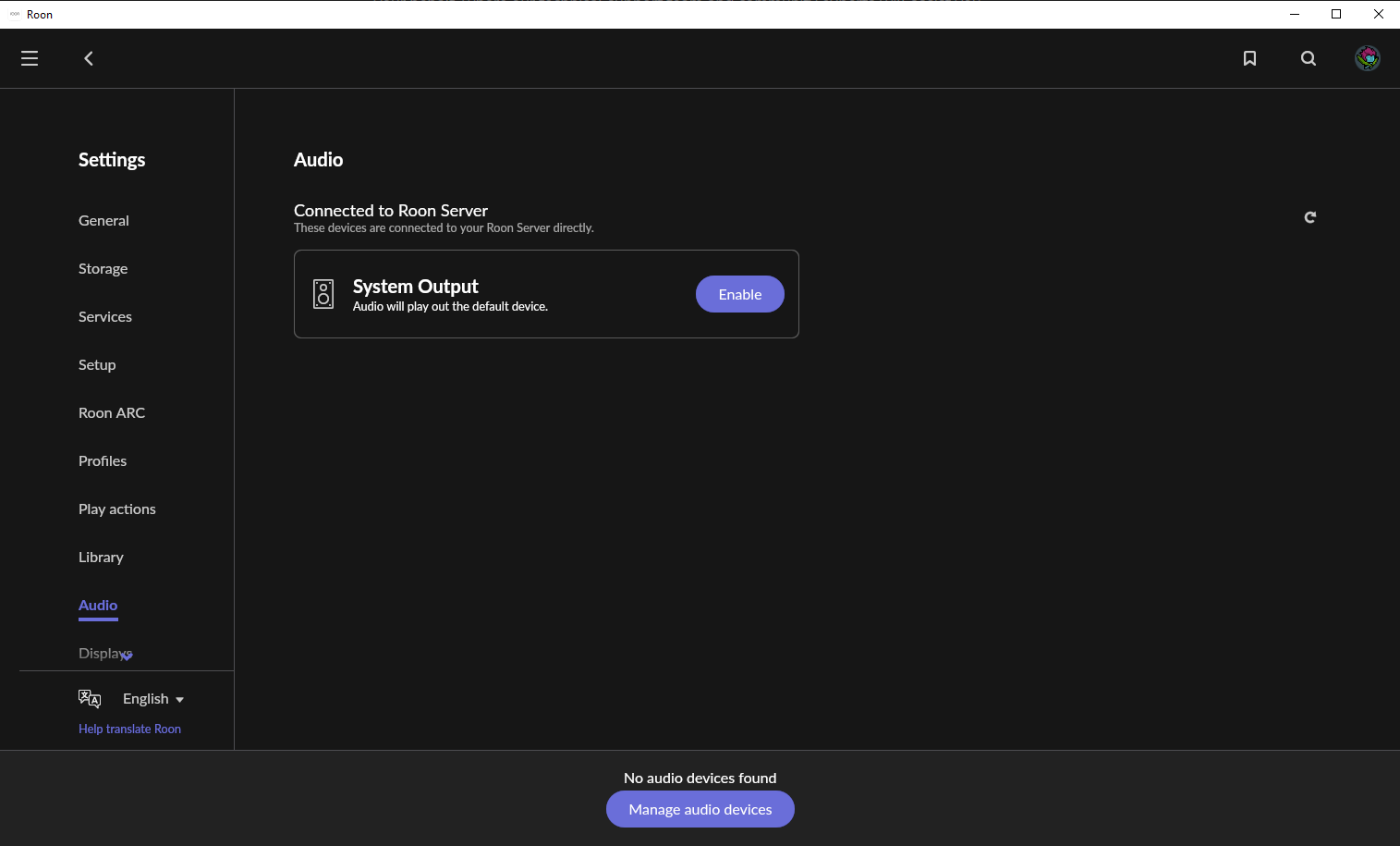
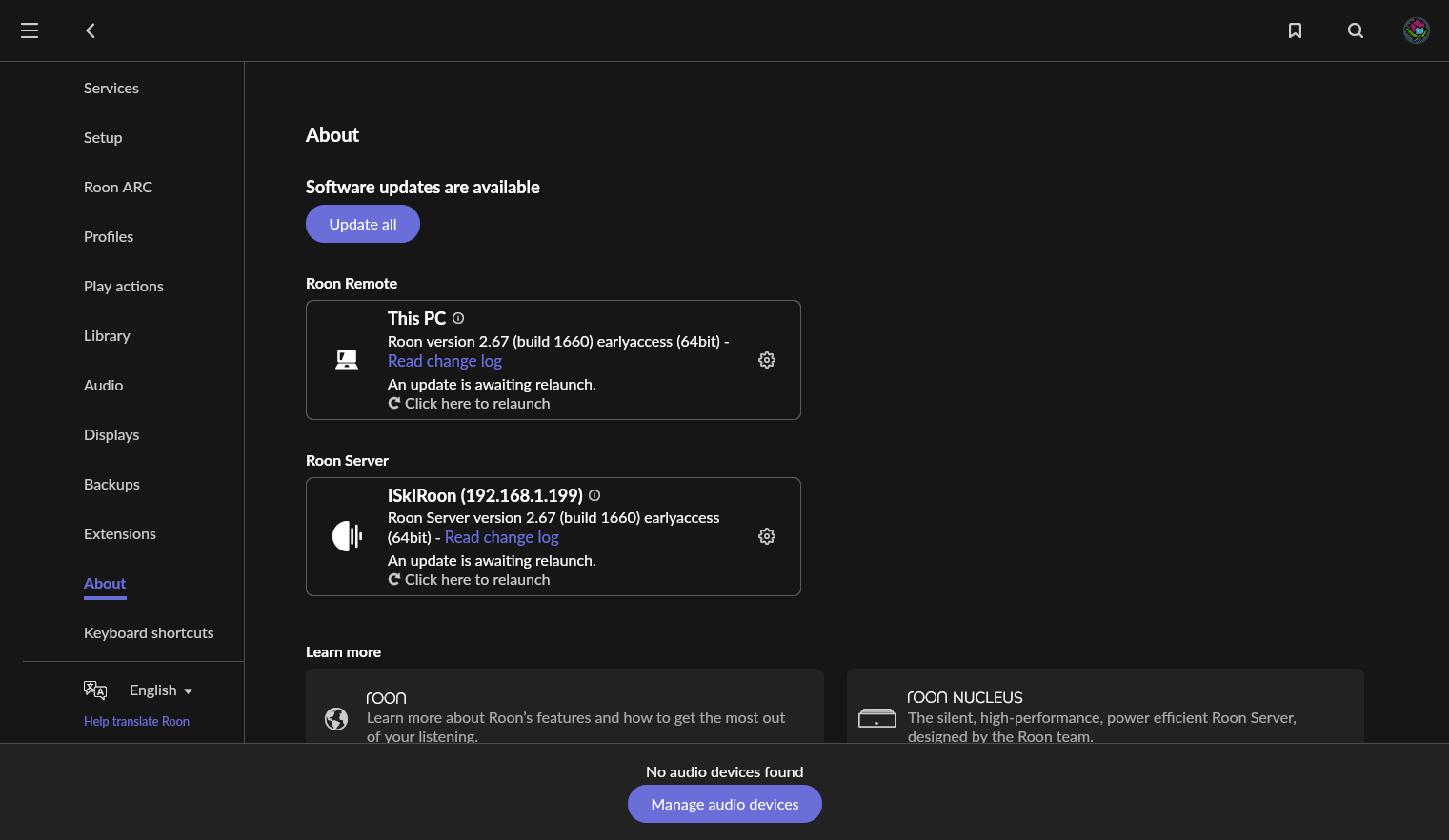
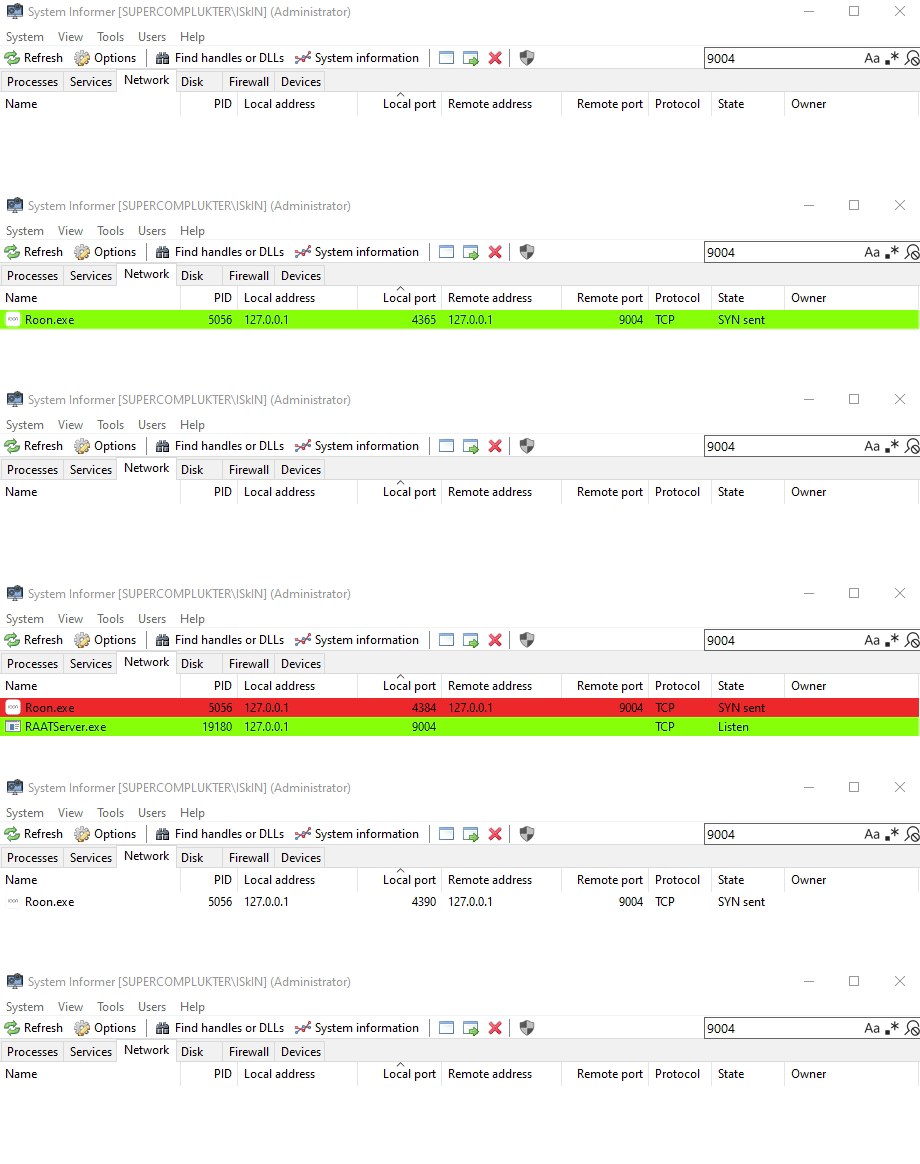
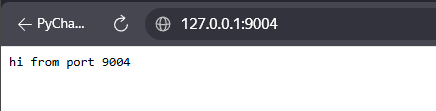
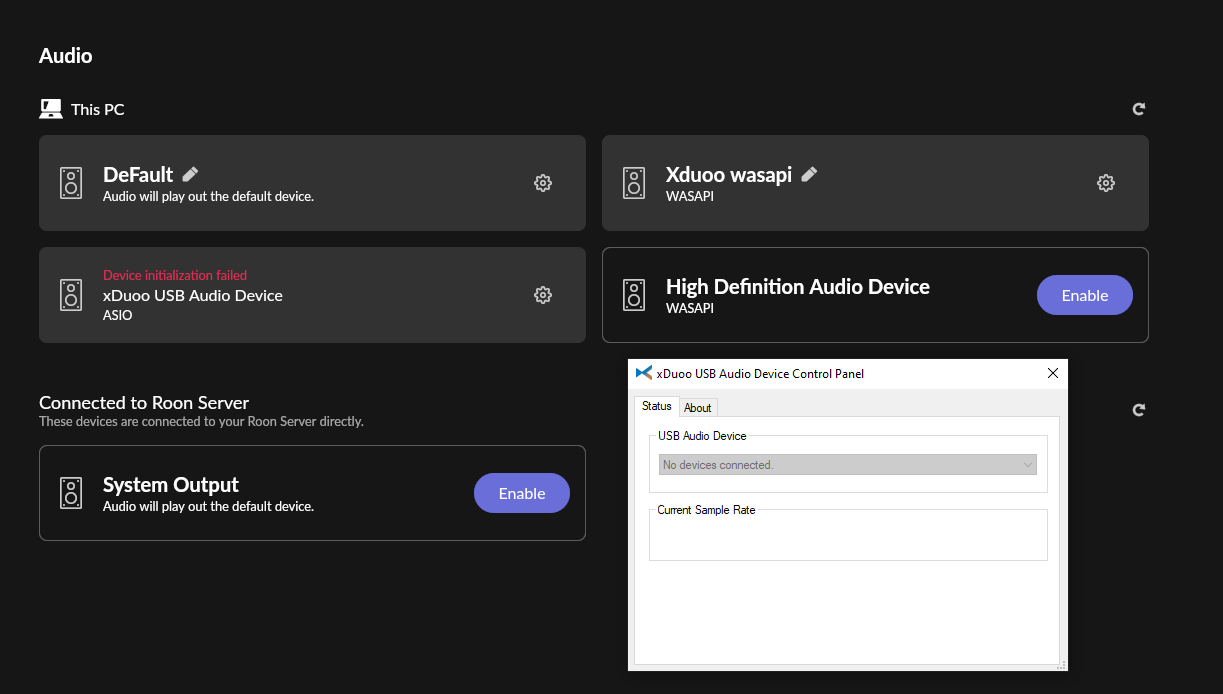
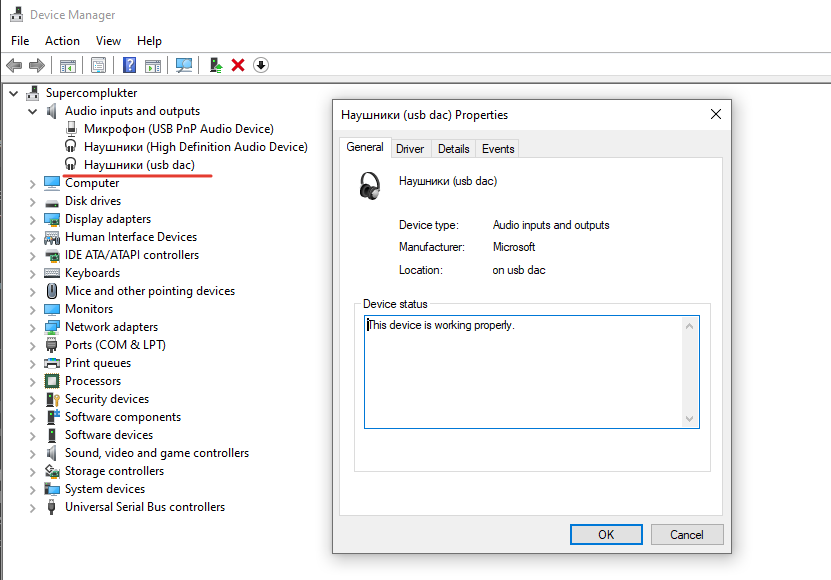
The problem has occurred again, so I can now provide the necessary information. Today, at about 10:00 AM, I woke the computer up from sleep mode and launched Roon Remote. The problem with the missing audio devices occurred again.
Roon suggested updating the client and the server, and after restarting both, the problem persisted. As for the installation, the latest versions of Windows were installed on the server and the client; there was no cloning. Although initially Roon Server was installed on the client computer, and then I moved it to another one (I don’t remember if I moved the database at that time).
As for firewalls/VPN, the firewall is disabled, and exceptions are specified in the VPN, so it is unlikely to cause problems. I also tried turning off all VPNs and network filtering applications, but that didn’t help, so I don’t think that’s the problem (especially since, in most cases, everything works well).
Screenshot Roon Remote
Below, I have attached a section of the Roon and RAATServer log from the moment I click “Refresh” in the list of audio devices in Roon.
Roon log
05/27 10:39:33 Info: [raatserver] [runner] Start or Connect...
05/27 10:39:33 Info: [raatserver] [runner] Start or Connect... C:\Users\ISkIN\AppData\Local\Roon\Application\RAATServer.exe
05/27 10:39:33 Info: ConnectOrStartAndWaitForExit RAATServer, path: C:\Users\ISkIN\AppData\Local\Roon\Application\RAATServer.exe
05/27 10:39:33 Info: ConnectOrStartAndWaitForExit RAATServer: Try to connect to existing raatserver
05/27 10:39:34 Warn: AddTopLevel: dimlayer(314)
05/27 10:39:34 Warn: AddTopLevel: dimlayer(314)
05/27 10:39:34 Warn: AddTopLevel: capturelayer(324)
05/27 10:39:34 Warn: AddTopLevel: capturelayer(324)
05/27 10:39:34 Warn: AddTopLevel: win_spinner(4132)
05/27 10:39:34 Warn: AddTopLevel: win_spinner(4132)
05/27 10:39:35 Info: ConnectOrStartAndWaitForExit RAATServer: Failed to connect to existing raatserver, let's start one
05/27 10:39:35 Info: [raatserver] [runner] Status: Started
05/27 10:39:43 Info: [stats] 2234490mb Virtual, 380mb Physical, 56mb Managed, 324mb estimated Unmanaged, 1127 Handles, 36 Threads, 0.09% of runtime in GC pauses, 1ms last GC pause duration
05/27 10:39:43 Debug: threshold_minutes: 10080
05/27 10:39:44 Warn: exception starting raatserver: System.Net.Sockets.SocketException (10061): No connection could be made because the target machine actively refused it. [::ffff:127.0.0.1]:9004
at System.Net.Sockets.Socket.DoConnect(EndPoint endPointSnapshot, SocketAddress socketAddress)
at System.Net.Sockets.Socket.Connect(EndPoint remoteEP)
at System.Net.Sockets.TcpClient..ctor(String hostname, Int32 port)
at Sooloos.RAATServer.ConnectOrStartAndWaitForExit(String path, String args, Action`1 status, ChildProcess& p)
05/27 10:39:45 Info: [raatserver] [runner] Start or Connect...
05/27 10:39:45 Info: [raatserver] [runner] Start or Connect... C:\Users\ISkIN\AppData\Local\Roon\Application\RAATServer.exe
05/27 10:39:45 Info: ConnectOrStartAndWaitForExit RAATServer, path: C:\Users\ISkIN\AppData\Local\Roon\Application\RAATServer.exe
05/27 10:39:45 Info: ConnectOrStartAndWaitForExit RAATServer: Try to connect to existing raatserver
05/27 10:39:47 Info: ConnectOrStartAndWaitForExit RAATServer: Failed to connect to existing raatserver, let's start one
05/27 10:39:47 Info: [raatserver] [runner] Status: Started
05/27 10:39:55 Warn: exception starting raatserver: System.Net.Sockets.SocketException (10061): No connection could be made because the target machine actively refused it. [::ffff:127.0.0.1]:9004
at System.Net.Sockets.Socket.DoConnect(EndPoint endPointSnapshot, SocketAddress socketAddress)
at System.Net.Sockets.Socket.Connect(EndPoint remoteEP)
at System.Net.Sockets.TcpClient..ctor(String hostname, Int32 port)
at Sooloos.RAATServer.ConnectOrStartAndWaitForExit(String path, String args, Action`1 status, ChildProcess& p)
RAATServer log
05/27 10:39:36 Info: Starting RAATServer v2.67 (build 1662) earlyaccess on windows
05/27 10:39:36 Info: Local time is 27-May-26 10:39:36 AM, UTC time is 27-May-26 7:39:36 AM
05/27 10:39:36 Trace: [bits] myinfo: {“os”:“Windows 10”,“platform”:“windows”,“machineversion”:206701662,“branch”:“earlyaccess”,“appmodifier”:“”,“appname”:“RAATServer”}
05/27 10:39:36 Debug: [easyhttp] [1] POST to ``https://bits.roonlabs.net/1/q/roon.base.,roon.internet_discovery.,roon.raatserver``. returned after 655 ms, status code: 200, request body size: 130 B
05/27 10:39:36 Trace: [bits] updated bits, in 677ms
05/27 10:39:36 Info: [RAATServer] creating RAAT__manager
05/27 10:39:36 Info: [RAATServer] appdata_dir = C:\Users\ISkIN\AppData\Local\RAATServer
05/27 10:39:36 Info: [RAATServer] unique_id = 35b05d98-aa4f-48ae-a3d1-e5bd7cad005a
05/27 10:39:36 Info: [RAATServer] machine_id = 07488255-4586-e728-9d3e-29b7b697ae61
05/27 10:39:36 Info: [RAATServer] machine_name = SUPERCOMPLUKTER
05/27 10:39:36 Info: [RAATServer] os_version = Windows 10
05/27 10:39:36 Info: [RAATServer] vendor =
05/27 10:39:36 Info: [RAATServer] model =
05/27 10:39:36 Info: [RAATServer] service_id = d7634b85-8190-470f-aa51-6cb5538dc1b9
05/27 10:39:36 Info: [RAATServer] is_dev = False
05/27 10:39:36 Trace: [raatmanager] starting
05/27 10:39:36 Info: [raatmanager] added codesigning key keypair_name=Roon public_key=9bb28e4e9e34ed4ff75c6a35339497cbdd3420713c941f5468571afc03555bf7
05/27 10:39:36 Trace: [raatmanager] [System Output] loaded config from C:\Users\ISkIN\AppData\Local\RAATServer\Settings\device_9b961fc2035f3dd343e04f8f136e7682.json
05/27 10:39:36 Trace: [raatmanager/windows] FOUND type=wasapi id={0.0.0.00000000}.{b70b23a7-c33d-4b81-b68e-a69458f14434} usb_id=
05/27 10:39:36 Trace: [raatmanager/windows] name=High Definition Audio Device output_name=Наушники
05/27 10:39:36 Trace: [raatmanager/windows] FOUND type=asio id={40F4F7C8-786F-49EB-8521-23CC5358D70E} usb_id=
05/27 10:39:36 Trace: [raatmanager/windows] name=TUSBAudio ASIO Driver output_name=
05/27 10:39:36 Trace: [raatmanager/windows] FOUND type=asio id={64083085-BD64-42AA-ADA3-73F51E17CAD7} usb_id=
05/27 10:39:36 Trace: [raatmanager/windows] name=XMOS USB Audio 2.0 ST 3085 output_name=
05/27 10:39:36 Trace: [raatmanager] [TUSBAudio ASIO Driver] loaded config from C:\Users\ISkIN\AppData\Local\RAATServer\Settings\device_c970e1eea47893c3cf8c1e31c8a5f514.json
05/27 10:39:36 Trace: [raatmanager] [XMOS USB Audio 2.0 ST 3085] loaded config from C:\Users\ISkIN\AppData\Local\RAATServer\Settings\device_5e315854e47d084264cd8195f66e7223.json
05/27 10:39:36 Trace: [raatmanager] initialized
05/27 10:39:37 Info: [RAATServer] running RAAT__manager
05/27 10:39:37 Warn: [raatmanager] update_bits, json string: {}
05/27 10:39:37 Trace: [raatmanager] starting discovery
05/27 10:39:37 Trace: [discovery] starting
05/27 10:39:37 Info: [discovery] [iface:VPN Work 2FA:172.30.254.43] multicast recv socket is bound to 0.0.0.0:9003
05/27 10:39:37 Info: [discovery] [iface:VPN Work 2FA:172.30.254.43] multicast send socket is bound to 0.0.0.0:61624
05/27 10:39:37 Info: [discovery] [iface:vEthernet (Ethernet):172.26.64.1] multicast recv socket is bound to 0.0.0.0:9003
05/27 10:39:37 Info: [discovery] [iface:vEthernet (Ethernet):172.26.64.1] multicast send socket is bound to 0.0.0.0:61625
05/27 10:39:37 Info: [discovery] [iface:vEthernet (Default Switch):172.27.224.1] multicast recv socket is bound to 0.0.0.0:9003
05/27 10:39:37 Info: [discovery] [iface:vEthernet (Default Switch):172.27.224.1] multicast send socket is bound to 0.0.0.0:61626
05/27 10:39:37 Info: [discovery] [iface:Ethernet:192.168.1.100] multicast recv socket is bound to 0.0.0.0:9003
05/27 10:39:37 Info: [discovery] [iface:Ethernet:192.168.1.100] multicast send socket is bound to 0.0.0.0:61627
05/27 10:39:37 Info: [discovery] [iface:Loopback Pseudo-Interface 1:127.0.0.1] multicast recv socket is bound to 0.0.0.0:9003
05/27 10:39:37 Info: [discovery] [iface:Loopback Pseudo-Interface 1:127.0.0.1] multicast send socket is bound to 0.0.0.0:61628
05/27 10:39:37 Info: [discovery] [iface:vEthernet (VPN Work 2FA):192.168.144.1] multicast recv socket is bound to 0.0.0.0:9003
05/27 10:39:37 Info: [discovery] [iface:vEthernet (VPN Work 2FA):192.168.144.1] multicast send socket is bound to 0.0.0.0:61629
05/27 10:39:37 Info: [discovery] unicast socket is bound to 0.0.0.0:9003
05/27 10:39:37 Trace: [raatmanager] starting server
05/27 10:39:37 Error: [jsonserver] uv_tcp_bind or uv_listen failed: permission denied
05/27 10:39:37 Error: [raatmanager] while starting json server: RNET__JSON_SERVER_STATUS_NETWORK_ERROR