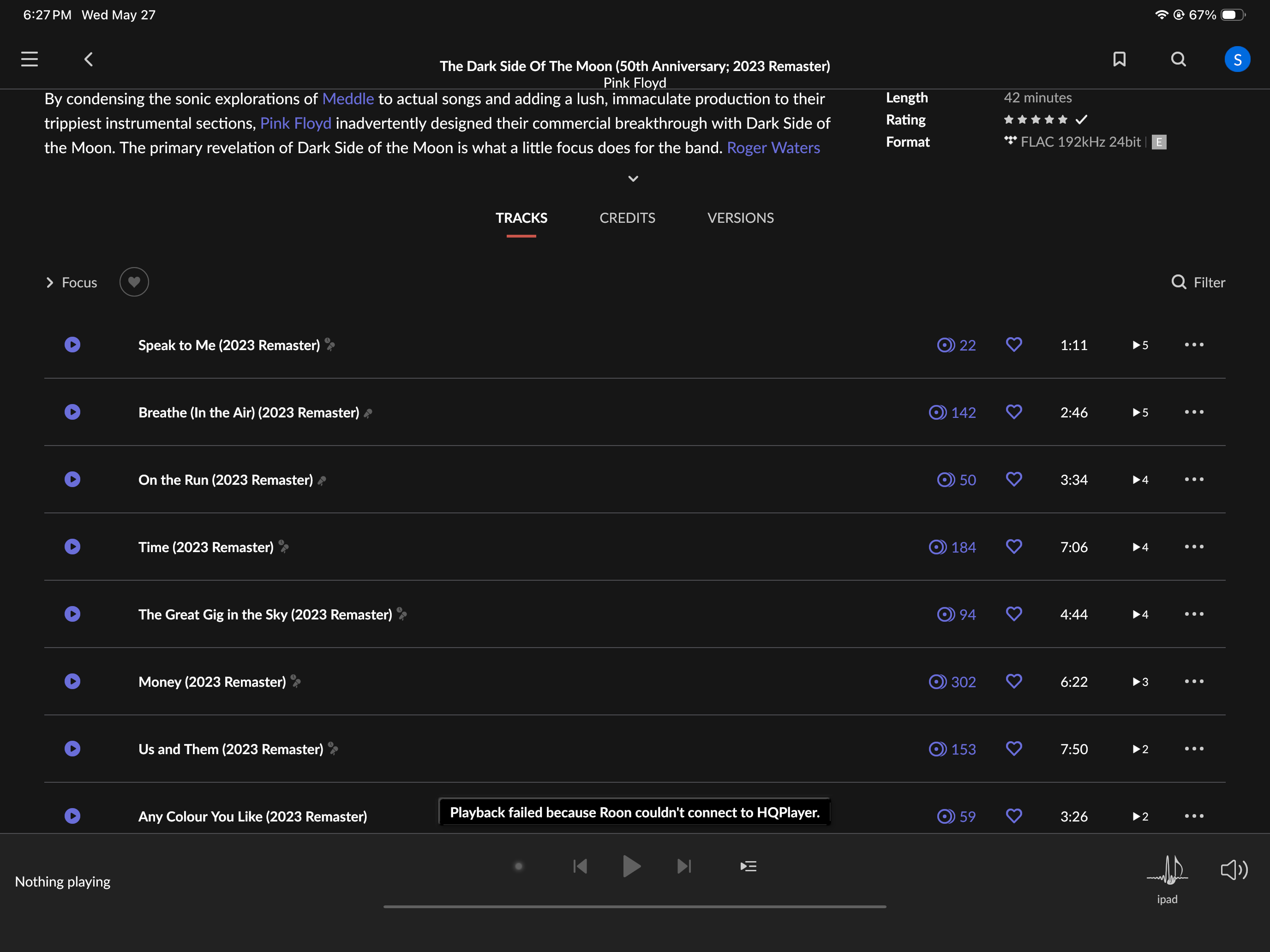
· As I have said several times before, after Roon requested an update it quit working. I have a Nucleus, which I bought from you, connected via eithernet. I have a lifetime subscription. I have ripped discs, TIDAL, and Qobuz. Last week I was listening to music in my iPad when Roon prompted me to do an update. Since then nothing works. Roon says it can’t connect to HQPlayer. I’ve previously provided a screenshot of this. I have provided this same information to you several times. My name is Steven Goff.
Tell us about your home network
· As I have said several times before, I have Comcast. I do not use the Comcast box as a router. Rather, I have separate routers on the first and second floors of my home. They are connected via eithernet. All of this has worked fine and tests fine. The problem is not with this setup, which works fine. I’ve tested the system with Ping and Speedtest. The problem is that the software/firmware update Roon pushed caused it to stop working. Since the update LAST WEEK Roon says it can’t connect to HQPlayer. Again, my network is not the problem. I am typing this on my iPad, which is connected via WiFi.
Can you please confirm what machine the HQPlayer Server is running on? Is it on a PC on the same network? Since you are using HQPlayer and the issue is that Roon can’t connect to it, the most likely cause is that the Allow control from Network toggle is turned off in your HQPlayer installation. Please refer to our Knowledge Base guide for the setup details. Let us know if this helps.
It is on my Nucleus, as I said. I was trying to listen to music on my iPad, about 12 days ago. Roon prompted me to do an update. Since the update nothing works, as I have stated. I’ve provided the support with a screenshot showing “Playback failed because Roon couldn’t connect to HQPlayer.” Roon doesn’t work connected to my receiver connected via HDMI. Roon doesn’t not work with my Oppo 4K blue-ray player, which usually puts out 2 channel audio, and has been working correctly up until this point. As I have detailed, my home network works fine. I have Comcast internet, but do not use the built-in capabilities of the Comcast box. Rather, I use two Netgear routers, connected via eithernet. They, of course, are connected to the Comcast device via eithernet. And the Nucleus is connected via eithernet. This all worked fine until Roon prompted me to do the update. So the software/firmware update caused the problem, as I have previously detailed. My network works fine. I have tested connectivity with Fing and speed with Speedtest. Everything works as usual. I was able to watch a baseball game today on this iPad. I watched a concert on it. I just can’t listen to Roon. I have a lifetime subscription. I use TIDAL, Qobuz, and ripped discs. It’s been weeks now, with no fix in sight.
Thank you for your patience and we understand this is frustrating.
My colleague @noris is trying to ascertain which machine on your network is hosting the HQPlayer server itself, since the Roon Nucleus doesn’t function as an HQPlayer server, but merely an HQPlayer endpoint. For clarity, the Nucleus runs RoonOS, while HQPlayer is its own software program.
You will most likely need to access HQPlayer, the software, outside of Roon, and verify that it is allowing local network connections. The full steps are listed precisely here, but specifically, you must enable the “Allow control from network” feature in HQPlayer. This is the globe icon on the far right-hand side of the HQPlayer toolbar:
The reason you need to do this is that the HQPlayer software itself likely lost sight of the Nucleus as an available endpoint after the update.
As for your broader issues with Qobuz and other services, we’ll need to know a little more about the Nucleus’s status. Can you please share a screenshot of the Web Administration page for the Nucleus from a browser?
I went to the web interface for my Nucleus and tried reinstalling the operating system and restarting, as seemingly suggested. That made things worse. Now, Roon can’t even find my Nucleus, even though it has been running for the last 24 hours. This is beyond frustrating. I’m truly at a loss. Everything worked fine until the software/firmware update. Now it’s been over two weeks. Again, I have a lifetime subscription. Any suggestion would be welcome.
Since Roon can’t find my server, I can’t go into settings. Before, HQPlayer always just worked. It was necessary to make things play on various devices, such as this iPad, which only plays back at 48 kHz. For instance, I have lots of ripped CDs, DVDaudio discs, and SACDs. Now, nothing. I have no clue what to do now. Please help.
According to diagnostics, it looks like you performed a full database reinstall on the Nucleus, which means you’ll now need to use the Select a different Roon Server button to connect to it again. The main issue with HQPlayer is that the Nucleus is not an HQPlayer server, so that functionality would have needed to live on a different machine, do you by any chance know which machine this could have been hosted on? Please let us know what you see after selecting a different Roon Server.