Hi! What’s not quite right with Roon?
· Can’t reach my Server, remotes or ARC
Can’t connect to my Server, remotes or ARC
· Other ARC issues
Tell us what's going on
· Tailscale
Tell us about your home network
· Cisco and PFSense

· Can’t reach my Server, remotes or ARC
· Other ARC issues
· Tailscale
· Cisco and PFSense
Hi @Olivier_Olivier,
Thank you for your post.
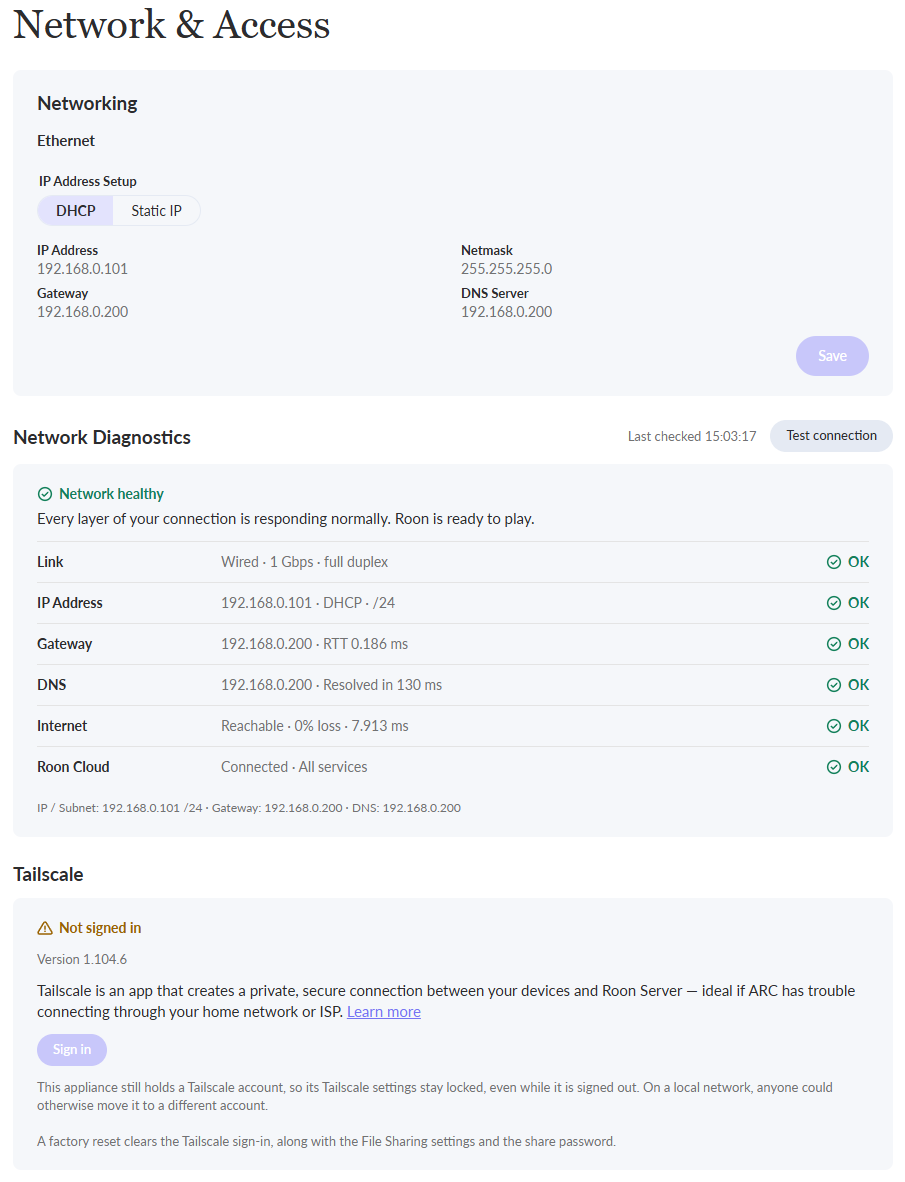
Diagnostic logs show the requests to Tailscale’s servers completing successfully, and Tailscale is installed on this RoonOS instance without issue.
But the Tailscale Control server no longer accepts this node key as logged in. With nodeKeyExpired=false, the most likely cause is that the machine was removed from the Tailnet device list.
If you sign into your Tailscale account admin settings page or check the list of machines in the app, do you still see your ROCK listed?
Try reinstalling RoonOS from the RoonOS web admin page, if not. Let us know if this helps.
>If you sign into your Tailscale account admin settings page or check the list of machines in the app, do you still see your ROCK listed?
I already do this.
I deleted the all the hosts and after I closed my Tailscale account.
I tried to reopen a Tailscale account but it change nothing (may the API token changed)
>Try reinstalling RoonOS from the RoonOS web admin page, if not. Let us know if this helps.
I would like to uninstall Tailscale on my Roon Rock server.
I don’t want to lose my database.
If I restore the database after a Roon Server reset I bet I will recover the Tailscale set up because Tailscale parameters are backuped in the database.
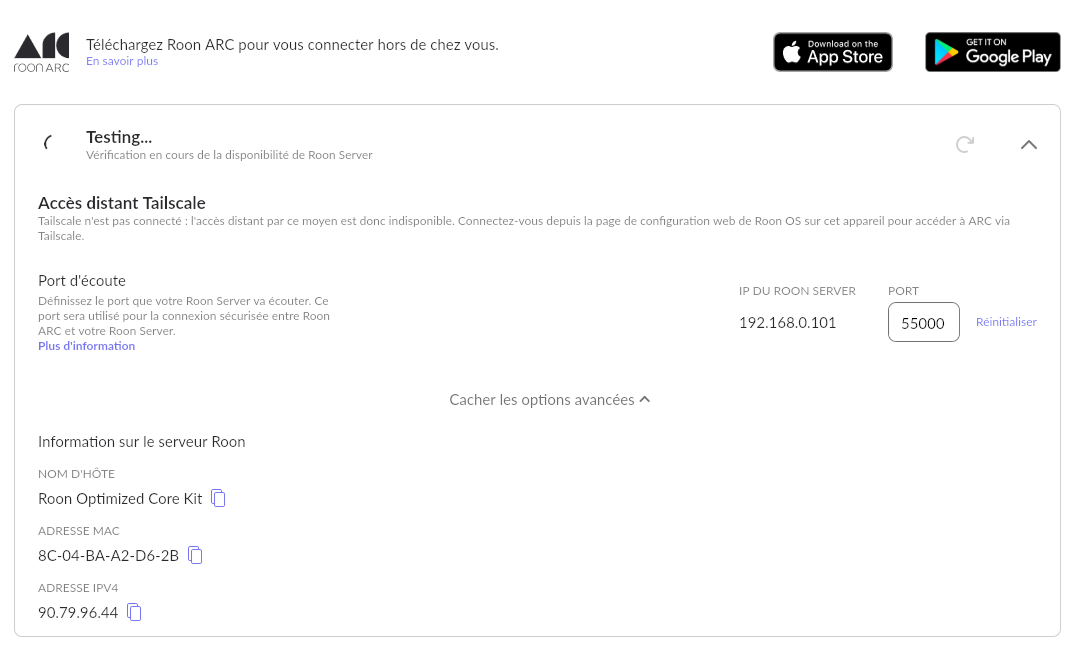
Now I’m unable to connect Roon Arc to my old port forwarding on my firewall because Roon Arc stuck in trying to connect to Tailscale.
For sur, I tired to uninstal/instal Roon Arc but it changes nothing.
Since the new Roon Server 3.0 OS version I’m unable to use Roon Arc.
I tried Roon Arc on my wife smartphone and it works.
At the first launch Arc request my roon login password.
On my own smartphone I uninstall/install Arc and at the first launch Arc did’nt ask for my login and stuck on the Arc logo.
I think you keep on roon cloud my device and the link with tailscale.
Could you delete my smarphone on your cloud ?
Also I would like to uninstal the old try of tailscale in my roon core server.
I’m unable to have music during my works trips.
Hi @Olivier_Olivier,
Sorry we missed this earlier.
Tailscale is still signed in, so you’re locked out from making changes to the network settings within the RoonOS admin page directly.
But the Tailscale session has gone stale.
To fix this, open the Tailscale machines admin page in a tab in a browser and sign into your Tailscale account. Click on the ROCK/Nucleus machine, and look for the “reauthenticate” button.
Next, go back to the RoonOS admin page and see if you’re signed into Tailscale again.
Let us know if this helps.
This worked for me.