If you’ve recently added the library, once imported, Roon will perform audio analysis. This can take some time, depending on the size of the library, and is normal behaviour.
Since analysis is over a Samba connection it will take significantly longer than with directly attached storage.
Consequently, you may want to turn off, or throttle, audio analysis. Turning off means that analysis is done on-demand, i.e., when an album is played. You can also turn on analysis, utilizing all cores, when you are not listening to music.
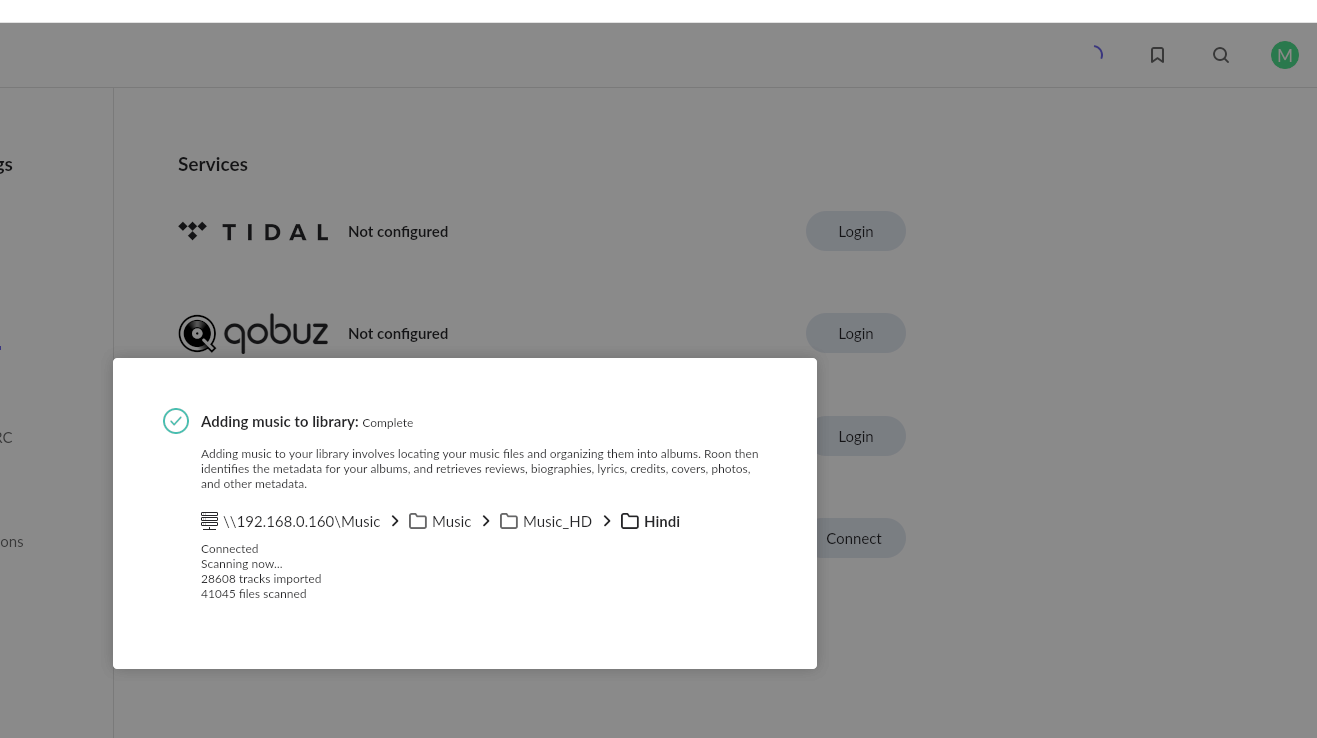
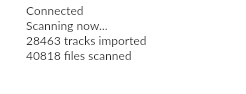
Thak you for your response. Unfortunately, this is not a new folder. After recent update of ROON this is happening. As you can see, it’s saying that the scan is completed, yet the circle is moving. This is in the same status since last 7 days. No change in counters of scanned songs. I haven’t added any new songs there.
The problem you are experiencing is likely caused by a corrupted file, which is putting Roon Server into a loop.
However, we cannot currently pull a diagnostics report from your machine.
Please pull your logs according to these instructions: Roon Logs and upload them to our storage here: Logs Storage so we can review them and assist you.
Thanks for sending over a set of logs! Based on the analysis of the log file, the scanning issues in the Music/Music_HD/Hindi library are primarily caused by corrupt audio files and missing auxiliary files, which interrupt the import process.
The scanner encountered critical errors while attempting to extract metadata from several FLAC files within that directory. A few are:
Hindi/Bahaar Aane Tak - Police Public (1990)/11 - Chattaungi Chamche Se Chaat.flac.
Hindi/Bahaar Aane Tak - Police Public (1990)/06 - Din Patjhad keHon Ya Baharein Hon.flac.
Most of the odd activity for tracks and artwork are hosted in the Hindi folder. If you temporarily remove this folder from your watched folder, do you run into the same issues?
I’d also ensure the storage device hosting the Music_HD folder has a stable connection and that Roon has full read/write permissions for that path.
I checked the logs and removed all the corrupted files. In the log, I don’t see any error in this folder \Music_HD\Hindi anymore. However, the circle is still moving. Can you please check if you can access ROON or do I need to upload the logs.
Note: There are similar errors in other root folders e.g. \Music_HD\English, but there is no issue there.
This thread will shortly close due to inactivity without any further response, so please give us a ping if you require further assistance, @Moh. Thank you!
Checked log and remove all corruped files (FYI; there is another folder where I have more corrupted files, but that is not causing any issue)
Removed skipped files from the directory
Cleaned up the library
Restarted the server software - Not fixed
Stopped the server and physically started it - Not fixed
Change permission in the remote folder and restarted the NAS - Not fixed
At the moment, I am cluless as what is causing the issue. My last resort will be to rename current folder and create a new folder with same name, and start moving files in batches. Unless you are able to find a solution. I suspect this happened due to some recent ROON update.
Thank you for your patience, and I want to commend you on your troubleshooting so far. You have taken all the right steps—from cleaning up the library to adjusting permissions and removing the files flagged in the logs.
I completely understand why the timing makes the recent Roon update look like the culprit. However, to be perfectly candid, Roon updates do not alter or corrupt your local media files. Roon only reads them.
The fact that these files became corrupted in the first place points to a hardware or file-system issue on the NAS itself. When a hard drive starts developing bad sectors, or if there is an underlying issue with the NAS file system, it can corrupt data. When Roon’s scanner hits one of these unreadable sectors over the network, it can get trapped in an endless loop trying to extract metadata that is physically scrambled.
Before we do anything else with Roon, we highly recommend checking the physical health of your NAS drives to ensure your data is safe.
Run a NAS Health Check: Log into your NAS administration panel and run a full S.M.A.R.T. (Self-Monitoring, Analysis, and Reporting Technology) diagnostic test on your hard drives. This will tell you if the drives are physically failing and causing this data corruption.
Your Batch Strategy: Your idea to create a new folder and move files in batches is actually an excellent strategy! If the NAS drives report that they are healthy, please go ahead with this plan. Moving files in small batches forces Roon to scan bite-sized chunks, which will help us pinpoint the exact file or hidden sub-folder that is currently paralyzing the scanner.
If you decide to move them in batches, let us know exactly which batch causes the spinning circle to freeze up again, and we can look at the logs for that specific timeframe.