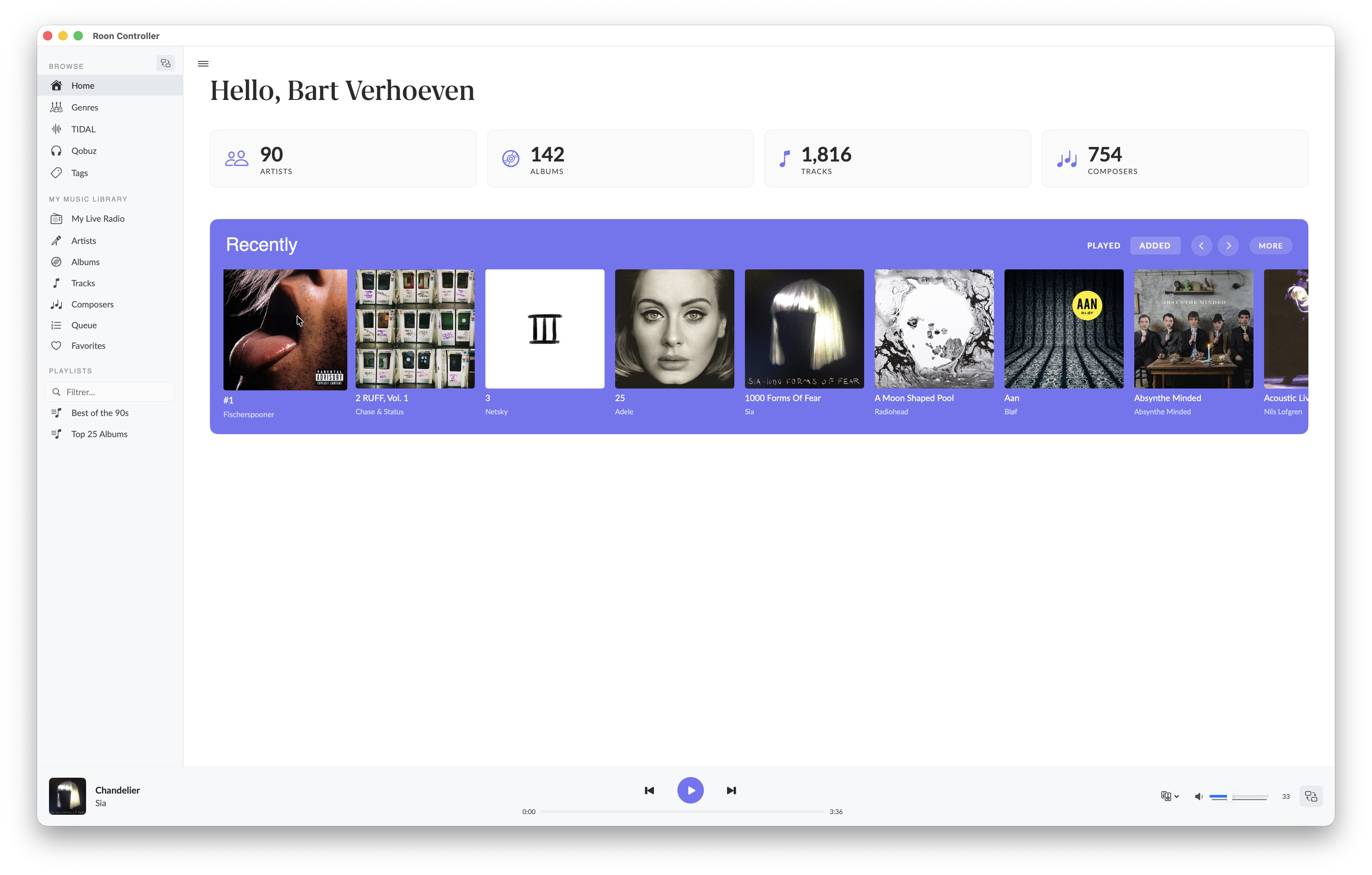
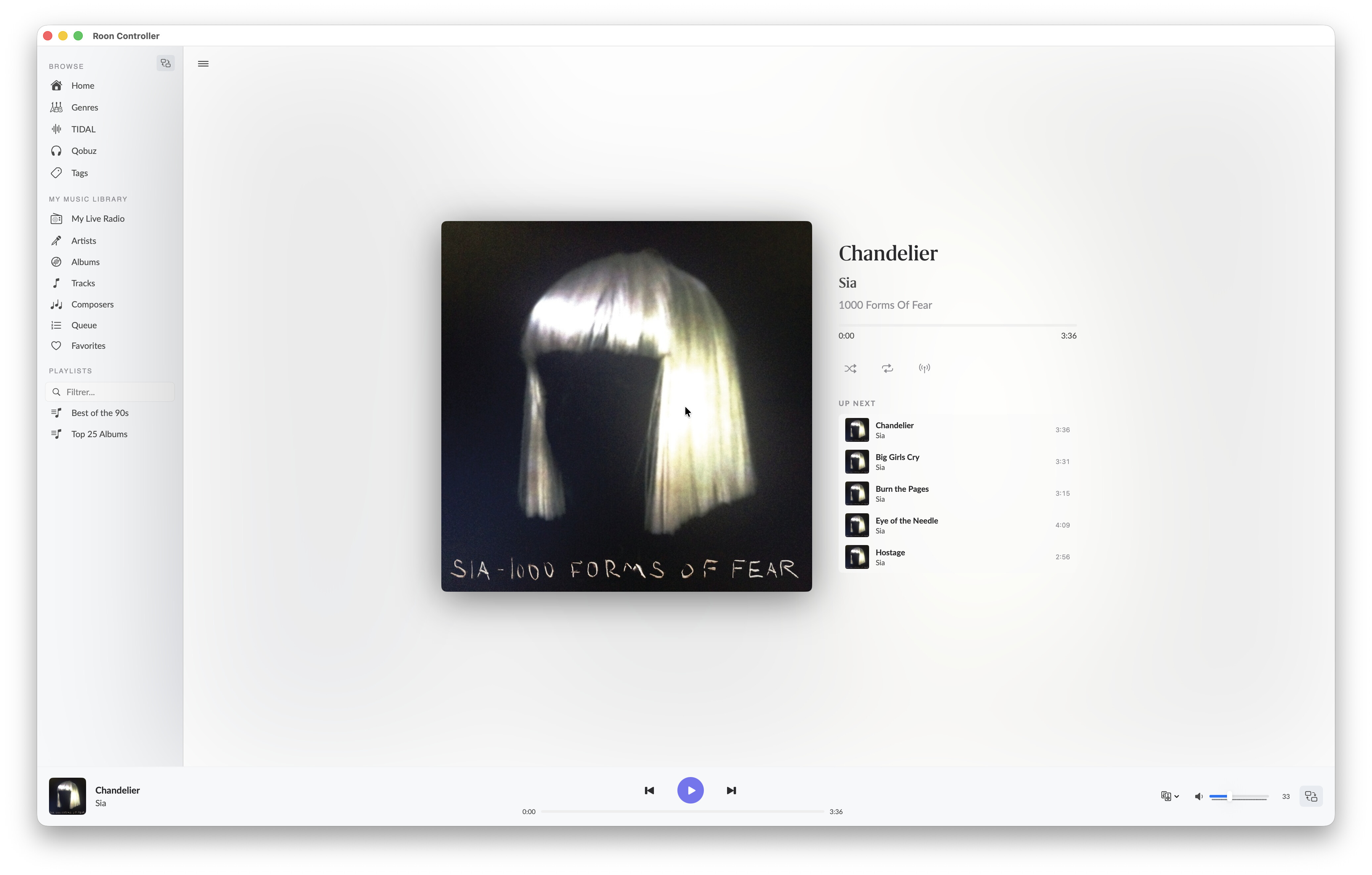
Clicking on a recently played album in the home screen, takes me to the full screen now playing menu. I expect it to go to the album I clicked on.
Mouse navigation buttons (e.g. back / forth) don’t work. Not yet implemented?
Btw, this work around does not work on newer versions of macOS. In Tahoe, I have to explicitly open the app from System Settings > Privacy & Security.
Hi @Roland_von_Unruh, @Nepherte, @Dirk-Pitt, and everyone following this little adventure!
Wow — the feedback on v1.0.6 was amazing. Roland, your 10-point report was like a proper QA session, and Nepherte, your UX eye caught things I completely missed. This is exactly what makes
open-source fun. Thank you both, seriously.
So here we go — v1.0.7 is ready, and it’s packed with your suggestions.
Download
RoonController.dmg — v1.0.7 (beta)
Universal binary (arm64 + x86_64) — macOS 12 (Monterey) and newer.
Unsigned: right-click > Open on first launch.
Or if you prefer Homebrew:
brew tap renesenses/roon-controller && brew install --cask roon-controller
What’s new in v1.0.7
Here’s what changed — and who inspired each fix:
Settings accessible from sidebar — Roland and Nepherte, you were both right: burying Settings under Library was a bad idea. There’s now a gear icon at the bottom of the sidebar in both
Player and Roon modes. One click, done.
Profile picker — Roland, you flagged the “roonserver” profile name. The app now lists all your Roon profiles in Settings and lets you switch between them. No more guessing which profile
you’re on!
Clickable stat boxes — Both of you expected the Artists / Albums / Tracks counters on the Home page to be clickable. Honestly, so did I when I looked at them again. They now navigate to the
matching library section.
Now Playing: proper exit — Nepherte, you pointed out there was no obvious way to leave the fullscreen Now Playing view. Fair point! There’s now a close button in the corner, and Escape
works too.
Album column cleaned up — When you’re already looking at an album’s tracks, showing the album name on every row was just noise. Removed, as Nepherte suggested.
Seek sync fixed — Roland, remember when seeking from the Roon app didn’t update the position here? Fixed. The local timer now properly listens to the Core’s seek events. Also squashed an
overflow bug that could cause the progress bar to jump around.
Disk cache with limits — The streaming cache now has a configurable size cap (default 200 MB) with automatic cleanup of oldest entries. You can see and adjust it in Settings.
New Qobuz & TIDAL icons — Roland, good call on the copyright concern. The Qobuz icon is now a custom vinyl/Q design — recognizable but safely ours. TIDAL gets its own icon too.
Still on my list
A few items I haven’t cracked yet — being transparent here:
“Recently added” sort — Roland, the sort order comes straight from the Roon Browse API, and it doesn’t seem to offer a sort parameter. Still digging into this one.
Album click behavior — Right now clicking an album card starts playback. I want to add a way to just open the album without playing it. Working on the right UX for this.
Sidebar recovery — If the sidebar disappears in Player mode, there’s no easy way to bring it back. A toggle button is coming.
English UI — Nepherte, point taken. The app is French by default because that’s what I use daily, but the beta audience is international. I’ve started translating everything — full English
is coming soon.
Tooltips — On the list for a future update. Small thing, big difference.
Stats
286 unit tests, 0 failures. The codebase keeps growing but nothing is broken — that’s always a good sign.
Full changelog here.
As always, I’m here if you hit any issues. Happy listening!
Bertrand
C’est tout bon merci beaucoup.
J’ai réussi à lancer la version 1.0.6 … et la version 1.0.7 est déjà là.
Pour ma part, la version française me va bien  .
.
Everything’s great, thank you very much.
I managed to launch version 1.0.6… and version 1.0.7 is already available.
For me, the French version is fine .
Hi everyone,
Quick update — v1.1.0 is out, with a few quality-of-life improvements.
Download
RoonController.dmg — v1.1.0
Universal binary (arm64 + x86_64) — macOS 12 (Monterey) and newer.
Unsigned: run xattr -cr “/Applications/Roon Controller.app” in Terminal before first launch, or go to System Settings > Privacy & Security > Open
Anyway after macOS blocks it.
Or via Homebrew:
brew tap renesenses/roon-controller && brew install --cask roon-controller
What’s new in v1.1.0
Volume control in Player view — You can now adjust volume directly from the Player without switching to the Roon UI or the sidebar. The volume row
includes a mute toggle, a draggable slider, and +/− buttons. Hold down +/− for continuous adjustment — no more clicking 20 times to go from quiet to
loud. The current level is displayed in dB.
Always starts on Home — The app now always opens on the Home screen (Accueil), regardless of which view you were on when you last quit. No more landing
on a stale Player view.
Full multilingual UI — The entire UI is now in English by default, with full translations for French, Spanish, German and Italian. Previous versions
had French hardcoded in some places — that’s cleaned up.
Other improvements since v1.0.7 — Sidebar toggle button in Player mode (Cmd+), album tiles open detail instead of auto-playing, recently added albums
tracked locally.
Bug fix
Fixed a subtle volume bug where Int() truncation could cause the volume buttons to silently send the same value back to the Core. Now using proper
rounding.
Stats
293 unit tests, 0 failures. Full changelog here.
Your feedback matters — even the small stuff
I’m really keen to hear what you think, even on things that might seem minor. UI details, small annoyances, features that feel slightly off, things you
expected to work differently — all of that is valuable. It doesn’t have to be a bug report. If something feels awkward, unintuitive, or just “not
quite right”, I’d love to know.
A few things I’m particularly curious about:
- Volume control UX — Does the slider + buttons layout feel natural? Is the repeat speed (200ms) right, or should it be faster/slower?
- Navigation flow — Does always starting on Home feel right, or would you prefer the app to remember where you left off?
- Player view layout — Is the information density good? Too much, too little?
- Anything missing? — What’s the one thing you wish it did that it doesn’t?
Don’t hesitate to share screenshots or quick descriptions — even a one-liner like “the X button feels too small” is actionable feedback.
Thanks to everyone who’s been testing and reporting. This project moves fast because of your input.
Happy listening!
Bertrand
Hi Bertrand,
merci pour le compliment! À vous aussi!
I also think it’s great fun to participate in this project!
I just installed v1.1.0 and am going through the changes and bug fixes.
#1 Profile name and Profile switching:
When opening RoonController the homepage still shows the logged in user “Hello, roonserver”.
When opening the settings dialog the name changes to the profile name.
The settings dialog shows all profiles defined in Roon, but it’s not possible to change the active profile. It’s stuck on the first profile on the list.
#2 #8 ”Recently played” “Recently added” area on home screen
a) empty home screen when “Recently played” is clicked and playback history is empty:  unchanged
b) only open Album instead of starting playback when clicked: partially resolved
it works for “Recently added”  , not for “Recently played” .
Weird side effect: Occasionally even playback of a completely random album (not in my library, most likely from Qobuz?) instead of the album clicked is started.
c) “more” button always opens playback history. In previous versions it opened history when “recently played” was selected and Albums view when “recently added” was selected.
#5 New Qobuz icon:
Very nice!  resolved
#6 Seek position not syncing from other controllers:
partially resolved
Update seek position when changed from other controllers: works fine
Update the seek position in OS “now playing” dialog: doesn’t work .
It seems to work only once for the first seek position change regardless of source (local ore Remote RoonController) but not anymore for subsequent changes.
The other way around (adjusting seek position in OS “now playing” dialog) works fine though
#7 Accessing the Settings Dialog:
Not working for me. The new gear icon doesn’t open the settings dialog on both my machines. Only way to access the settings dialog is via the menu bar.
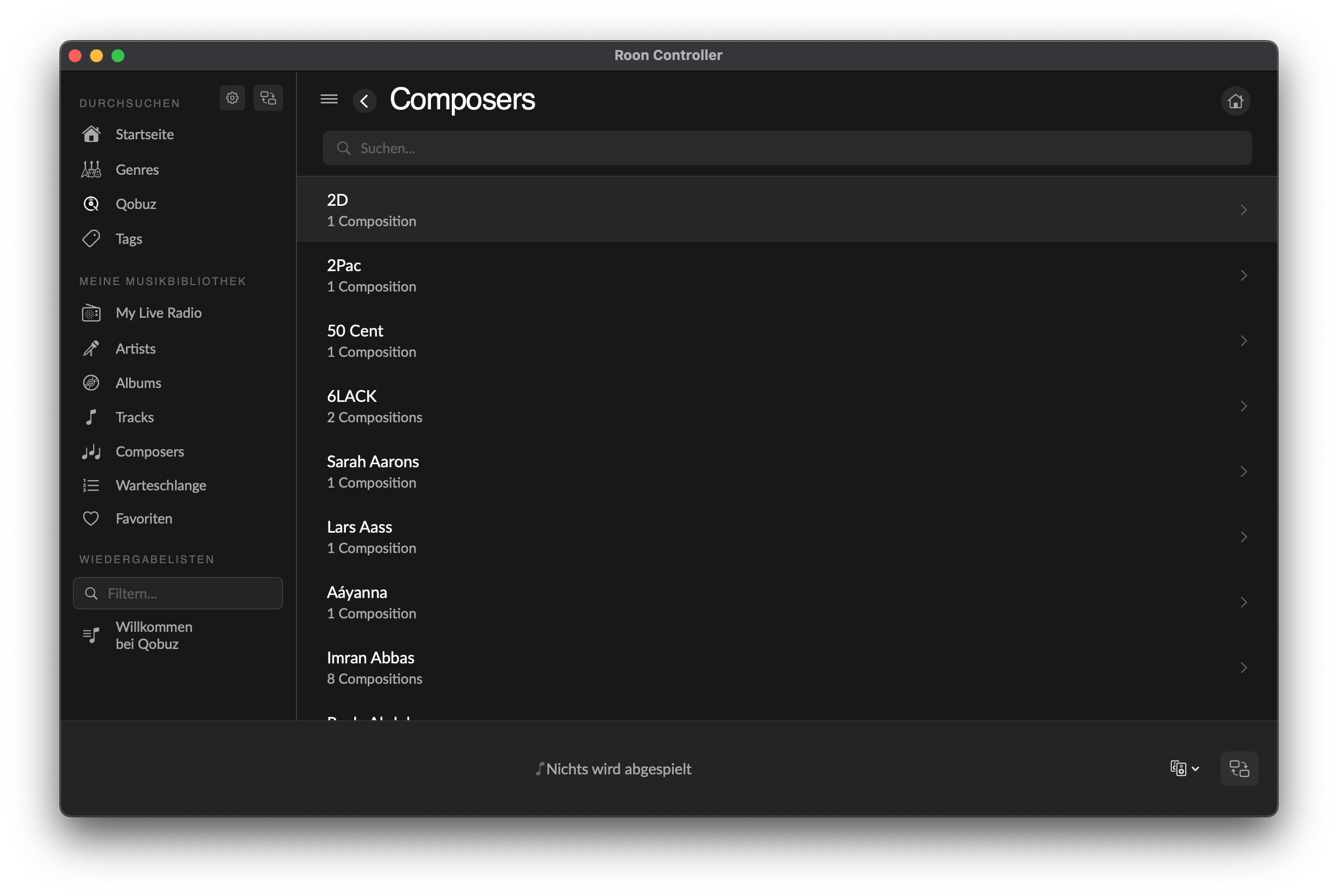
#9 Make Artist / Albums / Tracks / Composer boxes in Roon mode clickable:
Tracks view uses single Album layout instead of Tracks layout when opened by clicking on the tracks box:
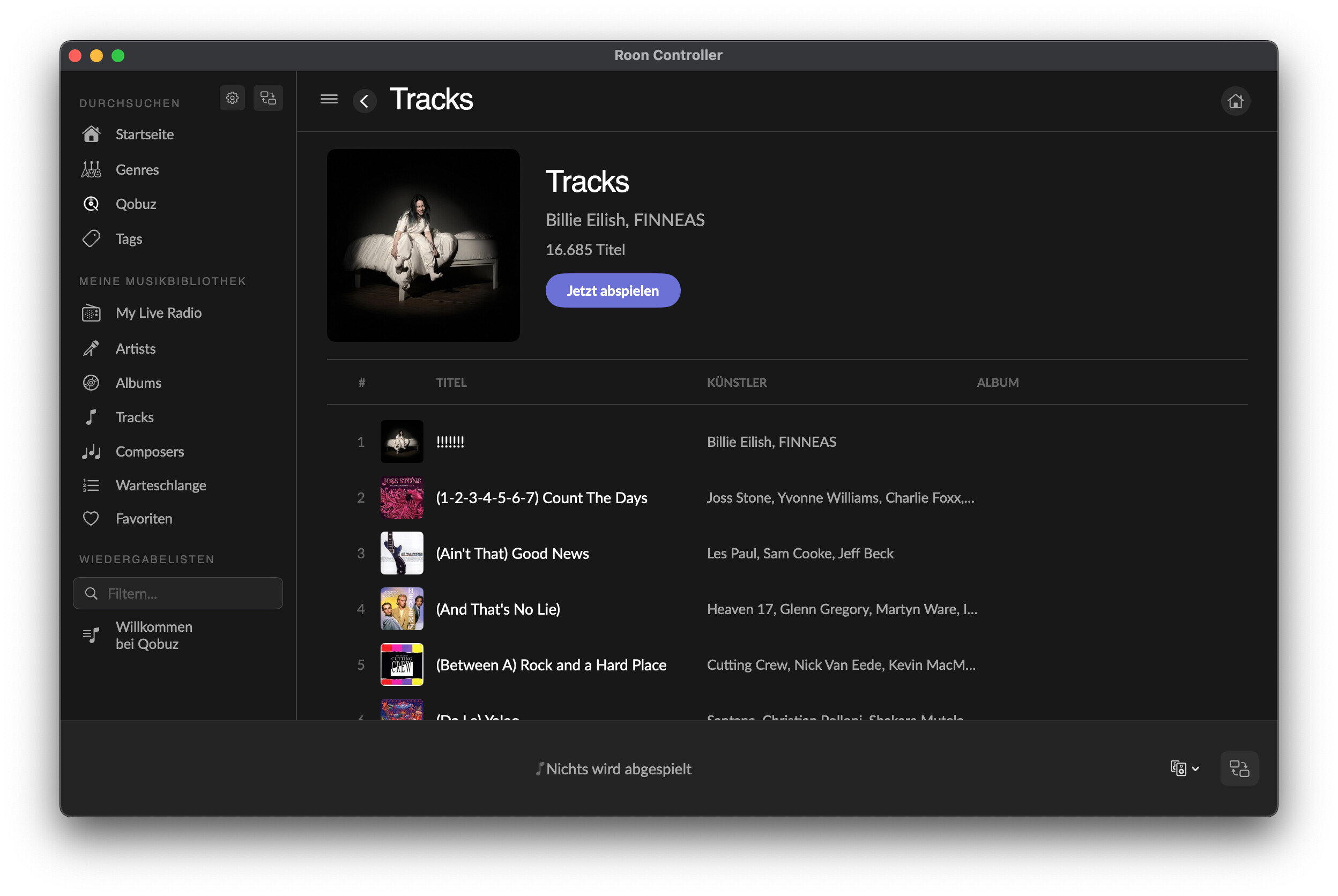
Also composers uses a different layout (list instead of composer images)
#10 Sidebar unrecoverable in player mode:
Toggle button for sidebar is back, resolved
#11 Album Colum in single album view:
it’s still there in 1.1.0 (maybe it came back after 1.0.7?)

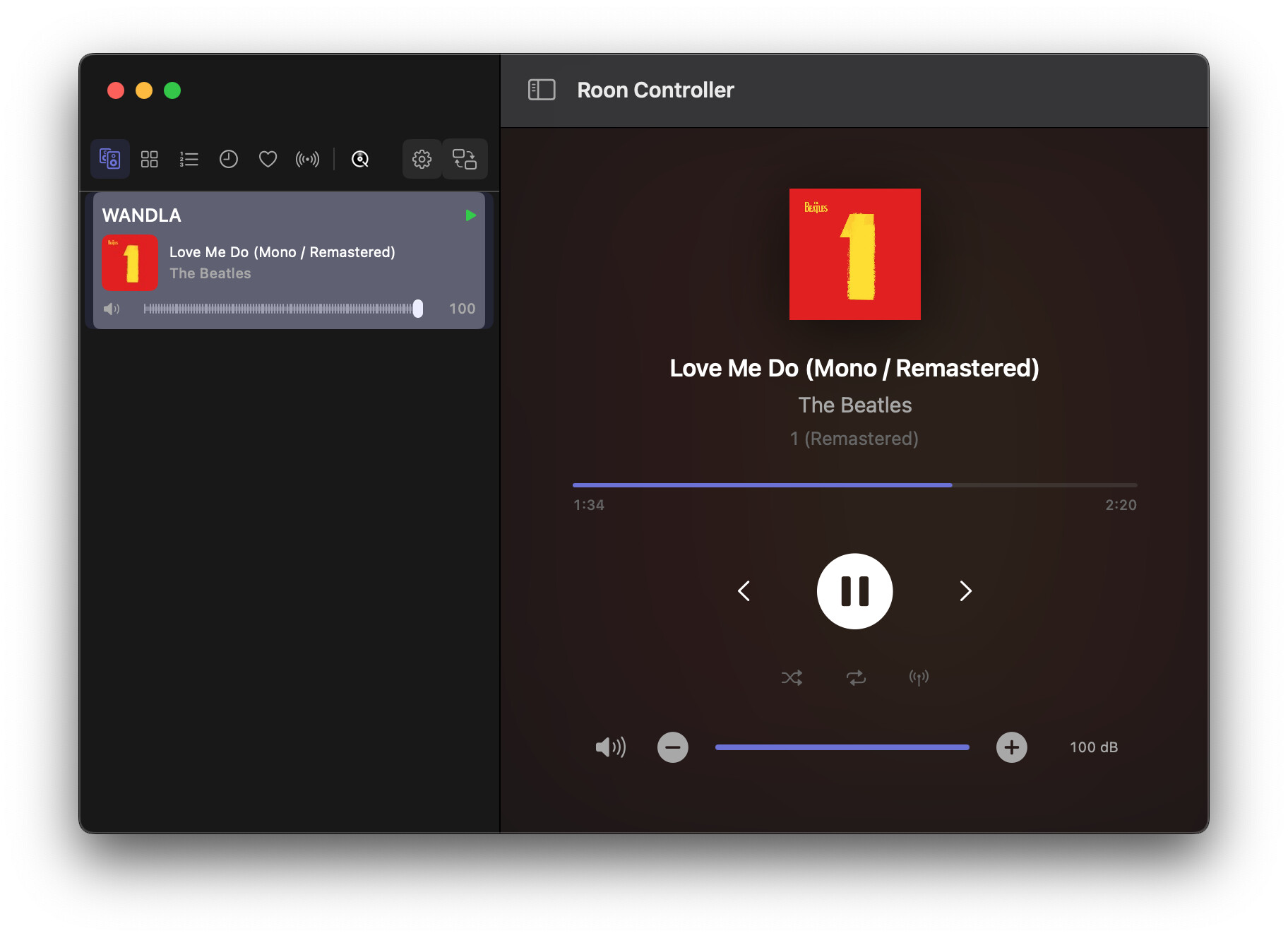
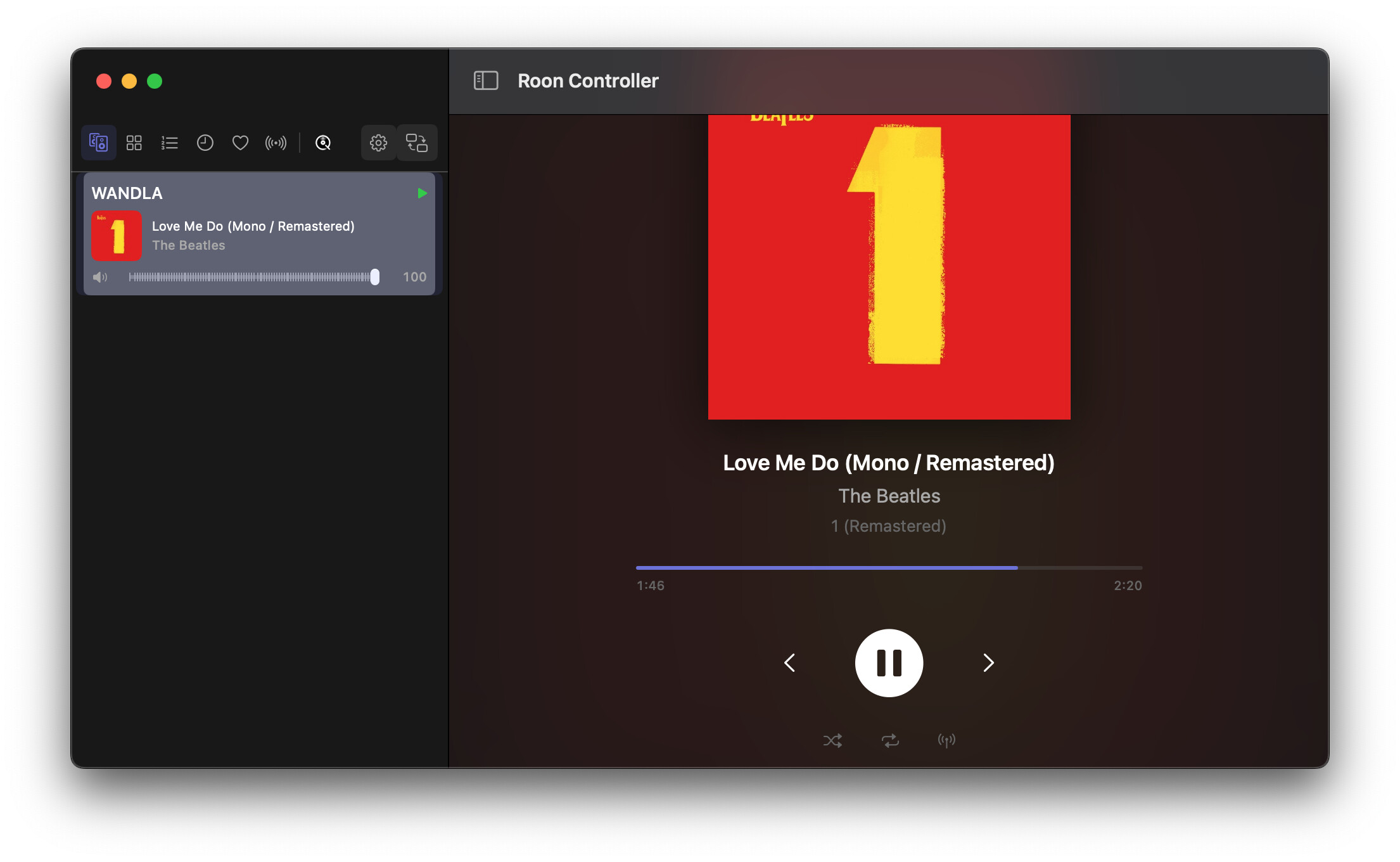
#12 Changing Window size in player mode:
GUI elements get lost in different Window sizes depending on Album Art zoom size:
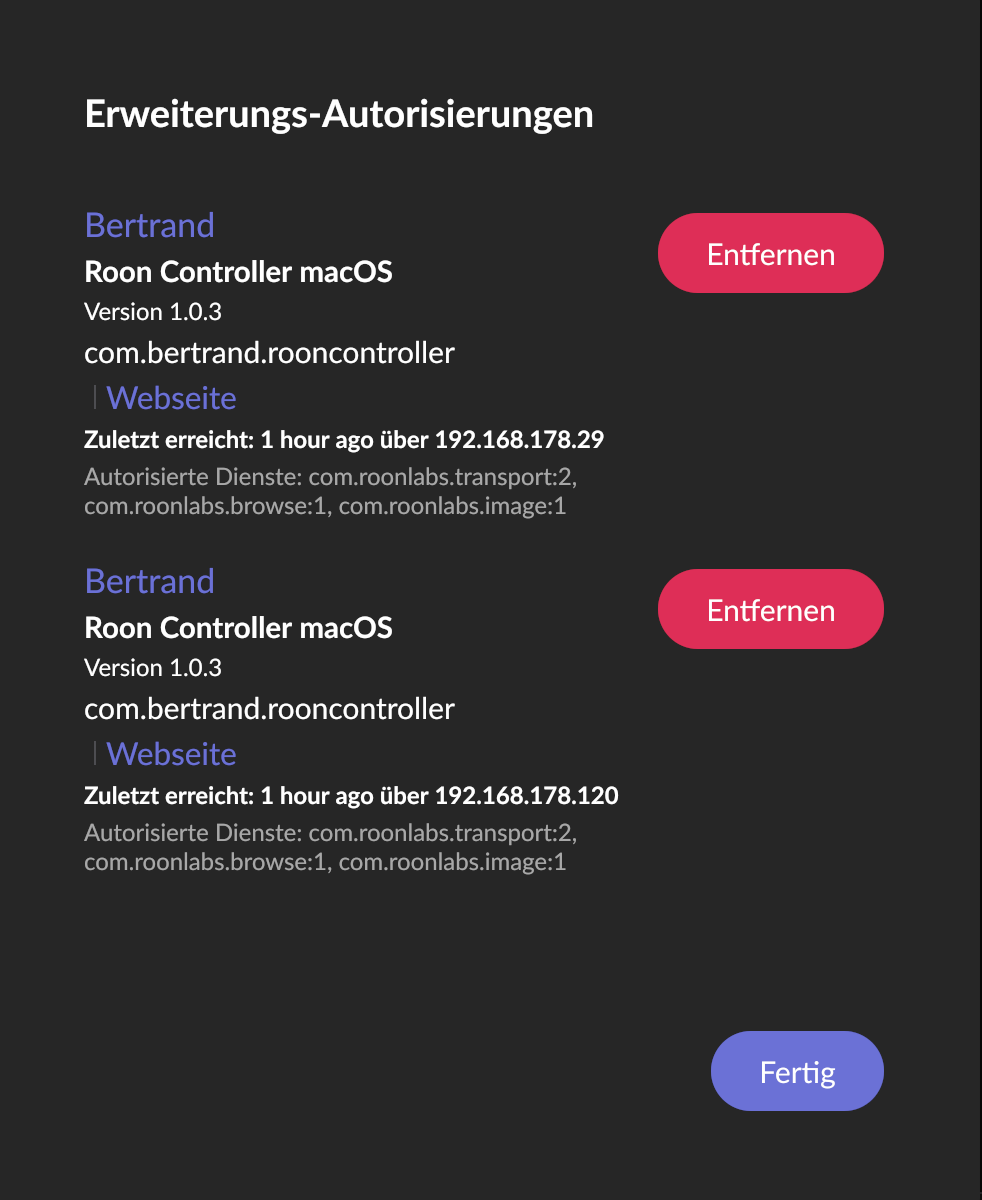
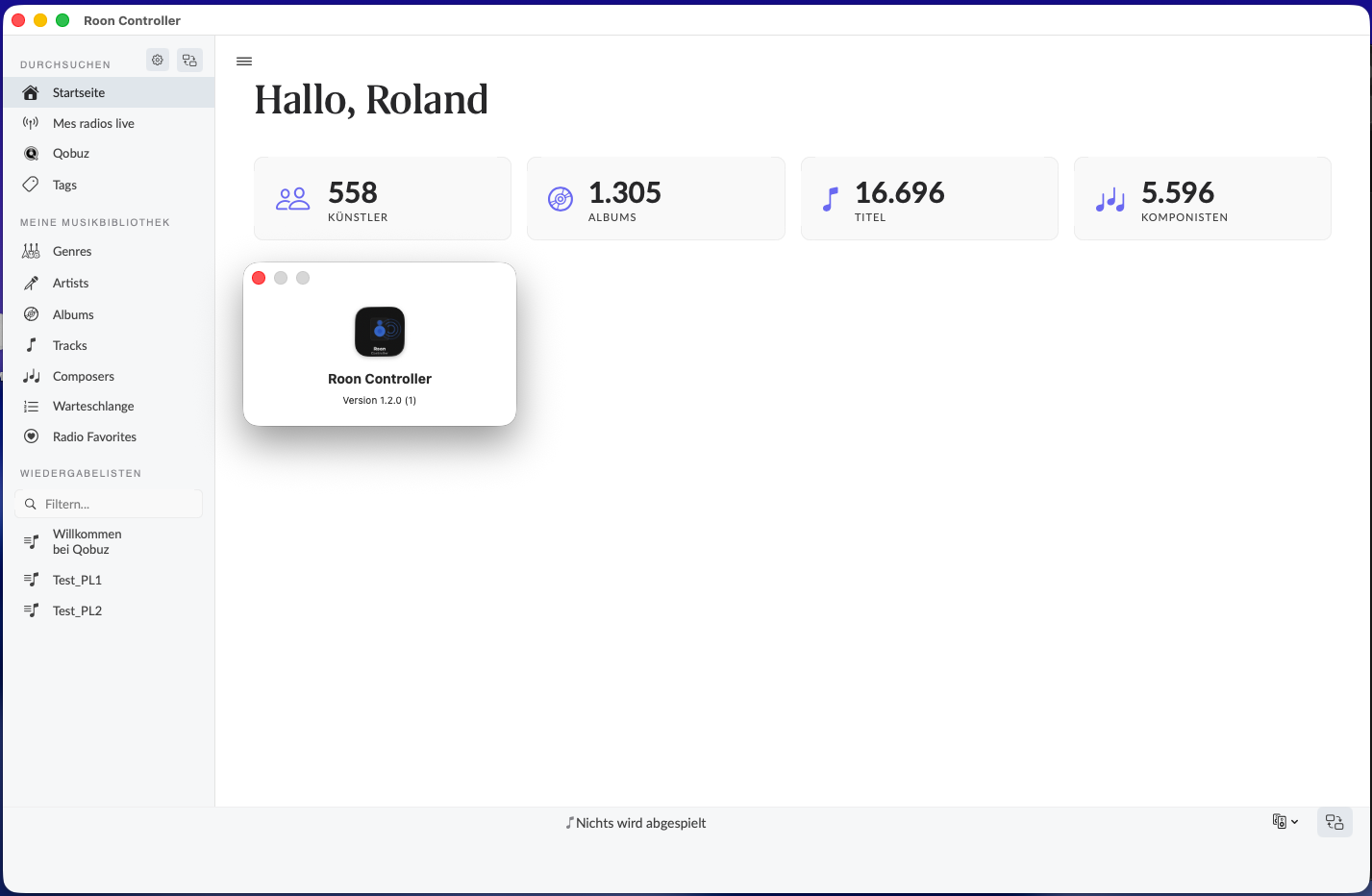
#13 Version number inconsistencies:
should be 1.1.0 now, but:
- “about” dialog: v1.0.0 (1)

- Roon extension manager: v1.0.3
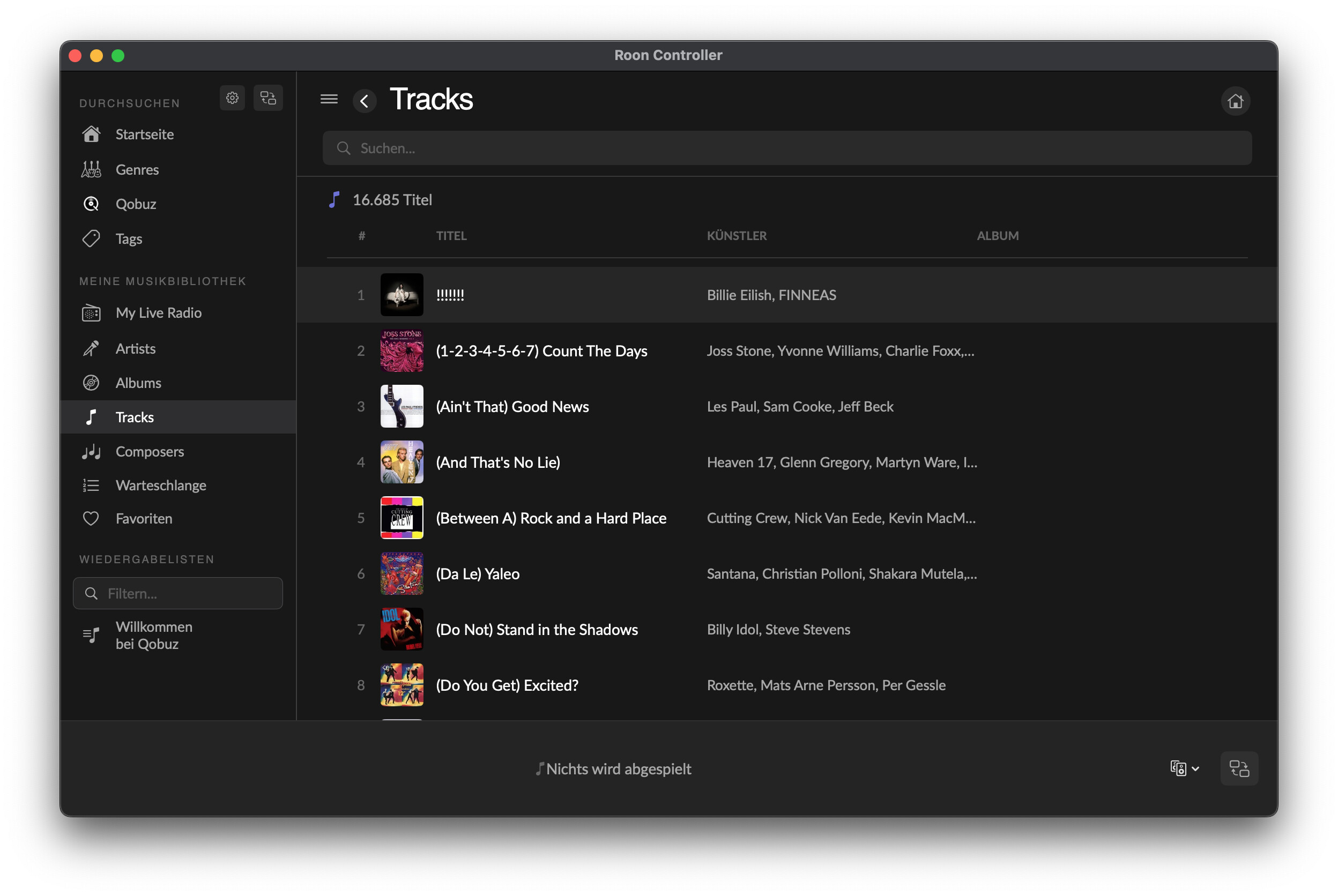
#14 Tracks view Album column empty:
Here it definitely makes sense to display the Album name. Please keep the Column in this view, but fill it 
Feedback on new features in v 1.1.0
a) Volume control in player view:
- I think the scale should be just numbers 0 - 100 without dB just as in Roon App itself.
- +/- increments and speed would be best to match the controls in the Roon App. Then it just feels the same. I think it’s about +/- 1 increments in 100 ms (+/- 10 in one second).
b) Navigation flow / always starting on Home Screen:
This is OK for me as it’s my favorite starting point in Roon as well. Other user might feel different. The luxury version of course would be to offer a choice in settings (remember last view / always start on home).
Probably it’s easier to always make a clean start on home screen and freshly pull everything from Roon API. When persisting the last view, it’s possible this view isn’t valid anymore (for instance: the last viewed Album has been removed from the library).
c) Player view layout: see #12
d) Anything missing?
Filtering the Albums view in Roon mode by favorites (heart symbol), if possible through Roon API. I use this a lot.
This should be it for tonight.
Again THX and merci! Roland
One more thought on “Profiles”: Does it even make sense to use profiles for Roon Controller?
In Roon itself Profiles do:
- store individual playback history
- store individual favorites (heart/banned)
- store individual playlist
- store individual tags
Are these even accessible through RoonAPI depending on the profile selected?
EDIT#1: I just did a small test and created different tags in different profiles. Roon Controller shows both tags while it should only show the one tag that belongs to the selected profile.
EDIT#2: Did the same test for playlists and RoonController shows only the playlists created in the profile selected, not the others.
EDIT#3: In the Roon App itself, it’s just the other way around: tags are profile specific and Playlists are shared across profiles. weird.
Addition to #1: Profile selection not working:
This seems to be a long standing issue, not resolved (?), see:
https://community.roonlabs.com/t/roon-api-selected-profile-isnt-set-report-is-in/146749/5
Addition to #7 Location and acces to Settings:
It’s still there in Library view:
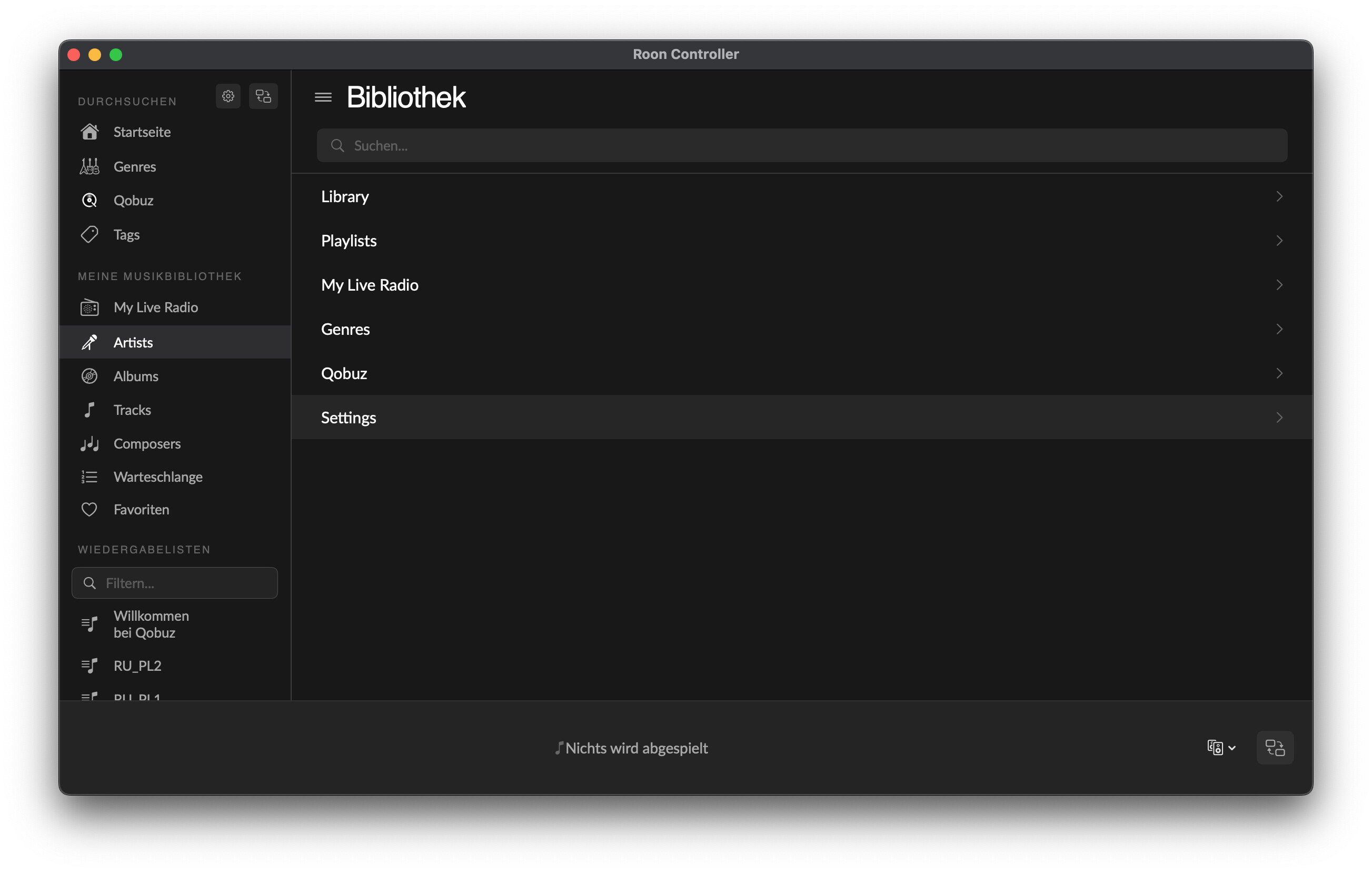
And “Display settings” haven’t been transferred to RoonController > Settings, just Profile selection.
Having read the above link, I understand why Settings is located in “Library”. This seems to be just the way, Roon has structured this in the API.
Hi @Roland_von_Unruh, @Nepherte, @Dirk-Pitt, and everyone following along!
Roland — your v1.1.0 report (posts 26-28) was incredibly thorough, as usual. Fourteen items! That’s not a bug report, that’s a QA sprint. Seriously
appreciated. And the profile discussion is spot-on — more on that below.
Nepherte — good catches on the album click and mouse buttons too.
Here’s v1.1.1, focused almost entirely on fixing your reported issues.
Download
RoonController.dmg — v1.1.1 (beta)
Universal binary (arm64 + x86_64) — macOS 12 (Monterey) and newer.
Unsigned: run xattr -cr “/Applications/Roon Controller.app” in Terminal before first launch, or go to System Settings > Privacy & Security > Open
Anyway after macOS blocks it.
Or via Homebrew:
brew tap renesenses/roon-controller && brew install --cask roon-controller
Responses to Roland’s v1.1.0 report
Here’s where things stand on each item from your post #26:
-
Profile switching — Fixed. The old code was using session keys from the Browse API, which go stale. Now uses title matching to find and select
the profile reliably. Should work across restarts too. -
“Recently played” empty state — The purple box no longer vanishes when there’s nothing to show. Empty state is handled properly now.
-
Settings gear icon — Fixed. There was a dedup guard in the Browse service that blocked re-navigation after certain action responses (like
toggling a favorite). The gear icon was silently caught by this. Cleared. -
Stat boxes layout — Fixed. The layout detection for Tracks and Composers was failing on non-English locales. The column headers are now matched
across all supported languages (English, French, German, Spanish, Italian). -
Seek position sync — Reworked. The local interpolation timer now properly yields to server-side zones_seek_changed events. Previously it could
override incoming seek updates in a race condition. This should stay in sync now, even with repeated seeks from other controllers. -
Album column in single-album view — Fixed alongside the layout detection rework (#4).
-
Window resizing — The transport bar and player artwork now scale responsively. No more disappearing elements when resizing the window or changing
album art aspect ratios. -
Version number — Fixed. The About dialog and Extension Manager now both report the correct version.
Nepherte’s items
Recently played → album detail — Fixed. Clicking a recently played album on the Home screen now opens the album detail view instead of launching full-screen Now Playing.
Mouse back button — Implemented! The mouse back button now works for browse navigation (back through the library hierarchy). Forward button too.
New features in v1.1.1
Roon library favorites (heart toggle) — You can now add/remove albums, artists, tracks and playlists to your Roon favorites directly from the browse view. A heart icon appears on items that support it, and it toggles via the Roon Browse API action system. This is separate from the Radio
Favorites feature (which has been renamed to “Radio Favorites” for clarity).
Volume 0–100 scale — Roland, you asked for this: volume can now be displayed as a 0–100 percentage instead of raw dB values, matching the Roon app convention. This is a toggle in Settings. The +/− buttons also got faster (100ms repeat instead of 200ms).
Startup view preference — New setting to choose which view the app opens on: Home, Player, or last used. “Always Home” is still the default, but you can change it if you prefer to land on the Player.
Genre navigation breadcrumb — When browsing deep into genre hierarchies (e.g. Jazz > Jazz Instrument > Piano), the nav bar now shows the full path
instead of just the last level. Sub-genre grids with artwork also display as album cards instead of gradient tiles.
On profiles
Roland, your posts #27-28 raise a fair point. Roon profiles are deeply tied to the Core’s internal state (history, favorites, playlists, tags), and the API’s support for profile switching has known limitations — as the GitHub issue you linked confirms. The profile picker in Settings does what
the API allows (switching the active profile for Browse responses), but it won’t affect transport or playback history. I’ll document this limitation clearly rather than pretend it works fully. For now, the profile picker is useful if you want to browse a different profile’s playlists or favorites.
Stats
326 unit tests, 0 failures. Full changelog here.
As always — keep the feedback coming. Every report makes this better.
Happy listening!
Bertrand
You’re pushing out code faster than I can test. But rest assured, I will test at some point
1 Like
Hello @Bertrand_CLECH ,
thanks for the new version!
As @Nepherte wrote, you’re pushing new versions quicker than we can test. Actually I am kind of looking forward to dig into a new version in the evening . Great fun and a great project IMHO.
However # 1-7 reported as fixed still exist in my setup with v1.1.1. Only #8 version number has been updated. This is the same on both machines.
I also tried to set system language from german to french and english in case this matters as you reported some issues were language specific, but no luck.
I’m puzzled about the reason for this.
To give new versions of RoonController a fresh start, this is my procedure before testing a new version:
- Extensions authorization is removed/deleted in Roon
- RoonController is deleted using AppCleaner in order to remove caches an .plist files in /Library
- Reboot Client and Server
- Install new RoonController
- Authorize RoonController in Roon
My best guess would be that AppCleaner misses some files, so here’s what it finds and deletes:
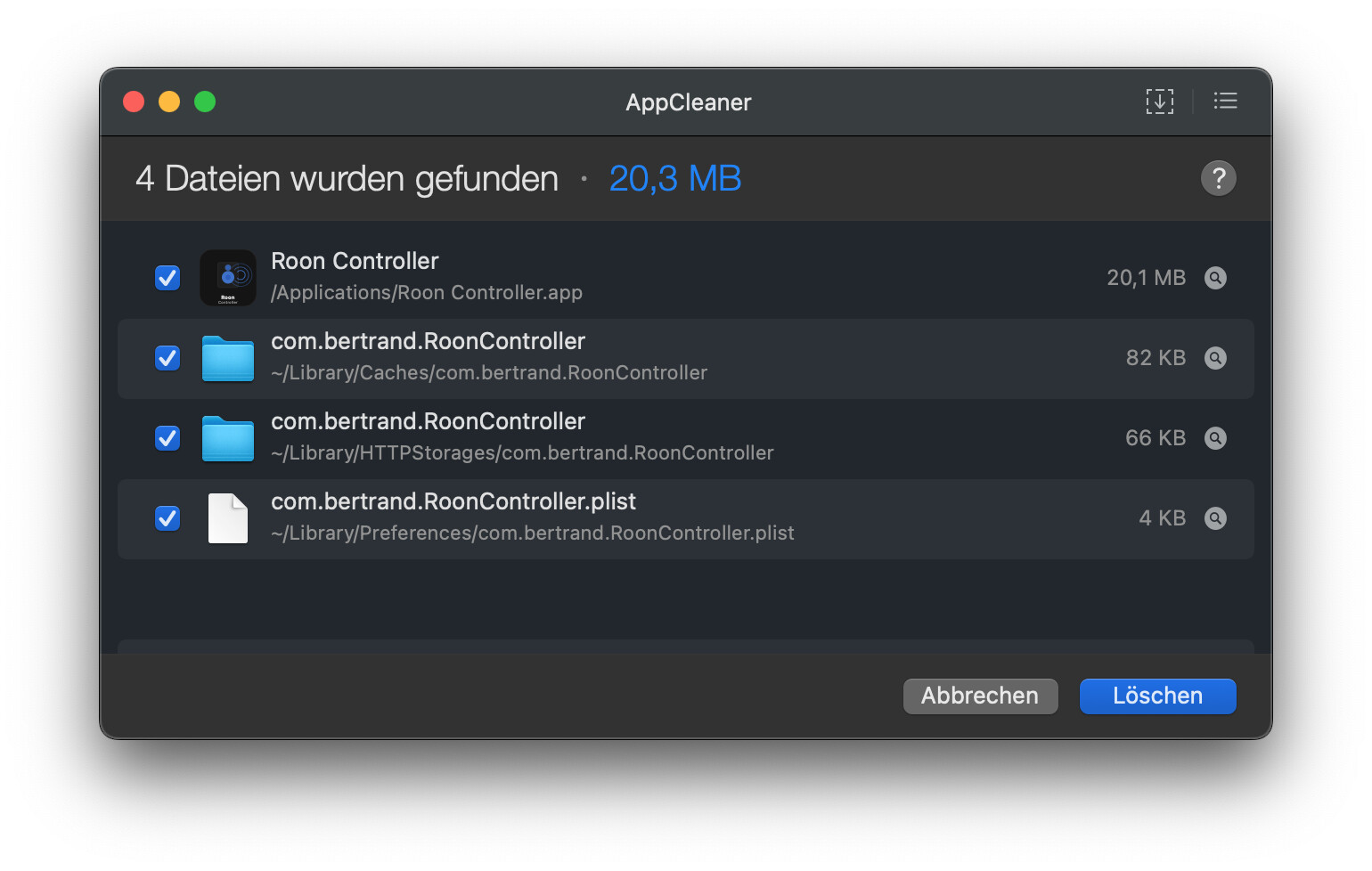
Another possibility would be on the RoonAPI side, i.e. some cached states of the previous instance that interfere. However I think I’m avoiding this by actively de- and re-autorizing RoonController and rebooting inbetween, hoping this creates a new fresh instance.
Any ideas what I’m doing wrong? Do you follow a specific “clean-up” procedure with new versions?
Maybe this is related to regional settings on the Mac (time/date format? number format?) What regional setting do you use?
Best Regards, Roland
Hi Roland,
Thanks for the detailed feedback and thorough testing — really appreciated!
Regarding the persistent issues after updating to v1.1.1: the DMG download may leave residual files (caches, preferences) that interfere with the new version, even after using AppCleaner.
I strongly recommend switching to Homebrew for installation and updates. It handles clean upgrades automatically:
brew tap renesenses/roon-controller
brew install --cask roon-controller
To update in the future:
brew upgrade --cask roon-controller
If you want a fully clean slate first:
brew uninstall --cask roon-controller
defaults delete com.renesenses.RoonController 2>/dev/null
brew install --cask roon-controller
This eliminates any stale cache or plist issues. Regional settings (date/time/number formats) should not affect the app.
I’m currently working on the next release which includes several improvements you’ll appreciate — I’ll let you know when it’s available.
Quick update:
I removed the app with AppCleaner and re-installed with homebrew, also did the steps for a fully clean slate.
No difference though, still the same as with the dmg-install.
Also I don’t see the new features (both with dmg install and homebrew):
- Roon library favorites (heart toggle)
- Genre navigation breadcrumb (full path)
This is what it looks like (same as v1.1.0):
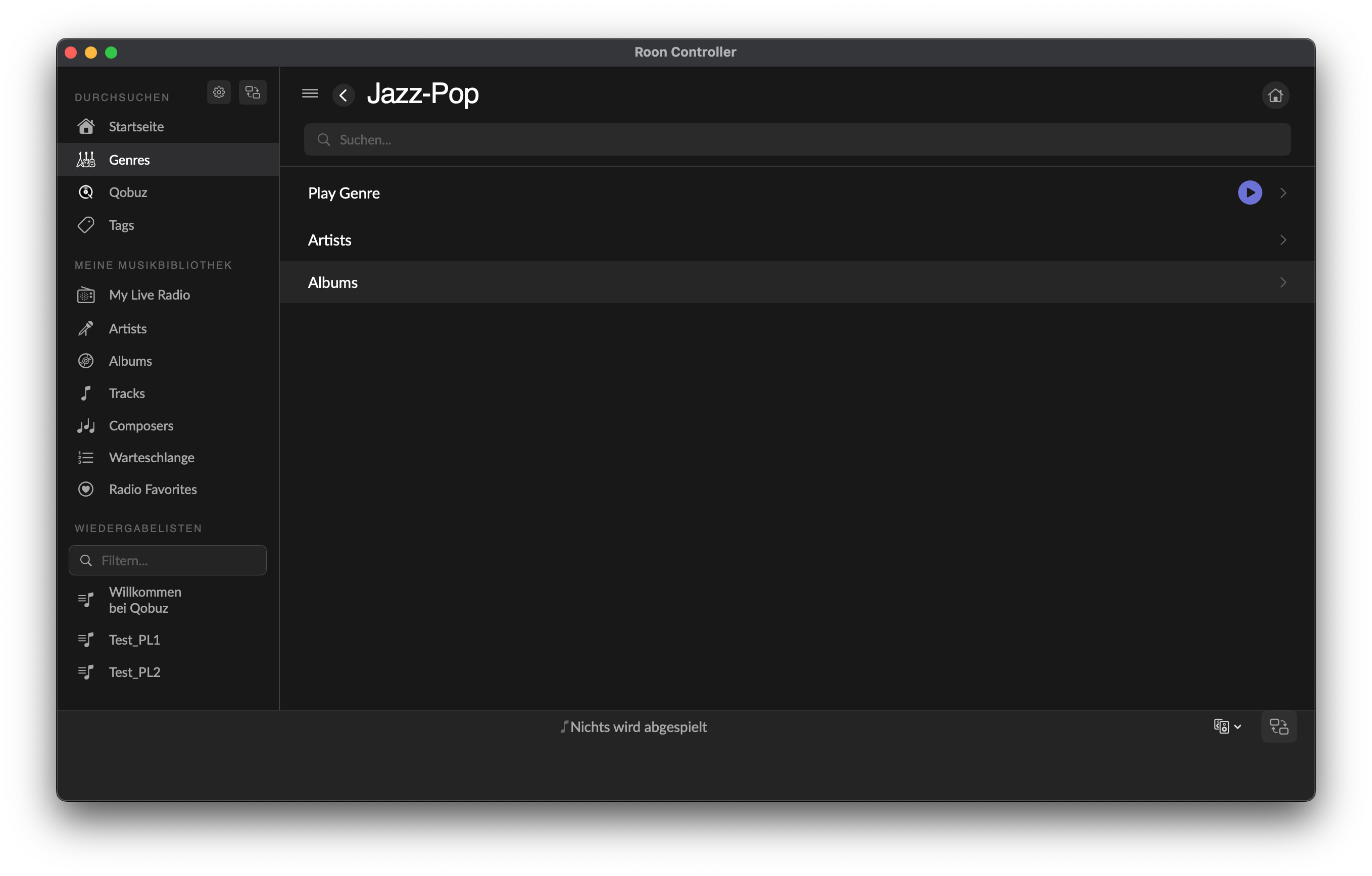
I have another MacBook (macOS 26.3 instead of 15.7.4) available which is “clean”, i.e. never had any previous versions of RoonController installed. I can try with this machine tomorrow.
Roland,
I will release soon.
Hi everyone,
Thanks to all the beta testers who tried Roon Controller and reported issues — your feedback has been incredibly helpful. Here’s what’s new in v1.2.0, which addresses most of the points raised in this thread.
New features
- Roon library favorites (hearts) — you can now toggle the heart/favorite status on albums, artists, and tracks directly from the app, via the Browse
API. This was a frequently asked question: “where are my Roon favorites?” - Genre grid view — sub-genres are now displayed as visual cards with album artwork instead of a plain list. Leaf genres show album covers for a more Roon-like browsing experience
- Full breadcrumb navigation in genre browsing (e.g. Genres > Jazz > Jazz Instrument > Piano Jazz) — you can click any level to jump back
- Extension authorization message — if Roon Controller is not yet approved in Roon > Settings > Extensions, the app now shows an explicit message explaining what to do, instead of silently waiting
- Volume 0–100 scale option — in addition to dB display, you can now switch to a 0–100 percentage scale in Settings
- Startup view setting — choose which view the app opens on (Home, Player, etc.)
- Mouse back button — navigate back in the library with your mouse’s back button
- Settings accessible everywhere — gear icon now visible in both Player and Roon UI modes (Cmd+,)
Fixes from community feedback
- Profile switching now works reliably (was using stale session keys)
- Responsive layout — transport bar and player artwork scale properly when resizing the window
- Volume repeat speed increased (200ms → 100ms) for snappier +/- buttons
- Seek sync — fixed drift when controlling from multiple remotes simultaneously
- Recently played albums now open the album detail view instead of immediately playing
- Browse navigation — fixed a guard that blocked re-navigating after action responses (the “More” button bug)
- Layout detection now works correctly in all languages (Tracks/Composers/Album column)
Other improvements
- “Favorites” section renamed to “Radio Favorites” for clarity (library favorites are now separate)
- Genres moved to the Music Library section in the sidebar (was in Explorer)
- “My Live Radio” translated to French
- 326 unit tests (up from 293)
Download
Download RoonController v1.2.0
Same requirements: macOS 12+ (Monterey through Tahoe), Roon Core on the local network. Unsigned app — see first post for install instructions.
If you’re updating from a previous version, just replace the app in /Applications. Your settings, radio favorites, and Roon extension authorization are preserved.
Still looking for feedback, especially from users with:
- Large libraries (10k+ albums)
- Multiple zones / grouped zones
- Network streamers (not just USB DACs)
Full changelog: CHANGELOG.md
Bertrand
Hi Bertrand,
i will try the new version this evening and give feedback. I will also include my 3rd machine (MacBook Pro, intel, MacOS 26.3) in the test setup.
I can’t help with large libraries, but have a Matrix Audio mini-i pro 3 (RoonReady) available for testing with network streamers and grouped zones.
EDIT: The gitHub Readme mentions Xcode 26 as a requirement. Does this mean either the Xcode App or the developer command line tools need to be installed for RoonController to run properly? Might that be the reason why I still see bugs in v1.1.1 that have been fixed and miss out on new features?
However, I installed Homebrew on the MacBook as you suggested which installs Xcode command line tools alongside (see post #32). This didn’t make any difference. So I guess the answer is no.
I guess, Xcode is only needed in case I want to run the source code directly from Xcode and/or compile the app myself, right?
Best Regards, Roland
Hi Roland,
Thank you for the thorough testing, especially with the Intel MacBook Pro — that’s very helpful! And the Matrix Audio mini-i pro 3 for grouped zones testing sounds great, that’s an area I’d love to validate more.
Regarding your Xcode question: No, Xcode is absolutely NOT required to run Roon Controller. Xcode is only needed if you want to build the app from source code yourself. The DMG download is a fully self-contained application — just drag it to /Applications and you’re good to go. I realize the README is misleading on this point — the Requirements section mixes runtime and build prerequisites. I’ll fix that to make it clearer.
So if you’re seeing bugs in v1.1.1 that should be fixed, it’s not related to Xcode or developer tools. Could you confirm which exact version you’re running? (You can check in Roon
Controller > About or in the window title bar.) It’s possible the DMG wasn’t updated correctly, or there’s a caching issue. If you can describe the specific bugs you’re still seeing, I’ll investigate.
Looking forward to your feedback on the new version!
Best regards,
Bertrand
Hi Bertrand,
time for the daily QA session for the new version 1.2.0. This time a frustrating one unfortunately.
I use these three machines for testing:
#1: MacMini M1, MacOS 15.7.4, RoonServer (v2.60 build 1629), Standard User, .dmg-Install
#2: MacBook Pro 2015 (intel), MacOS 15.7.4, Admin User, HomeBrew Install
#3: MacBook Pro 2020 (intel), MacOS 26.3, Admin User, .dmg-Install
Machines #1 and #2 are the machines, I have been using before for testing previous versions. Machine #3 is a fresh install (no stale cache or .plist files).
EDIT: I managed to install RoonController v1.2.0 via homebrew on machine #2 by uninstalling, untap and re-tap the repository. Doesn’t make a difference though which is not surprising since it downloads and installs the same .dmg from GitHub as I do when installing manually.
Machines #1 and #3 were both installed via .dmg (no home-brew installed on these machines, not planning to either).
All three machines unfortunately give the same results as reported yesterday which is frustrating, because machine #3 rules out the possibility of stale caches and plists spoiling the show. So there must be another reason, which needs to be found.
Here some Screenshots from the home page on all three machines:
Machine #1 (MacMiniM1)
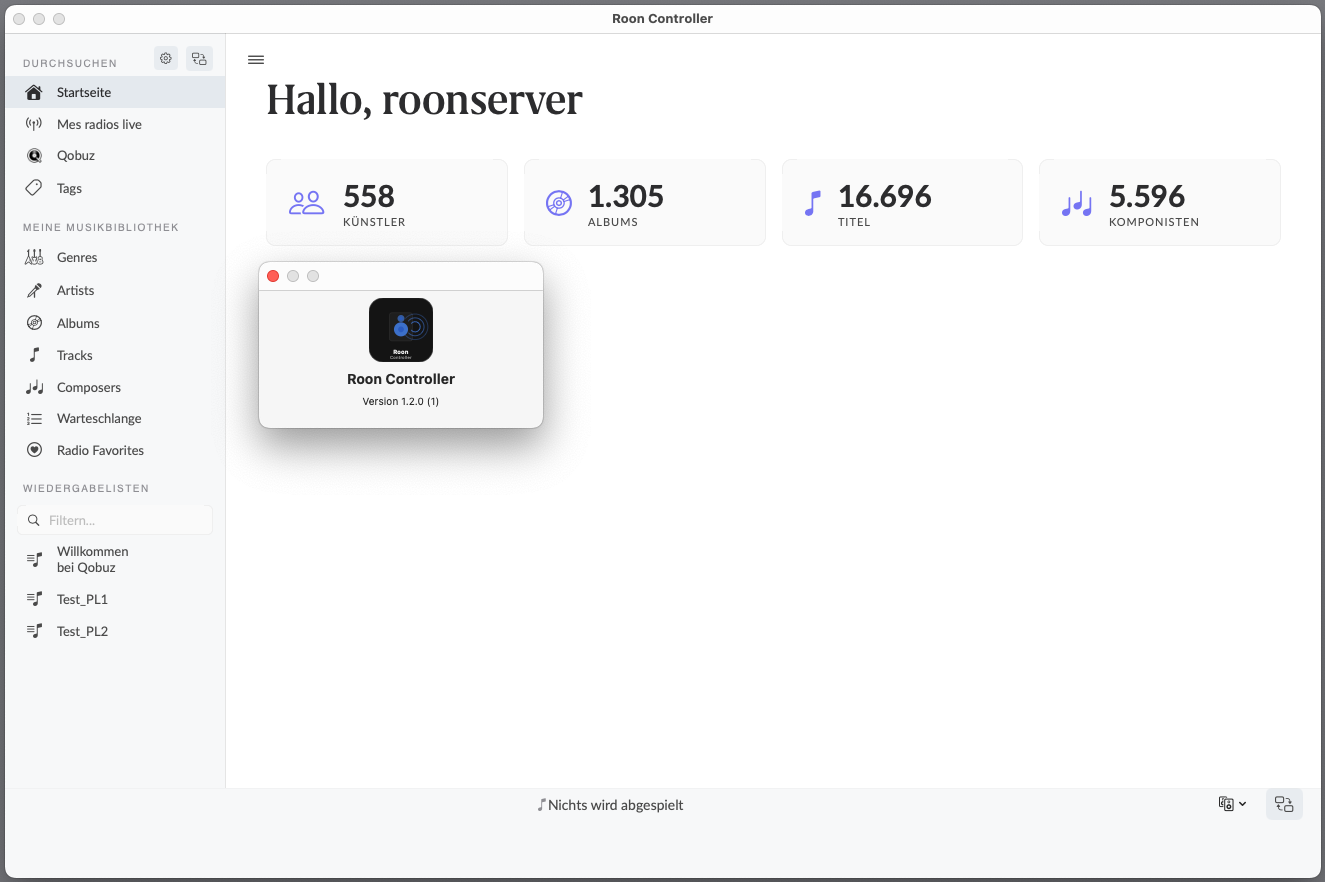
Machine #2 (MacBook Pro 2015)

Machine #3 (MacBook Pro 2020)
In detail:
- Profile switching, not resolved. Still starting with user name (see screenshots above) and not possible to switch profiles in settings (the latter most likely is a RoonAPI issue)
- “Recently played” empty state, not resolved. Purple Box still disappears (see screenshots above) .
- Settings gear icon, not resolved. Still not working when clicked. cmd + ”,” works though.
- Stat boxes layout, not resolved. Still opening wrong layouts for tracks and composers
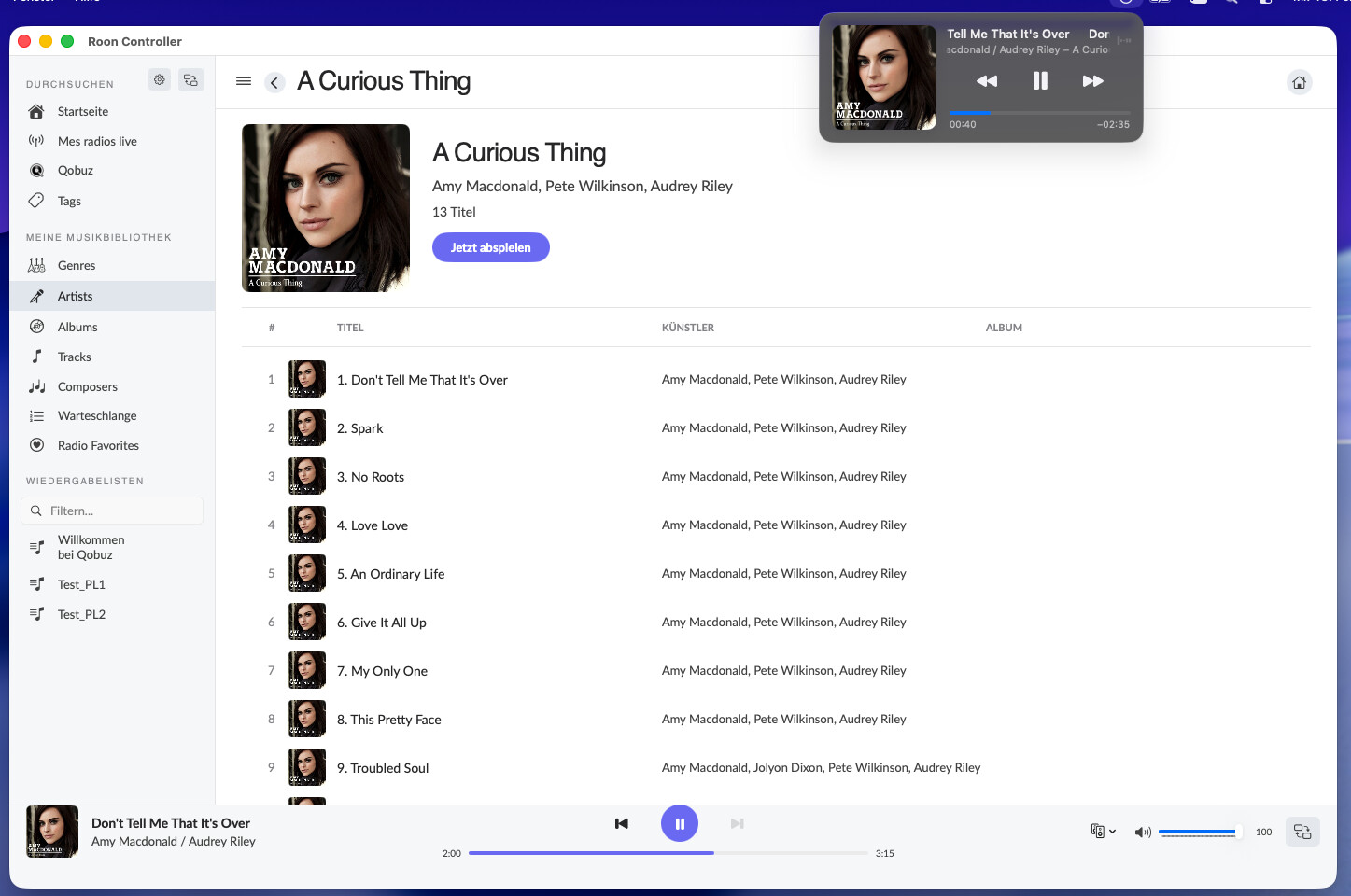
- Seek position sync, not resolved. RoonController still doesn’t update the OS now playing dialog when seek position is adjusted in RoonController. But maybe I was unclear on the issue before, see following screenshot (machine #3) to illustrate. Seek position has been manually adjusted by a large margin in RoonController, OS “now playing” still shows the old position and continues counting from there:
- Album column in single-album view, not resolved. It’s still there.
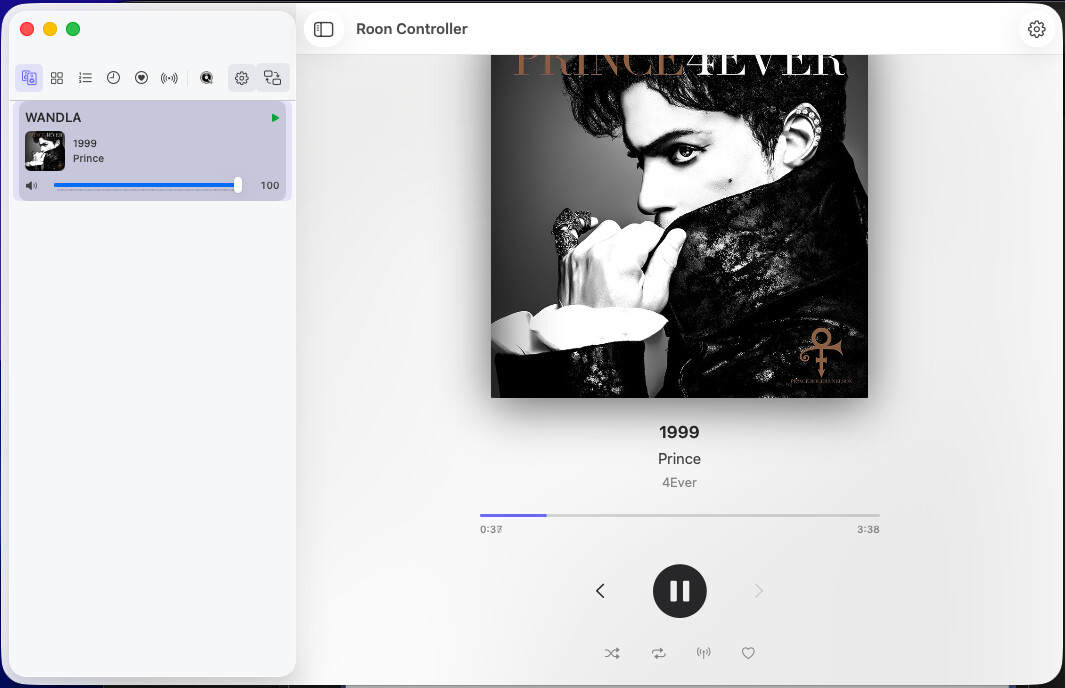
- Window resizing in player mode, not resolved (screenshot from machine #3):
- Version number: Roon Extension manager still shows v1.1.1, About dialog shows 1.2.0 (see screenshots above from all three machines)
- Recently played → album detail, not resolved. At the moment, it neither opens nor play the specific album but instead just opens the last view of the Library browser.
E.g. click on “Genres” to open the genres view, then go back to the home page and click on a last played item, you’re back to genres, but in List layout. - Roon library favorites (heart toggle): can’t find it anywhere, so I can’t test it (see screenshots above from all three machines). Shouldn’t ir be right beneath “Radio favorites” in the sidebar?
- Volume scale and increased +/- speed: This works fine
- Startup view preference: not working, always starts on homepage
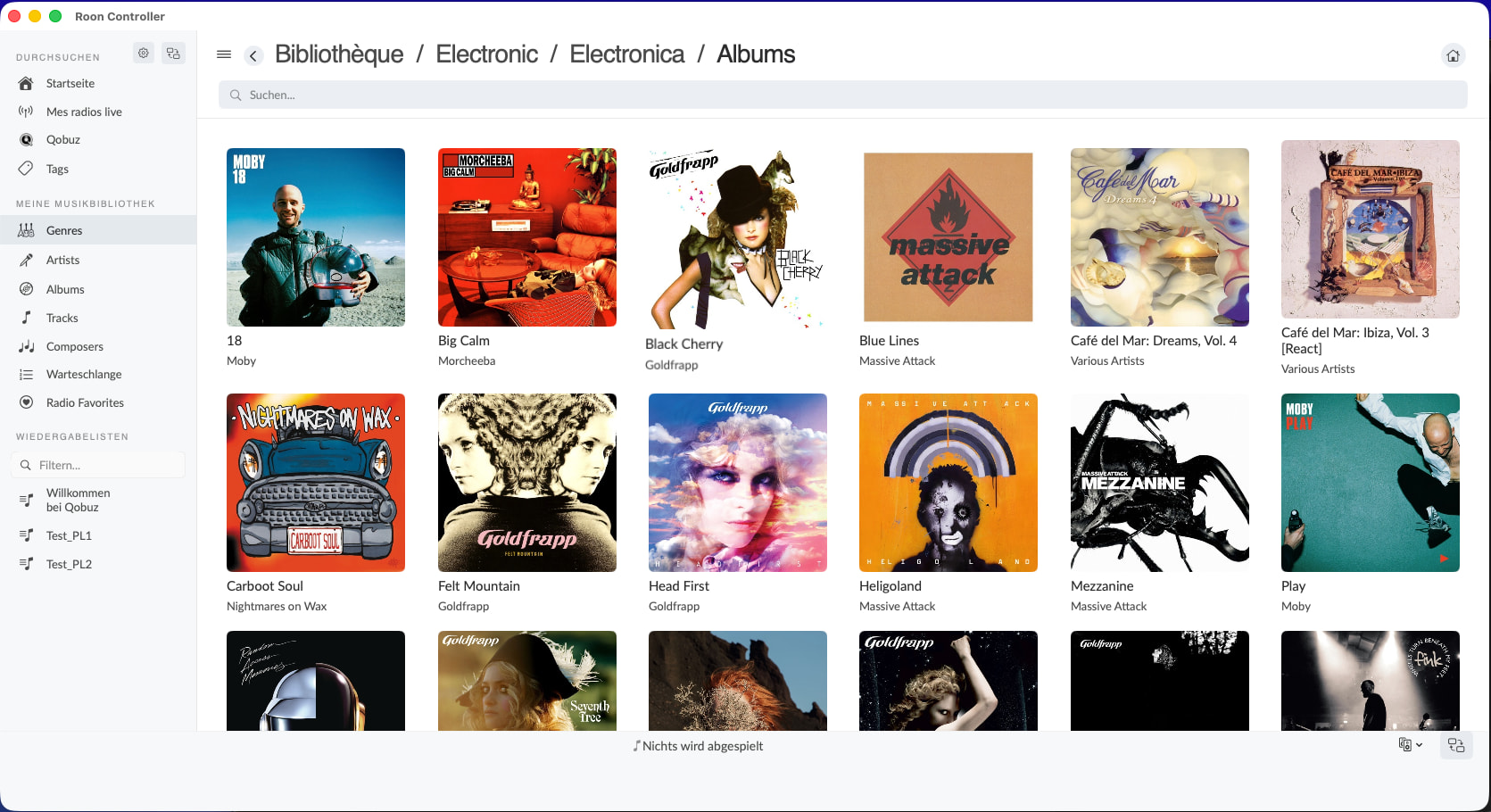
- Genre navigation breadcrumb: partially works, depending on the starting point:
Navigating starting from “Genres” card view (screenshot from machine #3):
Navigating starting from generic List view, for example by navigating back to start from artists and forward into Genres again (screenshot from machine #3):
- Genre grid view: I see the grid view for sub-genres (shaded cards), but no album artwork
- Extension authorization message: OK, I got this on startup.
- Mouse back button: I can’t test this due to a lack of a back button. Only trackpad and Magic Mouse available.
- More-Button in purple box always opens history, regardless of “recently played” or “recently added” is selected: not resolved, still the same behavior
- Genres moved to the Music Library: OK, it’s there
- “My Live Radio” translated to French: yes, but not to german (called “Mein Live Radio” in Roon App - which isn’t proper german either)
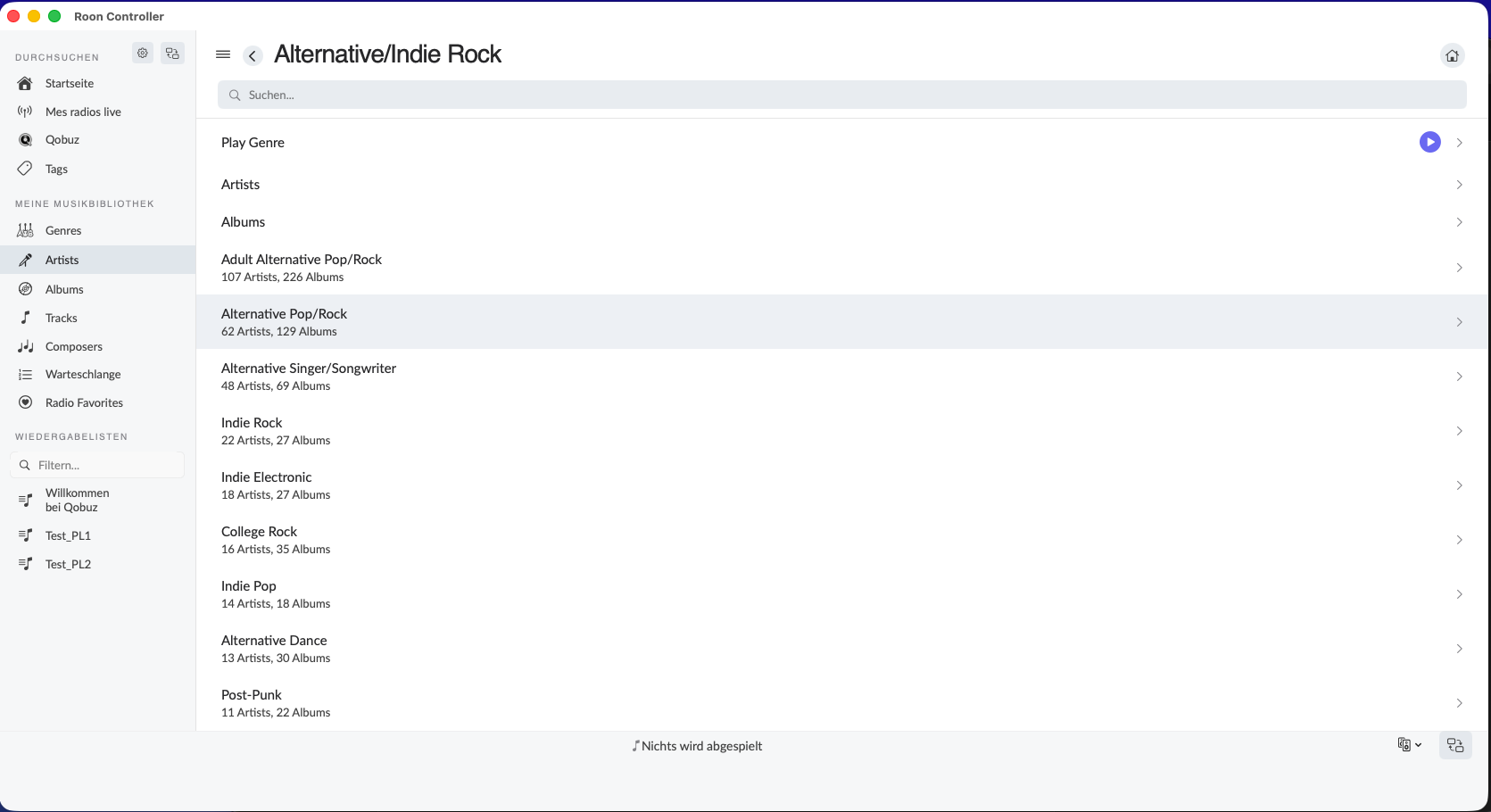
I think, we first need to solve the mystery, why so may bugs are still persistent for me with v1.2.0 although they seem to be resolved in your development setup before we dig into further testing. Since I experience the same issues with 3 different machines with different OS and Processor, this can’t be a singularity.
@Nepherte and possible other beta-testers: Do you experience the same? If not, what’s your MacOS environment and how does it differ from mine?
Any ideas? I still suspect either regional settings to play a role or the presence of some prerequisites on your development Mac, that haven’t been identified as prerequisites yet.
Is it even possible, that the lastest code refinements / bugfixes just aren’t there in the distributed packages (home-brew and .dmg), i.e. there’s an issue in the build/distribute process? Does the above mentioned problem when trying to update via homebrew point into this direction?
Anyways, I hope this helps in tracking down the problem!
Best regards, Roland
Hi everyone, and @Roland in particular — thank you for the thorough testing and detailed reports in posts #19, #31 and #33. Every single bug you listed has been addressed.
Download
Universal binary (arm64 + x86_64) — macOS 12 (Monterey) and newer.
Important — the app is unsigned. On first launch:
xattr -cr "/Applications/Roon Controller.app"
Or: System Settings > Privacy & Security > Open Anyway. (Right-click > Open does not work on macOS Sequoia/Tahoe.)
Or via Homebrew:
brew tap renesenses/roon-controller
brew install --cask roon-controller
If you already have it: brew upgrade --cask roon-controller
Root cause — why you weren’t seeing the fixes
The DMG attached to all previous GitHub releases contained a stale v1.0.2 binary from February 13th — not the version shown in the release tag. So whether you downloaded the DMG directly or used Homebrew, you were running code that predated all the fixes. This is now corrected: the v1.2.1 DMG contains the real v1.2.1 binary (verified by mounting and reading CFBundleShortVersionString).
Roland’s bugs — status
| # | Bug | Status |
|---|---|---|
| 1 | Profile name shows macOS username instead of Roon profile | Fixed — displays the Roon profile name |
| 2 | Switching profiles breaks in Roon mode | Fixed — uses title matching instead of stale session keys (4af4a6b) |
| 3 | Empty history = blank page | Fixed — shows an empty state message |
| 4 | No gear icon for Settings | Fixed — gear icon in sidebar + Player toolbar, Cmd+, shortcut (ef3d3b3) |
| 5 | “Recently Added” sorted alphabetically | Fixed — local tracking via full album scan, new albums shown newest-first (b07eb29) |
| 6 | Stat boxes not clickable | Fixed — clicking Artists/Albums/Tracks navigates to the corresponding view (2b39e57) |
| 7 | No sidebar toggle in Player mode | Fixed — toggle button + Cmd+\ shortcut (00f20ed) |
What else is new since v1.1.0
v1.1.1 — Community feedback fixes:
-
Heart toggle for Roon library favorites (Browse API)
-
Mouse back button support for browse navigation
-
Volume 0–100 scale option and startup view setting
-
Responsive layout on window resize
-
Seek sync fix: server updates take priority over local timer
-
326 tests
v1.2.0 — Genre navigation:
-
Genre grid view with breadcrumb and leaf genre cards
-
Explicit message when the extension is not yet authorized in Roon
-
Sidebar reorganization (Genres in Library, My Live Radio in Explorer)
v1.2.1 — Release fixes:
-
Rebuilt DMG with correct binary
-
Homebrew Cask updated (version, sha256, macOS 12+ dependency)
-
Documentation: prerequisites split into “To use the app” vs “To build from source” — Xcode is not needed to run the app
Prerequisite clarification
You only need:
-
macOS 12 (Monterey) or newer
-
A Roon Core on your local network
Xcode is only required if you want to compile from source. The DMG and Homebrew install do not require Xcode.
Feedback welcome
If anything still doesn’t work after updating, please let me know — include the version number shown in Settings > About so we can confirm you’re on v1.2.1.
Full changelog here.
Happy listening!
Bertrand
About window now shows “Version 1.2.1” (no longer displays a redundant build number)