· since Apple updated to 27.0.1 Roon crashes on startup, i get the box where you can send a report to Apple. I have deleted, cleared out the files and reloaded at least 5 times, the same result
Roon crashes immediately on my Mac mini running macOS 27.0.1 (26A434), Apple Silicon ARM64.
I have completely clean-installed Roon and removed the previous Roon client data, RoonGoer and RoonMounts. I also moved the existing RoonServer database aside, so this is not dependent on my previous library/database.
RoonServer starts, but RoonAppliance repeatedly crashes. The crash reports show:
EXC_CRASH / SIGABRT – Abort trap: 6 HandleFatalStackOverflow in the bundled .NET runtime.
I also tested the 2.74 Early Access build 1708, and it crashes in the same way.
Could Technical Support please investigate this as a possible RoonAppliance/.NET compatibility issue with macOS 27.0.1? I can provide the crash reports/logs if required.
Thanks for the detailed troubleshooting, that saves a lot of back and forth.
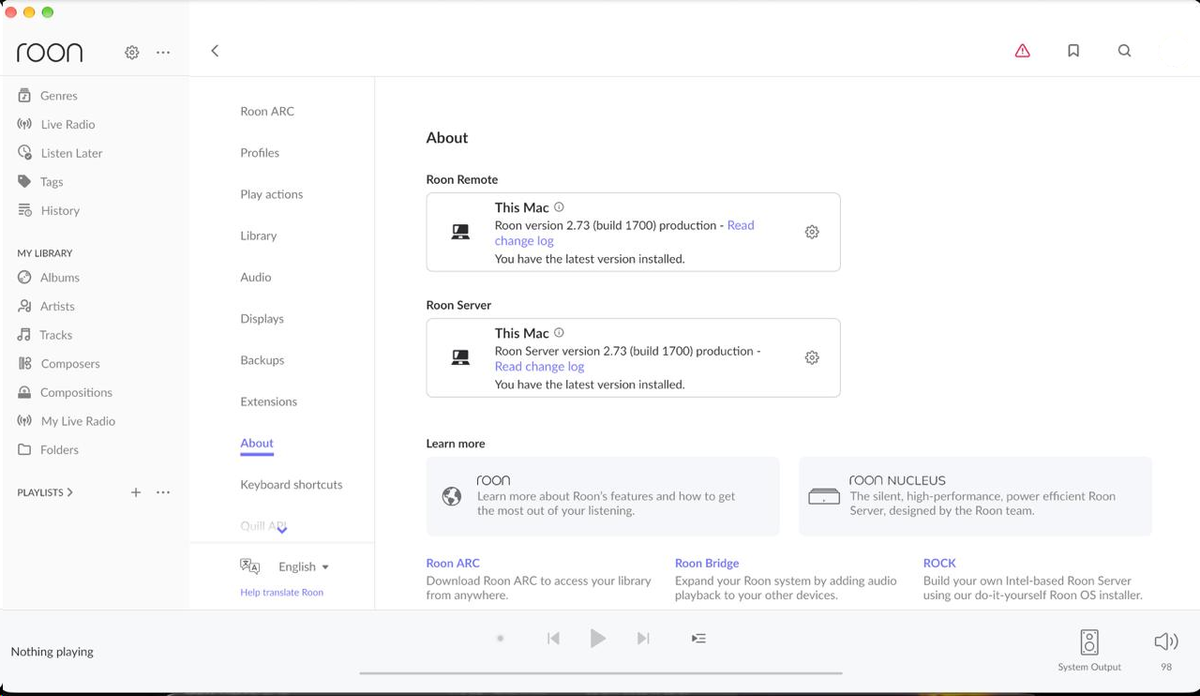
We’ve just checked this on our side: Roon 2.73 (build 1700) runs normally on an Apple Silicon Mac with macOS 27.0.1, both as Roon and Roon Server. So macOS 27.0.1 on its own isn’t causing the crash, and since it also happens with a fresh database and on 2.74 build 1708, a reinstall won’t change anything. Something specific to your Mac is triggering it, and the crash report is what will show us what.
Could you please send us:
The macOS crash report: open the Console app, go to Crash Reports, and save the latest RoonAppliance report (the .ips file).
The Roon Server logs: in Finder, press Cmd+Shift+G, go to ~/Library/RoonServer/Logs, and zip that folder.
Full process described here and send over a set of logs to our File Uploader? Once logs have been uploaded, please let us know so that we can check the server for your files, thanks!
It would also help to know whether anything unusual runs on this Mac: VPN or network filter apps, virtual network adapters (Docker, Parallels and similar), or network drives that mount at login.
Before you set this database aside for testing, did you migrate RoonServer between machines, or create a second server instance on the same machine?
We ask for two slightly overlapping reasons:
There are several defunct RoonServer instances in diagnostics for your account all on the same machine, some of which have been recently active.
If an old watched folder, M3U list, or database component was copied incorrectly, it might create an alias loop and cause the type of recursion that can trigger this specific failure
This is a novel report and we’re not able to reproduce it internally, which leaves us in the position where can only investigate local variables.
Do you see any logs within the Roon folder that sits alongside RoonServer in the database location (ie. the Library folder in Application Support on macOS)?
I did not migrate a RoonServer database from one machine to another. The Mac Mini was the original Roon Server. During the troubleshooting, I deauthorised the old Mac Mini server and set up RoonServer afresh on my other Mac, using a new database.
On the Mac Mini, I checked the Application Support folder and found the following Roon-related folders:
Roon
Roon-backup
RoonServer-backup
RoonServer-backup-20261019
The active Roon folder contains:
Cache
Database
Logs
Settings
Temp
The Logs folder contains:
Roon_log.txt
Roon_log_01.txt
These logs show Roon v2.73 build 1700 starting on 19 October and again on 21 October. Both appear to reach the stage where Roon is attempting to load the macOS Foundation framework.
However, there is no ~/Library/RoonServer/Logs folder on the Mac Mini. The ~/Library/RoonServer location itself does not exist.
I have therefore not deleted, moved or modified any of these folders or files.
I hope this helps identify what the multiple Roon/RoonServer folders represent. Please let me know which logs or folders you would like me to send you.
Thanks for the detailed answers, and for leaving those folders untouched.
We’ve been through the crash report and the logs you uploaded. The uploaded logs turn out to be from your MacBook Pro (the new Roon Server) rather than the Mac mini, but they still tell us a lot. The Mac mini’s crash happened about a minute after the MacBook Pro went to sleep. The crash itself is in Roon’s networking code, not in the database or library, so there’s nothing to clean out on the database side. We can also see the MacBook Pro sleeping every 15–20 minutes, and the Mac mini answering on three network addresses at once, which suggests Ethernet and Wi‑Fi are both active.
Could you help us with the following?
Zip and upload the Mac mini’s Roon logs (the Logs folder inside the active Roon folder you found), plus all crash reports starting with “Roon” or “RoonAppliance” from Console → Crash Reports, not just the latest one.
On the Mac mini, turn off Wi‑Fi if it’s on Ethernet, and disable Thunderbolt Bridge under System Settings → Network if it’s listed.
Keep the MacBook Pro from sleeping while testing (for example, connect it to power and turn on the option to prevent automatic sleeping when the display is off), then open Roon on the Mac mini and let us know whether it still crashes.
Once we have those, we’ll pass everything to our development team.
Just a quick update following your troubleshooting suggestions.
I have now:
Turned Wi-Fi off on the Mac Mini, leaving it connected via Ethernet.
Made Thunderbolt Bridge inactive.
Kept the MacBook Pro awake while testing.
Moved Roon Server back to the Mac Mini, which is now the active server again.
Updated Roon Server from 2.73 build 1700 to 2.74 build 1712.
The Mini has remained stable so far, including through the server restart required for the 2.74 update, and Roon is now running normally with the Mini as the server.
I’ll leave it running in this configuration and see whether the original crash returns. If it does, I’ll let you know, as I appreciate that would give you a useful additional data point.
Just wanted to touch base and see whether everything has stayed stable since our last exchange. Were you able to keep testing over the weekend and confirm the startup crash is still gone? If anything has changed, please reply with the details and we’ll take a look.
Please note, if we don’t hear back from you this thread may close automatically soon. If the thread auto-closes and you need further assistance, please submit a reopen support request via the technical support help form below and specify that the issue should be reopened. Thank you.