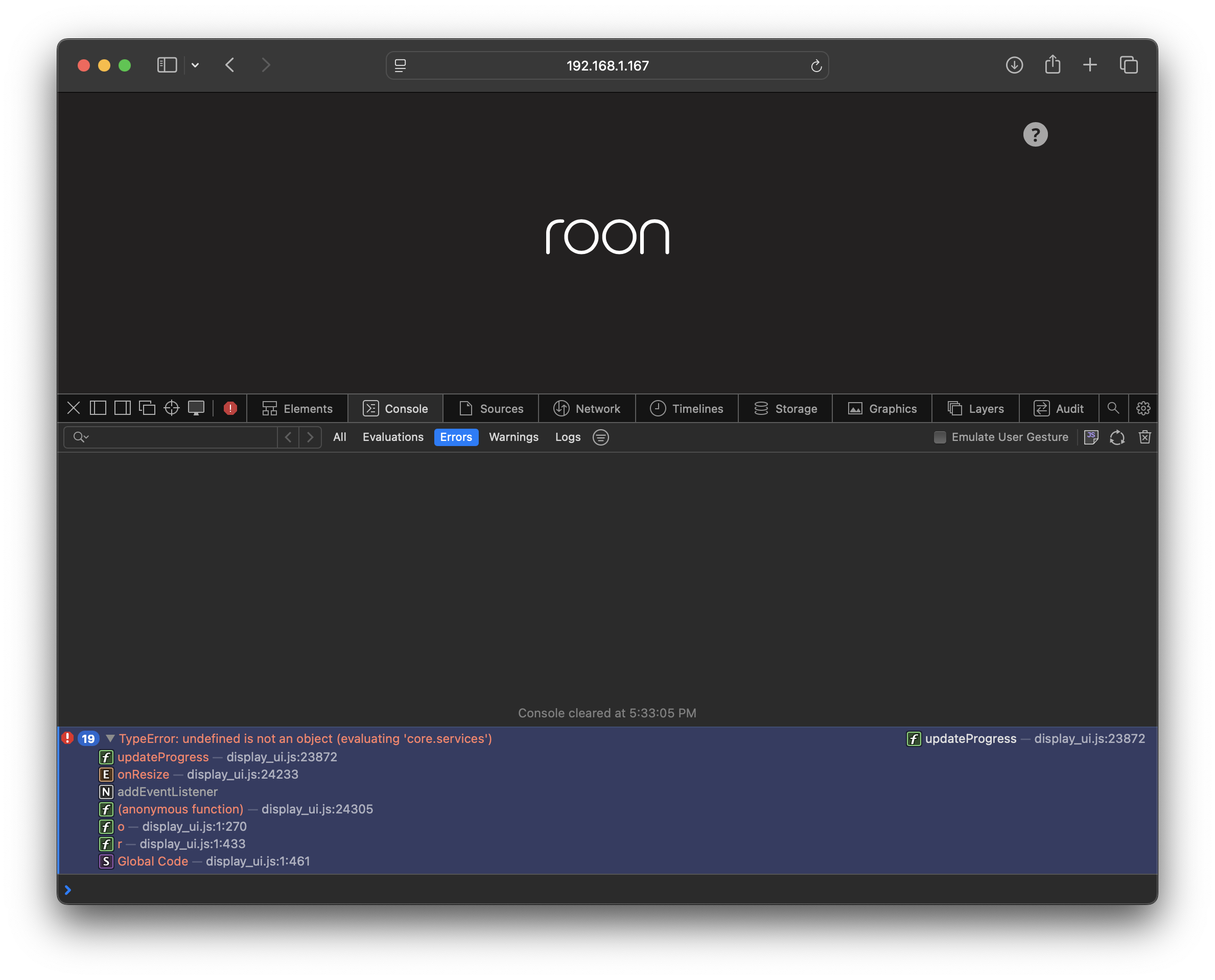
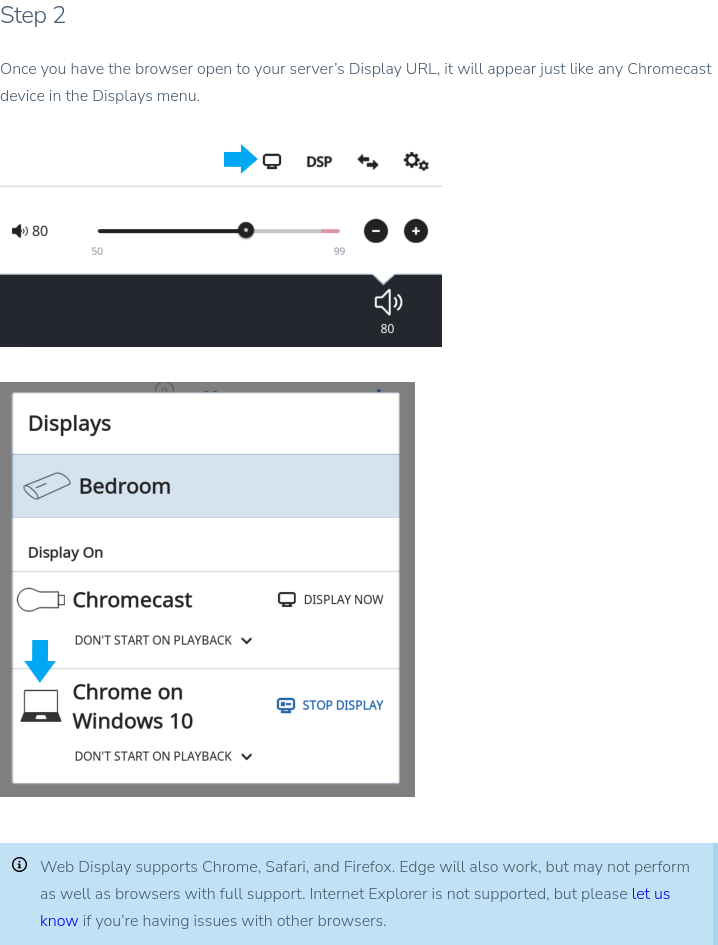
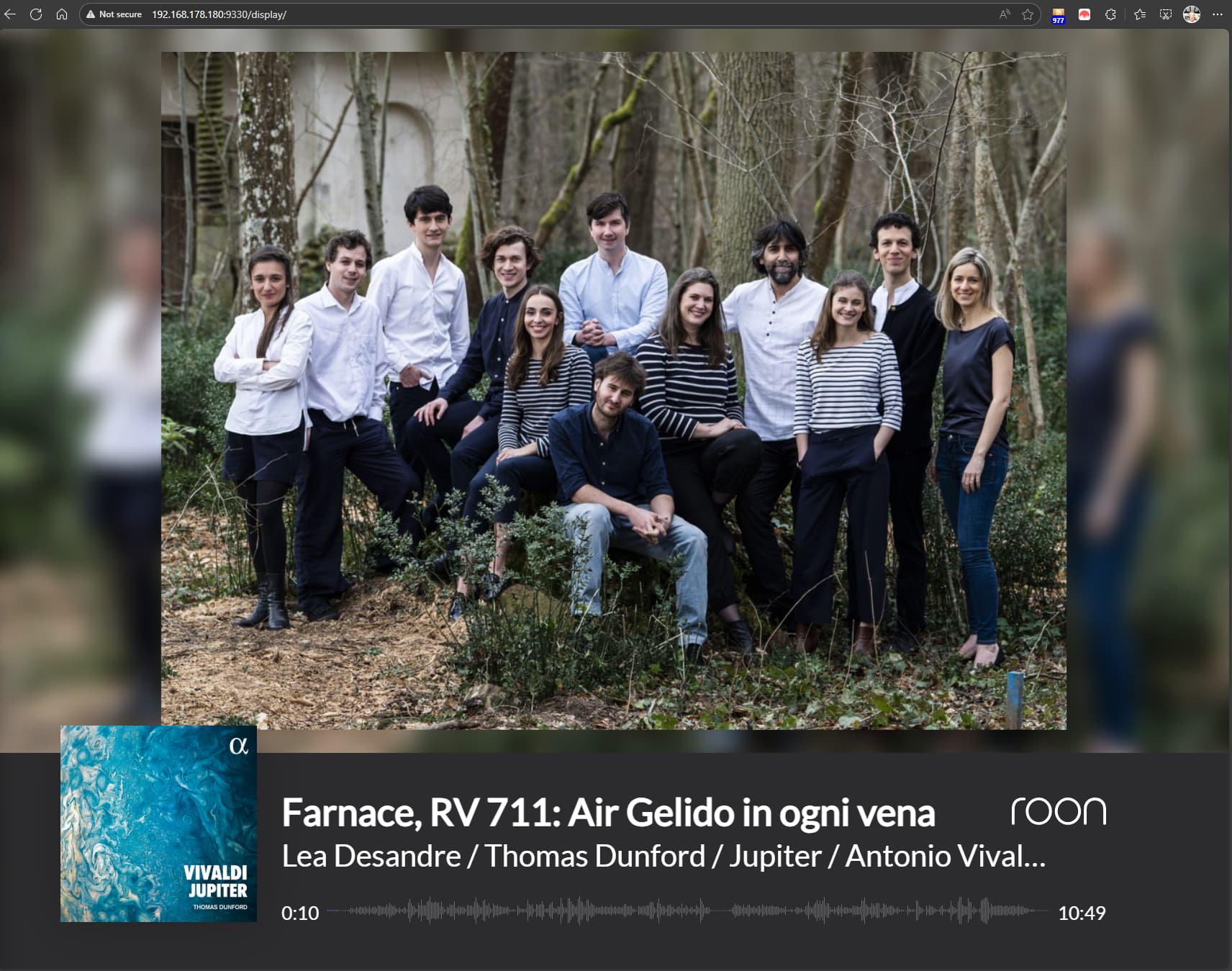
This is the standby screen. Please connect your display to a specific playback zone and then also play something in that zone. Details are in the guide:
There is no method to select a playback zone. I am navigating directly to the Displays page via the link in Roon > Settings > Displays. The result is the “Standby Screen” and I am actively listening to music on a playback zone right now.
We haven’t seen a response to this thread in several days and we want to ensure you’ve been able to add the Display per the instructions. Please reach out here if we can clarify any details.
This thread is now closing due to inactivity. Please reach out in a new topic thread if you wish to continue the conversation at a future date. You can select “other” and reference this topic thread by pasting the URL in the description box. We will merge threads accordingly to re-activate the troubleshooting thread.
Otherwise, with no response or future support request, we’ll assume this issue is resolved, and there’s no need to take future action. Thank you!
As mentioned, I am using the website display link which should be inclusive of all available playback devices, per my understanding. These options are not available for me. While on the :9330/display page, the screen shows the Roon logo as pictured and I do not have the display cast option available on any Roon remote device.
@Sean_Manley - We’ve moved your post from someone else’s Support thread, put it here in your own thread and reopened the thread for @support to follow up on. Thank you.
PS did @BlackJack 's instructions not work for you?
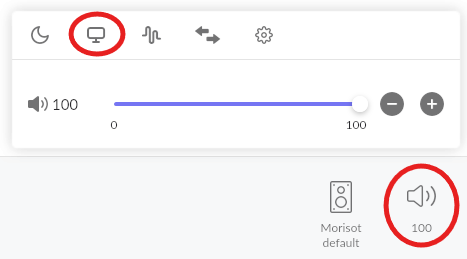
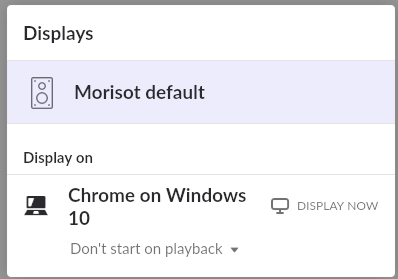
Once you have your web display running (showing the Roon logo), the next step is to connect it to a Zone. Do this by first clicking/touching the Speaker icon for the Zone you want to display to bring up the options panel, then click/touch the screen icon to show the displays that you want to connect to…
Then you got only one-way communication working (the browser can read data but not send data or the data sent got interrupted/blocked somewhere. Check the guide and see if your current browser is supported and make sure you set firewall exceptions:
If you checked hat and made corrections if needed and the Display still doesn’t work, you need to find the blockage and remove it. Installing another supported browser with default settings and use that to try. If that works for you then the blockage is somewhere in your current browsers settings/extensions. If it’s also not working then the blockage is somewhere on you computer (likely) or network (also possible but less likely). Look at your firewall, Anti Virus software, malware blocker and the likes.
It seems as if something is dying within Roon. If I perform a server restart, it typically (not always), will pop the display selection element in the volume control. After some downtime, it seems to forget what it’s doing and will fail to present the display selector and the display won’t know what to do. Only a restart seems to sometimes nudge it back awake—I found this out when Roon hard-crashed while trying to get it working.
Since this is not device specific, I don’t believe it is related to device-side firewall settings and it seems odd that a network firewall would give up the ghost intermittently on an internal network connection—and the fact that I can get to the Roon logo screen consistently. I will try to set some overrides though.
Are there logs that I can access to see what is happening next time I encounter the issue? It seems to me to be an issue with serving zones to the display or with serving the display capability back to the zones maybe pointing to some intermittent corruption—but that’s just a guess.