I own 2 oppo 203s, one purchased from oppo onlineUS? Which Roon thinks is OK, and this one which I bought from a B&O retailer who said it was shipped to them from the EU. It had a special B&O logo screen that autostarted, and had special settings to make it work better with the Beovision line. When I tried to upgrade the firmware to the last support version, it would not accept it. Contacting oppo U.S. support they indicated that they would have to do it. So I sent it to them and they were successful. It shows as being the udp20x-65-0131, same as the one Roon is happy with.
Thank you for the detailed description. After reviewing your logs, it appears we are dealing with two separate issues regarding your equipment:
One device is not being identified by Roon at all.
The second device is identified, but not as a Roon Ready zone.
As a first step, please perform a full network and system restart. This means powering down and restarting your router, your Roon Server, and both Oppo devices.
This complete reboot will force the equipment to handshake afresh, allowing us to see exactly how these devices are advertising themselves on your network in the diagnostics.
Please let me know once everything has been restarted so I can take another look!
From the diagnostics, we were able to confirm that both of your OPPO devices are being discovered on the network and both are able to establish a connection with Roon.
For one of them, we can clearly see successful RAAT playback in the logs. For the second one, we can see that it connects and responds properly, but we do not see evidence of actual playback starting.
We also noticed an important difference between the two devices in diagnostics:
the working unit is identified as Model: UDP-203
the other unit is identified only as Model: UDP
Because of that, the second device does not appear to match the expected entry in our device database in the same way as the first one.
Could you please confirm whether you are able to start playback at all on the affected device? If possible, please also share a screenshot of the exact error message you see on that unit.
That additional confirmation will help us determine whether this is only a certification/model-identification issue, or whether playback is also failing at the device level.
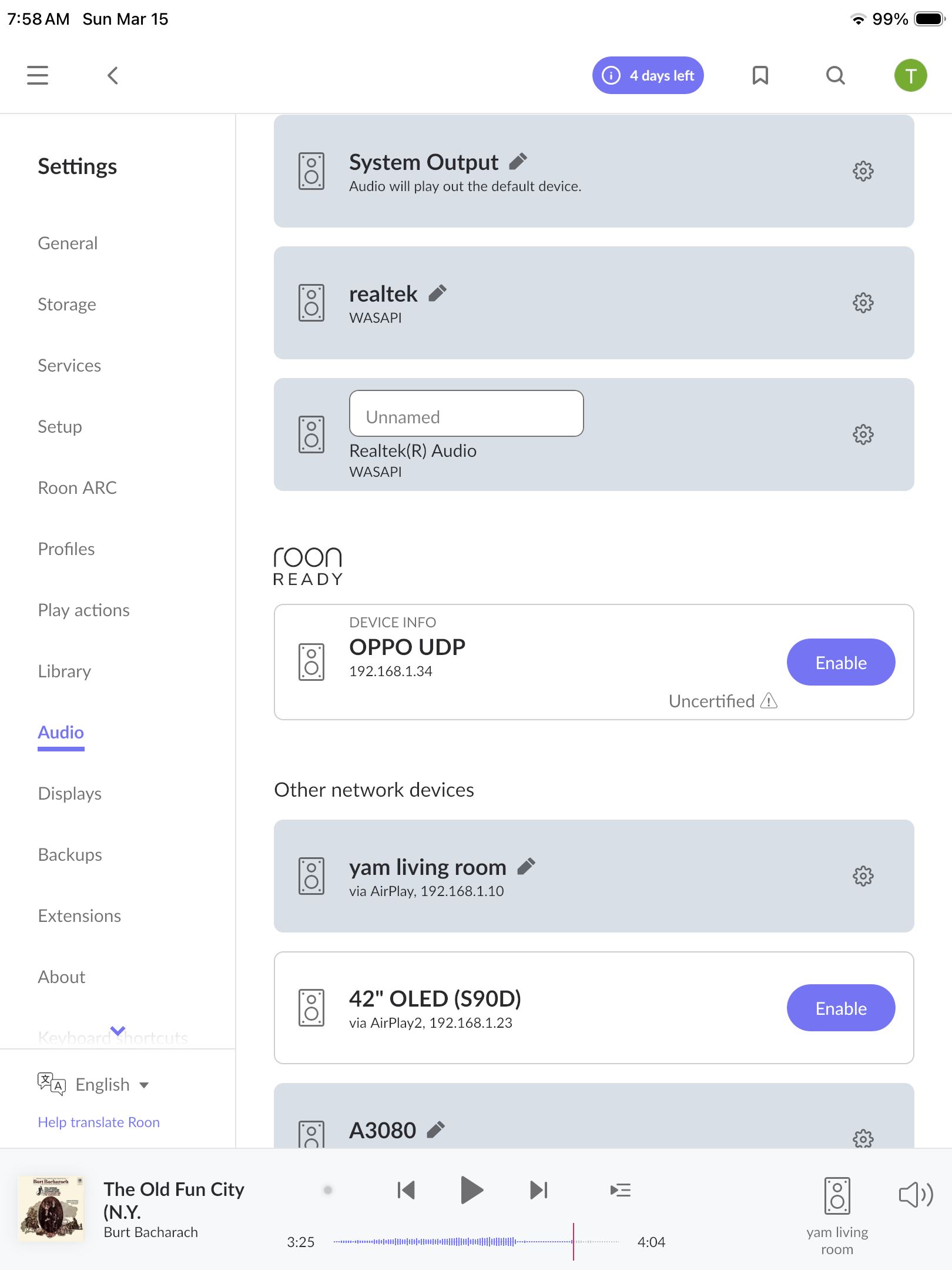
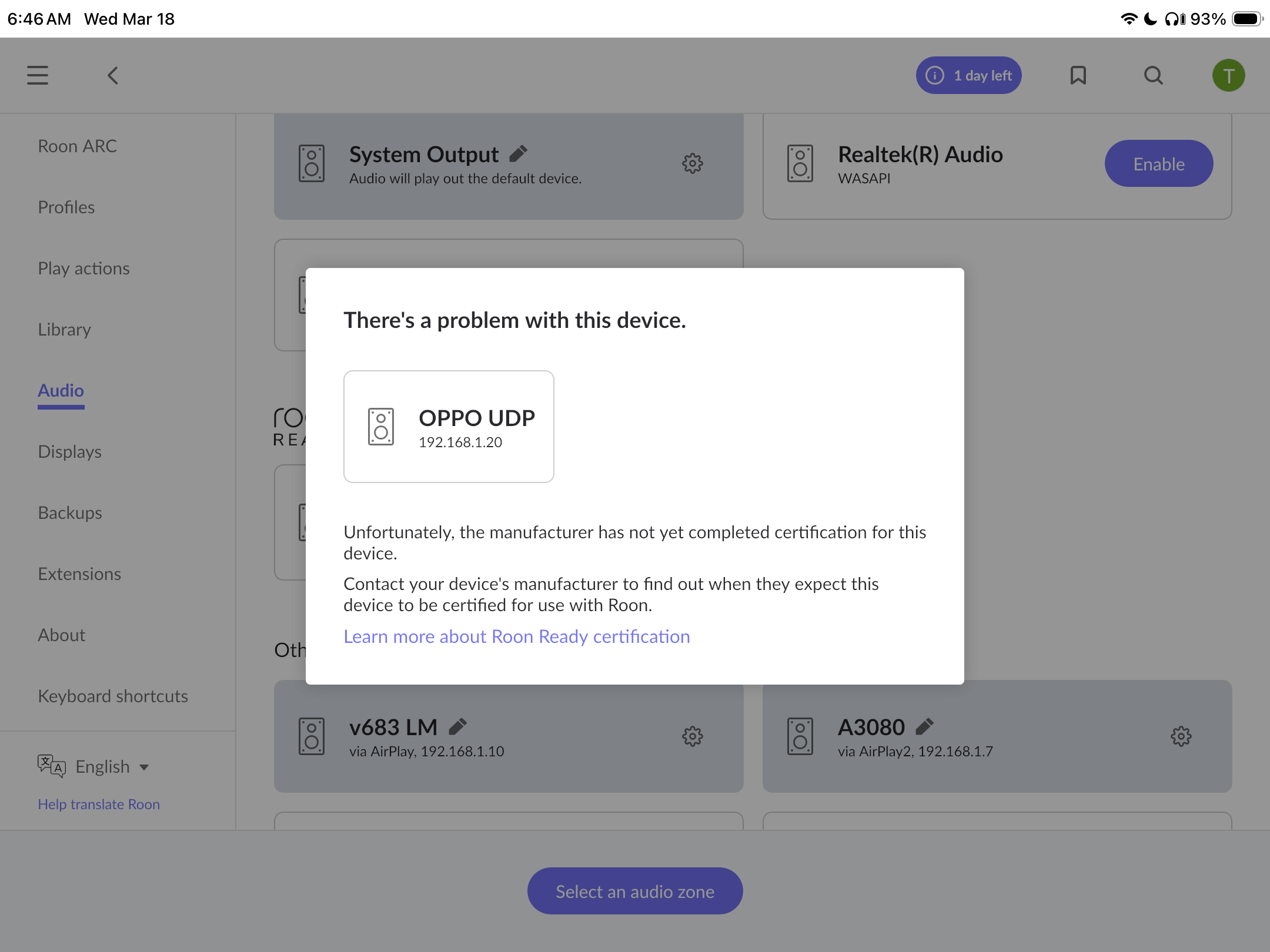
Thanks for the response. Attached are 2 screen shots. One shows that is is uncertified but has an ‘enable’ button. The second is the result of pushing the enable button.
Sorry, in answer to your last question, no I am not able to play music on this one as the ENABLE is not successful after the “…. mfg did not complete cert….” message pops up. Thanks again.