What kind of performance/speed issue are you experiencing?
· The app takes a long time to respond to commands
Please try to reboot your Roon Server
· No, the issue is still the same even immediately after a reboot
Please try to reboot your networking gear (Router/Switches/etc.)
· No, the issue is still the same even after a reboot
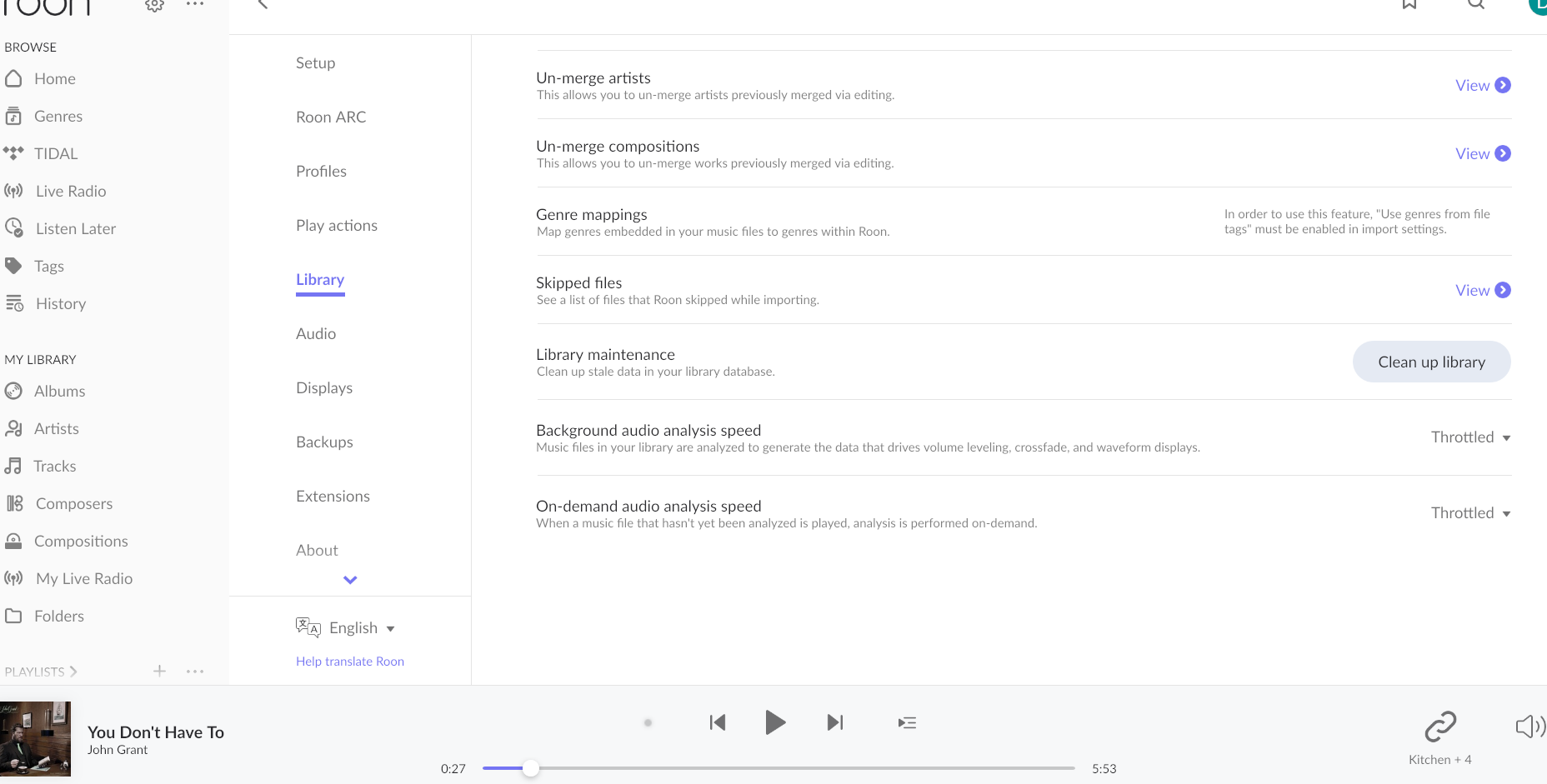
Is there any change in behavior if you try to navigate to Roon Settings -> Library and set both Background and On-Demand Audio Analysis to Throttled or Off?
· No, the issue is still the same
Does the issue happen on multiple Roon Remotes (controllers) or just one?
· Issue happens on multiple remotes
Router Domain Name System (DNS) change
· I don't know how to do this
What is the operating system of your Roon Server host machine?
· Windows
Timestamp of issue occurrences
· Play stopped at e.g. 10.30am Friday playing John Grant You Don't Have To. But problems have occurred all morning.
Describe the issue
Roon takes several minutes to start playing, then jumps tracks or stops altogether.
Describe your network setup
Sky; Sky Hub; eero mesh, plus extender; server is an HP laptop hard-wired to the router. Endpoints are connected via wifi.
11.06am after taking half an hour to re-connect, Roon started playing Robert John If You Don’t Want my Love and then jumped to Miracles Ooh Baby Baby.
Thanks for writing in and for sharing your report!
I think the next step here is to enable some diagnostics on your account so our technical staff can get some more insight into what’s going on here.
However, before I enable this feature, I’d like to ask for your help in ensuring we gather the right information.
First, can you please reproduce the issue once more and note the time at which the error occurs. Then respond here with that time, and I’ll make sure we review the diagnostics related to that timestamp.
I have similar issues with slow playback (not half an hour) - but is sometimes takes 1-2 minutes before tractor album starts. And library not always loads as it should - feels like it started after the last Roon update.
We were able to pinpoint the errors around the timestamps you’ve provided, thank you!
Starting at 10:30:12, your devices began reporting Long RTT warnings.
In a healthy Roon setup, RTT should be under 5ms to 10ms.
Your logs show latency jumping to 134ms, then peaking at a staggering 250ms (10:30:15).
Because you are grouping six different zones (Bedroom, Kitchen, Bathroom, Hall, Nova, and Office), Roon requires incredibly tight timing to keep them aligned. When the network delay hit 250ms, the "drift" became impossible to correct.
While all devices were struggling, the Bluesound device (192.168.0.2) appears to be the first to actually run out of data. At 10:30:19, it started reporting multiple "Dropouts."
Looking at the logs, there are two likely culprits:
Your Samsung phone (SM-S928B) was repeatedly losing and regaining its connection to the Roon Server at the exact same time the lag started. If that phone was moving between Wi-Fi access points, it might have been causing “broadcast storms” or momentary network pauses.
Grouping six zones, especially a mix of Naim and Bluesound via RAAT, puts a heavy strain on your router’s multicast capabilities. If any of these speakers are on 2.4GHz Wi-Fi rather than 5GHz or Ethernet, a single burst of interference (like a microwave or a neighbor’s router) can take down the whole group.
Some next steps for testing:
Try playing to just the Naim Nova or a smaller group of 2–3 speakers. If the issue disappears, your router is likely the bottleneck for a 6-zone group.
Since the Pulse Flex 2i was the first to report dropouts, check its signal strength. If it’s on Wi-Fi, try moving it or hardwiring it to see if the RTT warnings for the rest of the group subside.
Ensure your Roon Server is connected via Ethernet, not Wi-Fi.
Thank you. I have now forced all my endpoints onto 5GHz. I will also isolate the Bluesound from the other endpoints, and use it on its own. I have also been advised not to move my phone around the flat while using the Roon app on it. I will let you know what happens.
Tuesday 10.07am stopped play on Bobby Vinton Trouble is my Middle Name.
Tuesday 12.13pm stopped after Travelin Boy Art Garfunkel.
Thank you for the updates and for making those changes to your 5GHz network. We’ve analyzed the diagnostic data from the timestamps you provided for Tuesday, and unfortunately, the network is still struggling to maintain a stable stream for your group.
While you were playing “Trouble Is My Middle Name” by Bobby Vinton to the group Nova + Bedroom + Hall + Kitchen, the following occurred:
Critical Latency (RTT): Even on 5GHz, we are still seeing Round Trip Time (RTT) spikes. A stable Roon stream requires under 10ms; however, your logs show spikes where the response from the endpoints delayed significantly.
The “LostEndpoint” Event: At 10:07:42, the playback stopped because the Naim Audio Uniti Nova (the lead device in your group) lost its synchronization with the Roon Server. The specific error was LostEndpoint, which happens when the network lag becomes so great that the device can no longer stay in sync with the other speakers.
02/10 10:07:42 [Local 02/10 10:07:42] Trace: [Nova + Bedroom + Hall + Kitchen] [zoneplayer/raat] sync Naim Audio Mu-so Qb -> Naim Audio Mu-so Qb result: Success
02/10 10:07:42 [Local 02/10 10:07:42] Trace: [Naim Audio Uniti Nova @ 192.168.0.4:34369] [raatclient] GOT [70] {"status":"Lost","reason":{"reason":"source_deselected"}}
02/10 10:07:42 [Local 02/10 10:07:42] Trace: [Nova + Bedroom + Hall + Kitchen] [zoneplayer/raat] Got 'lost' response
02/10 10:07:42 [Local 02/10 10:07:42] Trace: [Nova + Bedroom + Hall + Kitchen] [zoneplayer/raat] Endpoint Naim Audio Uniti Nova State Changed: Playing => Idle
02/10 10:07:42 [Local 02/10 10:07:42] Trace: [Nova + Bedroom + Hall + Kitchen] [zoneplayer/raat] lost endpoint. stopping stream
02/10 10:07:42 [Local 02/10 10:07:42] Debug: [raat/tcpaudiosource] disconnecting
02/10 10:07:42 [Local 02/10 10:07:42] Trace: [Nova + Bedroom + Hall + Kitchen] [zoneplayer/raat] Endpoint Naim Audio Mu-so State Changed: Playing => Prepared
02/10 10:07:42 [Local 02/10 10:07:42] Trace: [Naim Audio Mu-so @ 192.168.0.20:36454] [raatclient] SENT [166]{"request":"end_stream"}
02/10 10:07:42 [Local 02/10 10:07:42] Debug: FTMSI-B closed file for ti/55383DC8; open files:0
Clock Drift: We noticed a high “clock drift” on some endpoints (specifically the Kitchen zone). This is a sign that the network is inconsistent, making it impossible for Roon to keep all four speakers perfectly aligned.
Moving to 5GHz is a great step, but your setup involves a Sky Hub and eero mesh with extenders. Mesh systems are convenient, but they introduce “multi-hop” latency. Every time the music data has to jump from one eero node to another before reaching a speaker, the risk of a dropout increases—especially when grouping multiple zones.
To isolate whether this is a capacity issue with the eero mesh or a specific hardware fault, please try the following:
For the next few days, try playing to only the Naim Nova (hardwired if possible) or a group of no more than 2 speakers. If this works perfectly, it confirms that the current Wi-Fi mesh configuration cannot handle the high-bandwidth requirements of a 4-6 zone RAAT group.
Ensure that the eero nodes are not too far apart. If a speaker is connecting to an “extender” node that itself has a weak backhaul to the main router, it will cause the RTT spikes we see in the logs.
You mentioned experimenting with AirPlay 2. While RAAT (Roon’s native protocol) is higher quality and requires lower latency, AirPlay 2 has larger buffers. If AirPlay 2 works without stopping, it further confirms that the underlying network latency is the “bottleneck” for the more demanding RAAT protocol.
We’ll continue to monitor your diagnostics. Please let us know if a smaller group of speakers stabilizes the playback!
No, I’ve tried it with the Nova linked with the Hall Qb, since that’s the minimum combo I’d think it worth while to use. I don’t want to disable the extender because that would mean reconnecting all the endpoints for the umpteenth time, and there comes a point where if it doesn’t work, you have to give up. I have spent literally days on this, and I’m reaching my limit. If necessary, I’ll use AirPlay2 instead of RAAT.
You should open your own support ticket because your symptoms may be similar but the causes probably different and you will get better and less confusing help in your own thread. Click here → Support to go to the forum’s support category, then click Get Help and fill out the answers to the questions.
I completely understand the frustration. After days of troubleshooting, reaching a point where you just want the music to play is entirely reasonable.
The diagnostic data from Tuesday evening is very telling. Even with only two speakers active, the logs continue to show those high latency spikes and synchronization failures. This indicates that the bottleneck isn’t necessarily the number of speakers, but the stability of the “mesh hops” between your Roon Server and the endpoints.
If you decide to stick with AirPlay 2, that is a perfectly valid workaround. AirPlay 2 uses a much larger playback buffer than Roon’s native RAAT protocol, which makes it far more “forgiving” of the sub-millisecond network fluctuations often found in mesh systems like Eero.
However, if you ever feel like giving it one last shot, here is the “path of least resistance”:
The “Core” Connection: Ensure your HP laptop (Roon Server) is connected via Ethernet directly to the main Eero unit, not a satellite or the Sky Hub.
Naim Nova hardwired Please try using the same two nodes hardwired to the main node or mesh nodes to see the difference
We will leave this thread open for a few days in case you have more questions while. We want you to enjoy your music, regardless of which protocol gets you there.
Thank you, Vadim. I have now connected the Nova and the Core to a newer switch, the NETGEAR 8 Port Gigabit Network Switch (GS108), with encouraging early results. I have also re-installed TPLink home plugs as three of the endpoints were dropping off the wi-fi almost daily. However, on Sunday, February 15th, play stopped at 1.36pm on Windy, the Association. Perhaps you could investigate what’s going wrong now.
3.28pm Sunday play stopped after Being with You by the Miracles.
3.51pm Roon lost connection with the Core, playing On My Own, Patti Labelle.