Please try the new “toggle” behavior in tonight’s hot fix.
Should allow you to switch on and then play once ready.
If requested this could be configured to auto-play after a defined pause - if folks can let me know what they want.
Best
Peter
Please try the new “toggle” behavior in tonight’s hot fix.
Should allow you to switch on and then play once ready.
If requested this could be configured to auto-play after a defined pause - if folks can let me know what they want.
Best
Peter
Changed device “blue button” behavior - this should help with this use case I think. Please download again to version 0.8.3-5
I would love to be able to set a play delay for power on as the amp takes about 8 secs to come on and I know some AVRs can take longer. As long as it didn’t delay regular playback if it’s already on.
I’ll work through this today and give you a more thorough update.
ok…
Updated DietPi to latest OS
Uninstalled Rheos on Roon
Uninstalled/reinstalled Appgineer from DietPi
Reinstalled Rheos
Left Zone Control and Groups OFF
One receiver turns on and plays
Go to grouping and add a receiver, the first receiver continues but the second stays off
Two receivers neither turn on but shows it is playing
HEOS speaker and Receiver doesn’t turn on shows playing
Power button turns off receiver but will not turn one on (also no longer break grouping)
Anything other than one receiver seems to fail no matter the order
Power on/off works fine for the model40n but I don’t have any other Heos systems so don’t use grouping.
Ok - in essence the issue is adding a second receiver to a group when it’s turned off.
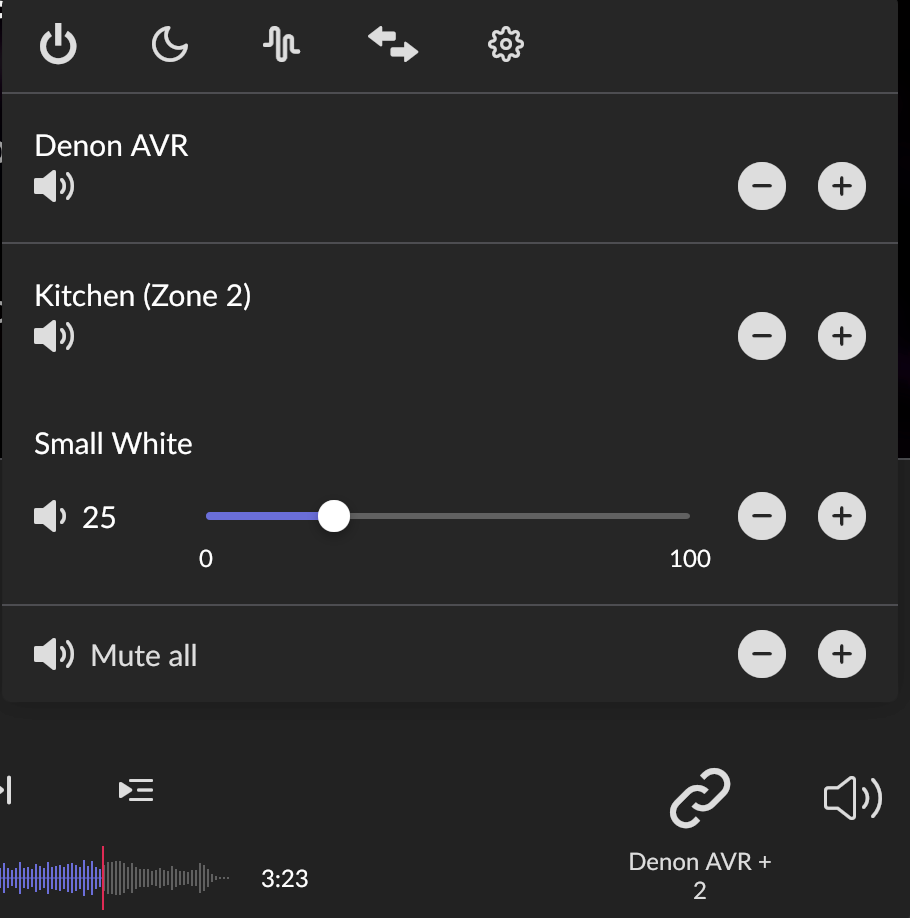
What should appear is the two devices grouped and each can be turned on or off by the individual blue "power: switch in the control area.
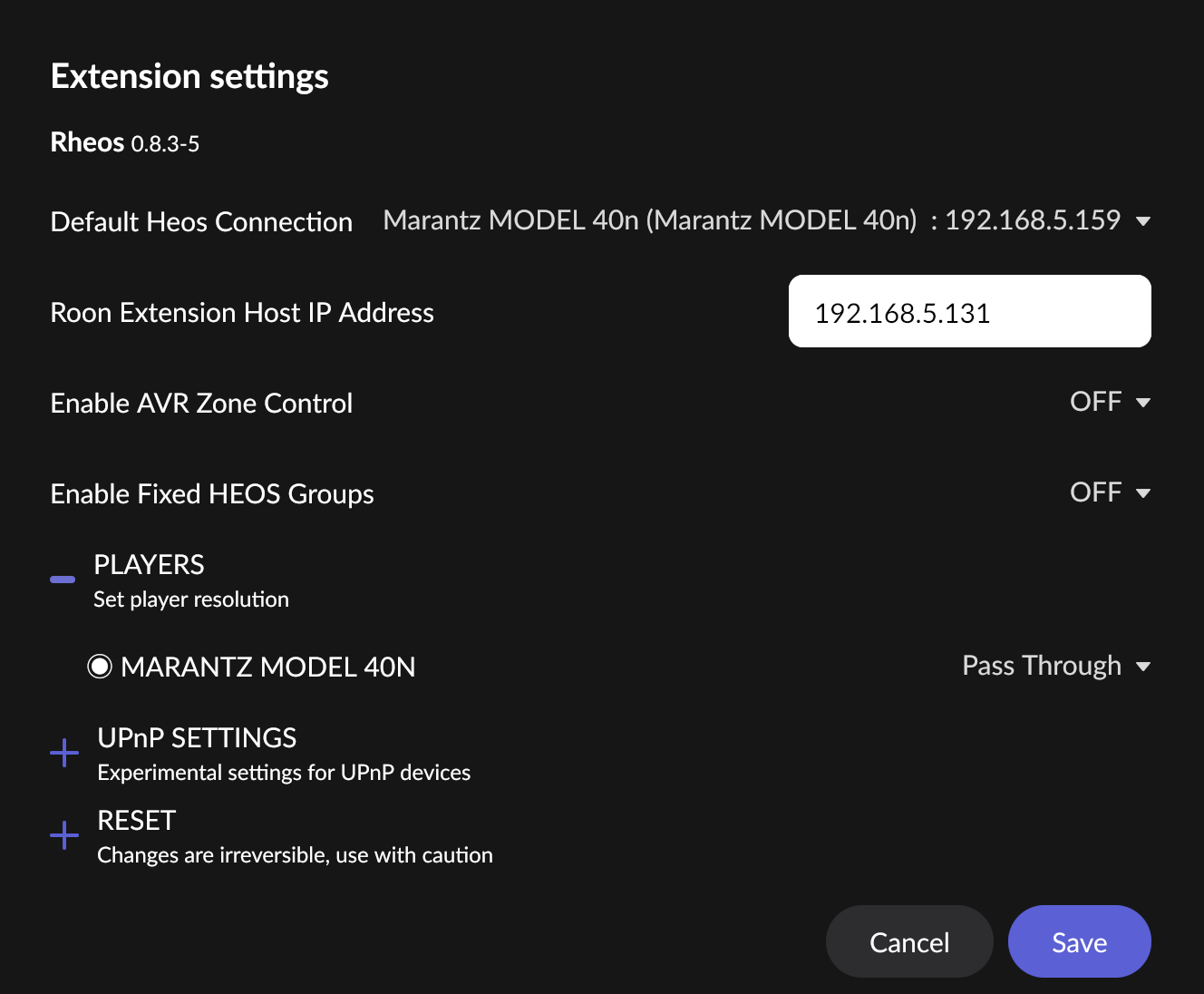
Turning on “AVR control” in settings should allow you to add in the main zone and zone 2 source controls on each receiver. You should have the main zone and zone 2 controls also available to turn on and off in the control area - these are white if turned off and thee is no zone in the group or blue if turned on and the zone becomes a member of the group…
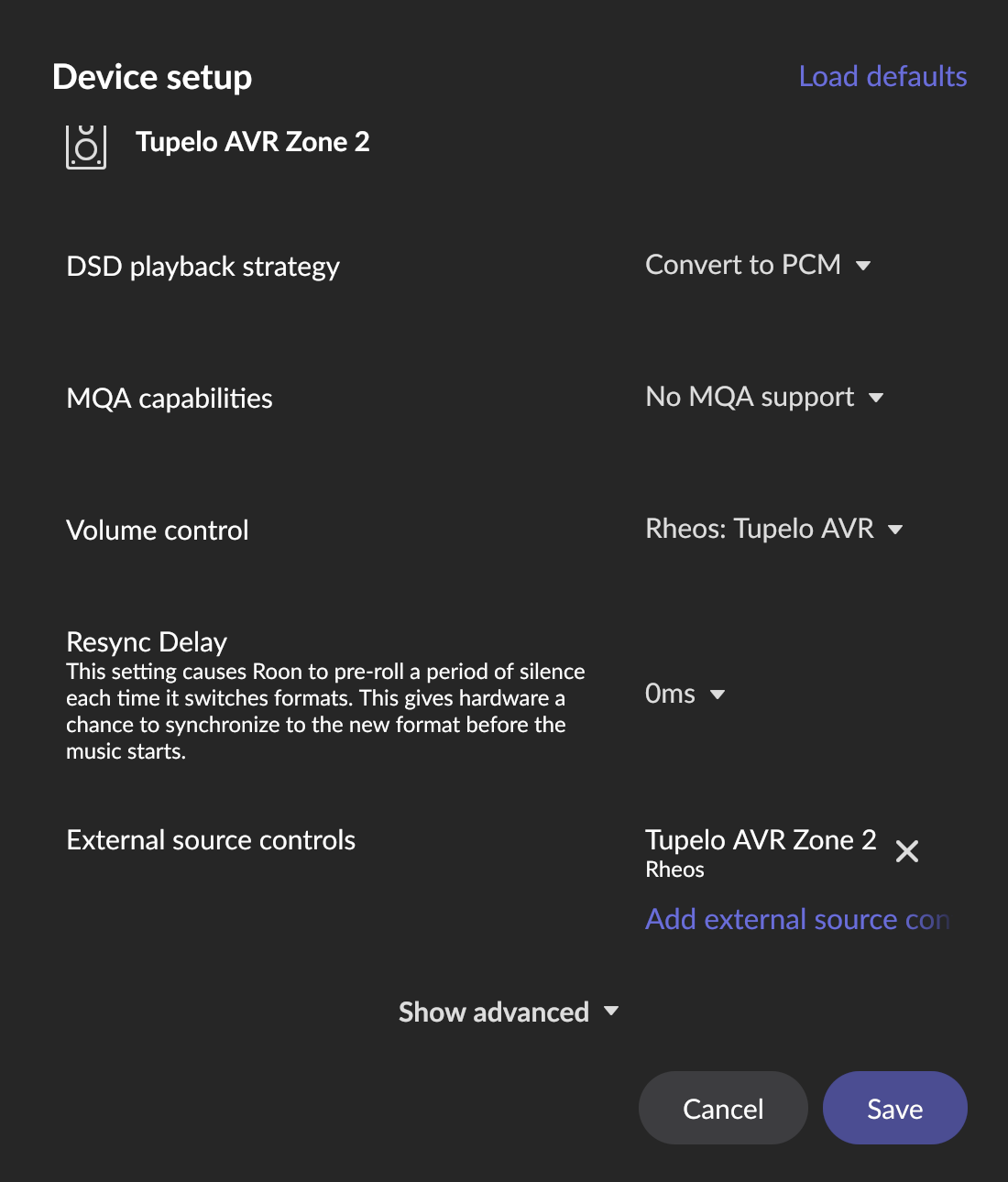
Please confirm the source controls are being created for your receivers (they appear in the add source controls list) and that they are enabled as audio devices in the Squeeze player selections, that you have cleared out any older source controls (load defaults) and re added the appropriate controls for each of your receivers. It may help to have the zones physically turned on when you start the app - they should be identified as ‘Receiver name’ - Main Zone / Zone 2.
I wish I could make tis simpler but HEOS provides no direct access to Zone 2 from the CLI and I have had to find a “creative” approach to allow this. As far as I know new 2 are not accessible via airplay either so its hard to use ROON with AVRs using multiple zones.
PM me if we need to connect to walk you through this - I cants show a screen shot as I don’t have multiple AVRs.
@peter_richardson any reason why RHEOS is showing now playing for a non HEOS zone? Zone below is Roon Bridge not my Marantz. I remember this happening before?
Also volume has stopped working again with latest update.
Try removing and reinstalling via extension manager and let me know if volume then works again please.
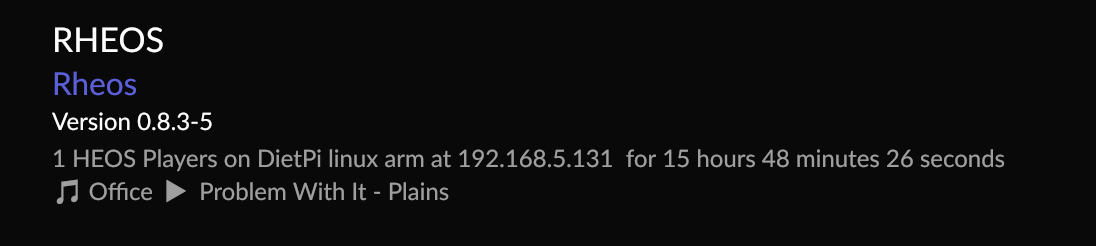
What type of player is “office” is it UPnP or RAAT or something else. I may need to filter out now playing for non HEOS endpoints.
It’s running Roon bridge so RAAt also has a UPnP renderer but what you see is from Roon.
Restart of the extension sorted volume but that’s twice it’s lost it now it just shows as 0 in Roon and doesn’t actually change anything when it stops working.
If its showing 0 is the amp powered on?
Yes it was on, at its previous volume, Roon displayed 0 and didn’t control the volume.
Thanks for the report. Ill see if I can replicate and investigate. Are you able to share the logfiles from extension manager?
Sent you a pm
Thank you.
Nothing unusual.
I may need to add some additional logging to the next release.
I’ve just had a chance to install the new release via Extension Manager.
I tried to install a clean a version as possible (uninstalling RHEOS, reinstalling Roon server, resetting RHEOS settings) but a lot of settings are obviously being remembered anyway. Don’t know if that’s why I’m getting unstable behavior.
For example, I try adding external source controls for the Main Zone and Zone 2 - mostly works - but setting volume control to RHEOS on the AVR zones causes both zones to autonomously send the volume level to 100% with no manual override possible. I’ve replicated this over and over despite my various attempts to wipe the slate clean and try again.
Also, when selecting the volume control the slider for the AVR zones disappears altogether.
Thanks Mark.
Please look at the source control settings. Update them by “load defaults” and aply the appropriate external controls back to the AVR. (Top righrt in yor first screen capture)
If you are able please shgare the log files so Ican see what is being discovered and created bty RHEOS.
Yes - the custom volume control is intended to remove the slider. I find the slider gives confusing control - it sets a “master” change of both zones and seemed nconfusing to me. The default “device control” does work - but I didnt find this reliabe … Translating ROON to HEOS group volume control is challenging.
We have more work to do I think!
Peter
Best
Peter
@peter_richardson - I see this behavior too and I am completely destroying my container in Portainer and re-pulling from github - also, I have NO files or folders mapped from host to container. Could Roon Server be holding information on the Devices? Is there anyway to tell Roon to de-cache the data?
FYI - I have reverted back to my 0.7 version as I cannot get the 8.x working correctly at all in my environment. What happens is, when I try to TURN OFF the AVR feature, it seems rheos crashes but the settings page stays up and when i press save again, it just spins…I can try to SnagIt a video of it…
Patrick
Thanks Patrick.
A video wont help but if you capture the logs that may be hepful so I can see what is being created and turned on.
will do over the weekend – any progress on figuring out how to map a child folder and push your logs there so they can persist across container to host?
I do map an empty subfolder called rheos to your node folder and bash into it and use CAT to copy the config there so i can “get it out of the image” — yeah, that is my linux skillset in total - ha - So, where is your log file written, i can do the same