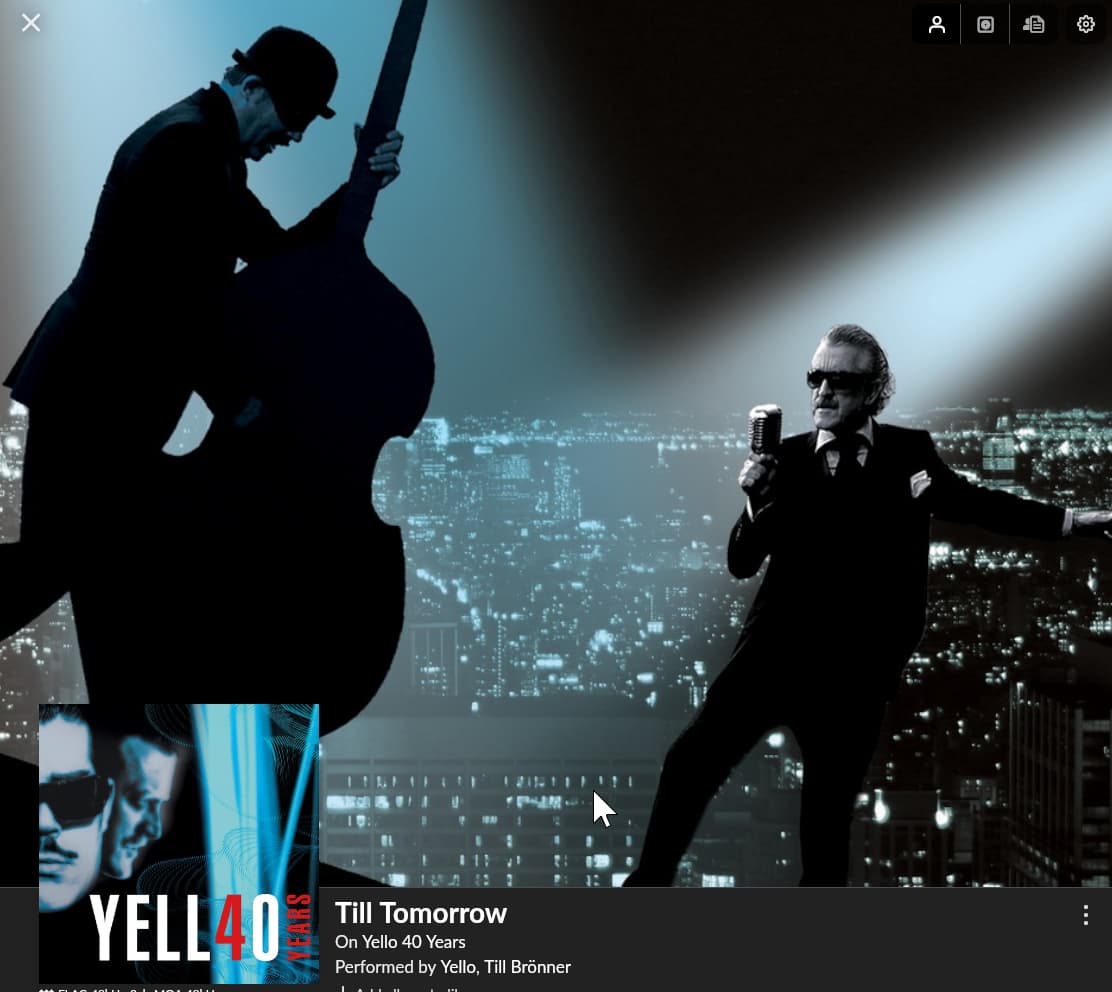
ignore the mouse icon - snaggit just captured where it was…
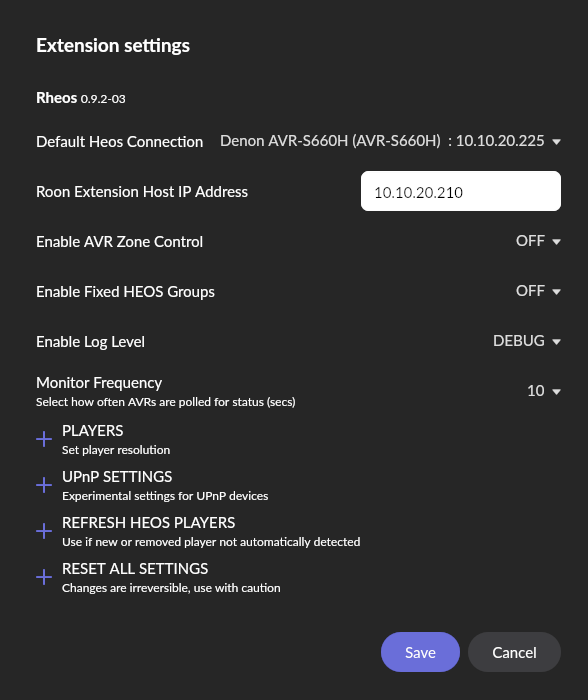
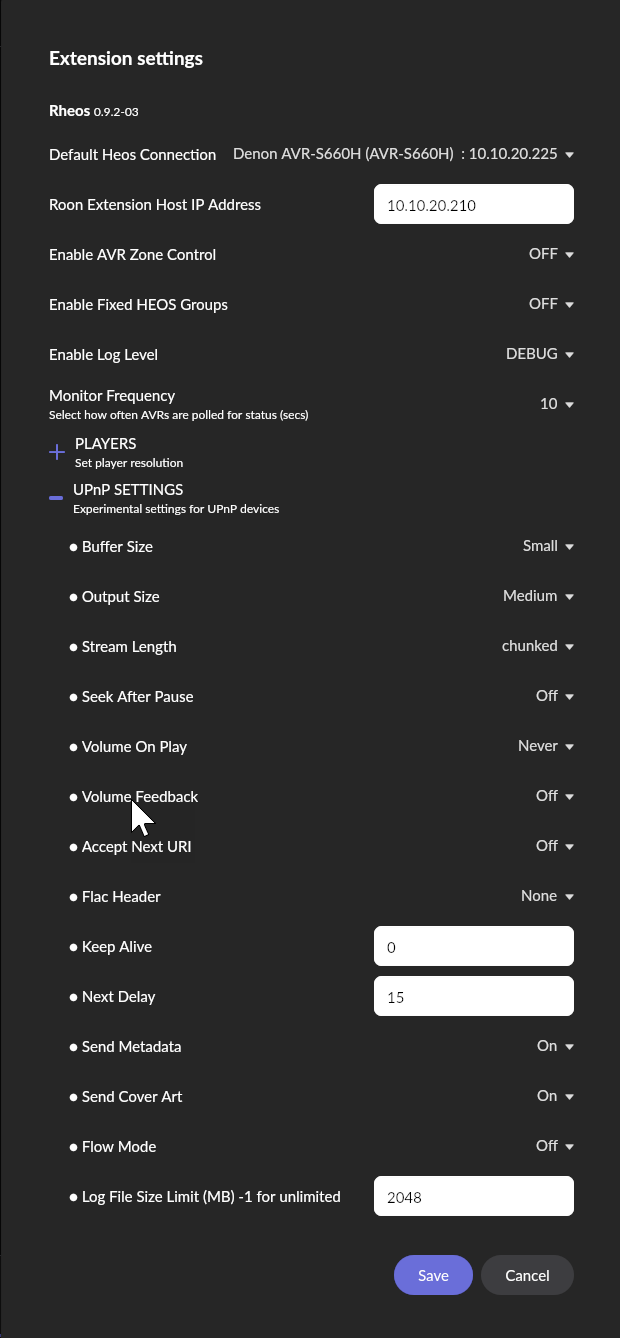
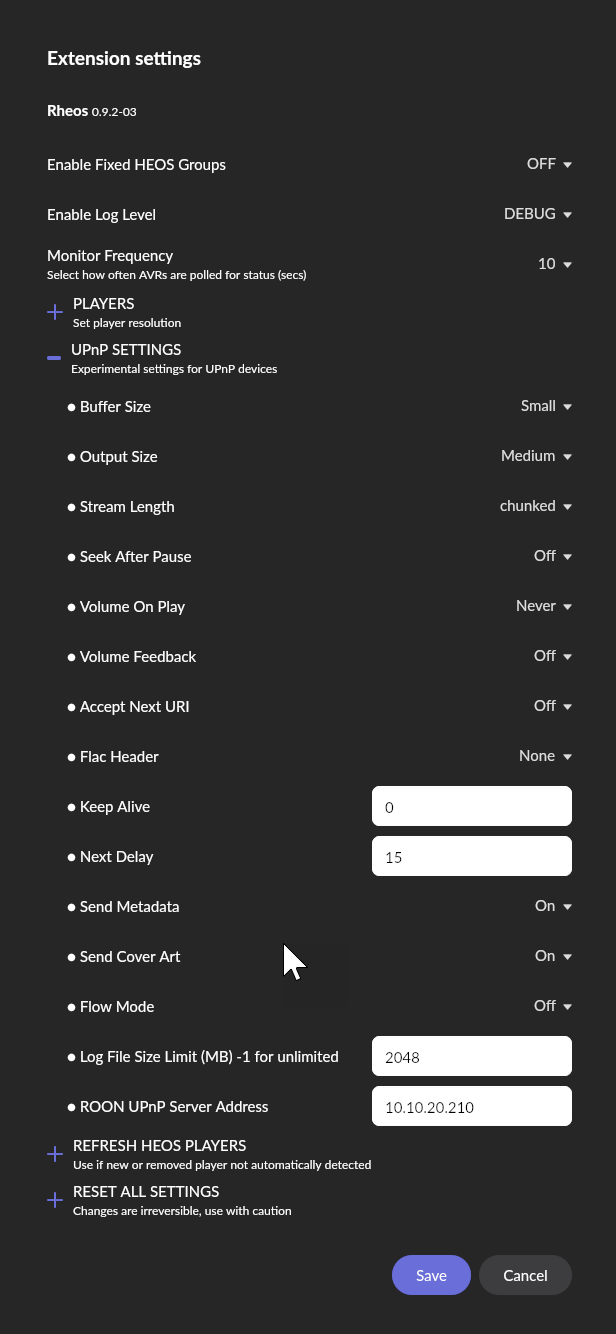
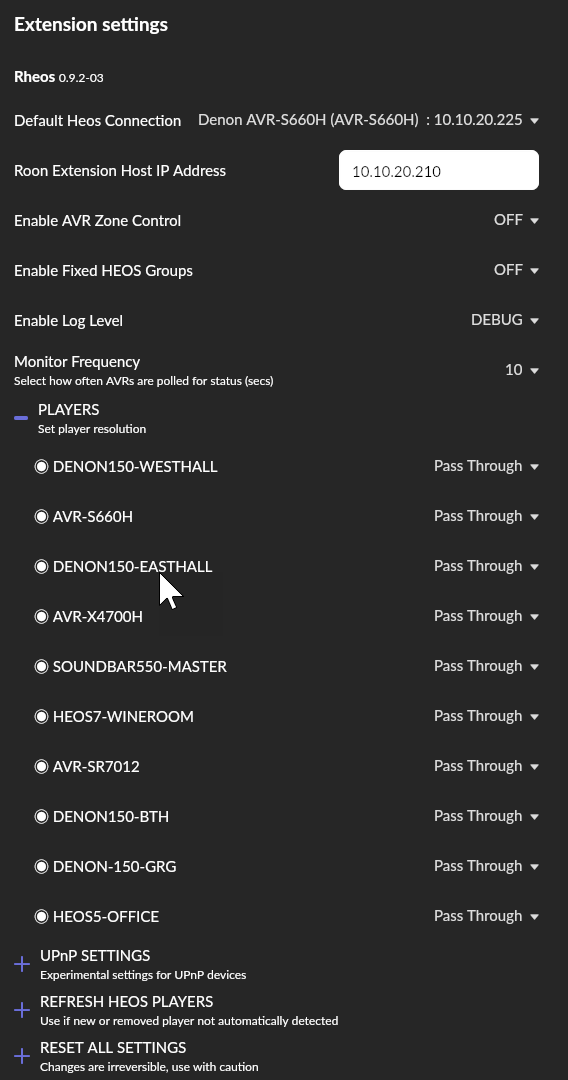
ok so we have two things we can do:
-
as you said, put RHEOS on the nas in docker - put it on host in your setup
-
did you install macro.on onto the same minipc as Roon or on a different windows box on your home network? curious to see if, on another windows box, roon on the minipc and macro.on can talk?
Patrick
PS - just started re-playing around with home assistant and flic.io and have one of my controllers click events call the macro.on URI to set a zone volume and start music based upon a TAG in my Roon setup… kinda cool…
Start by increasing the buffer size please.
Also I’d be interested if pass thru vs Hi res or cd makes a difference.
I’m unfortunately having to do real work today and am not by my setups to share …
For option 1 I’ve hit the same old issue, Rheos bombs out unless I put the player IP in the config file. If it didn’t bomb out (because it didn’t find any players) then hopefully it’d appear in Roon and I’d be able to enter and save the IP in the extension settings. That’s the issue that’s preventing several of the options from working for me.
I’ve tried exporting the image and editing the default settings JSON file (extracting from tar and recompressing to tar) but the DS won’t import it. It gives a useless error “Unable to complete this operation, possibly because the network connection is unstable or the system is busy. Please try again later”. I think the real issue is that I’ve changed one of the tar files within the main tar file and therefore the checksum doesn’t match what’s in the JSON file with the very long name. I don’t have an easy way to correct that.
For option 2 I initially had it on the same box as Rheos. Copying it to another WIndows box and running it, the firewall asks whether to let it through and when I say yes Roon sees it as an extension.
To be fair Roon sees Rheos as an extension when I run Rheos locally, and it finds my amp (because I’ve edited the default config), the amp’s just not being found as a Squeezebox player in the Settings - Audio tab.
Ok, I think I updated the checksum properly but I still got the same DS error.
[sorry if i am repeating what you said above, just want to clarify]
-
for option 2- when running it on a second windows box and allowing firewall THEN roon sees RHEOS and rheos sees the AMP, correct?
** in this configuration: does squeezebox expose the rheos-amp to back to roon in the audio section or not?
** if not, then this is something about squeezebox’s network traffic, no? (because if roon can see the amp and show it in its settings/players for you to config its gotta be in this area) -
for option 1 - how are you building rheos docker image? – btw, you do not actually have to map the config file at all, it just means on each restart, you have to re-setup your players (from cd to hires or pass-thru) - its how i ran for a while until i figured out (partially figured out) the security issue
Note: there were a few releases of Peter’s code where he included a config file with his data - so once we get the image up and running lets see about consoling into the image and seeing the config.json file in action…
Option 2 was for macro.on, not Rheos. Roon saw macro.on as an extension, but it also sees Rheos as an extension when Rheos is running on the same box as Roon. It’s finding the amp as a Squeezebox player that’s not happening. UPnP is enabled on my router, I’ve tried messing with the Rheos UPnP settings but it hasn’t helped.
For option 1 I’m exporting the image from the DS as a tar file, extracting it on my PC, editing what I need to edit, recompressing as tar using 7-zip and importing that into the DS (after correcting the SHA256 checksum in that JSON file as mentioned). Maybe I’m still missing something there.
With every different way I’ve tried running Rheos it bombs out if I don’t first edit the default settings JSON file. I don’t know if it’s because my network is 192.168.2… rather than 192.168.1… but other than that I think my setup’s pretty standard.
Sean,
Buy a raspberry pi.
Install extension manager.
Play RHEOS.
It’s really not this hard.
Peter
1 Like
Time is money.
MAJOR EDIT: put a BLANK config.json file in the /config/ folder  - doh
- doh
ok so are you game to either try the UI or the project/compose feature of Container Manager in synology (assuming you are on 7.x)
here is a yaml config to use in the container manager’s/project UI – i apologize up front if i am explaining what you already know how to do…
NOTES:
- i am assuming your volume name is volume1 - change if not
- create a folder under the docker folder called: rheoshost [or change my config below]
2.1 note: the container manager would have created this master folder during install - for now: grant EVERYONE full READ/WRITE to that folder
- create two subfolders under rheoshost
4.1 config
4.2 scratch [this is optional and you can skip it and remove the volume mapping line below but i use this to move files in and out of the image without accidentally overwriting - yeah, its a hack] - change your timezeone appropriately
- change or remove the memory limit setting
- I have long since removed the node/yarn setting the old ui would add - never been an issue
version: '3.3'
services:
    rheos:
      image: rheos/roon-extension-rheos:latest
      container_name: rheoshost
      pull_policy: always
      restart: 'unless-stopped'
      network_mode: 'host'
      ports:
        - '1255:1255'
        - '1256:1256'
      volumes:
        # scratch sub folder
        - /volume1/docker/rheoshost/scratch:/home/node/scratch:rw
        # config.json file
        - /volume1/docker/rheoshost/config/config.json:/home/node/config.json:rw
      environment:
        - TZ=America/Phoenix
        - PATH=/usr/local/sbin:/usr/local/bin:/usr/sbin:/usr/bin:/sbin:/bin
#        - NODE_VERSION=19.2.0
#        - YARN_VERSION=1.22.19
      mem_limit: 4096m
now, let me know if you want a walk thru on the container ui
edit: I will try to fire this example up on my system now
yeah but running dozens of docker images is addicting
@Sean_Fowler - I just tested and runs great – so let’s see if we can’t get the image up this way instead of all that hacking you are doing…
I put an edit note above BUT it should be in section.
4.1.1 create an empty text file called config.json and put it in this directory (/volume1/docker/rheoshost/config/ )
1 Like
Thanks Patrick.
Appreciate the help here.
Let me know if we are stable on 9.2 releasing to latest image. Continued here all day without error on mys system. (Although musical taste seems to degenerate over time…)
Peter
1 Like
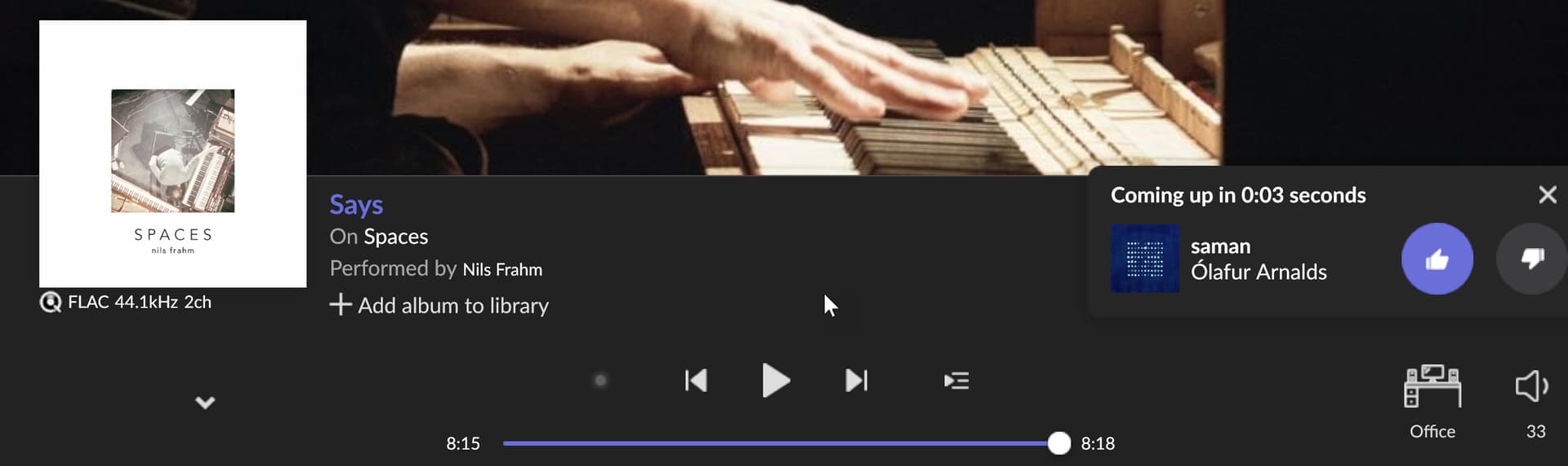
@peter_richardson , had roon paused for a bit for meetings… whlie writing this stuff up, I turned on background music… it got thru one song - below is the screenshot…
this is typically what happens whether the next track is in the queue or picked by roon - it just stops…[clicking thumbs up after it stopped did not make a difference]
Buffer was set to MEDIUM (from your last request)
next step is to change to hi-res (I have moved off of it because the latency between tracks was horrible when I have most devices in a group)
– I tore down the Stack and am in the process of re-starting it as I go the dredded wont go past 0.00 when it says its playing
stuck at 0.00 after teardown – anything you want me to try EDITING in settings or audio/devices ?
Here are my settings. I’m intrigued by why this is a problem. I rebooted my roonserver a couple of days ago and that seems to have made things very stable.
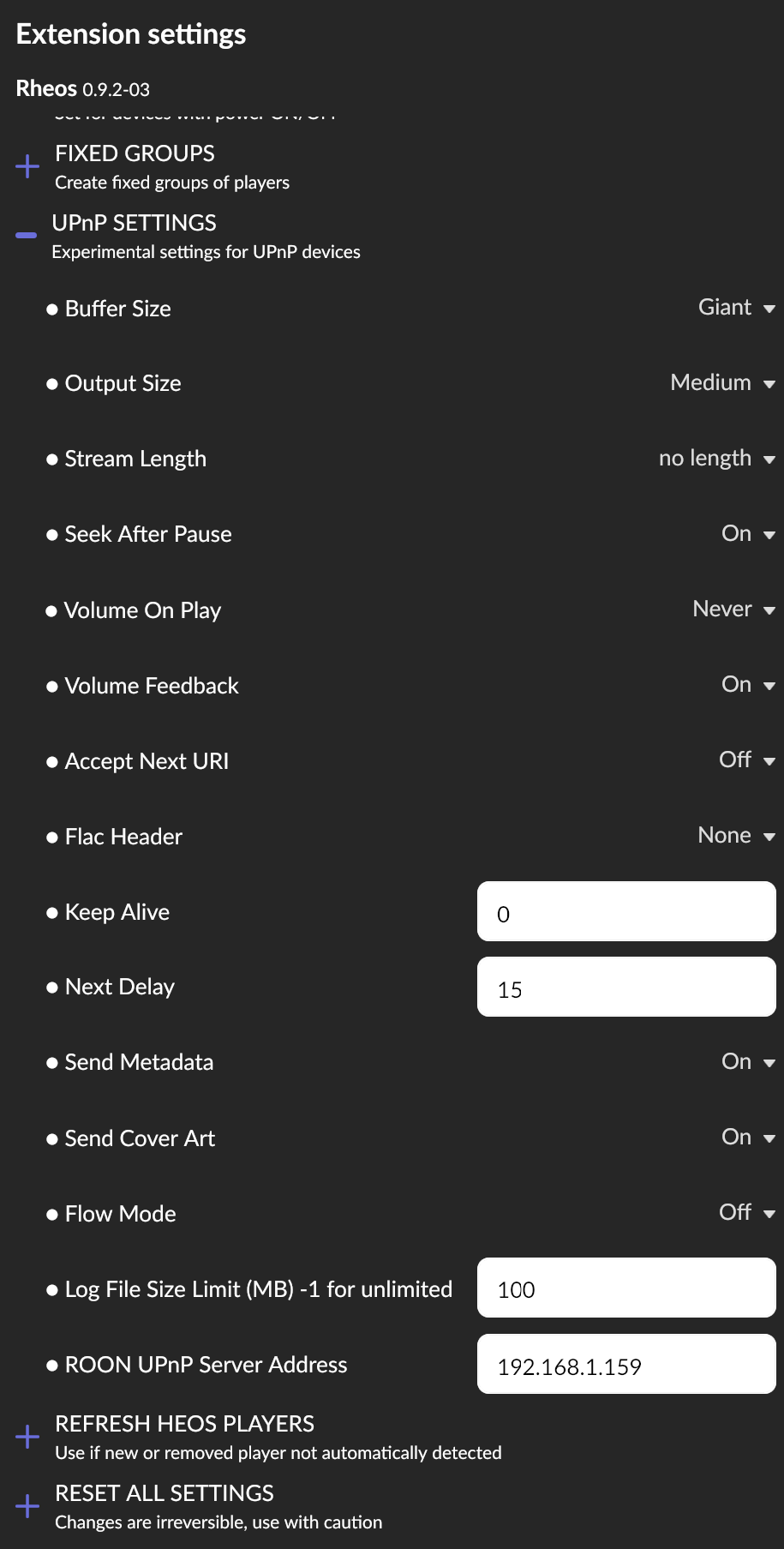
- I changed the settings to the same as yours, then switched between wineroom and office
1.1 stuck at zero.zero
2.restarted rheos image
2.2 selected office and started next track… IT IS PLAYING
- i do recall a ‘discussion’ about Seek After Pause slowing track transition on this thread earlier - do you not see that behavior…
anyway, I will run with these settings now - note: office and wineroom are hi-res, everything else is still pass-thru – if i get it to keep playing i will move to other rooms
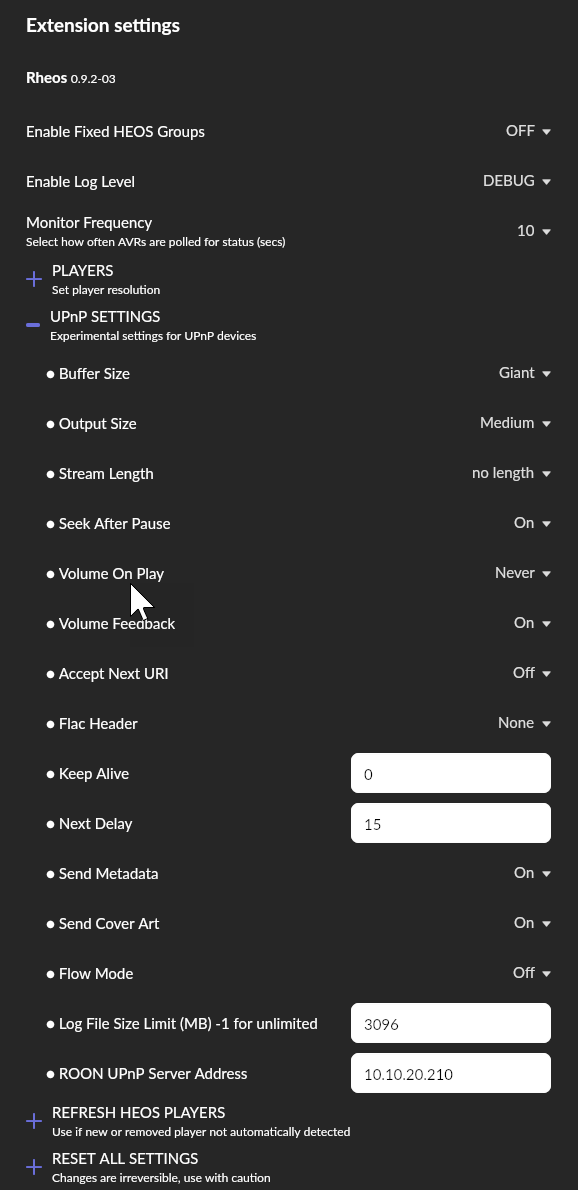
 stopped after one song
Frustrating - I will add more to logging and see what we can do here.
Shouldn’t be this hard