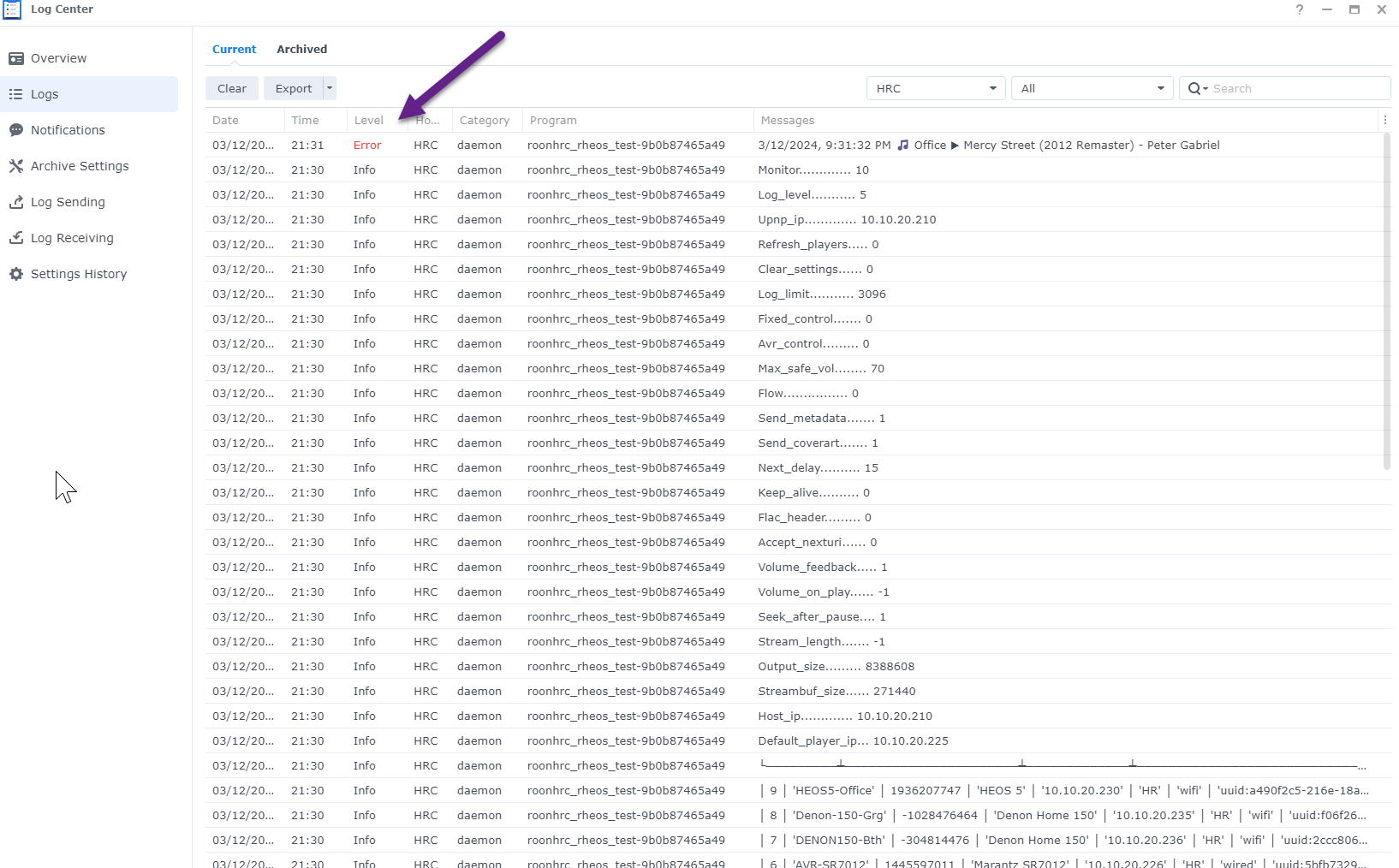
One thing I see in the log is the event “HEOS SOURCES CHANGED”.
This never shows for me (and I started tracking in 9.2 to help debug.
Any thoughts on what might be triggering this in your set up?
One thing I see in the log is the event “HEOS SOURCES CHANGED”.
This never shows for me (and I started tracking in 9.2 to help debug.
Any thoughts on what might be triggering this in your set up?
I am going to try to configure the image to send its logging to my logging service on the nas… so i can keep the data between runs…
I will add more logging to 'debug" now that is working - but will be tomorrow night.
no worries… I have it sending the logs to my log server on the nas now so i can horde the data and send to you later…
back on 9.x beta for testing…
one last thing before we call it a night…
I just had roon start up the peter gabriel song - it was paused while I hacked in the log shipping…
take a look at this - it reported an ERROR on that line… this happened when it just stopped at the ‘end’ of the track…
That’s very interesting - is that from my log? I don’t usually generate an error on play.
I report the status as an error (changing to log going forwards - next update)
makes sense you used error so that it would write to stdout… I skipped to the next song, it played, then played the next track then STOPPED again…
Its this version of the code as i ran v8.6 for a bit just a while ago and it ripped thru a few songs np
You have seek after pause on? This completely breaks playback for me if on, so if you pause and restart or try to start file at certain point it doesn’t play. Interesting that you have this on.
Exactly what happens behind the scenes in squeeze2upnp when playing from ROON is a little opaque. It seems to work for me but we all use this differently - hence I really appreciate you all testing. I wish I could have an easy way to swap versions for extension manager users to enable broader testing.
But it should work in same way as HEOS is a fixed standard. All HEOS devices should have same settings I would have thought.
I see you have rolled it back again to 8.6.0 in extension manager?
Given the reported issues yes. 0.8.6-0 remains stable (but as you identified is not truly 2 way control any more). Were you not having issues?
I’m fine with this one for now, it works.
That was what I thought - will continue to test the other.
My original plan was to buy a Pi but at the time they were stupidly over-priced so I spent a little extra and got a mini PC.
I totally get that Windows is a pain. However discounting Windows, there’s one change which I think could allow me to get Rheos working elsewhere. It might help others too.
Currently if I run Rheos, whether from Windows, Docker, Virtual Box or my Disk Station it bombs out because it doesn’t find any players. On the environments where I’m able to change the default settings, putting my amp’s IP address solves that. Unfortunately those environments have other problems (Squeezebox player not found or Room doesn’t see Rheos).
Ideally I wouldn’t have to change the default settings. If it didn’t bomb out I could change those settings on the Roon extension page. That would let me use environments where it’s difficult to change the config (e.g in a Docker image).
Alternatively, if the discovery worked without that IP it would also solve the issue, but I suspect that would be more difficult to nail and possibly something more specific to my setup and therefore less generally useful.
Anyway, I reckon it’s worth a think even if you want to drop Windows support.
Thanks for the suggestion. I generally have the DevOps guys or Devs handle the YAML but it wouldn’t hurt me to learn a bit about it, I’ll give it a try later 
I strongly recommend dietpi over windows if you get the x64 version it runs on any pc. Roon extension manager is part of its optimised software installs so easy to setup and get RHEOS running. I run it on the same machine that runs Roon so one nice easy machine to run it all.
Thanks. I tried that but wasn’t able to change the default JSON file (or even find it) and therefore it never discovered my amp. Unfortunately without entering my player’s IP address in the config file, Rheos crashes (regardless of where or how I run Rheos).
Sean, its really easy… below is a link this web site is pretty good/accurate for most things synology - the article looks like it walks you thru the process
Container Manager on a Synology NAS: Ultimate Guide (2024) (wundertech.net)
its super easy - create the folders and click thru the UI in synology and paste my yaml text as is… DONE…
with regard to you having to put the ip address in the config file - i am assuming you mean in the upnp section - [roon upnp server address] field, correct? and, you are saying that when rheos starts it crashes if it cannot find that ip address…
then, after you enter the ip address, rheos starts but squeezebox etc do not work…
do you know what this is telling us? its a network thing: both rheos and rheos exposing squeezebox as an endpoint rely upon scanning the network and finding each other. something is blocking this traffic.
as an aside: (I know you probably have done this but here goes: have you tried to turn off squeezebox toggle, save, maybe even restart roon, then turn the toggle back on)
PS - with the yaml option above, we can certainly create a non-empty config.json with your roon ip too…