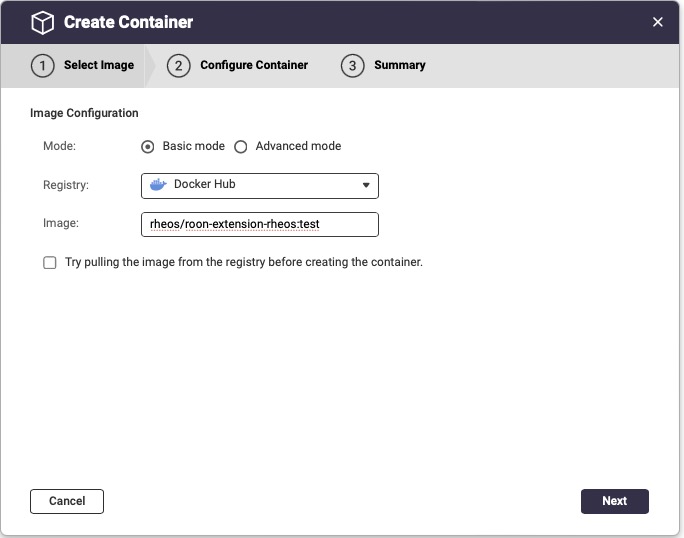
If you want to use QNAP NAS (it’s what I use) simplest way is to run the container via the container station UI.
yes, extension manager will help but more than you need if only running HEOS.
Right now the latest version is working good for me (0.9.3-07)
Let’s see if this helps you.
pre-reqs:
If more than one HEOS device, change it’s friendly name (via AMP or HEOS app) and make it unique
This assume you have a simple network, QNAP and HEOS device on the same physical network
I have HEOS AMPs on WiFi, QNAP on ethernet
Enable Squeezbox support:
roon → settings → setup → click on “Enable Squeezebox support”
Login to the QNAP and open container station
Click on Containers
Click on “+Create”
paste in the “latest” image and click next (see URLs below)
under Network Configuration
disable “Default web URL port”
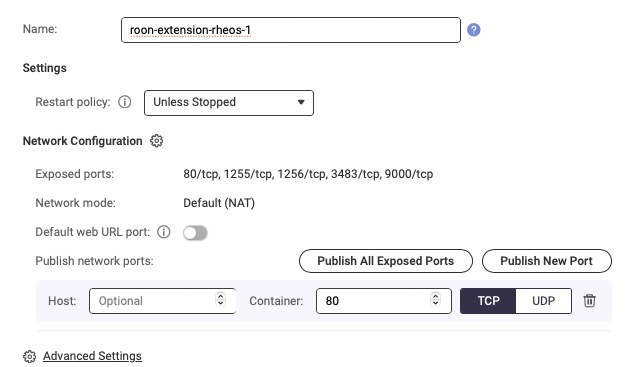
click Advanced Settings
Click Networks
Select Custom
Validate Bridge is selected and an Interface to your network is selected (your default vSwitch interface should work). If you have DHCP on the network, no need to use a static IP or manually configure DNS.
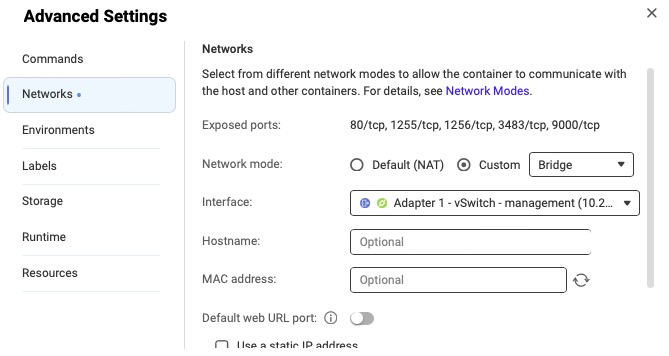
Click Apply
Click Next
Click Finish
Validate the container starts (enters a running state) and it gets an IP on your network
Check the logs if not
Configure HEOS
roon → settings → extension → HEOS → enable
roon → settings → extension → HEOS → settings (out of the box shouldn’t need to mess with it, but more settings here. I change player to “pass though”
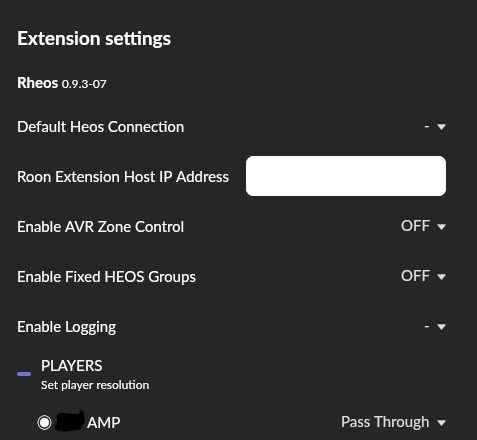
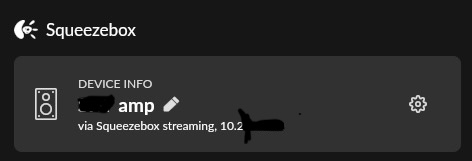
Roon → Audio → Squeezebox → → enable (this device already enabled)
Happy Streaming
URLs
HEOS docker hub repro: https://hub.docker.com/r/rheos/roon-extension-rheos/tags
QNAP container station docs: How to use Container Station 3? | QNAP