It would be so helpful if you would share a log file please.
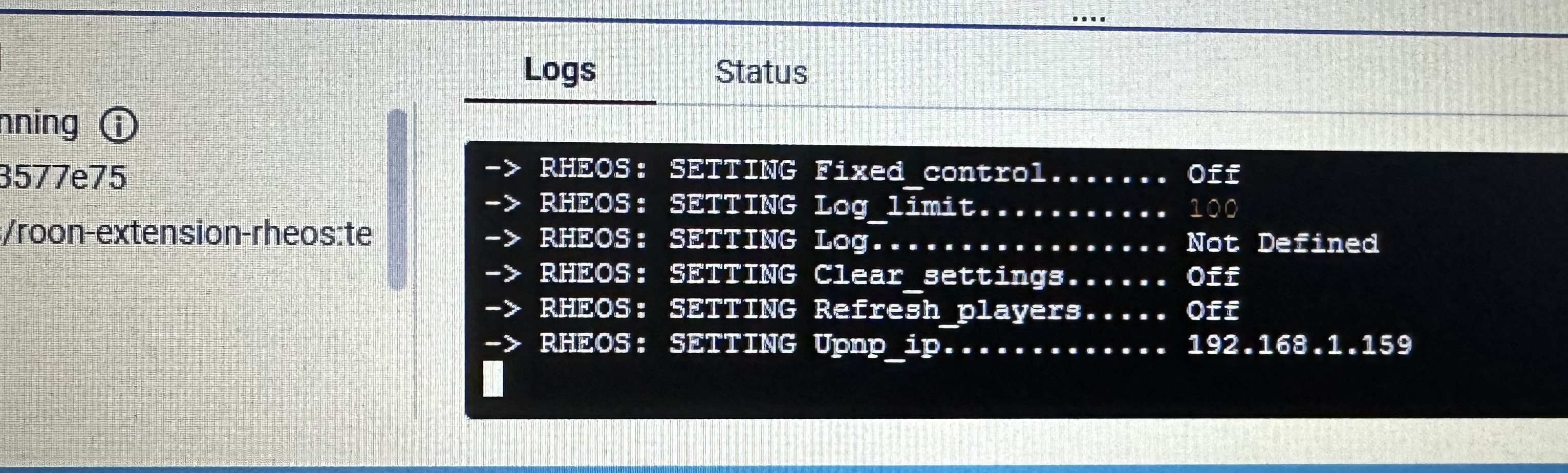
You may also want to use the latest tag rather than test.
Ok.
I will give that a try.
Thank you.
Thanks hard to see the logs - do you know how to set docker to collect output to a log file?
Noticed your server is set as 192.168.1.159 - is that the address of your ROON sever if not it’s picking up a config file from me - can you run the container without asking it to load config and you should be clear.
Or just find the file config.json in the RHEOS directory (where you start your docker container) and delete it.
I apologize. I am a little slow when it comes to this. I will try to give you whatever you need. I just might need a little coaching.
I did install the “latest” file instead of the “test”. It seems like it might be stuck on UPnP Connecting in Extensions.
Have you enabled the extension in settings?
When you start with a new config or ip address it needs to be authorized to pair with the Roon server.
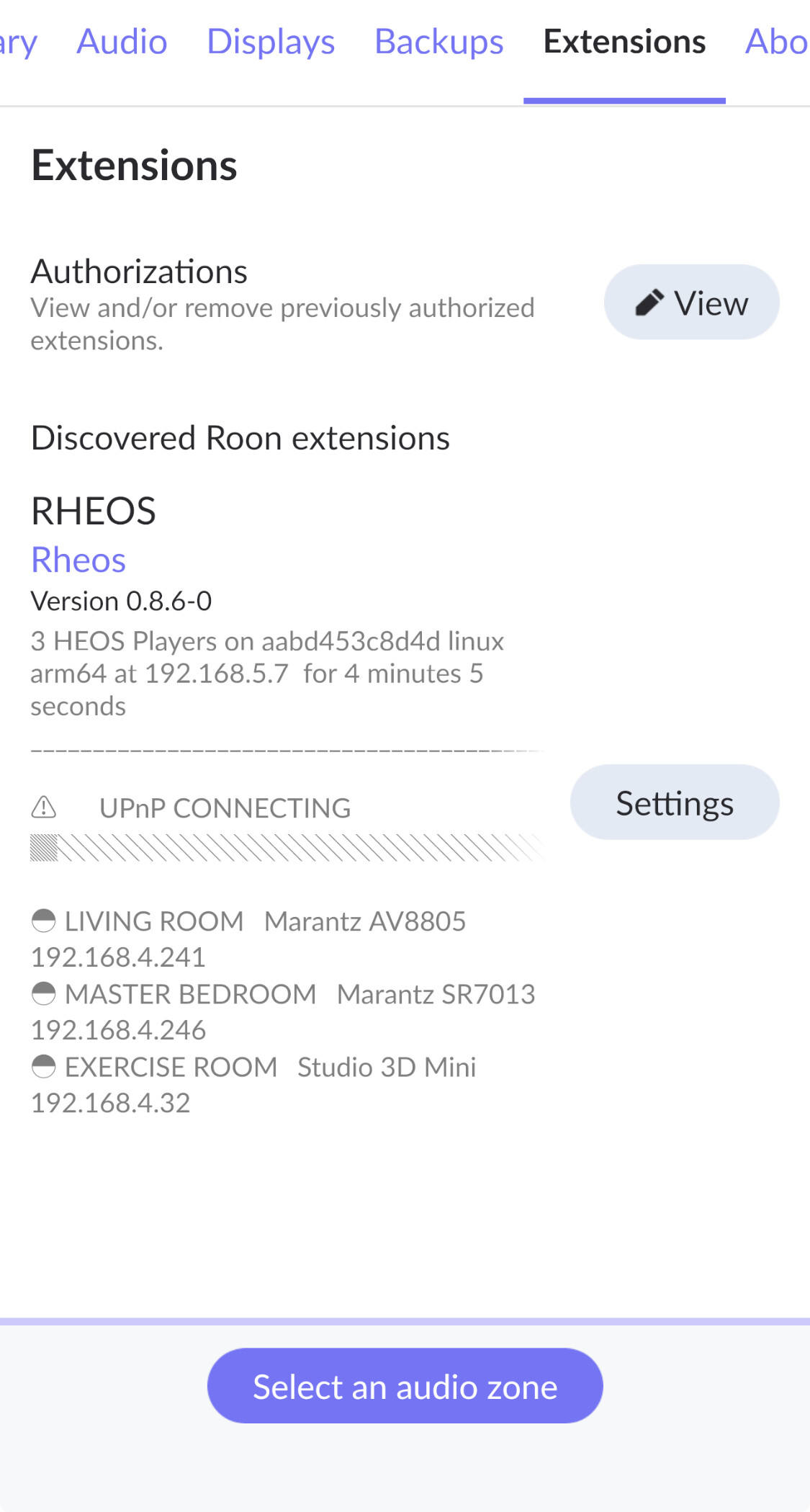
Are you showing the progress bar has stopped? Never seen that before. try powering down and restarting.
Power down the NAS?
Yes. The progress bar is stuck.
What are you running - I thought everything was on your NAS? I’d power down everything and start from scratch - I have a feeling your set up is not going to work …
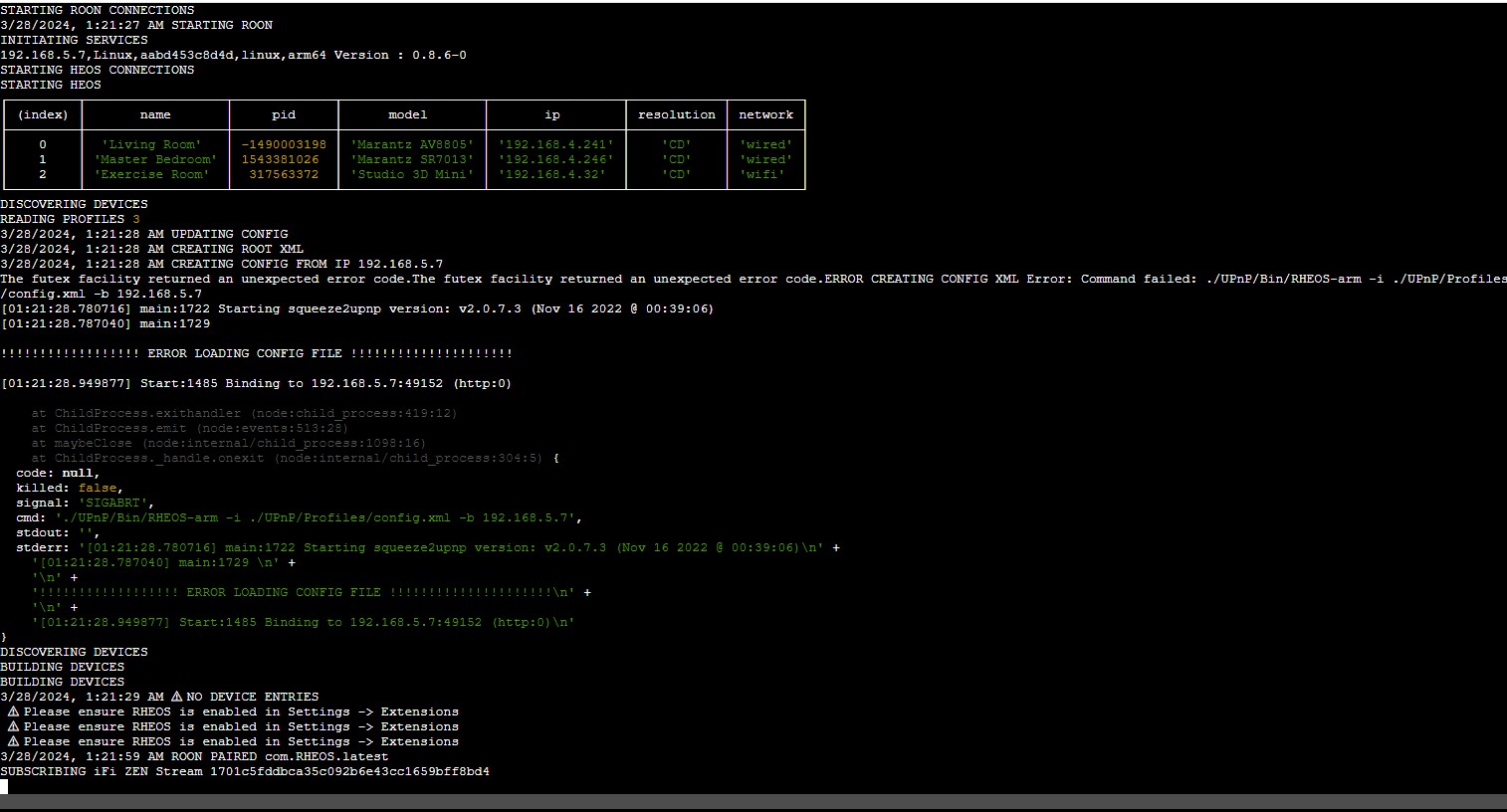
Its having trouble with opening the configuration file. I will have to look at this when I get home.
1 Like
Try starting with this from your command line:
$ sudo docker run --name roon-extension-rheos --network host -v $(pwd)/.reg/etc/config.json:/home/node/config.json rheos/roon-extension-rheos:test
peter, thoughts on this…
- his logs show he is not enabled (rheos not enabled)
- try running without ANY config.json mapping at all - its how i first ran - make sure to use a brand new image pull and no config mapping - this way the config is inside the image only and no issues with permissions…
- he either has 192.168.4 and .5 networks or his network config is the issue
- Stephen, can you run host vs bridged in the qnap setup?
- peter, i dont think he is familiar with ssh command lines for docker…
Thanks Patrick.
You know so much more than me on running in this environment.
In 0.8.6-0 it will show the reminder to enable until it’s turned on.
I think Stephen turned it on but there were issues finding the config xml.
All things 9x is trying to address.
I will be flying back on the redeye and will try to look at this tomorrow - we should be able to make this as easy as with extension manager.
I’m planning to read up on docker compose …
config xml ?? you mean config.json or is there another file i have never been aware of?
So, @Stephen_Loch - in the qnap config ui, is there a place you setup a mapping to a config.json file? lets see if you can remove that completely and tell qnap to repull and recreate the image
note: when you re pull and re create and do not map the config file, it will look like a whole new rheos to roon – so remove / revoke the authorizations in the roon setting then enable the new instance
Sure.
Hidden in the old version a config.xml file is created that holds all the basic UPnP info. It’s part of the squeeze2upnp protocol.
The new version is the first step in doing this directly. It’s why it’s so fast as I go direct to the Heos players.
If I can get Stephen up and running I really want to move to 0.9 and build from there .
However there’s a problem in that it’s finding an old config from me. I think it’s because an old version failed and I want to get to a fully clean install for him…
If 0.9.3-13 us.working for you and Kent I know we can get there. As always it’s the NAS that’s the challenge …
ok, so i think we should have him run the 9 version…
we have two issues with the nas:
- mapping the config.json file
- getting the network working
@Stephen_Loch when you come back online - lets go thru and destroy the current image on your qnap, changed back to Test label and lets see if we can remove any and all folder/file mapping - rheos can run without it…
then after this is running we can see the network data and see about moving to host
1 Like
Fully agree!
Stephen thanks for working with us on this!
It’s a beta test !
1 Like