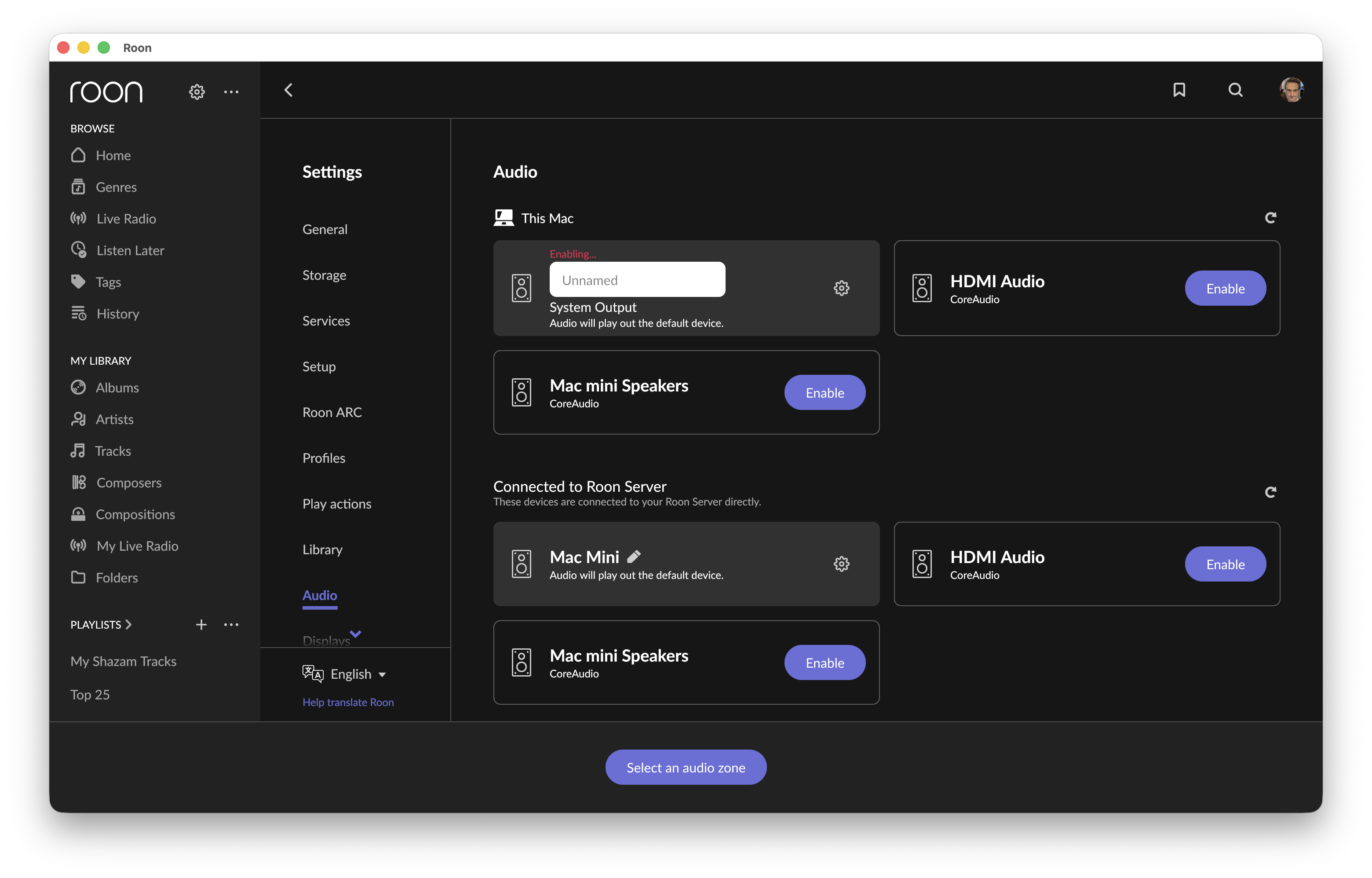
· Often, when launching Roon on my MacBook, the app does not initiate the MacBook's audio, and I cannot select it as an audio zone. If I go into the Audio Settings, the System Output shows "unnamed" and above the input field "Enabling…" and nothing happens.
Tell us about your home network
· My router is an ASUS ZenWiFi AX with AiMesh enabled (all wired up). My MacBook is on an Ethernet connection and is connected to my Roon server (Mac Mini) via a Netgear Prosafe XS508M switch. I have a Scarlett 4i4 and a Mojo (1st gen) attached to the MacBook, which I mostly use for listening.
If the Apple CoreAudio driver isn’t connecting to Roon, there are usually three reasons:
The native firewall has blocked RAATServer from running in the background on this machine with the appropriate permissions
Coreaudio is under exclusive control by another app or program (like a DAW or a game) and the OS is preventing Roon from accessing the audio kernel.
RAATServer is crashing in the background, rendering local audio invisible.
I’d verify the first two independently in your system settings and other applications on this Mac. The third possibility we can troubleshoot directly - try refreshing RAATServer fully.
You can generate a new RAATServer instance on your device by following these instructions, but please be aware that this will reset your Roon Settings → Audio Tab to factory settings and I would advise making a backup of any custom DSP settings you have:
Create a [url=http://kb.roonlabs.com/Backup]Backup[/url] of your current Roon database
Exit out of Roon
Navigate to your Roon’s [url=https://kb.roonlabs.com/Database_Location]Database Location[/url]
Find the folder that says “RAATServer”
Rename the “RAATServer” folder to “RAATServer_old”
Restart the Roon App to generate a new RAATServer folder
Since you’re running MacOS Sequoia, first ensure for due diligence that the OS has granted Roon local network permissions in Privacy & Security → Local Network.
Logs on 2/23 show RAAT attempting to connect to System Output and not finding coreaudio at the expected address through the ethernet loopback.
This can occur if you’ve activated a VPN since opening Roon Server on the same machine and then re-initiated a discovery cycle.
The simplest solution is to restart Roon Server to allow the handshake to complete between RAAT and coreaudio. If you don’t want to restart the server, you can open the Termainl and enter:
sudo killall coreaudiod
This will restart the Mac audio daemon and force it to renegotiate with endpoints.
Do you have the Focusrite set as your system output to play system audio through the interface?