ROON has serious lag issues

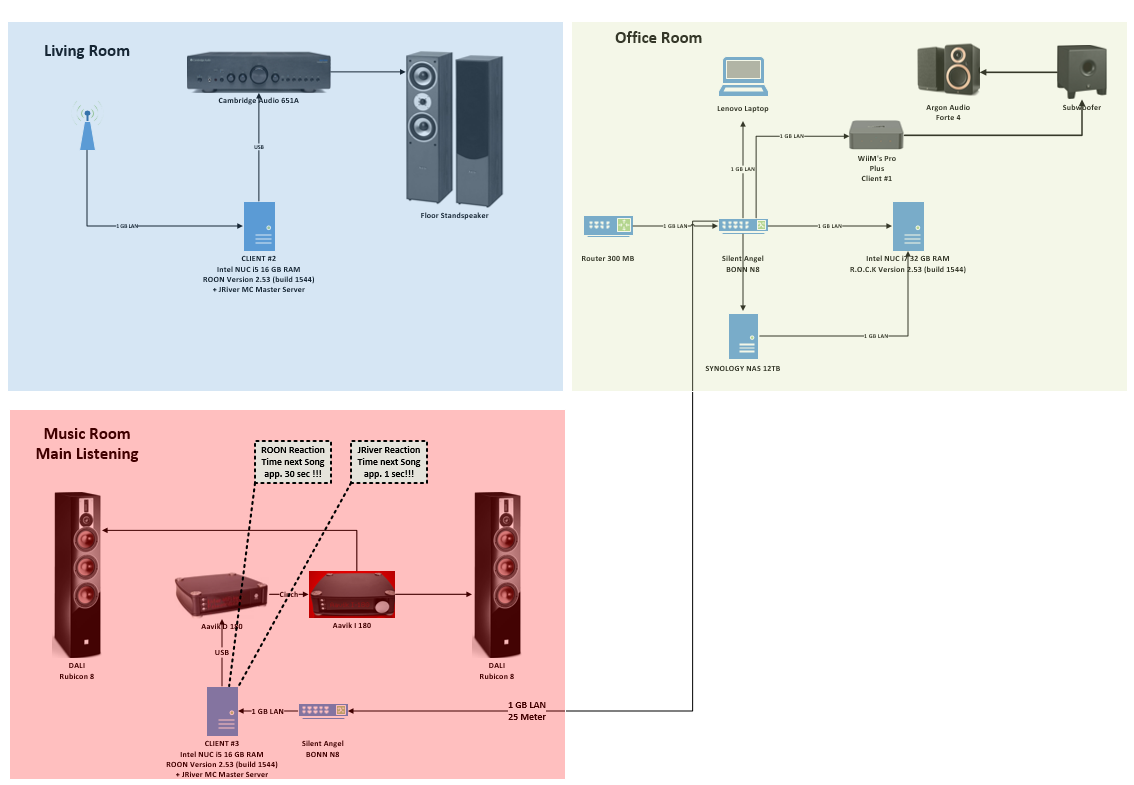
I’ve brought this up here before, but it’s still a pain-in-the-ass problem. I’ve attached a detailed overview of my setup.

The issue:
When I’m in my music room—where I do most of my serious listening—and I pick the next track via iPad remote, ROON takes its sweet time. We’re talking up to 30 seconds, usually at least 15–20. If I reboot ROCK, the router, and the music PC (in that order), it gets better for maybe half an hour, but then it’s still sluggish—like 10 seconds delay.

Here’s the kicker:
On the same music PC, I’m also running a JRiver client, which connects to a server in the living room. That one’s even hooked up via a MESH access point. And guess what? Track changes there are almost instant—under 2 seconds.

There’s a 25-meter 1GB LAN cable running across the house, but JRiver doesn’t seem to care about that at all.

I’ve already reported the issue to ROON support.
Anyone here got an idea what might be going on?

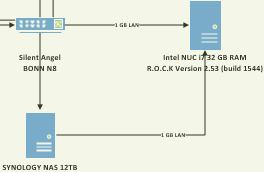
This looks fishy to me. No real need for a setup like that in my opinion. Just connect everything to the switch, get rid of the unnecessarily complicated setup and remove the network cable between NAS and NUC.

6 Likes

This is atypical and not expected behaviour. It should be instantaneous. Most likely, an external factor is affecting the way your remote is communicating with Roon Server.

I can’t see a relevant Support ticket open using the @Martin_Steinbach1 account. Do you have another in use?

I agree with @BlackJack. You should only use one network interface with ROCK, and this should be connected directly to the router.

1 Like

It’s not clear how the NAS is connected to the Listening Room NUC (is it Windows or Linux) , do you have 2 Roon licenses or is the ROCK NUC the main Roon server.

I would guess you have one Server and the other 2 are Roon Remote showing as Zones? I suspect a bi of confusion with nomenclature . Am I right , the Server is the ROCK , the other 2 NUC’s are End Point (Renderers) and running Roon as a Remote or a Roon Bridge

What does Settings>Audio look like

I agree with above a rationalisation of the network may help.

Also how big is the library in 1000 of tracks also how many non ID albums do you have

JRiver handles far less metadata that Roon which helps with response time, I assume your JRMC is not playing from memory - a setting under Audio (you can choose Nothing, Track stored or Album stored), also JRMC is capable of serving VERY big libraries , I heard of one user with 1 million tracks

They can’t really be compared as the tech is completely different

the double link is a mistake, not in real existing :grinning_face_with_smiling_eyes:

@Martin_Steinbach1 , if you exchange locations between Client #2 and Client #3, the problem remains, is it solved, travels with the client to the new location or stays at the location?

→ right

Library about 34.000 tracks

Problem remains, but the other zones do not have that big delay.

Can you wire the music room switch to the router instead of the office switch?

Is it possible use the 25 m wire on the Client #3 ? This test is for by-passing the switch at music room.

Ethernet is good for 25m and a lot more, mine goes up a wall across a roof down a wall . At least 50m. It started out life as a 100m cable.

I have 3 Roon installations in different locations. 34k tracks, 15% streaming (Qobuz), 85% local on the Roon Server (2x i7-13700 32GB running Ubuntu Server 24.04.2, 1x Mac Mini M1 16GB). Multiple endpoints of different types. (Almost) all networking gear is UniFi, both wired and wireless. I mostly use Macbooks or Android Pixel as WiFi remotes, sometimes iPad. Very little lag on any of these.

In your situation, I’d investigate the iPad compared other possible remotes (laptops, iPhones, …).

1 Like

I agree I have lag too, and Roon is insanely slow to start up. But I don’t really raise it any more cause there’s nobody really listening. There’s something around the architecture of Roon that certain library sizes or something makes it less performant. I’m sure if I change my library to a small size some of these issues would go away. I do agree with BlackJack though, unless you’ve configured your NUC on two different subnets and have routing rules in place, that extra LAN cable to the NAS will offer no advantage and possibly cause problems, you should remove it. If you are worried about bandwidth upgrade to a 2.5G switch etc.

3 Likes

As an inexpensive experiment you might try swapping one of your NUCs for a RaspberryPi running Ropieee. See if the NUC may be the bottleneck.

1 Like

Roon staff can take a look at your logs, and help you resolve the issue with this end point.

To equip the Roon Technical Support team to assist you directly, please follow this link to provide the details of your case to Technical Support: Technical Support Request

Respond to the prompts there to ensure that you’ve performed basic troubleshooting and to ensure Technical Support has the full details necessary to expedite Technical Support’s investigation into the case.

Your responses will auto-generate a Community thread in the appropriate section.

The OPs issue concerns a single zone, not Roon Server start up time. Nonetheless, my advice to you would be the same: contact Roon support for assistance (your last Support post was in 2023.)

2 Likes

I’ve been using Roon for close to nine years now, across five different (and frankly over-specced) Core machines, three completely separate home networks, and a wide variety of endpoints. Despite all those changes, one issue has remained consistent: over time, Roon begins to lag, sometimes quite badly.

Whenever I’ve brought this up on the forum, the first replies often sound like, “It works fine for me, so it must be something on your end.” I understand the intention might be to help, but responses like that aren’t particularly useful and often add to the frustration. In fact, this persistent issue has become one of the main reasons I no longer recommend Roon to others, despite its strengths.

To keep things usable, I’ve even set Roon Server to reboot itself every day. It starts out fast and responsive, but after several hours of normal use, performance begins to degrade, until I’m waiting 20 to 30 seconds for a track to start. Restarting Roon helps, but that’s not a sustainable solution.

A particularly frustrating aspect is when Roon initiates background tasks like a library rescan or metadata update. During those times, the entire system slows to a crawl, and it can become nearly impossible to play music at all, sometimes for hours.

From a technical perspective, this seems to come down to how Roon handles process prioritization internally. It doesn’t seem to assign elevated priority to time-sensitive or user-facing tasks like audio playback or UI responsiveness. In fact, user input appears to have little or no priority over background operations, which is quite unusual—most modern software is designed to ensure that user interaction remains responsive, even when background tasks are running. Roon seems to do the opposite.

This isn’t a network or hardware problem, I’ve tested enough environments over the years to rule that out. It seems to be a structural issue in how Roon manages its internal workload and thread priorities. Without addressing this, no amount of hardware will make a difference in the long term. The problem always returns.

What’s especially frustrating is that Roon is both the slowest music player I’ve used, and also the most expensive. I’ve even had moments where people laugh when I demo it, because of how sluggish it feels. And it’s not just me: I’ve seen the same lag in high-end audio shops, at audio shows, and in other people’s homes. It’s real, and it’s widespread. I care because I love what Roon is trying to do, but the performance issues have become hard to ignore.

In short: it’s slow or it becomes slow over time. And I really hope this is something the team starts to take seriously. Up until then I advice anyone who asks to look elsewhere and avoid the constant hassle
8 Likes

Yet, the only Support ticket opened by you on this topic in the past five years was in 2020. If you have an issue please open your own Support request as described above – Roon Software Discussion is for discussion only and isn’t monitored by Roon staff.

1 Like

I can only suggest the OP look at this

I got dizzy thinking about the unnecessary traffic on the network.

1 Like

I’m trying to understand your reference to lag. What is happening with the now playing and progress bar when this issues is happening? Is the progress bar stopped waiting for some change or is it moving with no sound?

I’ve noticed on a few occasions when I start the music playing or when tacks change that the progress bar is moving with no sound. Sometimes it is the last 5 seconds of the current track or the first 5 to 10 seconds of the next track. I thought it was the recording(s) because it didn’t happen often and not with all albums/tracks. I only noticed these instances with the Windows 10/11 remotes while I was sitting at the desk working on something else. All other times, media room with IPAD PRO or my Android phone in any room in the house the music starts instantly and continues until I stop it.

Its not been something I had to take any action on.

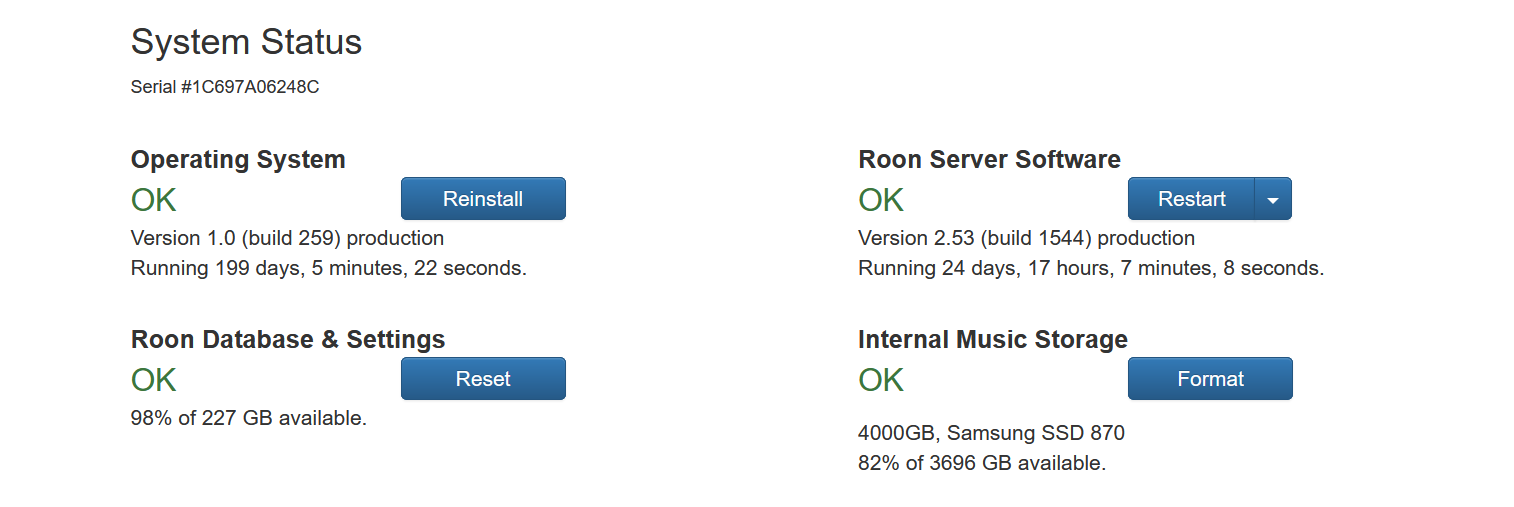
My setup is probably as simple as it gets, 1GB service, modem, ASUS 3 band router with 8 Ethernet ports and one 16 port switch for networking, Server is a NUC8I7BEH/ROCK, 32gb ram, m.2 drive for Roon OS/DB and an internal 4tb SATA drive for my library.

The NUC runs 24/7, only shutdown for cleaning, or when I’m working on the media closet, or for updates. Currently its been up for 199 days and counting. And the server software has been up since the last update.

I read these topics/posts on the issues and I feel the frustration. I would be frustrated as well. Wishing I knew how to help, there has to be some reason but I’m at a loss there. Hope it gets sorted out.