Roon in a Mac Mini M4

Hello together,

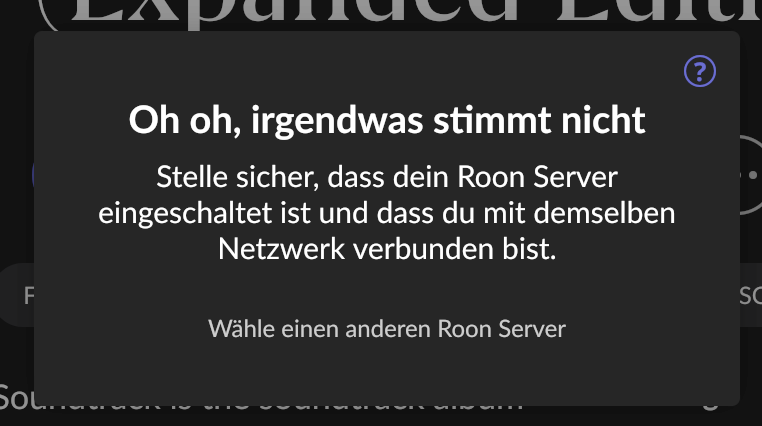
i have installed Roon on a Mac Mini M4 Base Version. I’m experiencing constant dropouts when accessing it from my MacBook or iPhone using the Roon app. My network is 1Gb, and with a Synology NAS (running Roon on it) there were absolutely no problems. Does anyone have any suggestions?

Add images

Hello @Steffen_Rothammel,

macOS Sequoia (version 15), has tighter (and more obfuscated) network security settings than preceding MacOS versions.

Can you please navigate to macOS System Settings > Privacy & Security > Local Network, and make sure Roon and Roon Server are allowed.

If it is already enabled, toggle it off and on again. Then reboot your Mac, and see if the same issue persists.

They where both activated but i will givi it a try and reactivate and restart. I will be back with a report :wink:

Hello @Steffen_Rothammel

Please keep us posted with the results.

Hallo Steffen,
ist dein Mac mini m4 per WLAN oder LAN verkabelt?
Ich kenne dieses Problem bei meinem iMac M1. Ich bin über WLAN verbunden. Ein simples Deaktivieren und Aktivieren vom WLAN hilft bei mir, zumindest zeitweise, solange der iMac angeschaltet bleibt. Nach einem Neustart muss ich das Prozedere wiederholen.

so i have (re)set the buttons in macOS System Settings > Privacy & Security > Local Network , since 3 days it is stable. I’ll keep you informed !

1 Like

Servus, der ist mit LAN verkabelt. Bis jetzt ist es stabil, siehe englischer post. Hoffe es bleibt so. Ich hab Ruhezustand für Festplatten auch deaktiviert. Aber der Witz war ja, dass es am Mac selbst ging, nur die anderen Clients sahen keine Audiogeräte mehr…
This topic was automatically closed 24 hours after the last reply. New replies are no longer allowed.