I like to know is Roon iPad App a Roon Endpoint as well as iPhone can be? My iPad doesn’t show up in Roon Audio Sub Menu.
This is an issue I’m experiencing.
When my Roon iPhone and Roon iPad are open at the same time they both struggle to stay online connected with my Roon Core Apple Macbook Pro from 2013.
iPhone and iPad Roon keep on losing connection with the Core so I can’t use even only one of them… It’s a little bit frustrating me becuase I don’t know in the first place why this is happening.
Your help would be welcome
With kind regards,
Sjors - The Netherlands
mjw
(Father! Father! Resist not! Let us destroy the core! Set us free!)
2
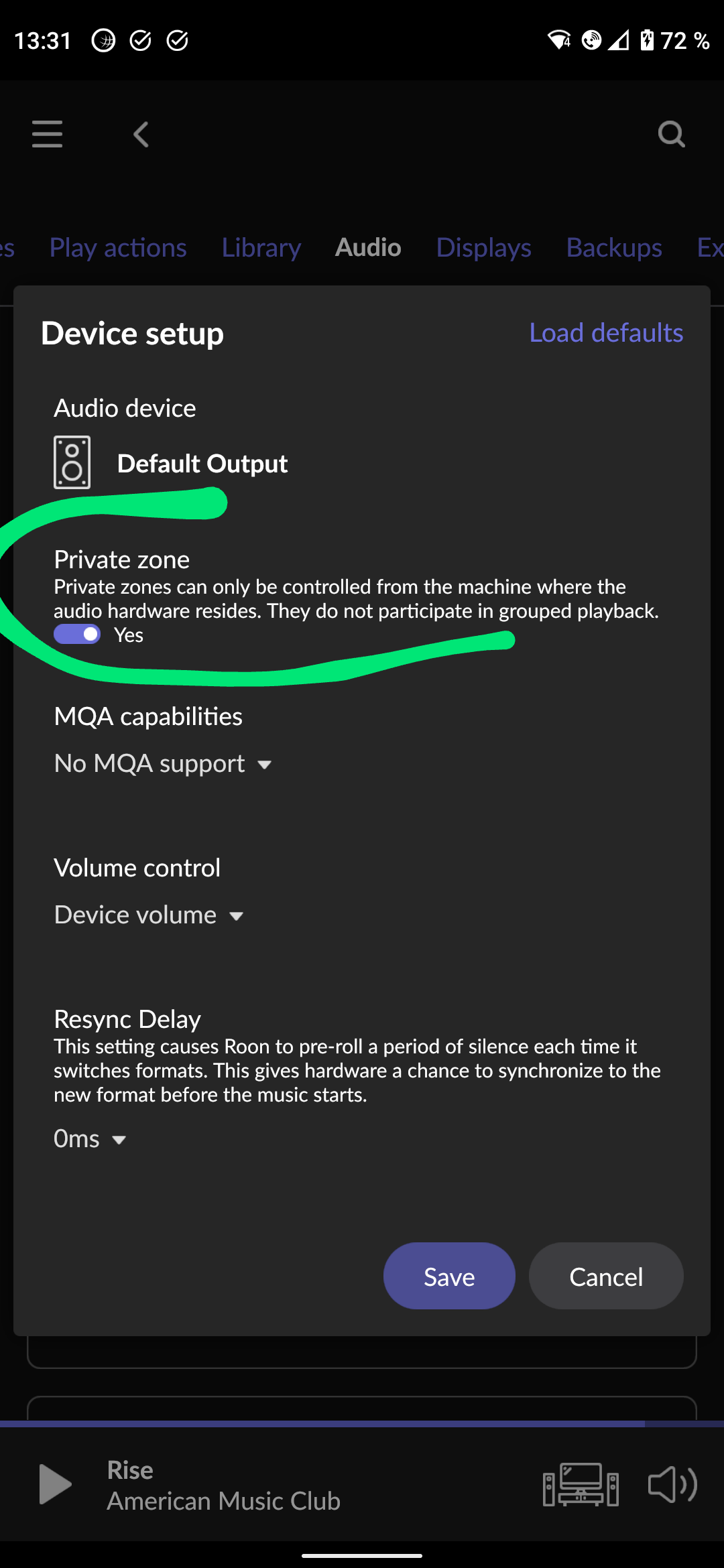
Yes, but iOS devices are private by default, so won’t be visible from other remotes unless you change this option.
Is the MacBook connected to your network using Wi-Fi? It is recommended that the core machine uses Ethernet.
Incidently, I have moved your post to Support. Roon need a bit more detail to help you get this resolved. Would you mind filling out the support template below? You can copy and paste it in your reply, thanks!
Roon Core Machine
Include your operating system and machine info (Model, CPU, RAM).
Networking Gear & Setup Details
Your networking gear (model of routers/switches/etc), connection types (Wifi/Ethernet), and any firewalls, antivirus, or VPN software.
Connected Audio Devices
Specify what devices you’re using and their connection types, like USB/HDMI/Chromecast, etc.
Number of Tracks in Library
Tell us how large your music library is, eg. “30,000 tracks”.
Description of Issue
Tell us about the problem you’re having in as much detail as possible. Screenshots are always appreciated!
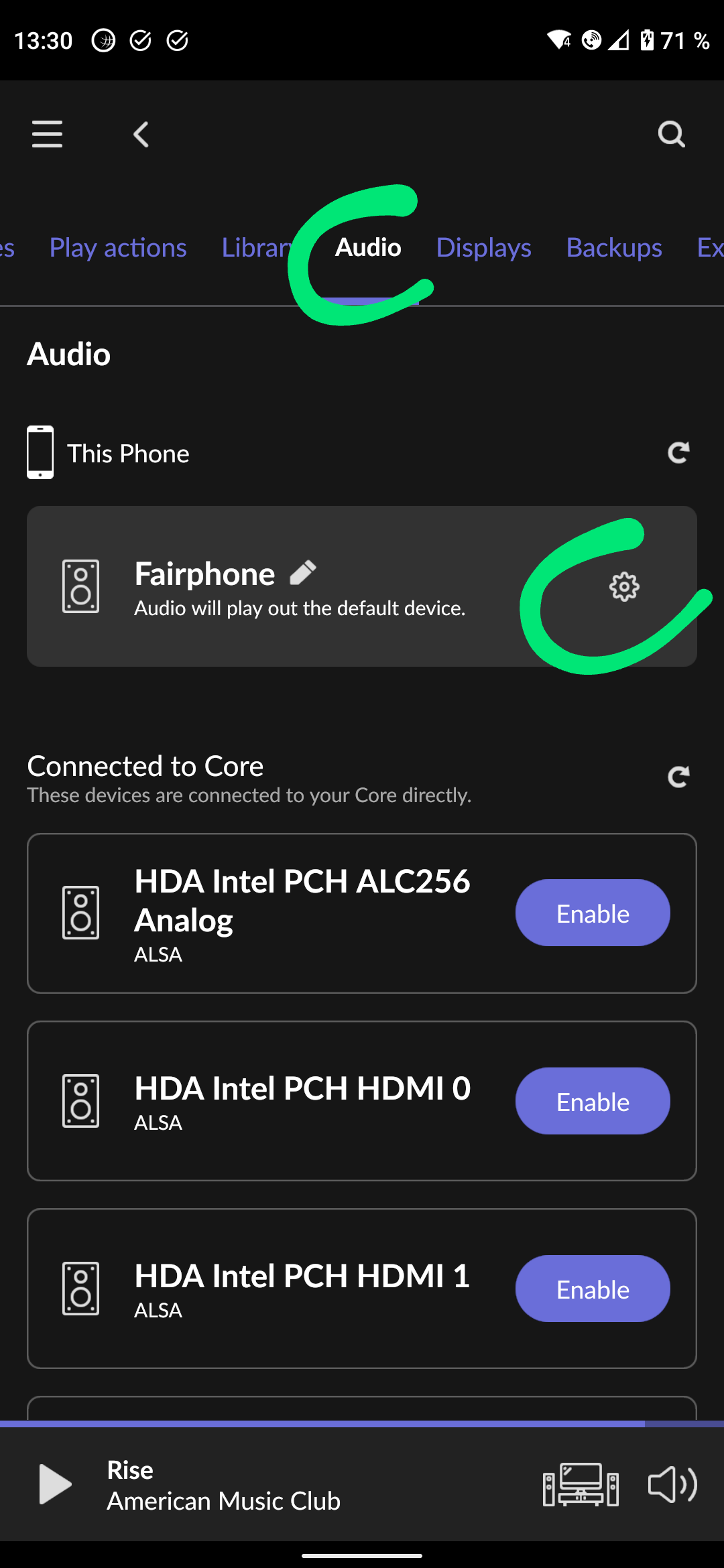
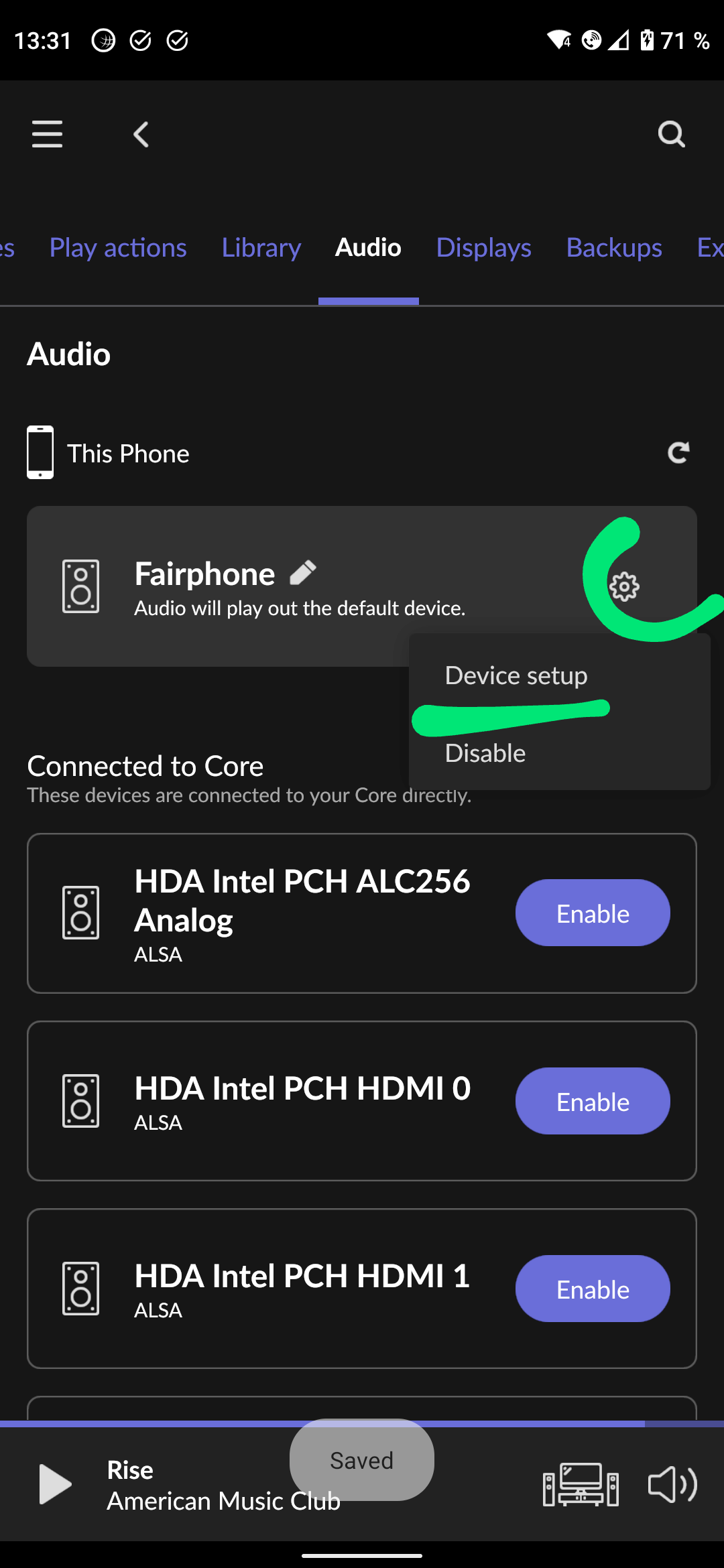
@Sjors_Ehv As Martin wrote. The mobile app is always set to private by default, at least on phones, though maybe also some tablets. (Android and iOS) because the assumption is that one will want to play to the phone output only when using the device itself, not from a different device. This setting is in Roon Settings > Audio, and then:
Apple Macbook Pro 2013
2 GHz Quad-Core Intel Core i7
8 GB 1600 MHz DDR3
Networking Gear & Setup Details
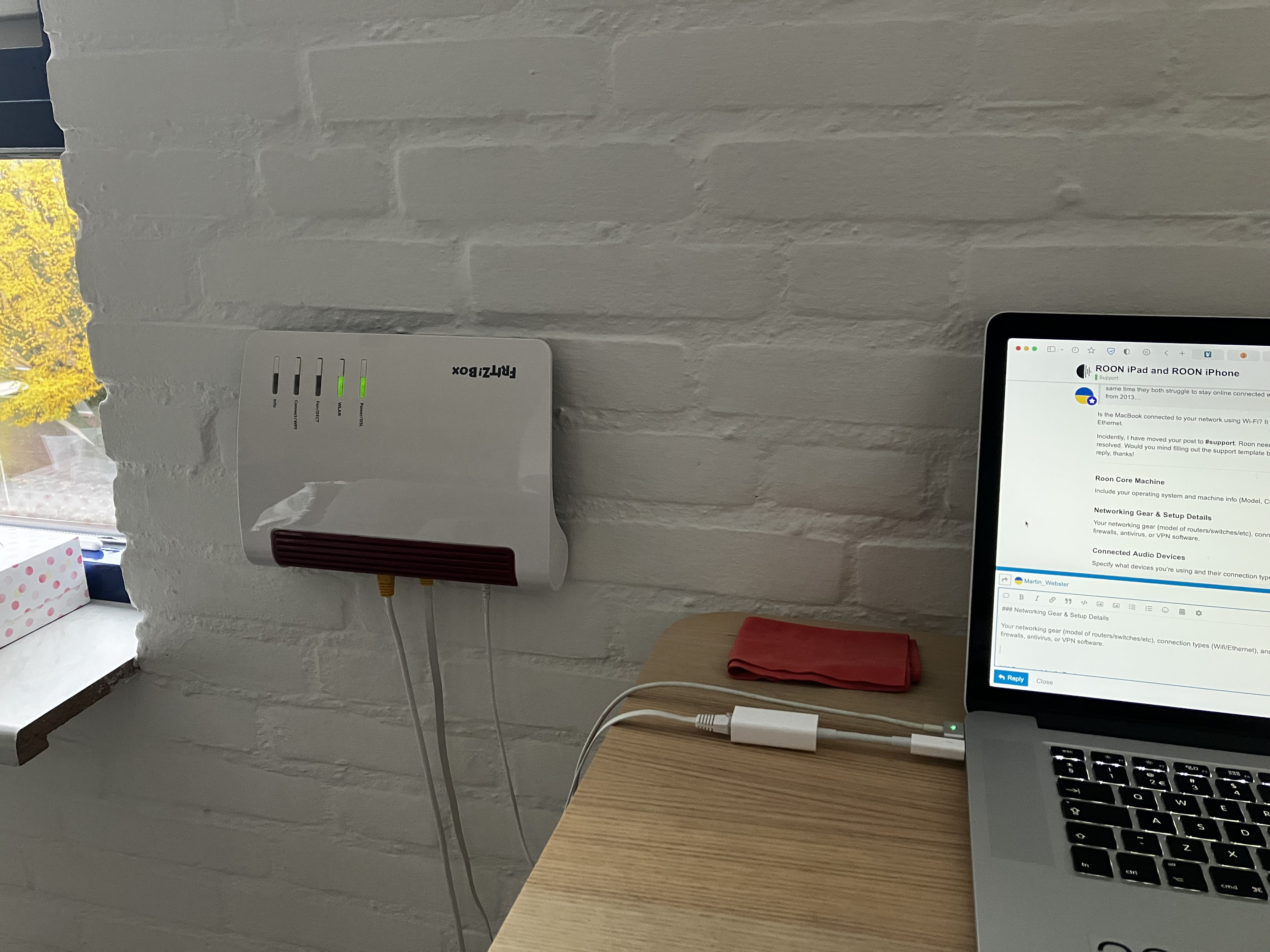
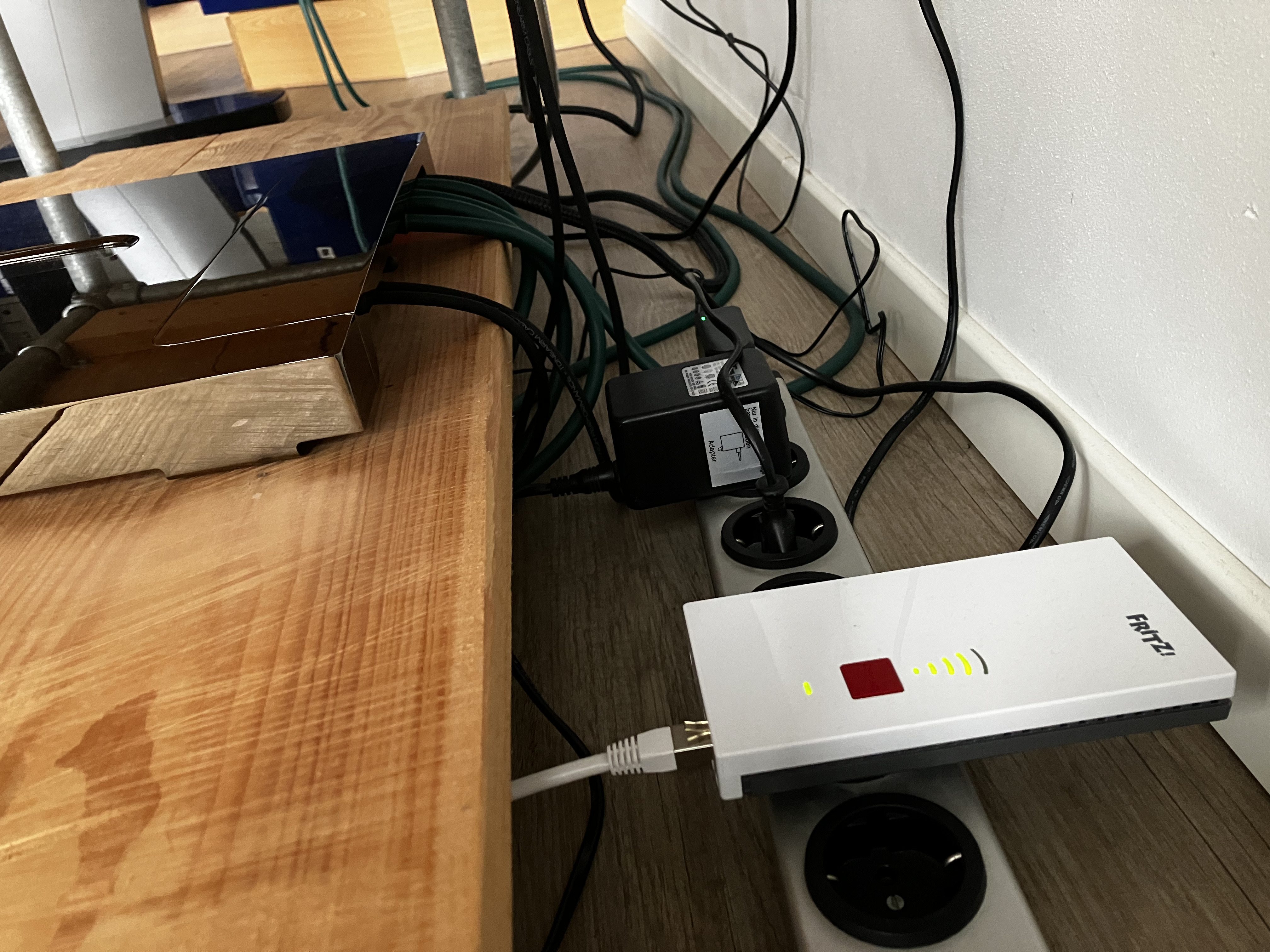
1x Fritz!Box 7590 + 1x Fritz! Repeater 2400
Ethernet Connection with Macbook
No firewalls. No paid for antivirus. No VPN software.
Connected Audio Devices
Devialet Expert 250 Pro with WiFi Connection
Naim Mu-so 2nd Generation with WiFi Connection
No USB. No HDMI. No Chromecast.
Number of Tracks in Library
81140 Tracks
Description of Issue
When my iPhone and iPad are open at the same time they both struggle to stay online connected with my Roon Core Apple Macbook Pro from 2013.
iPhone and iPad keep on losing connection with the Roon Core so I can’t use even only one of them… It’s a little bit frustrating me becuase I don’t know in the first place why this is happening.
Your help is welcome
PS. Please have a look at my two photos as well.
Thank you
I wanted to follow up on this thread to see if @Suedkiez and @mjw’s previous replies have helped you with your issue? Please review their thorough responses if you haven’t yet