You can install Roon Server and the full app with the GUI independently, then you can keep the server running and start/quit the GUI independently. But I am not sure if this solves your problem - how do you mean that Roon goes to sleep mode?
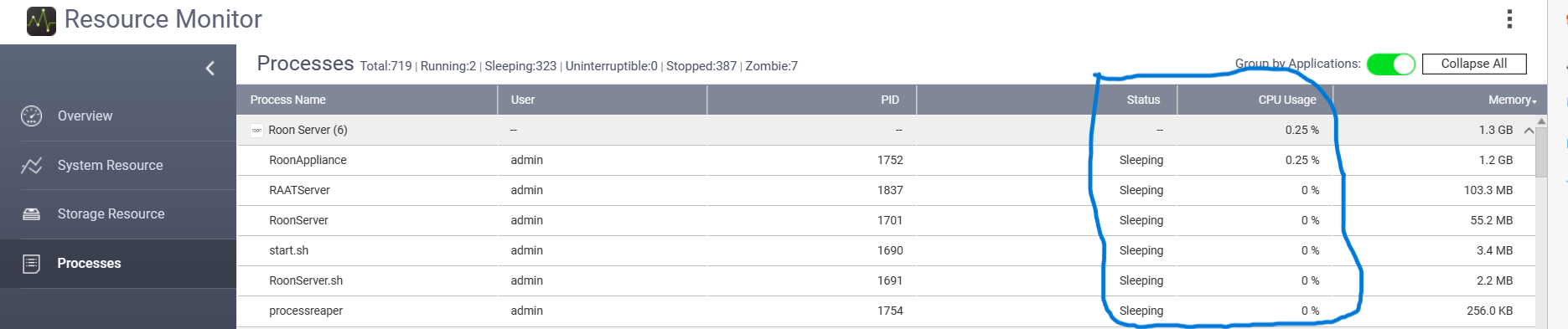
My Roon Core is on a QNAP NAS and I have noticed that the status of Roon is always ‘sleeping’. Here is a screenshot of my NAS resources while I am actually listening to Roon. It is odd, but has no affect on how Roon performs, it is just strange.
This is a process state in a Linux system (Iike QNAP) and has the specific meaning that it is waiting on other resources and has nothing to do until it gets them. It then gives up its CPU cycles so that other processes can use them:
The same concept exists in Windows, of course, but I don’t think it looks like this, so I don’t know if that is what the OP meant
I have Roon Server running but i still need to have Room App open to allow my devices to access it. I expect the Roon server to run as a windows service. I think it may work like this in Linux. Just noticed that i can shut down Roon server and have only the App running and it is accessible but not the other way round.
Back to my issue, I have both the server and app running on my Windows 11 pro machine. It works most of the time but sometimes at least once a day when i try to access it from my phone or tablet it “Remote connection Waiting for remote Core…”. I am not sure if this is a WIndows issue or Roon issue.
Its annoying especially when I can’t access using Arc.
On Windows, it does not run as a Windows service. It runs in the user space.
You are running two different Cores here. When you run Roon Server, the App accesses the Core in Roon Server. When you just run the App, then you are accessing the Core in the App itself.
Is this what you mean by “going into sleep mode”? When this happens, is the HP Envy up and running, and you are logged in with Roon (Server or App) running?
The HP is always on but it auto locks and everything is running in the background including Roon App and Roon Server.
It doesn’t seem right for the app to run in its window to allow devices to access Roon. This is very old school. It should only need the Roon server to run.
I love the app and its well thought through design including features and ease of use. Its just the way it has to run in the background.
If you don’t want to access the Roon Core (in Roon Server) using the App on the PC, then you don’t need to install the App on the PC… Just use Roon Apps on your phone and tablet to do this…
You do need to make sure that your Roon Apps on the phone and the tablet are in fact connected to the Roon Core in Roon Server - and not trying to connect to the Core in the Roon App on your PC. Perhaps this is your issue?
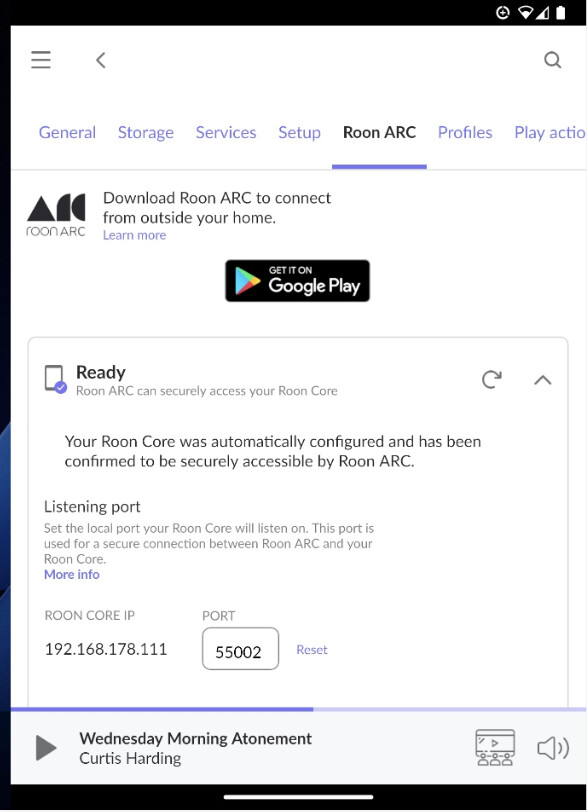
You said that you had a phone and a tablet - have you not installed Roon Remote on those devices? With Roon Remote you can set up Roon ARC on your Core, e.g.: