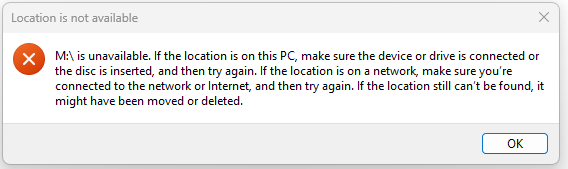
I’ve been running on a Rock (currently running Roon v 2.0 (build 1277))for the last 6 months without issue but have just noticed that my local Library is no longer accessible. It’s on a local SSD linked to my NUC5i5 (Roon Optimised Core Kit V1.0 (build258)) via USB…just noticed that none of my local files were viewable although Qobuz files are??
I’ve tried re-booting but the SSD still isn’t showing. I have disconnected it and tried it attached to my Windows 11 server and all the files are visible and accessible. No music storage tab is shown in the Roon web viewer.
The Rock is etehrnet connected to my router and I can stream the Qobuz files and Radio to various endpoints. I’ve re-booted my router also…no change.
I’ve been running on a ROCK (currently running Roon v 2.0 (build 1277))for the last 6 months without issue but have just noticed after being away for a few days that my local Library is no longer accessible (it had approx 1000 albums). It’s on a local SSD (Samsung 1TB SSD) linked to my NUC5i5RYH (8Gb Ram, 128GB SSD) Roon Optimised Core Kit V1.0 (build258)) via USB…just noticed that none of my local files were viewable although Qobuz files are (134 albums)??
I’ve tried re-booting but the SSD still isn’t showing. I have disconnected it and tried it attached to my Windows 11 server and all the files are visible and accessible. I’ve tried alternaive USB ports on the NUC. No music storage tab is shown in the Roon web viewer.
The Rock is ethernet connected to my router (SKY Q)and I can stream the Qobuz files and Radio to various endpoints (Squeezebox, RoonPi and Naim Uniti Star). I’ve re-booted my router also…no change?
AceRimmer
(Smoke me a kipper, I'll be back for breakfast!)
5
Just get a blank ‘Choose music storage folder’ form with the + Add Network Share option.
AceRimmer
(Smoke me a kipper, I'll be back for breakfast!)
11
Hmm, sounds like something has gone amiss with your network sharing.
A change in firewall permission or sharing folder permission?
Windows loves to do these types of things at updates.
Correct…not showing as connected to the Nuc via the Core Kit interface (no definition shown) or via Roon>Settings>Storage (definition shown but marked as unavailable).
I can connect the drive to my Windows machine and all content is accessible.
AceRimmer
(Smoke me a kipper, I'll be back for breakfast!)
16
I wonder if there is some strange error that is stopping Roon seeing it.
Can you connect it back to the Windows machine and run a check disk on it?
And as a sanity check, do you have any other USB storage drives, even a thumb drive to plug into the nuc to test and see that it’s not it’s USB ports that are a problem.
Ran Check Disk on W11…indicated there were some problems but completed the scan successfully. Ran it again and it showed as OK.
Plugged it back into the NUC and voila it’s accessible again??? Music seems to be streaming ok.
AceRimmer
(Smoke me a kipper, I'll be back for breakfast!)
18
That’s awesome!
I have seen some drives need a check disk run on them after they have gone awol before.
Can’t tell you exactly why but a result it seems.
However hopefully it’s not an indication of a potential drive failure.
Just keep an eye on it for any further strange behavior.