Trying to sort my mates roon install out we have a new one running but he put in some old credentials for an expired account.
This is running in Linux and for the life of me there is no way to start again it just offers subscription expired and visit accounts page. When it goes there we log in with proper account but Roon does not change
You may have to consult the documentation of your Linux distribution to find out. Or at least post the name and version of your Linux distribution and how you installed Roon Server on it, so other users may be able to provide you next steps eventually.
How is it running fine if you can’t get into Roon? If you can get into Roon, logout your server there (Roon|Settings|General).
Important note: Roon’s database is account bound. Attempting to switch accounts without deleting your database may lead to unforeseen issues or simply not work.
Well here we are, apparently not on OpenMediaVault
It does not matter now I have it running. I think a very basic thing would be to have the opportunity to sign in under a different name in the UI, I don’t think that’s asking for too much.
While openmediavault (omv) is Debian based, it is not Debian and so may behave differently. Support is available at:
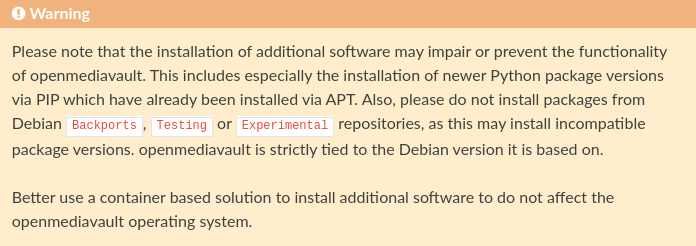
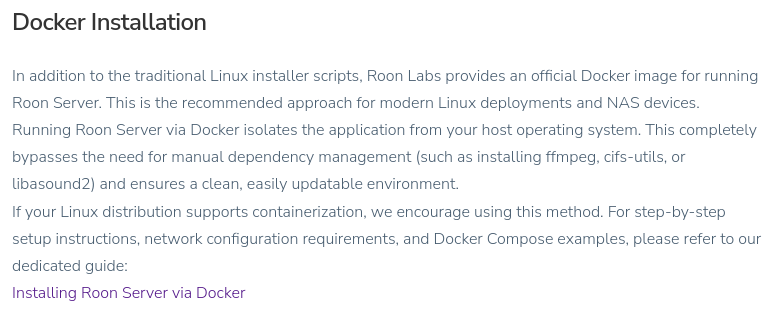
Also we still don’t know how Roon Server got installed. Installing Roon on Linux got changed and now also includes a paragraph about Docker installs. The omv documentation also suggests to use a container based installation for additional software.
so I mistakenly thought that openmediavault is a package deployed on Debian. But I see that apparently it’s a whole independent distribution that was based on Debian.
Well, in this case the OMV documentation will tell you how to use your chosen platform.
Indeed but after much frustration from some wrong credentials its all fixed and hopefully he will be set up for the next 7 years. Its been running that long and we only had to do something about it because the linux version was to old for latest roon so it stopped running.
I just install it via the instructions from roon as I said before.
I use docker on my system for various things, but for me its a PITA on openmediavault so its just installed via command line using the curl command.
mjw
(You want nice, supportive? Call a damn helpline.)
20
I guess the user wasn’t in the sudoer group? It would be good to know exactly how the matter was resolved, and it you used the Easy Installer script with root privileges.
Moreover, OMV does use Systemd, so the instructions should have worked. The command not found error was for sudo not systemctl. Alternatively, use the web UI.
I agree with others here: use a container, especially when running OMV. Again, available via the web UI.