Roon module for Home Assistant

In the visual editor, when I make the automation to trigger a playlist, after selecting the media player (modius), I am able to add the media itself. This seems like it would work great. This results in YAML code like:
data:
media_content_id: “493:15”
media_content_type: library
This sometimes works but doesn’t seem persistent or reliable at all.

I’ve tried a bunch of different ways to address the Tidal playlist (like was suggested) but based on the error messages in the log that shows the options available, I don’t think I am able to get to these playlists.

That type of media id won’t work with a roon based player. Home assistant was designed around players that keep a unique id for a track, roon doesn’t.

So you’ll need to use a path based id as described in the documentation / my previous post.

If you can browse to it in HA, then you can specify a path!

If you post the path you are trying - and the error logs I should be able to help.

Hi Greg, fantastic job!
I started yesterday with an HA green and I started to integtrate my Roon players. So far so good.

My goal is to control my players via knx (play,pause, skip, vol. Playlists)
I think i have to do that via scripts which will be triggerd by an knx telegramm.

Player transport via scripts run very well
My problems are the playlists, that means when i set up a script, the player plays that certain playlist. i can change titles and playlitst in roon and in HA when i start the script playlist it works well.
When I create another script with a playlist (another player or any other playlist) ist works, but then the before created script fullfills all the additional commands in that script (shuffle) but not starting the playlist.

So always the last created wins.

The same happens, when i choose a playlist at the player-cards, when i choose one, non of my script playlists are working.

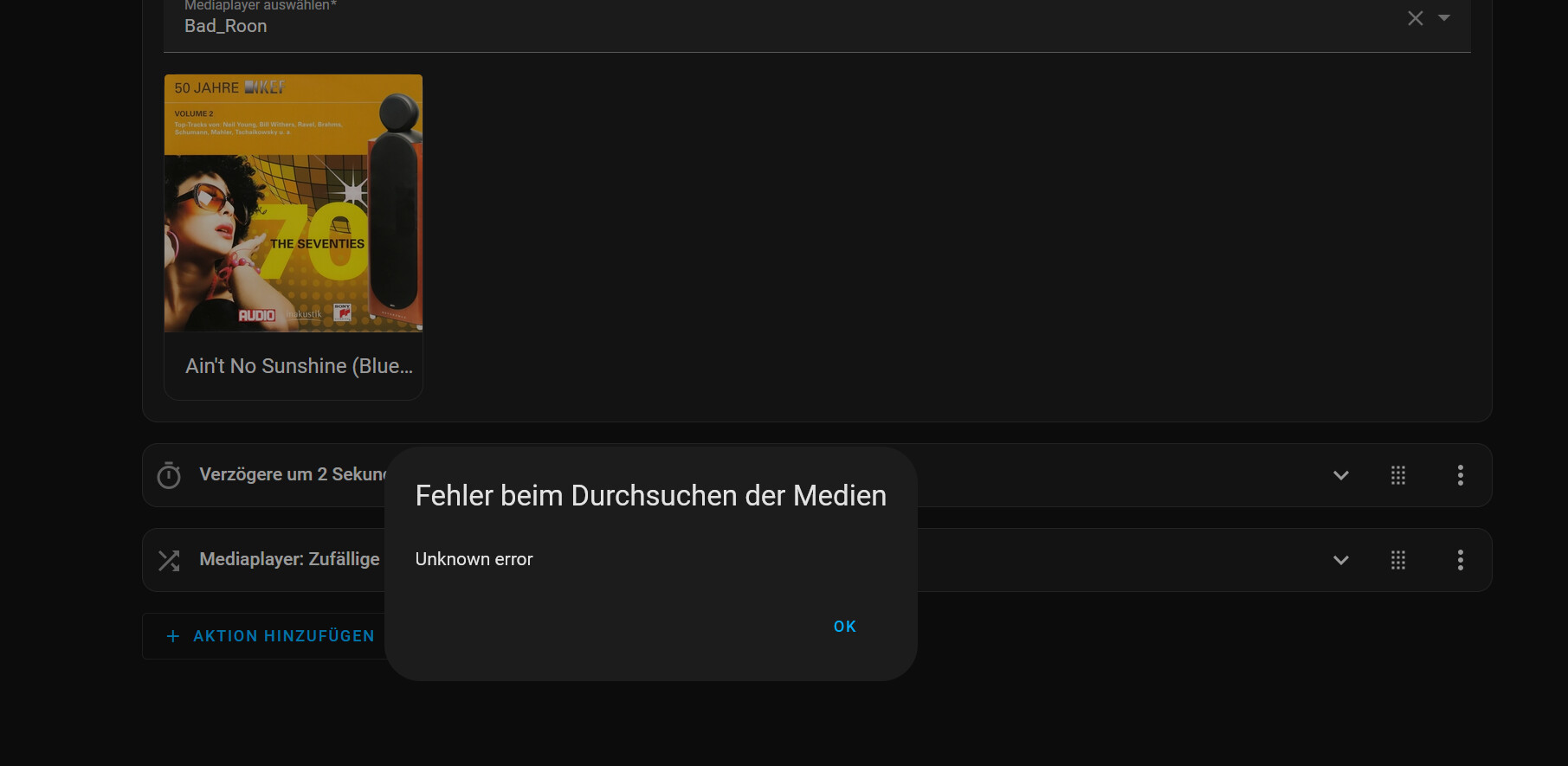
i have to edit the script, then I#ll get the message

so i have to choose the player again, after that i have access to the playlists and after that it’s working.

Do I do something wrong?
thx Martin

Thanks for the kind words.

Can you post the script that doesn’t work?

If you choose the ‘Edit in Yaml’ you can see the script in a text form that is easy to post.

Sequence while Plalist Play doesn’T wor, Shuffle will be set correctly

sequence:

  • action: media_player.play_media
    target:
    entity_id: media_player.kopfhohrer
    data:
    media_content_id: ‘77:2’
    media_content_type: library
    metadata:
    title: Das Lied von Aragon (Roger Whittaker, Klaus Munro)
    thumbnail: >-
    http://192.168.120.55:9330/api/image/2799b0536c76e1b6a2a58536d68b93c1?scale=fit&width=500&height=500
    media_class: playlist
    children_media_class: null
    navigateIds:
    - {}
    - media_content_type: library
    media_content_id: ‘75:1’
    - media_content_type: library
    media_content_id: ‘76:24’
  • delay:
    hours: 0
    minutes: 0
    seconds: 2
  • action: media_player.shuffle_set
    metadata: {}
    data:
    shuffle: true
    target:
    device_id: 3162e6870b4790134c3f748e0b4b810b
    alias: Kopfhöhrer Playlist Schlager
    description: ‘’

Editing the sequence by Re-choosing the player and then choosing the media → sewuence works

sequence:

  • action: media_player.play_media
    target:
    entity_id: media_player.kopfhohrer
    data:
    media_content_id: “203:2”
    media_content_type: library
    metadata:
    title: Das Lied von Aragon (Roger Whittaker, Klaus Munro)
    thumbnail: >-
    http://192.168.120.55:9330/api/image/2799b0536c76e1b6a2a58536d68b93c1?scale=fit&width=500&height=500
    media_class: playlist
    children_media_class: null
    navigateIds:
    - {}
    - media_content_type: library
    media_content_id: “201:1”
    - media_content_type: library
    media_content_id: “202:24”
  • delay:
    hours: 0
    minutes: 0
    seconds: 2
  • action: media_player.shuffle_set
    metadata: {}
    data:
    shuffle: true
    target:
    device_id: 3162e6870b4790134c3f748e0b4b810b
    alias: Kopfhöhrer Playlist Schlager
    description: “”

This sequence just works as long as i don`t choose any other playlist at any other player.

yous martin

I see the problem.

Unlike most Home Assistant media players - roon doesn’t assign unique ids to playlists etc.

So as a workaround I use a query path to identify the playlist.

You can see the documentation here:

RoonLabs music player - Home Assistant

An example from my library is

action: media_player.play_media
data:
  media_content_type: music
  media_content_id: Playlists/Alarm
target:
  entity_id: media_player.bedroom

Please note the the roon API doesn’t currently let you play smart playlists.

Thx a lot, I got it !

1 Like

Hi, my scripts work wonderfully for playing radio stations or play lists… with the exception of this roon radio station called Klassik Radio: Piano or Klassik Radio: Mozart… The problem seems to be that there is a colon in the title. Does anyone know how to do this in yaml?

action: media_player.play_media
data:
  media_content_id: "Klassik Radio: Piano"
  media_content_type: Radio
target:
  area_id: kuche

It may be an issue with the way I’m parsing these strings, I added some code to allow quoting - so perhaps give that a go.

"Library/Genres/'Pop/Rock'"
"'Klassik Radio: Piano'"

Just noticed you may have missed the prefix path

"My Live Radio/Klassik Radio: Piano”
"My Live Radio/'Klassik Radio: Piano'"

If you look in the logs you may see a helpful error message.

top, this one did it, thanks a million!

action: media_player.play_media
data:
  media_content_id: "My Live Radio/Klassik Radio: Piano"
  media_content_type: Radio
target:
  entity_id: media_player.apple_homepod
1 Like

I installed HA yesterday on a VM via UTM on mac mini to see how I like it.

Got the default Roon integration set up for now although it only displays track name not artist?

I also just used Cursor AI to make me a python app that sits in the Mac Menu bar and allows me to change source/control volume of my Rotel A11 Tribute via a USB to RS323, I cant believe how easy it was almost worked first time. Now I can put the Amps remote away haha.

1 Like

Just an FYI for Home Assistant users, since ROCK OS version 2.x with UEFI-based computers, the power off URL command requires a POST (not a GET by default) for URL-based command.

 rest_command:
  turn_off_rock:
    url: "http://192.168.1.00/1/poweroff"
    method: POST
1 Like

Thanks for posting this.

1 Like

Just playing around with this. Very happy to see Roon users bringing it into HA.

Have come from LMS and hope to see all that functionality available from HA for Roon soon.

I just ran into the issue that I can’t ‘clear queue’ via a media_player action in HA on Roon.

Trying to have a ‘first time up in the morning’ automation play music. But it’s pumping late night beats leftover from last night and queueing up the playlist for after.

PS Thank you guys for sorting shuffle for me (a no volume, play, pause, shuffle, play manoeuvre) greatly appreciated!

There isn’t a clear queue command as such.

But I think by default play_media clears the queue anyway to play what you tell it.

Can you post your morning play command?

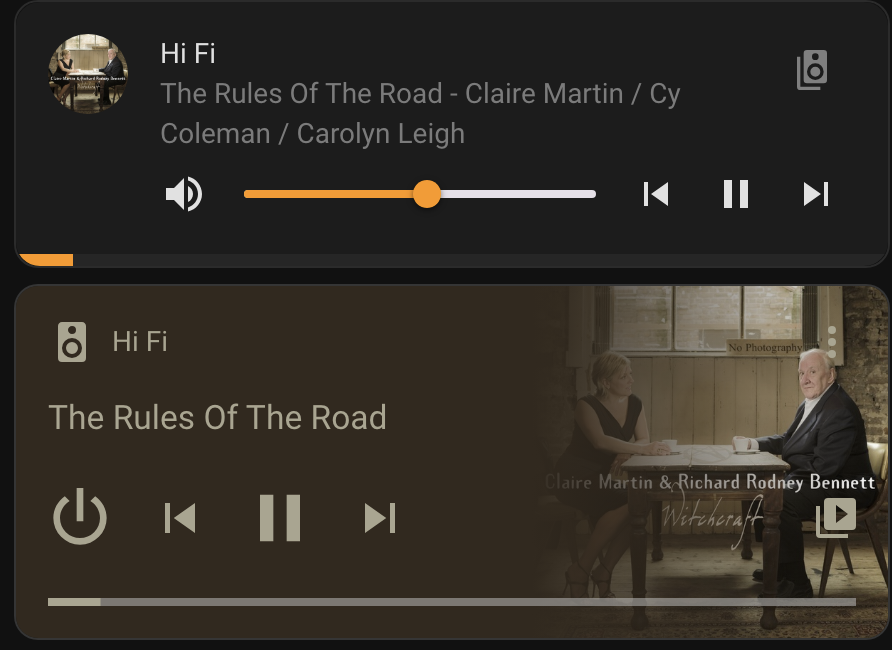
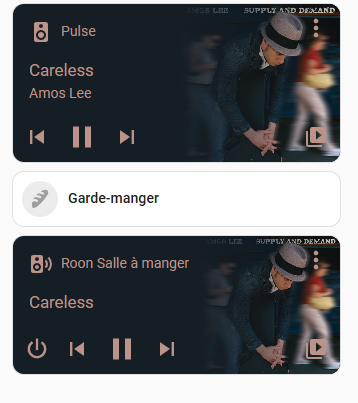
Is it normal that the roon extension in home assistant does not show the artist playing in the media player card?

See on the screenshot, the top media player is bluesound and the bottom one is the HA roon.

That is the default display of the Home Assistant Media player card.

The artist data is available - it just doesn’t use it.

You can look at an alternative display card - this one is highly customisable - GitHub - kalkih/mini-media-player: Minimalistic media card for Home Assistant Lovelace UI

An example here. I use both (although normally not next to each other like this).

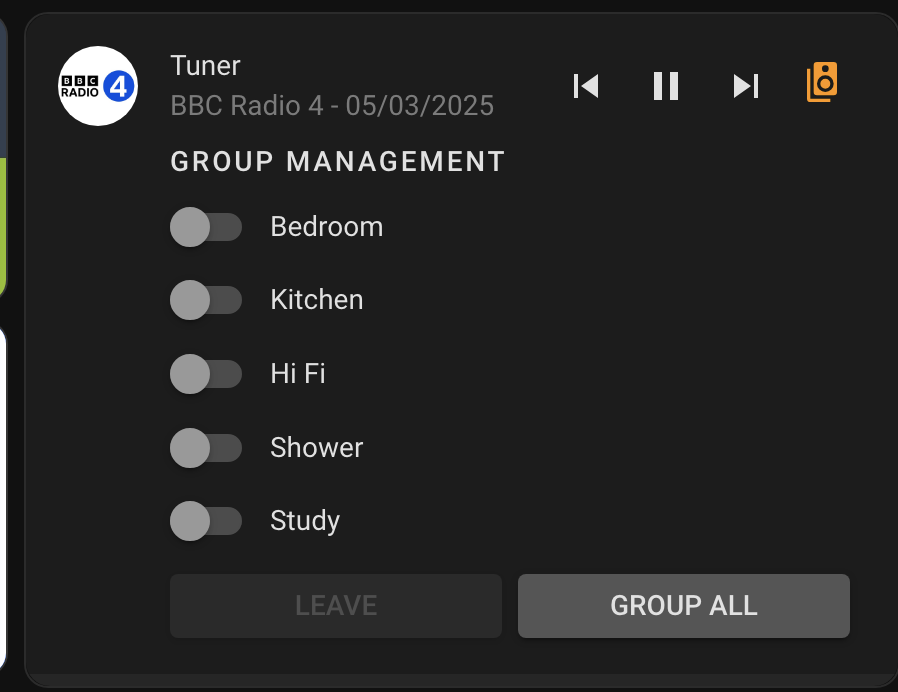
What I like is that it does grouping really well:

I guess it’s possible I’m putting the Artist info in the wrong field…

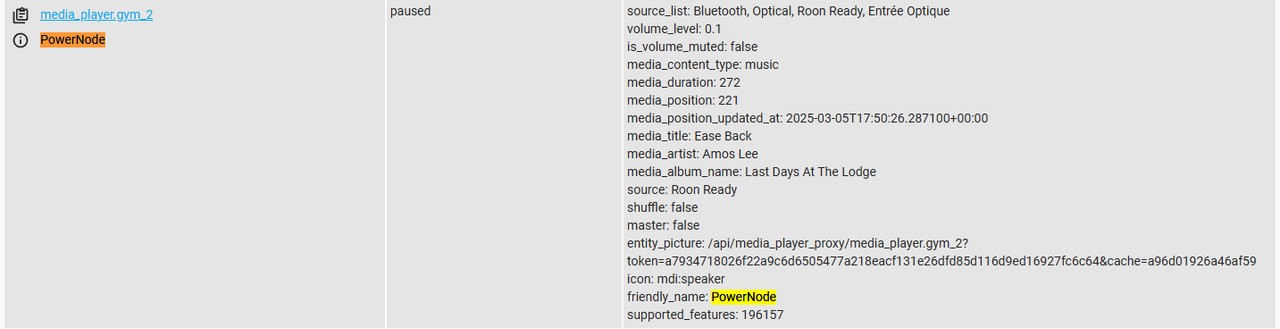
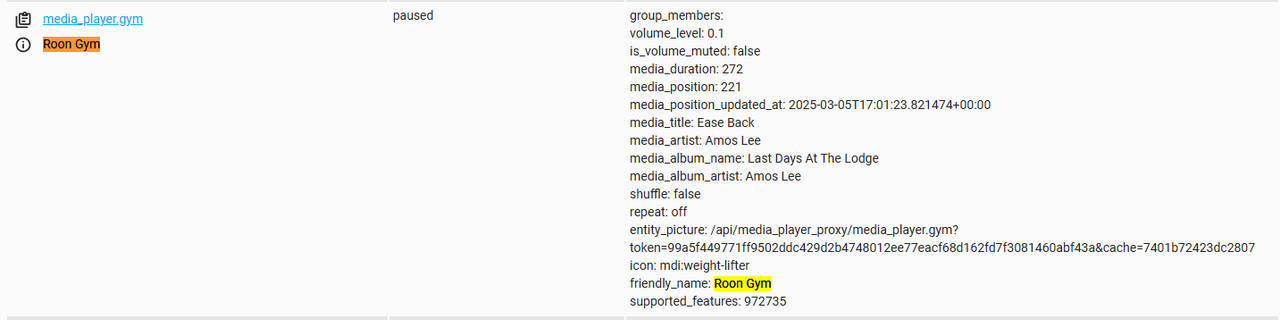
Take a look in developer tool states for the two players.

group_members: 
volume_level: 0.52
is_volume_muted: false
media_duration: 166
media_position: 0
media_position_updated_at: 2025-03-05T16:51:12.397320+00:00
media_title: When In Rome I Do As The Romans
media_artist: Claire Martin / Cy Coleman / Carolyn Leigh
media_album_name: Witchcraft
media_album_artist: Claire Martin / Cy Coleman / Carolyn Leigh
shuffle: false
repeat: off
friendly_name: Hi Fi
supported_features: 972735
icon: mdi:speaker```

Thanks I’ll take a look at that alternative you proposed.
I looked at the states and the media artist line is not at the same position between the bluesound and the roon devices.

I wonder if it has anything to do with the artist’s name showing with the bluesound device and not with the roon device since both are basically the same player?
It’s interesting - looks like the powernode doesn’t fill in the media_album_artist which I might have thought was a bad thing.

But in this case it looks like the media player card does a better job with the data in that case!

Yeah looks like it, however the mini media player you mentionned seems to work perfectly so I’ll use that for now. Thanks!