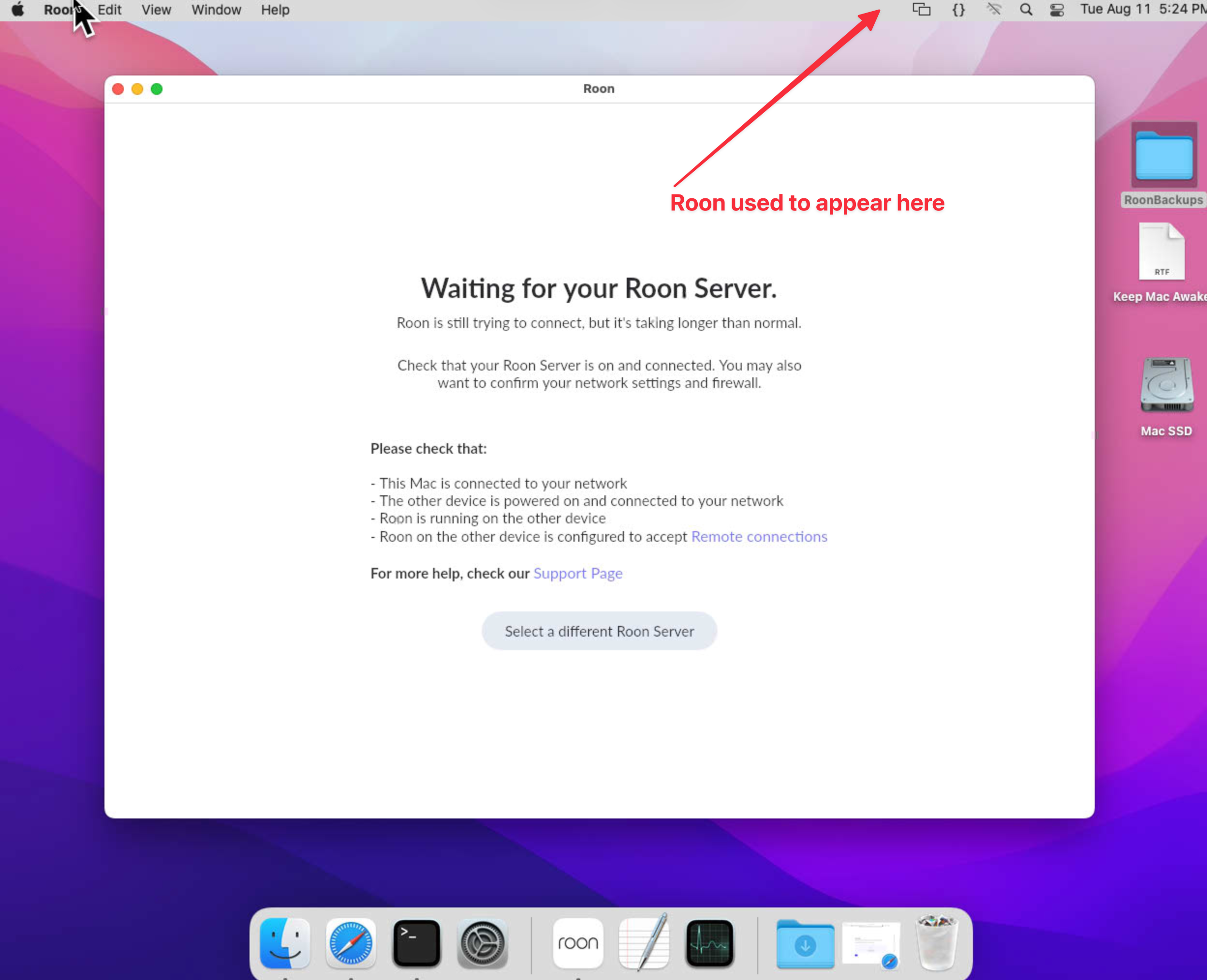
· I have Roon running on a Mac mini late 2014. Monterey 12.7.6 3 Ghz Duel-Core Intel Core i7 16 GB Ram
Roon used to display in the top bar and I could connect to it via other devices on my network. Now it doesn't appear after the most recent update. I don't know what to do about this. I have restarted the Mac many times and it just doesn't show up. What steps can I take to fix this? - Michael Koehler [Moderator edit: personal information obfuscated.]
Tell us about your home network
· My router is a Unifi UGC Max from Ubiquity. The Mac mini is connected via ethernet. The switch is a unifi USW-Lite-8
If you don’t see the Roon logo in the menu bar, Roon Server hasn’t launched in the background alongside the GUI (Roon). Your Remote has no server to connect to on the same machine.
Diagnostics indicate that you’re still running RoonServer build 1680, which had an issue affecting some Intel Macs. We have a hotfix (build 1683) that should resolve this problem:
Please try uninstalling and reinstalling Roon to update to the latest version.
Checking in to see how things are going, and whether you were able to confirm that Roon Server is launching alongside the GUI again. If it is still missing from the menu bar, have you tried reinstalling Roon so you can pick up build 1683, the hotfix that should address the Intel Mac startup issue we mentioned? If you have a chance, let us know what you see after that, and we can take the next step from there.
Please note, if we don’t hear back from you this thread may close automatically soon. If the thread auto-closes and you need further assistance, please submit a reopen support request via the technical support help form below and specify that the issue should be reopened. Thank you.