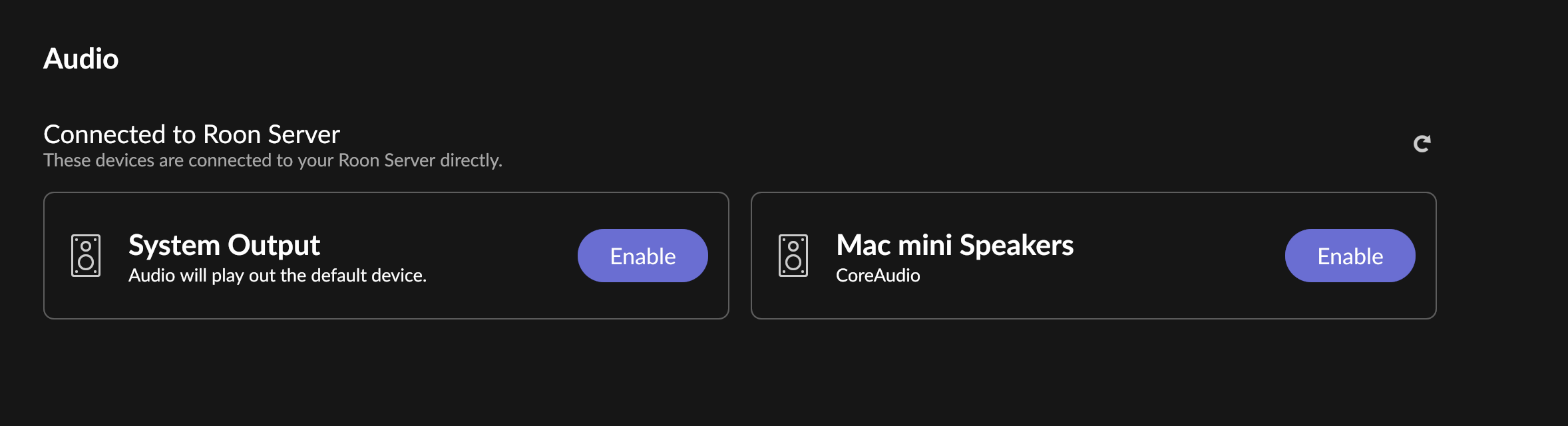
· Roon will not recognise my Studio Display speakers. I have searched your knowledge base and forum, but without success. I have tried all the solutions proposed, and everything is up to date. System is Mac Studio M1Max / Tahoe 26.3.1 / Roon OS 2.64. Roon Server on MacMini M3 / Roon OS 2.64 / Mac OS Tahoe 26.3.1. If I can't get this to work (and it used to do so perfectly well) then I will need to cancel my Roon subscription.
I know this contribution isn’t a solution to your problem, but I can tell you that it should work. In my case, I see the Studio Display lsp in Settings → Audio… (Mac Studio M1 / Latest Tahoe)
Thanks for writing in and for taking the time to share your report!
Can you share the specific name of the display speakers your attempting to connect? How are they connected to your server?
Since you’re running macOS, the behavior you’re seeing is consistent with the newer, stricter Local Network permission controls in the recent macOS releases.
Please try the following steps:
Open macOS System Settings → Privacy & Security → Local Network
Make sure Roon and Roon Server are both enabled
Even if they are already enabled, please toggle them off and back on
Fully quit Roon Server from the macOS menu bar / task bar
Reboot your Mac
After reboot, launch Roon again and check if the devices are available again.
Once these permissions are refreshed and the system restarted, your audio devices should reappear.
Please let us know if the issue persists after these steps, and we’ll continue from there.
Just circling back on this, have you had a chance to check the display speaker name and how it is connected to your server, along with the macOS Local Network permissions we outlined for Roon and Roon Server? If they were already enabled, did toggling both off and back on, then quitting Roon Server and rebooting the Mac, bring the devices back after relaunching Roon? Please send over any update when you can.
Roon will communicate with the Mac’s audio driver (coreaudio) using the loopback ethernet interface. In this sense, your local remote (the Mac) functions just like a networked endpoint. Newer MacOS versions tend to restrict third-party apps from using the loopback unless you’ve toggled local network permissions on in the Privacy & Security menu.
Similarly, you’ll need to ensure that your local routing (within coreaudio) is setup for the System Output Zone in Roon to be the desired speakers. This would be something you’d configure in your Mac’s sound settings and Audio Midi setup, depending on the combination of local speakers you want to use.
We’re happy to assist but we haven’t seen a response in a few days. Keep in mind this topic will auto-close shortly without any further replies. Thank you!
A few questions should help us pin this down. Can you provide any information about the following?
What type of Apple Display is it (Studio Display, Pro Display XDR, older Thunderbolt Display)?
Is the display connected directly to the Mac, or through a hub/dock?
Does the display show up at all in System Settings → Sound on the Mac itself, or is it missing there too? What about the Audio Midi setup utility in Applications → Utilities?
We’ll watch for your response. This thread will auto-close eventually if we don’t hear back from you, requiring you to submit a [url=https://account.roonlabs.com/en/contact/new-ts-request]new tech support request here[/url] to reactivate the topic thread. We’ll re-open/merge threads accordingly if that happens. Thank you!