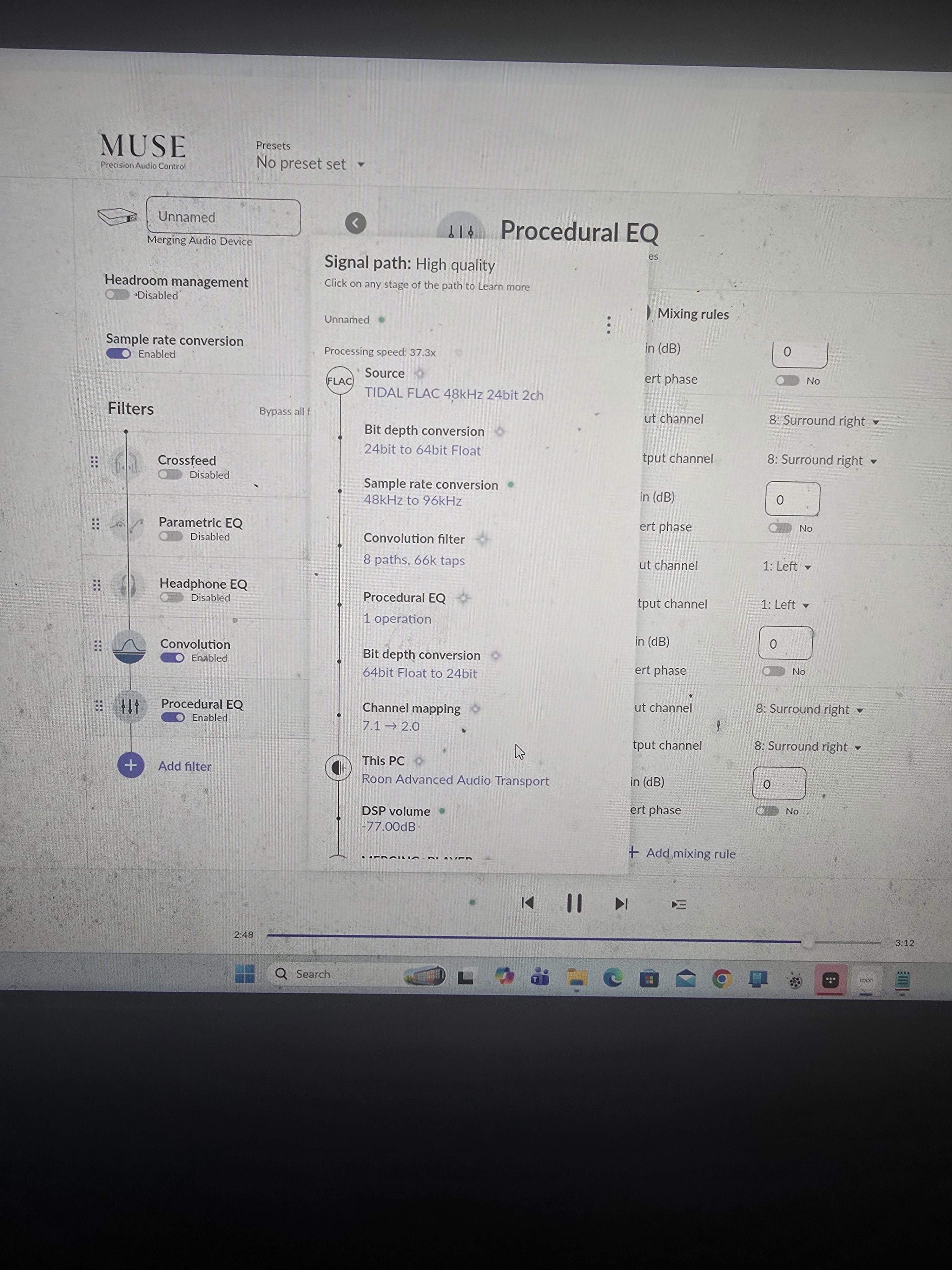
· I am using roon to stream an 8 chanel convolution file developed in acourate specifically for roon to a merging hapi dac The mapping shows that roon is converting the 7.1 down to 2 The advice is to set up 7.1 under advanced but nothing shows up It all works seamlessly with jriver. It appears roon is rubbish
Tell us about your home network
· Its a pc with roon loaded up connected directly to hapi via ethernet .. its very simple
Thanks for reaching out and sorry to hear about the frustrations. We need a little more detail to sort out why Roon is presenting the convolution output as 7.1 and folding it down.
Which app or machine is running your Roon Server - Windows, macOS, or other?
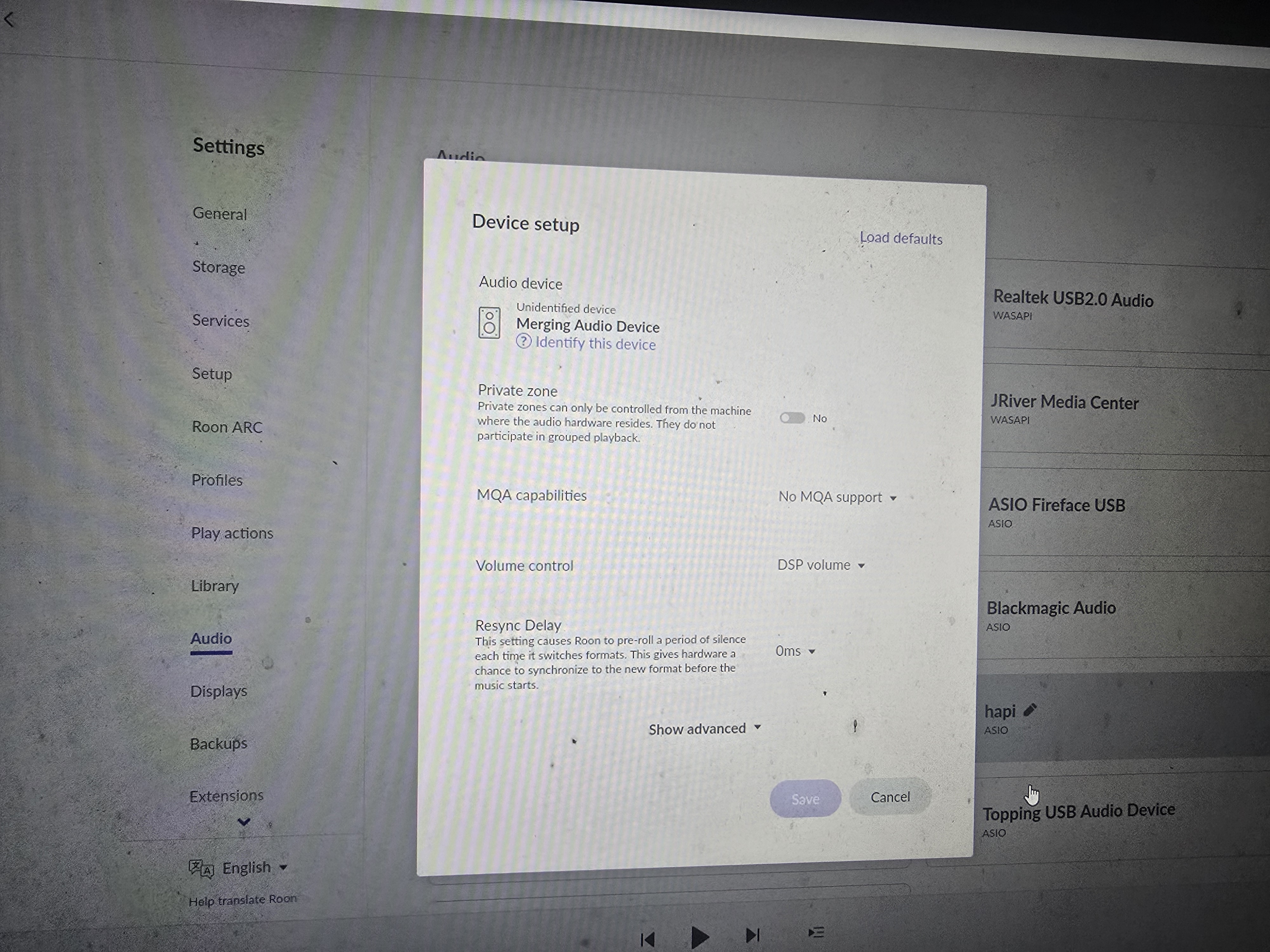
In your Settings > Audio > Device Setup screenshot for the Hapi DAC, what Channel Layout options do you see if you click on the Show Advanced button and scroll down, and what is selected right now?
Is the Hapi connected to Roon via USB? Is it using the ASIO, WASAPI, or CoreAudio driver? Does the same issue occur on multiple audio driver types?
When you open the Signal Path during playback, what does it show for the active channel count?
Once we have that, we can narrow down whether this is a device capability issue or a configuration problem.
The setup menu does not show anything .. it is completely blank
The hapi is connected via ethernet and running in asio 96k I can currently run it in jriver by selecting 7.1ch and it works fine so all hapi settings are ok
I have attached a screen shot of the signal path and as you can see it reduces to 2 ch .. I know the solution is to select 7.1 in setup . The developer of acourate has it set up this way so it clearly works.
I must have a setting wrong somewhere but cant find it
Another piece of info.. I can get roon to go through jriver and achieve 8 chanel output but if I select asio jriver the sound is a choppy mess but if I select jriver wasapi it works fine ( jriver wasapi only appears as an option if I select jriver as sound sevu e out in windows)
I have no idea if that helps but it seems odd
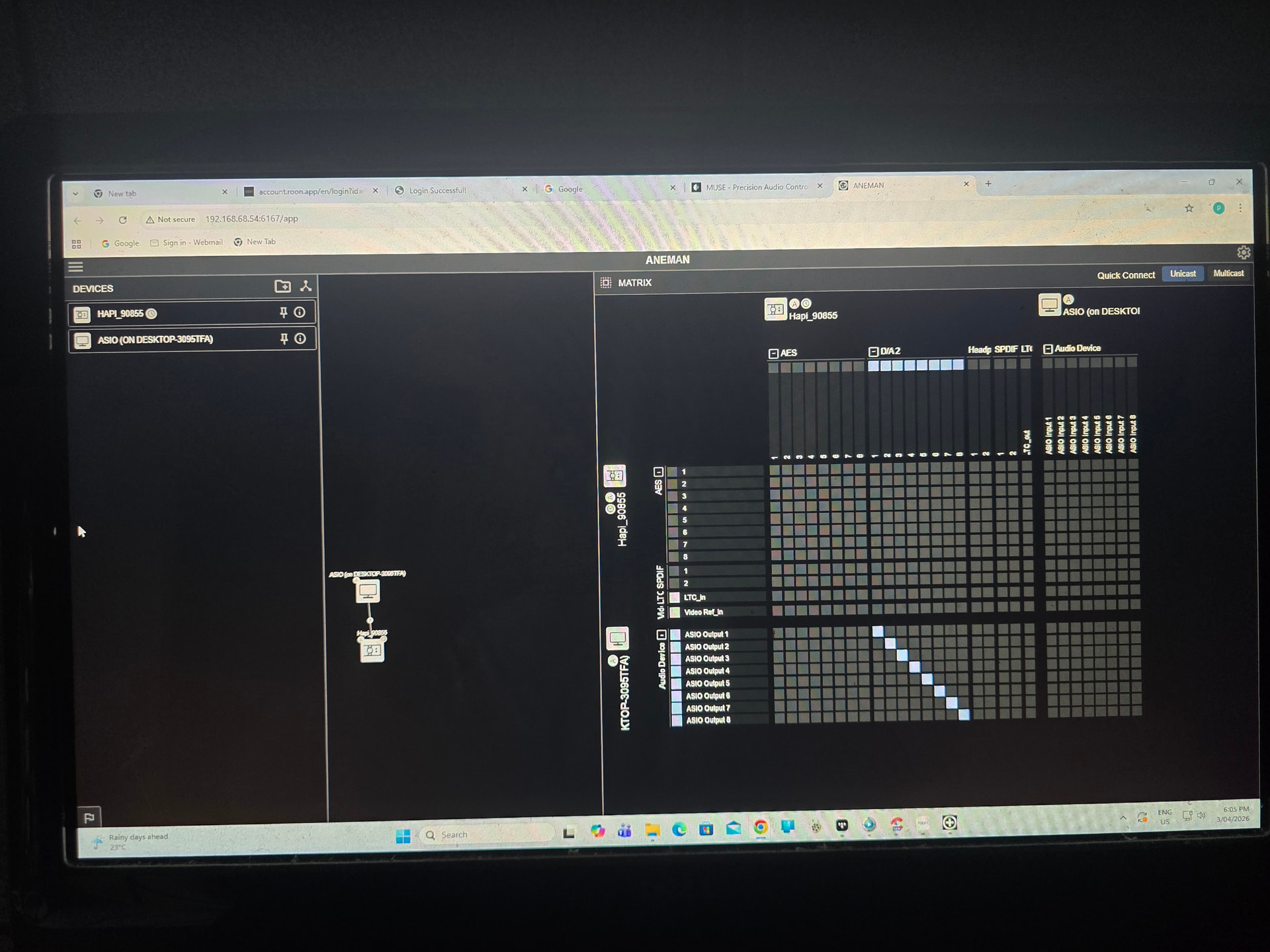
It seems roon isn’t seeing the 8 chanels but aneman is set up OK