Roon playback stops after 30-90 seconds on Mac (ref#KEC934)

What best describes your playback issue?

· Music stops playing unexpectedly

What type of Zone is affected by this problem?

· *All of my Zones* are affected.

Does the issue affect all file formats?

· The issue affects *multiple/all* file formats.

Does the issue happen with local library music, streaming service music, or both?

· *Both streaming and local* *library* music are affected.

Do you encounter any playback errors with the "System Output" Zone?

· The System Output has the same problem as my other Zone.

Do you have a complex network setup?

· Both the device and RoonServer are connecting to a *single router*

Please try rebooting your router.

· No, I'm still having trouble

Do you have an approximate timestamp of when the issue last occurred?

· Early afternoon today, August 11, 2026, EDT/NYT.

What are the make and model of the affected audio device(s) and the connection type?

· Apple iMac Pro. 64 GB of RAM. 8 TB SSD.

Describe the issue

Even after reinstalling the most current version of Roon for Mac, Roon plays music only for about 30 to 90 seconds or so, and then it always stops. And the only way to get it to play again is to exit the app/GUI, kill both Roon processes again, restart the Roon server manually, and then run the main app/GUI again. Obviously, this is completely untenable. So, are you guys aware of this bug, and do you have a bug fix now that you or I can implement, or one forthcoming?

Describe your network setup

Nothing new. Same high-quality Wi-Fi 7 routers. All top end with 2 gigabit! :)
Hey @EvanKatz, welcome back to the community.

Playback stopping after 30 to 90 seconds on every Zone, including System Output, points us toward the Roon Server side rather than a single endpoint or format issue.

To get a clearer picture, a few things would help:

  • What macOS version is the iMac Pro running, and is Roon Server installed on that same Mac or on a different machine?
  • When playback stops, do you see any message in Roon, or does it simply stop with no error?
  • Is the Mac connected to your router by Ethernet or Wi-Fi, and are there any switches, mesh nodes, VPNs, or security apps in the path?

Can you please try to quit Roon, then open Activity Monitor and confirm whether both Roon and RoonServer are fully stopped before you relaunch. If they are still present, force-quit them and start Roon again.

We’re enabling diagnostics, when you encounter the next error, please let us know the exact local time and what was playing. We can then line that up with diagnostics and take a closer look.

  • What macOS version is the iMac Pro running, and is Roon Server installed on that same Mac or on a different machine? — THE LATEST SEQUOIA.

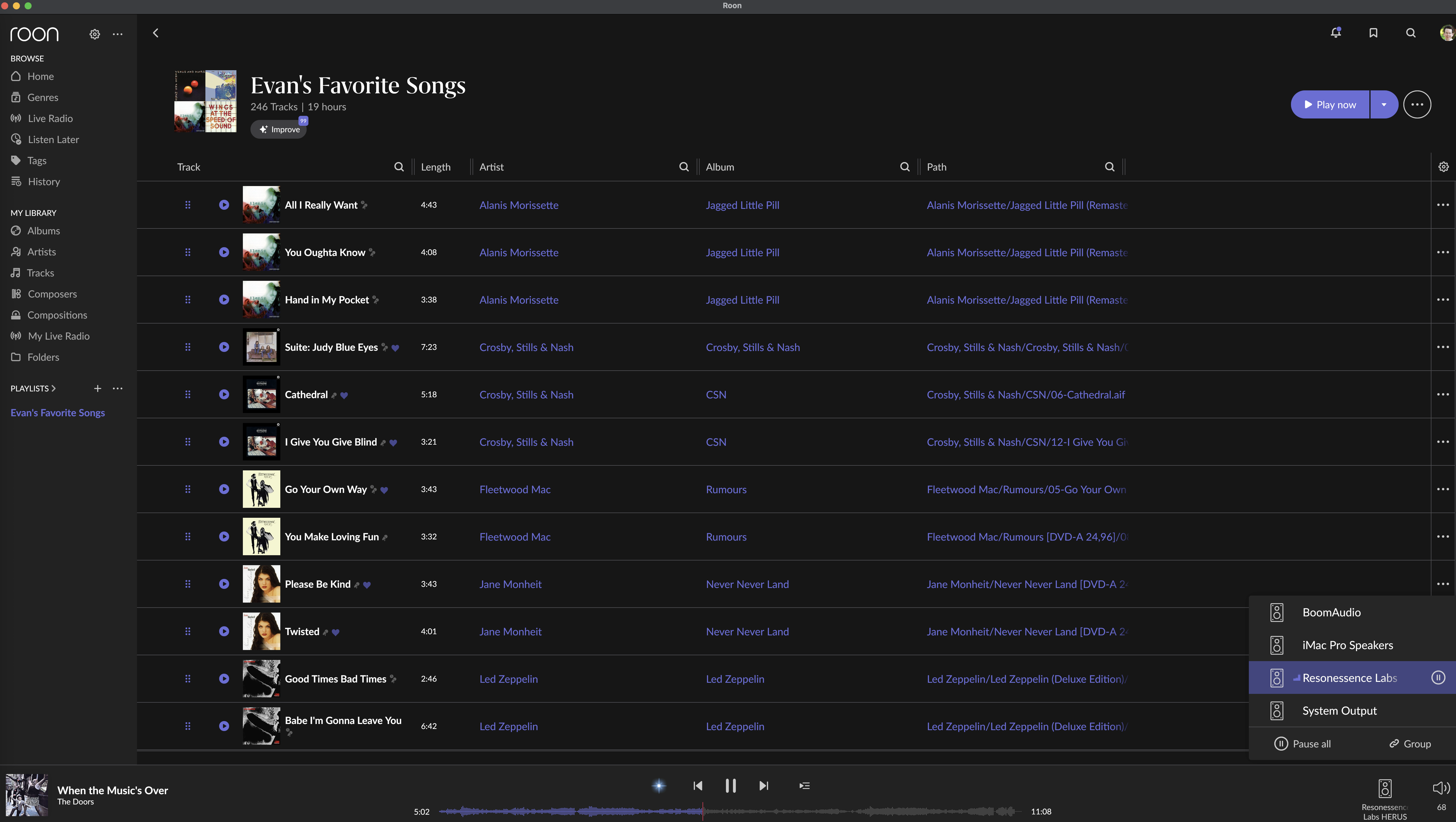
  • When playback stops, do you see any message in Roon, or does it simply stop with no error? — JUST STOPS. NO ERROR MESSAGE. BUT THE ROON OUTPUT/SPEAKERS ICON ON THE BOTTOM RIGHT INDICATES THAT MUSIC IS PLAYING, EVEN THOUGH IT IS NOT AUDIBLE AND THE MAIN ROON GUI DOES NOT SHOW PLAYING.

  • Is the Mac connected to your router by Ethernet or Wi-Fi, and are there any switches, mesh nodes, VPNs, or security apps in the path? — DIRECT WI-FI 7 AND 2 GB FIBER. ROON HAD WORKED PERFECTLY FOR YEARS. NO RECENT CHANGES.

Can you please try to quit Roon, then open Activity Monitor and confirm whether both Roon and RoonServer are fully stopped before you relaunch. If they are still present, force-quit them and start Roon again. — ALREADY TRIED THIS. AS INDICATED IN THE MAIN BUG REPORT, IF I SHUT DOWN THE BIG ROON GUI AND THE. MANUALLY KILL THE TWO ROOM PROCESSES, I THEN CAN RE-LAUNCH THE MAIN ROON APP. HOWEVER, THE MUSIC STOPPAGE BUG KEEPS RECURRING EVERY SINGLE TIME. THIS ONLY HAS HAPPENED VERY VERY RECENTLY.

Hello @EvanKatz

We have both sets of logs and can be specific, but there is one gap we want your help closing.

Your network is not involved. The connections that fail are on 127.0.0.1, inside the Mac itself.

What happens: at 12:16:58 yesterday, Roon Server’s five internal connections to its audio component all timed out at once, each at just over ten seconds against a ten second limit, and within a tenth of a second of each other. All four endpoints were torn down together and the stream ended. Roon Server then kept trying to reconnect to the port that stream had used, which was already closed, at ten attempts a second, without ever rebuilding the stream.

The gap is why those five connections went quiet for ten seconds in the first place. Roon Server was not frozen. It kept logging normally throughout, its memory use was low.

Our best lead is this: your Mac reports a load average of around nine, on eight physical cores, and steady across the one, five and fifteen minute windows. That is a machine working hard continuously. Under that kind of sustained contention, the work that keeps those internal connections alive can be delayed past ten seconds without the process ever appearing frozen, and all five crossing the limit together is what you would expect if they were all waiting on the same thing.

Before we go further, we would like you to test that, because if it holds it explains everything, and if it does not, we are looking in the wrong place.

Please restart the Mac, and before opening anything else, open Roon and play an album straight through. Nothing else running, no other applications, no browser. Tell us whether it plays past the usual thirty to ninety seconds and how long it lasts.

Then, next time it does stop, open Activity Monitor before you kill anything, sort by the CPU column and tell us what is at the top.

Those two answers tell us whether load is the trigger.

FYI, I already did something extremely similar, and it does not seem to account for the issue.

Specifically, because the Mac has many Xeon high-performance cores, and at no point are we running it with a total CPU load more than 20%-30% or thereabouts. In other words, the iMac Pro is purring along without a lot of stress on the system. Accordingly, and as Roon always worked perfectly until about a few days or a week ago,it therefore is extraordinarily unlikely that machine performance is the issue.

That said, I will do as you have asked and report back the results. But I am not sure from where you are getting your computer CPU information, because contemporaneous system monitoring indicates that the system was and is not being taxed much at all. That is, the CPU levels are very low at around 20%-30%, and the system is not being taxed much at all, so there was and is plenty of overhead for additional functionality, certainly including the playing of music.

Hello @EvanKatz

Here is where the number came from and where it leaves us.

The figure is not our inference. It is your machine reporting on itself, in the diagnostics collected at 18:23 local yesterday:

18:23:23 up 3 days, 4:58, 1 user, load averages: 8.69 9.67 8.89

On eight physical cores. But your 20 to 30 percent observation and that number are both correct at the same time. Load average is not CPU usage. It counts threads that are waiting, including waiting on disk or on a lock, not just threads doing work. A load average of nine with low CPU means things are blocked, not that the processor is short of capacity. So your conclusion is right: this is not the Xeon being too slow. Waiting is the issue, not computing.

That distinction changes what we ask you. Something on the Mac is holding threads for ten seconds at a stretch without consuming CPU while it does so. Please have a think about what is installed or running that could do that:

  • anything that manages, throttles, suspends or otherwise optimizes CPU usage or process priority
  • security or antivirus software with real-time scanning
  • backup or cloud sync software running continuously, particularly to a destination that is close to full
  • virtualization

Any of those can stall a process for seconds at a time while total CPU stays low, which is exactly the pattern here. If you have anything in those categories, please quit it entirely rather than just excluding Roon from it, then play an album straight through and tell us how far it gets.

The ten second stall itself is not new. It appears in your logs in April, May, June and July, well before any recent update. What is new is what Roon does afterwards. Yesterday, mid-playback, Roon Server made 724 attempts to reconnect to a port that had already closed; then, after your restart, another 5,560 attempts over ten minutes, and at no point did it rebuild the stream. That is why nothing short of killing the processes brings it back. On Saturday, the identical stall happened with nothing playing, and there was no such loop.

So there are two problems, and separating them is the point. The stall is environmental and longstanding, and your answer above tells us what is causing it and provides the R&D with the full information about this edge case.

Hi @vadim

Thank you for your clear, detailed, informative, and prompt reply. All very helpful and much appreciated.

The only thing that possibly could resemble anything remotely close to what you are referring is our use of the wonderful app “App Tamer” (highly recommended, especially the excellent and highly improved current version 3 beta!), which intentionally throttles use-specififed high-CPU background apps and processes.

So, can you please let me know if Roon uses or otherwise depends on any of these apps/processes, which presently are the only ones that sometimes are being throttled and that we have “tamed”:

  1. AddressBookManager
  2. Assistant
  3. Bloom.app
  4. chronod
  5. contactsd
  6. Finder,app
  7. mdsync
  8. Microsoft Outlook.app
  9. Spotlight Storage
  10. suggestd

Have a great day, and thanks for letting me know about the above.

Best regards,
Evan

Unfortunately, even with App Tamer completely unloaded and disabled, and with the iMac Pro’s CPU usage down at only 10% (i.e., nothing active running at all), Roon still stopped playing twice, once at/about 12:05 p.m. EDT, and a second time at 12:06 p.m. EDT as well.

Accordingly, as it therefore seems almost certainly not an iMac CPU nor other resources issues, and as Roon used to work perfectly for years on the same iMac, can you please carefully review the logs and let me know how you/I/we can fix this bug.

Thanks! Much appreciated. :smiley:

Hello @EvanKatz

Thanks for the update

We’ve discussed this with our senior QA and development teams. The team is investigating some possibilities here and, as soon as that investigation is complete, we’ll be sure to follow up ASAP.

You have our apologies for the trouble here, and we’ve greatly appreciated your patience as we continue investigating this tricky issue. We’ll be in touch as soon as we can.

Hi @vadim

Thank you for your update, and thanks also to your colleagues for their help and investigation.

Would it be useful to the QA and development team if I forwarded to and them my Roon logs?

Also, on a separate note, I checked and noticed that Roon is showing up in my macOS “Full Disk Access”, but that it was unchecked. I then set it to yes, but that did not solve the problem. In all cases, does Roon need “Full Disk Access”? And if it does, why does Roon not say so when users run the app?

Best regards,

Evan

Hello @EvanKatz

No need, thank you. We have already collected them from our side. Those are the ones we want, because they are the first taken with App Tamer out of the picture. Nothing for you to do.

On Full Disk Access, yes, it is needed, but it has to be on RoonServer rather than Roon. RoonServer sits inside the app bundle, so please click + in Full Disk Access, go to Applications, right-click Roon, choose Show Package Contents, and select RoonServer from inside. Worth adding RoonServer and RAATServer under Network → Firewall → Options with incoming connections allowed while you are there.