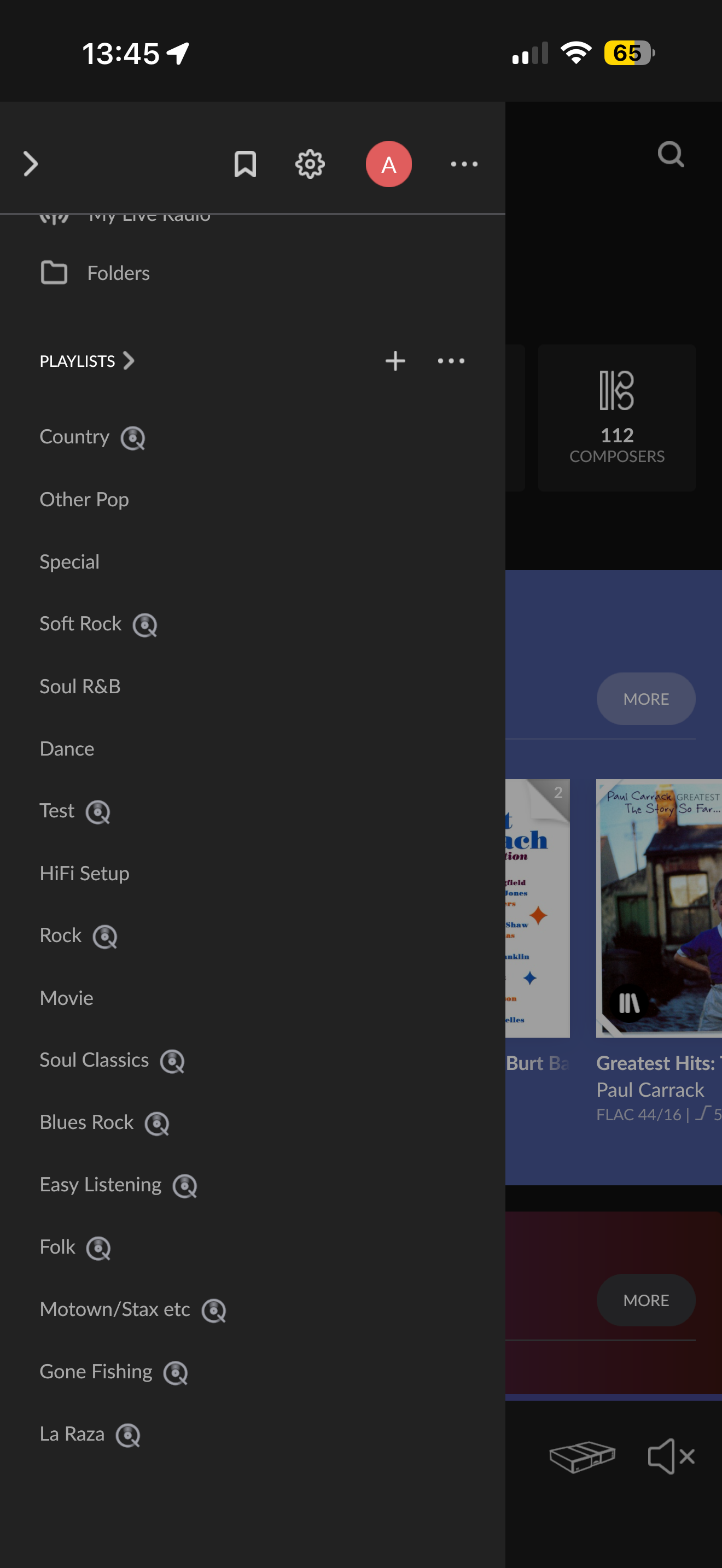
· Hi when compiling a playlist on Roon the playlist doesn’t appear in Qobuz and therefore doesn’t have a Q next to it in my Roon playlists. The playlists are compiled purely of Qobuz tracks. Is there anything I can do to show both in Qobuz playlists and with a Q next to them in Roon.
Welcome to the community, and thank you for reaching out!
To answer your question directly: in the past, playlists created inside Roon (even if they consist entirely of Qobuz tracks) were native Roon playlists that did not sync back upstream to your Qobuz account. Furthermore, playlists that are imported directly from streaming services like Qobuz are not directly editable by default; you must first save a local copy of them to make edits.
However, with our modern support for 2-Way Playlist Sync, you can now easily copy or move your playlists, and streaming service playlists can now be edited in either Roon or the streaming service with edits auto-syncing both ways.
How to Edit an Imported Qobuz Playlist:
If you are trying to edit an imported Qobuz playlist that is currently read-only, you must first save a local copy:
Click on the imported playlist.
Click the 3 dots icon “…” and select Edit.
Select + Copy to save a local copy that you can freely modify.
Note on Track Matching: If the playlist includes local tracks or tracks from a different service, Roon will match them to Qobuz. If any tracks cannot be identified or matched due to a specific version difference, Roon will notify you.
For full, step-by-step details on managing, editing, copying, and moving playlists between Roon and streaming services, please check our official Knowledge Base article: Playlists Knowledge Base Guide
Please let us know if you have any other questions about how playlists work between Roon and streaming services!