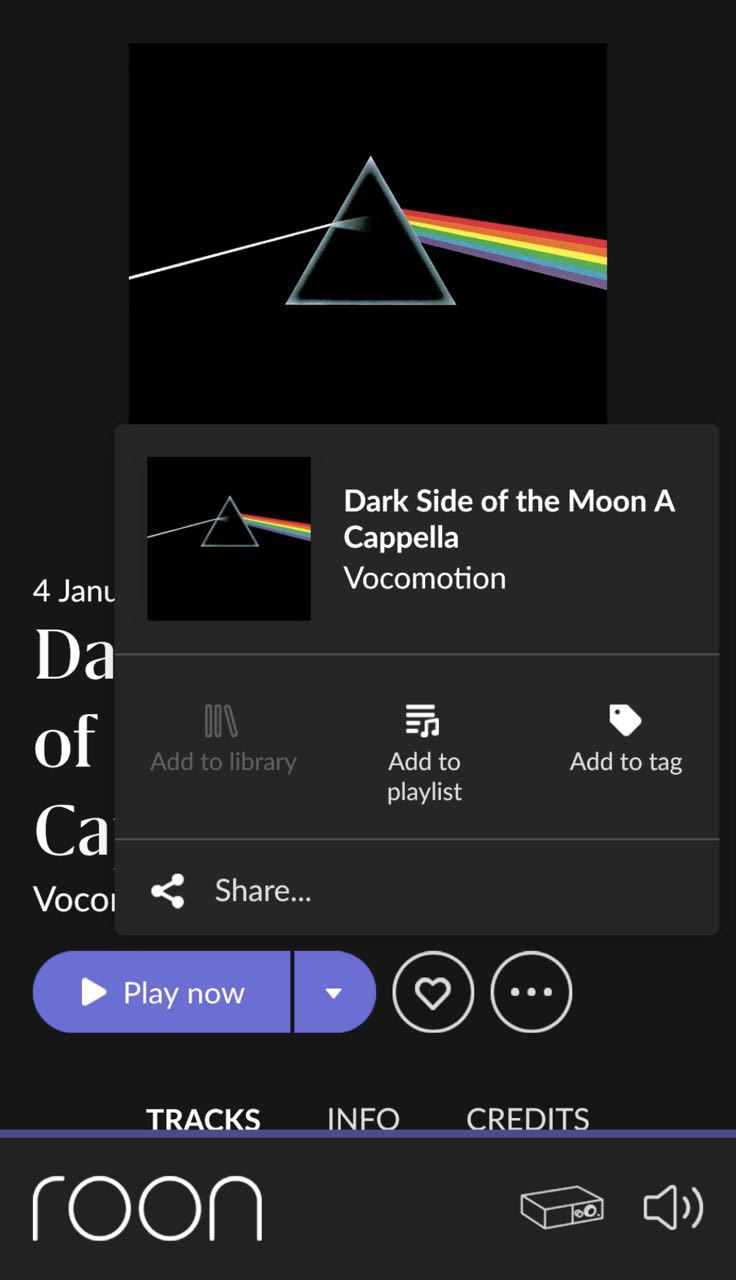
Roon Remote showing completly wrong album than uploaded to external drive

I’m uploading Pink Floyd Dark Side of the Moon album to my external SSD connected to Intel NUC running Roon ROCK.

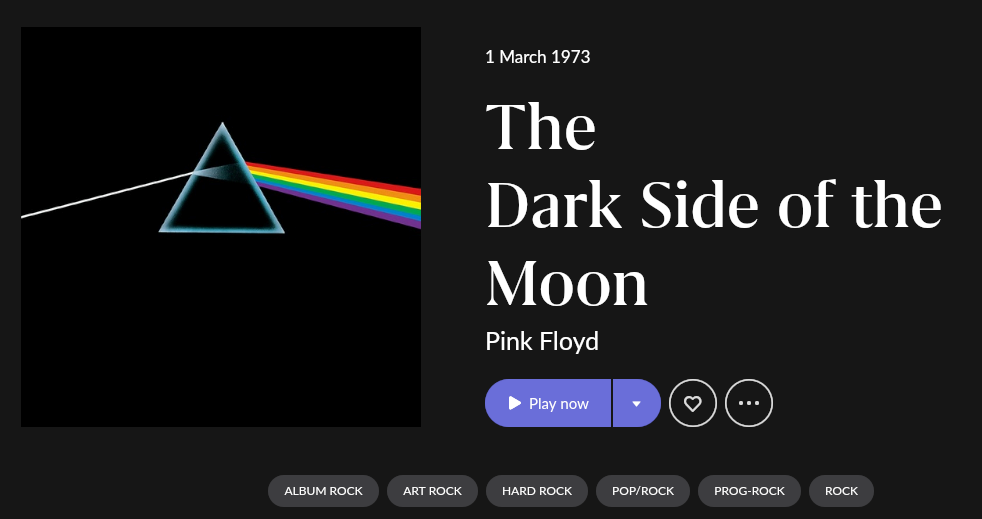
Album version is CP35-3017 to be exact. It is properly tagged with covers and everything. When uploaded Roon app shows it as Acapella version from 2006 with completely different cover than I have in files metadata and as cover.jpg in folder.

Why does Roon take a completely different album as this one? How can I bypass it?

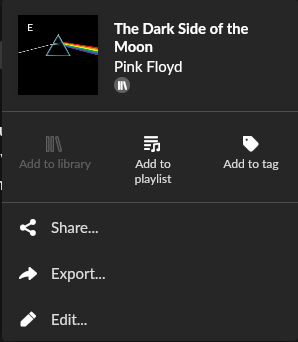
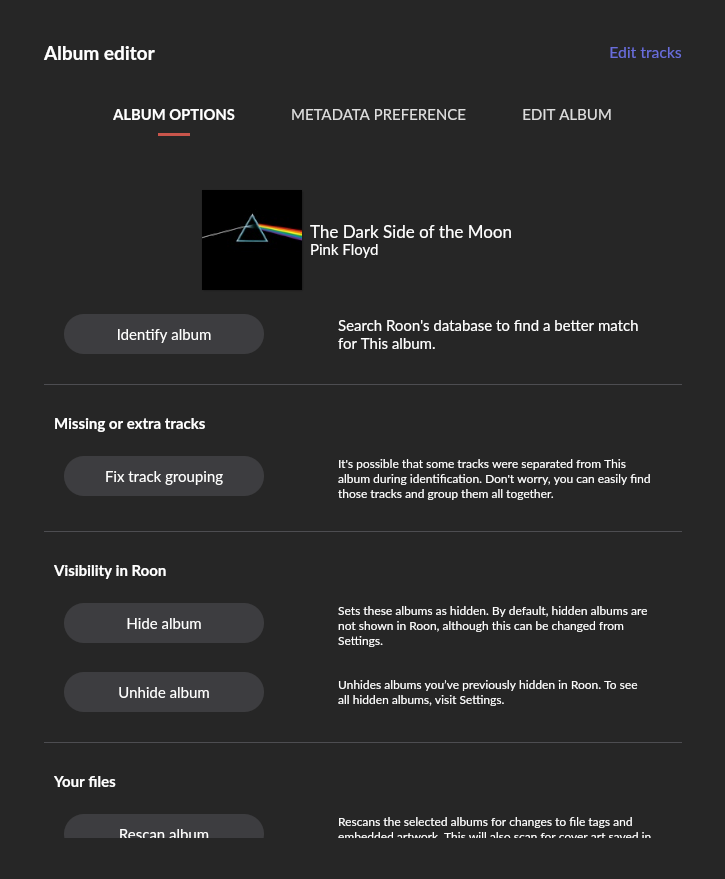
Hi - a possible quick fix is this. On the page for the album, select the three dots, then ‘edit’, then ‘identify album’, and see if you can find the correct version there.

Michael

1 Like

I do not see this option when selecting three dots in the album

you need to be at the root of the album where it also shows versions.
No clue if this works on Android / iOS . . .

You can not do it on Android. I just tried.
You will need to use a desktop client.


select the 3 dots . . .
image
Select Edit

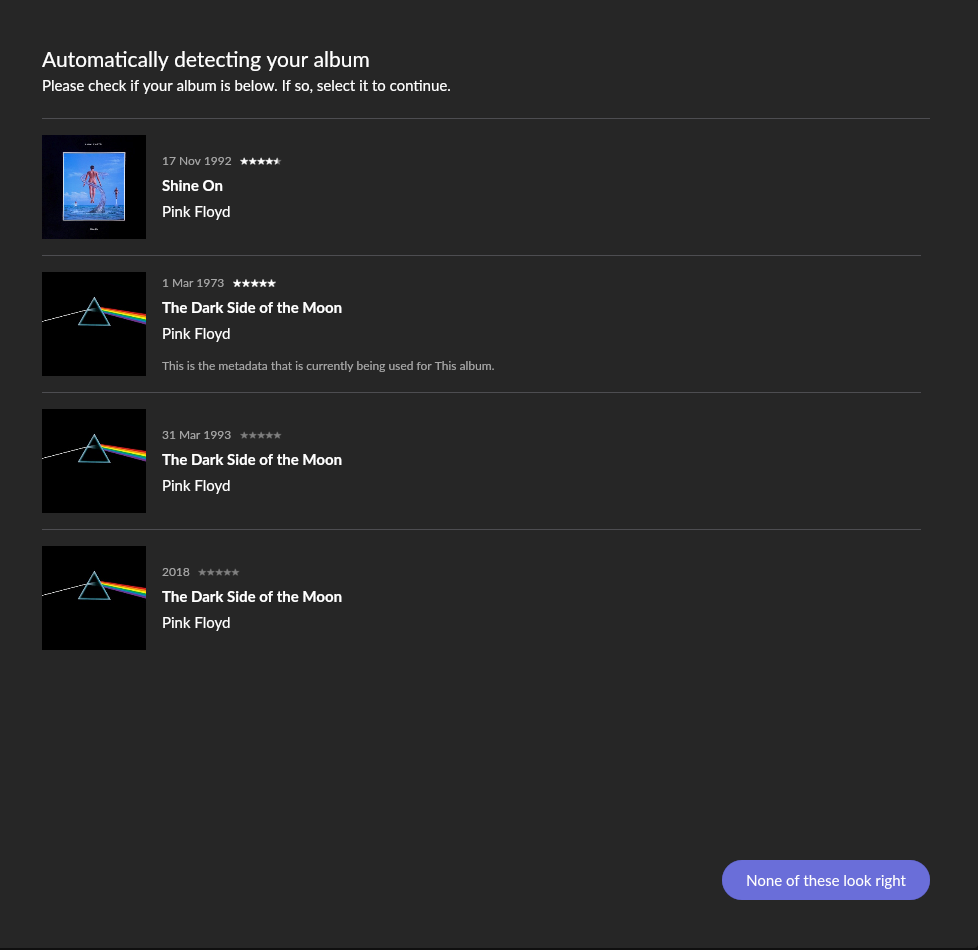
Hit Identify Album

Yours is the 1993 release that is option 3 here.

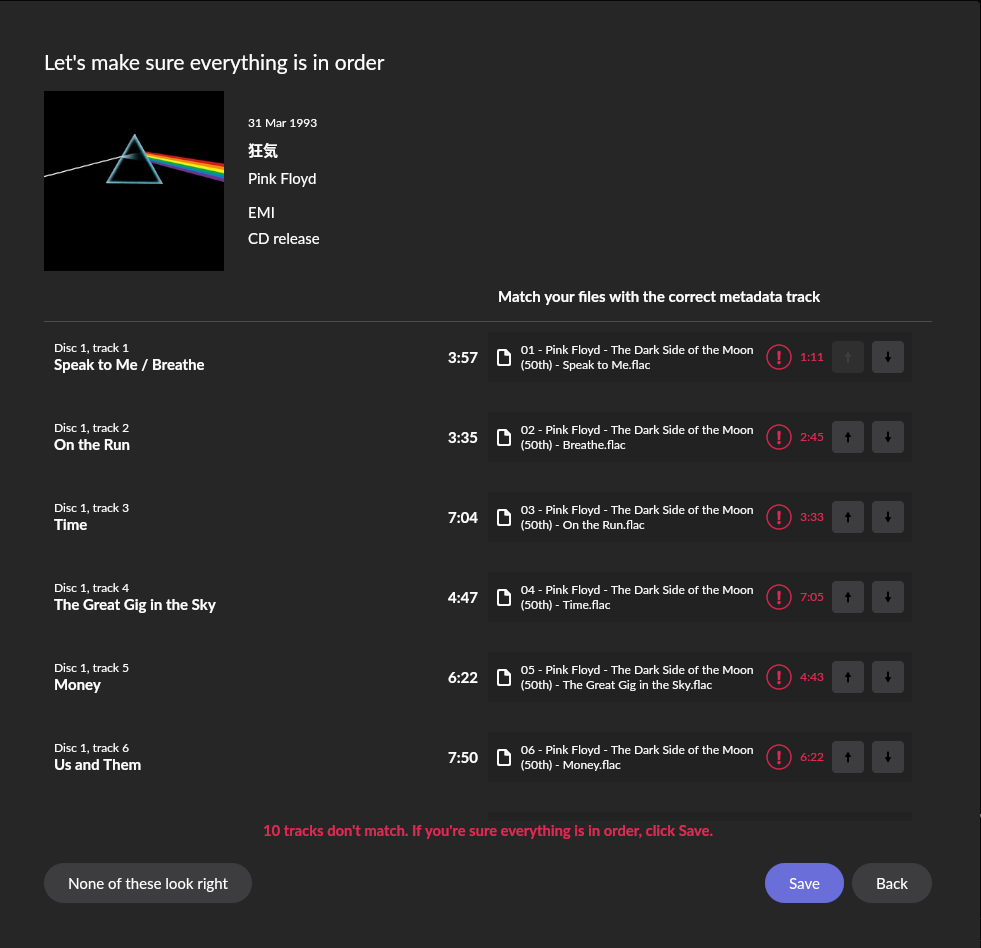
Hit save.

You can on an Android tablet

1 Like

Okay, I did it from Windows client. This functionality does not exist on iOS. I’m using iPhone only for my Roon Remote.

Thanks for help!

Roon Labs please add it to iOS App…

1 Like

But I can’t on my phone.

Okay then. I should know better than to not be precise.

There are many things that are not available on the phone version, mostly for space reasons. Most of the desktop functionality exists on tablets (iPad and Android), but there are some small gaps as well (which can be quite annoying when one uses a large tablet with keyboard, having the same size as a small laptop). Feature requests to fill them exist
1 Like

Ok so size does matter.

I’ll let myself out.

2 Likes

Apologies to the OP - I was using an iPad and it’s fine on there…

This topic was automatically closed 36 hours after the last reply. New replies are no longer allowed.