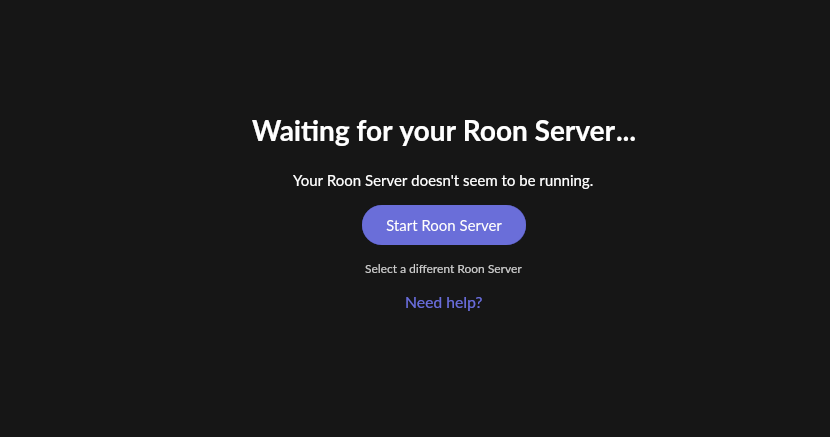
Roon Server not running on Windows PC causing 'waiting' message (ref#Q6BKXP)

Is Roon Server running?

· No, Roon Server is not running.

For Roon connectivity to work properly, both Roon Server and Roon Remote need to be turned on.

· I can't turn on Roon Server, I need help.

Describe the issue

When starting Roon I get the message "waiting for your Roon Server" Your Roon server doesn't seem to be running,

Note that this is running Roon on a Windows PC, and the Roon server is the Windows PC.

Describe your network setup

Windows 11 PC, hardwired to Ethernet

Have you clicked on “Start Roon Server” and/or checked firewall settings for Windows to allow Roon?

Yes, I did both. It just said that it could not find Roon server. (which is on the same PC)

A couple of PC restarts later, Roon now works.

I have never had this issue before, so slighly baffled, but all ok now.

Hey @Brian69, welcome to the community.

Glad to hear the issue cleared after a couple of restarts. Since Roon Server was running on the same Windows 11 PC as the Remote, that points more toward a local startup or discovery hiccup than a network design problem.

If it happens again, the two things we’d want to check are whether the Roon Server service is actually starting in Windows and whether anything on the machine is briefly holding up local connections right after boot, such as security software or startup load. A full PC restart clearing it does make that a useful clue.

To help us keep an eye on it, could you let us know whether Roon starts normally after a single reboot, or whether it only comes back after more than one restart? If it returns, please note the exact local time and what you see in the Roon app, and we can take a closer look from there.