· I have a Roon server installed on NUC and a Cayin IDAP8 streamer. I have Roon Remote installed on both my phone and the streamer.
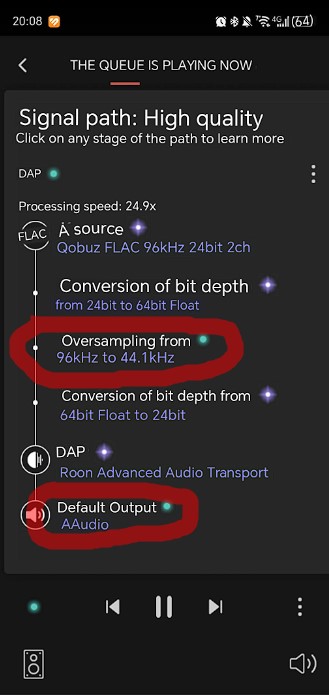
When playing local files or streaming Qobuz, Roon cuts the bandwidth to 44.1. What’s the problem?
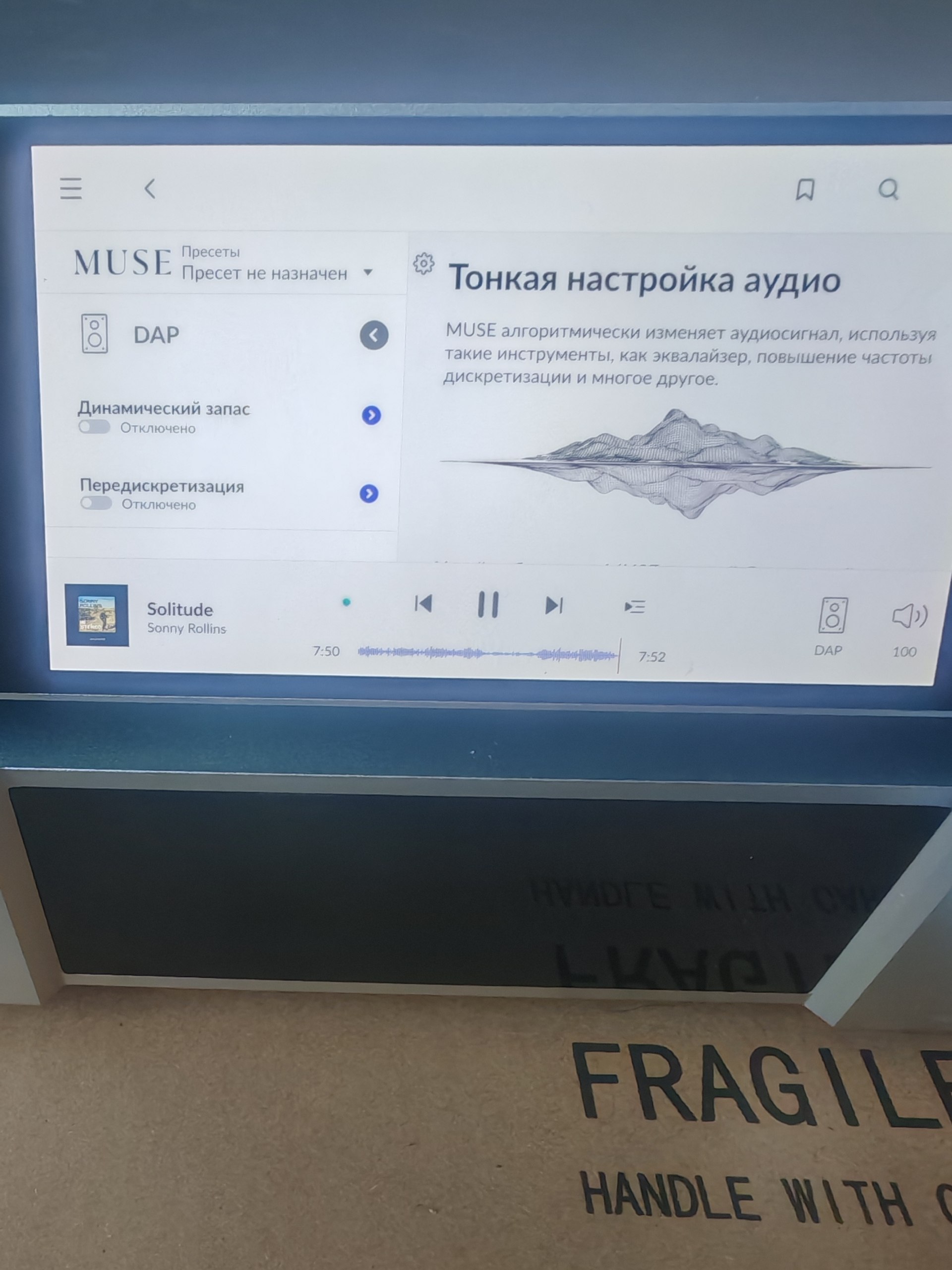
I couldn’t find an answer to the setup question on the forum or in the website’s database. The settings in MUSE, in particular, in the Sample Rate Conversion section, everything is turned off, but the frequency is still cut to 44.1.
I wrote to support by email and they recommended that I make a request to tech support
Tell us about your home network
· My network consists of a NUC router, an opto-isolator, an audiophile switch, a Cayin iDAP-8, and a custom 1-bit DAC with a USB input. If I connect the NUC directly to the DAC, the sampling frequency is not cut off; everything works at its original quality, just like a Roon streamer. My opinion is that the problem is that Roon doesn’t see the Cayin iDAP-8 as a streamer, but simply as a no-name Android device, and forcibly cuts the frequency to 44.1.
Thanks for writing in and for sharing your report!
Out of curiosity, did you make any additional edits to your signal path screenshot?
Looking at your signal path screenshot, the issue is clear: Roon is downsampling from 96kHz → 44.1kHz and using AAudio (Android’s default audio output) instead of recognizing the Cayin iDAP-8 as a proper audio device. Your instinct about Roon treating it as a generic Android device is almost certainly correct.
Would you be able to share a screenshot of your Roon Settings>Audio?
The iDAP-8 runs Android, and Roon’s ability to output hi-res depends on whether the device exposes a proper USB Audio driver. Check:
Cayin's website or iDAP-8 manual for Roon Ready or RAAT certification status
Whether a firmware update exists that improves Roon compatibility
Cayin's own app (Cayin Music or similar) may expose audio settings that unlock USB Audio mode
You mentioned MUSE SRC is off globally, but check per-zone:
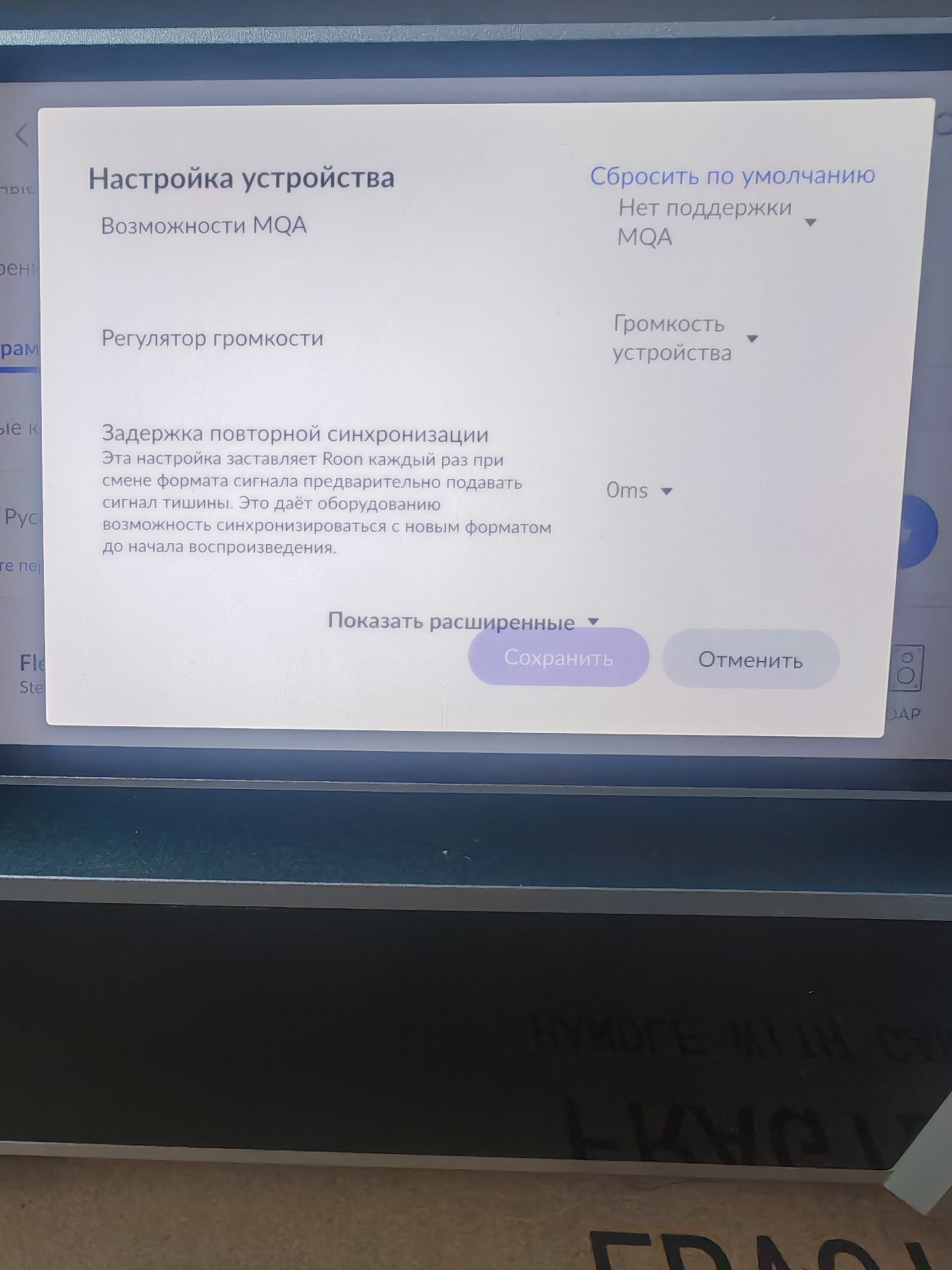
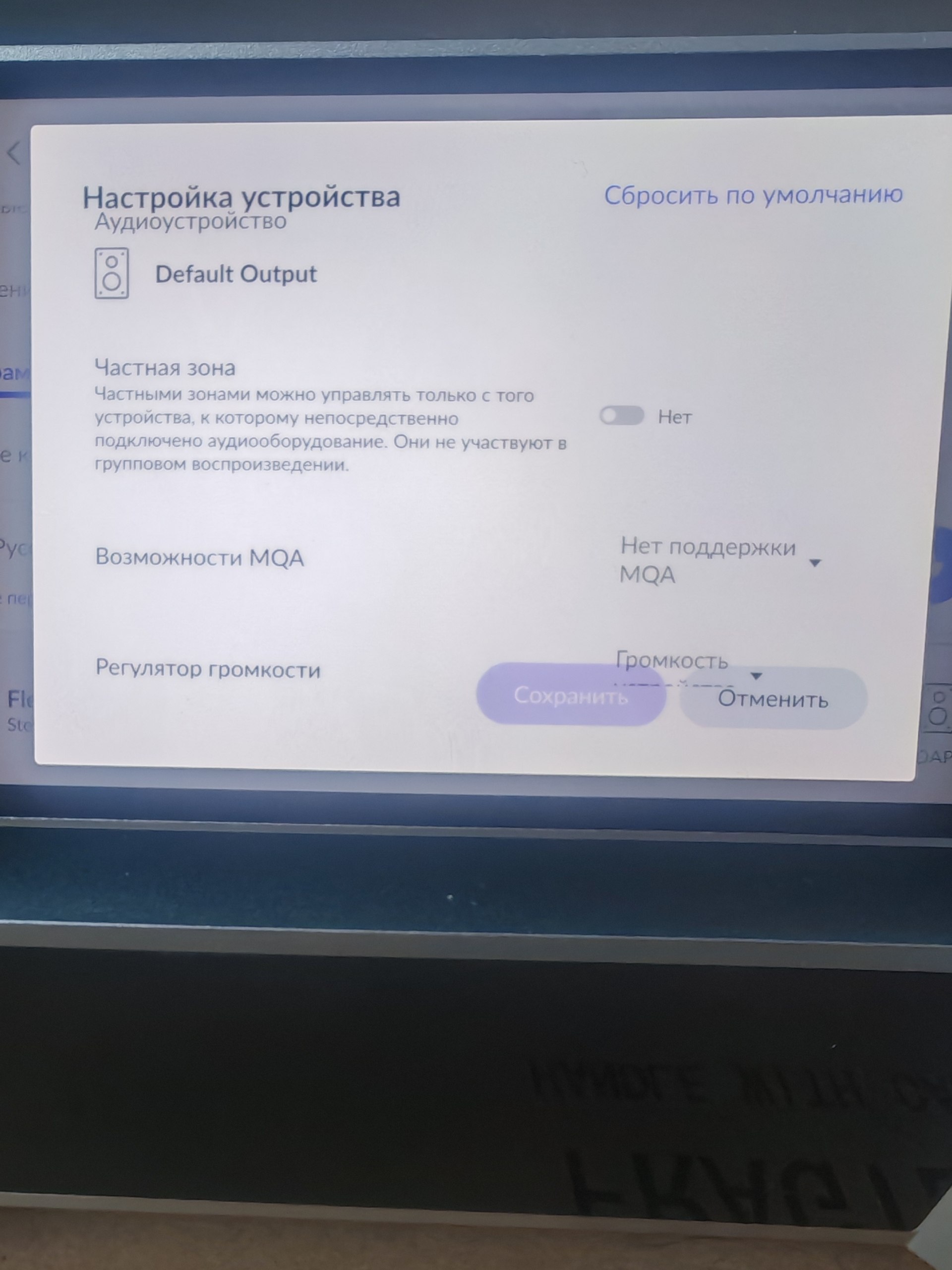
In Roon, click the zone → Device Setup → DSP Engine
Make sure no sample rate conversion is active specifically for the iDAP-8 zone
Also check Device Setup → Max Sample Rate, it may be capped at 44.1kHz for this device
If you could, please bring your server back online and we’ll enable diagnostic mode to take a closer look.
Wanted to follow up on this. Were you able to share a screenshot of your Roon Settings > Audio and check whether the iDAP-8 zone has any per-zone sample rate conversion or a 44.1 kHz max sample rate cap set? Also, if you had a chance to look into whether the Cayin device exposes a proper USB Audio mode, a firmware update, or any Roon Ready or RAAT support, that would help us narrow down why Roon is still using AAudio. Let us know what you find, thanks.