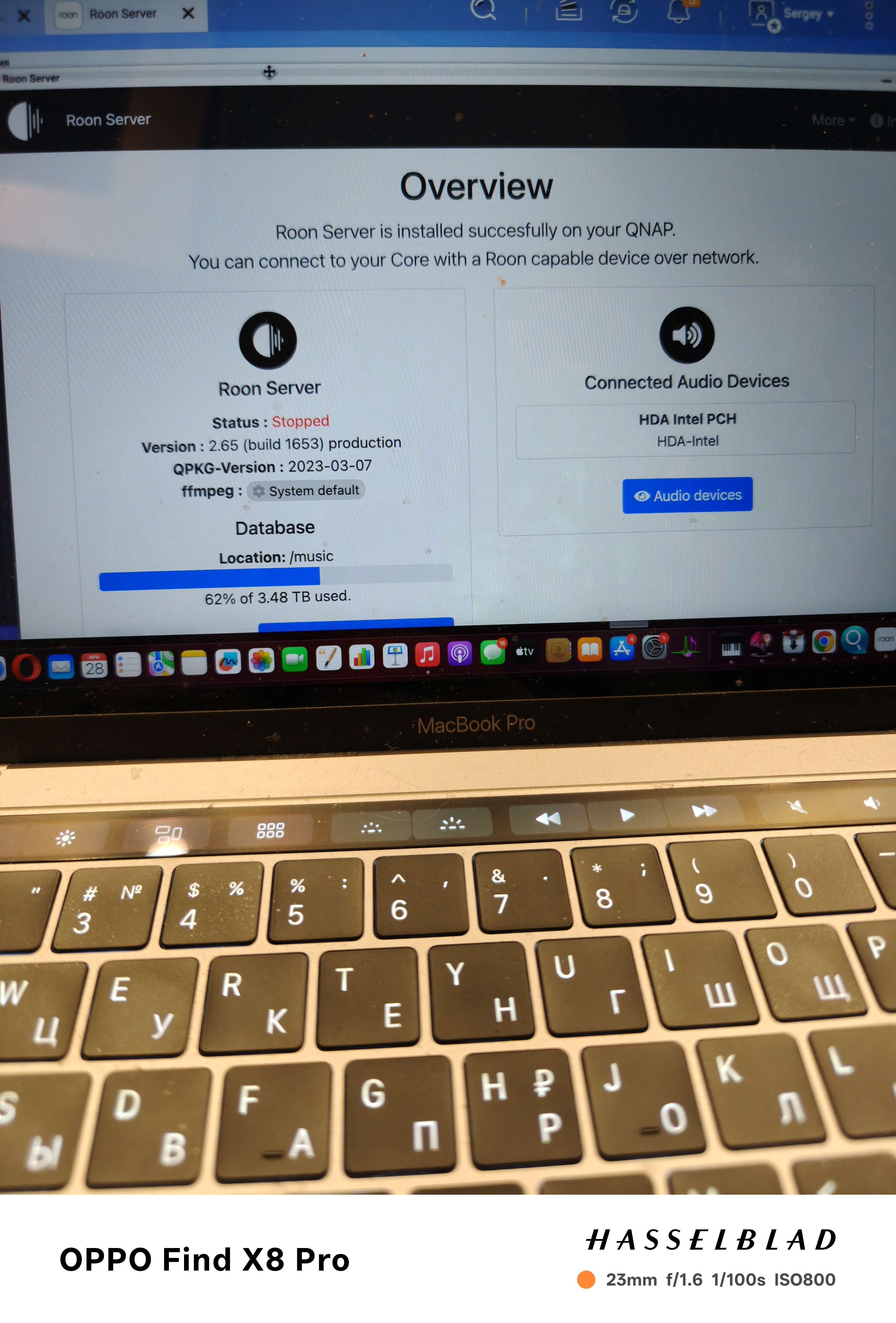
· 27.04.26 after autoupdating my roon server (installed on QNAP TS 564, program version QTS 5.2.9.345) to version2.65 ( build 1653) ffmpeg version 3.3.6 , roon server status is " stopped". Not rebooting of QNAP, no stopping and restarting room server application in Appcener of QNAP helps. Status is still "stopped". Need help.
Tell us about your home network
· Router is keenetic giga. QNAP is switched by lan.
Buenas tardes, a mi me ha ocurrido igual después de la última actualización ayer, mi equipo … y ya no he hecho de todo… creo que ha será un problema de esa actualización … a ver que hacen los de Roon???
Thank you for reaching out. We completely understand that it is frustrating to see your Roon Server suddenly stop working after an update, and we appreciate BlackJack stepping in to provide the correct information.
As mentioned above, the recent Roon update (Build 1653) introduced new minimum system requirements. Because the native QNAP operating system relies on older software libraries that Roon can no longer support, the standard Roon Server app will no longer run and immediately switches to a “Stopped” status.
To get your systems back up and running, you will need to transition your Roon Server to our official Docker-based installation. Running Roon inside a Docker container provides an isolated environment with all the modern libraries it needs, ensuring much better stability on your NAS.
A crucial tip for your migration: You do not have to start from scratch! Before you begin the Docker setup, please make sure you know where your previous Roon backups are stored on your NAS. Once the new Docker container is deployed and running, simply click the “Restore from backup” link on the initial Roon login screen. This will bring back all your playlists, listening history, and settings exactly as they were.
Please take a look at the guide, take it one step at a time, and let us know if you run into any trouble. We are here to help!
Good afternoon, I’ve already installed Roon with Docker, but the folder containing the backup is in a different folder that I can’t access, as is another folder with more audio files. I tried creating another container, but the Container application won’t let me. I don’t know if I should delete everything and start over, adding these folders. What do you recommend? How should I do it? Thank you very much for your answers. Best regards
Due to the diversity of setups and systems involved, we ask that users other than the OP create their own topic thread here. This helps ensure that our team can receive notifications and updates and respond in a timely manner. Thank you.
@Serge_Min, we can see a server online hosted on a QNAP; have you been able to set up Roon in Container Station?