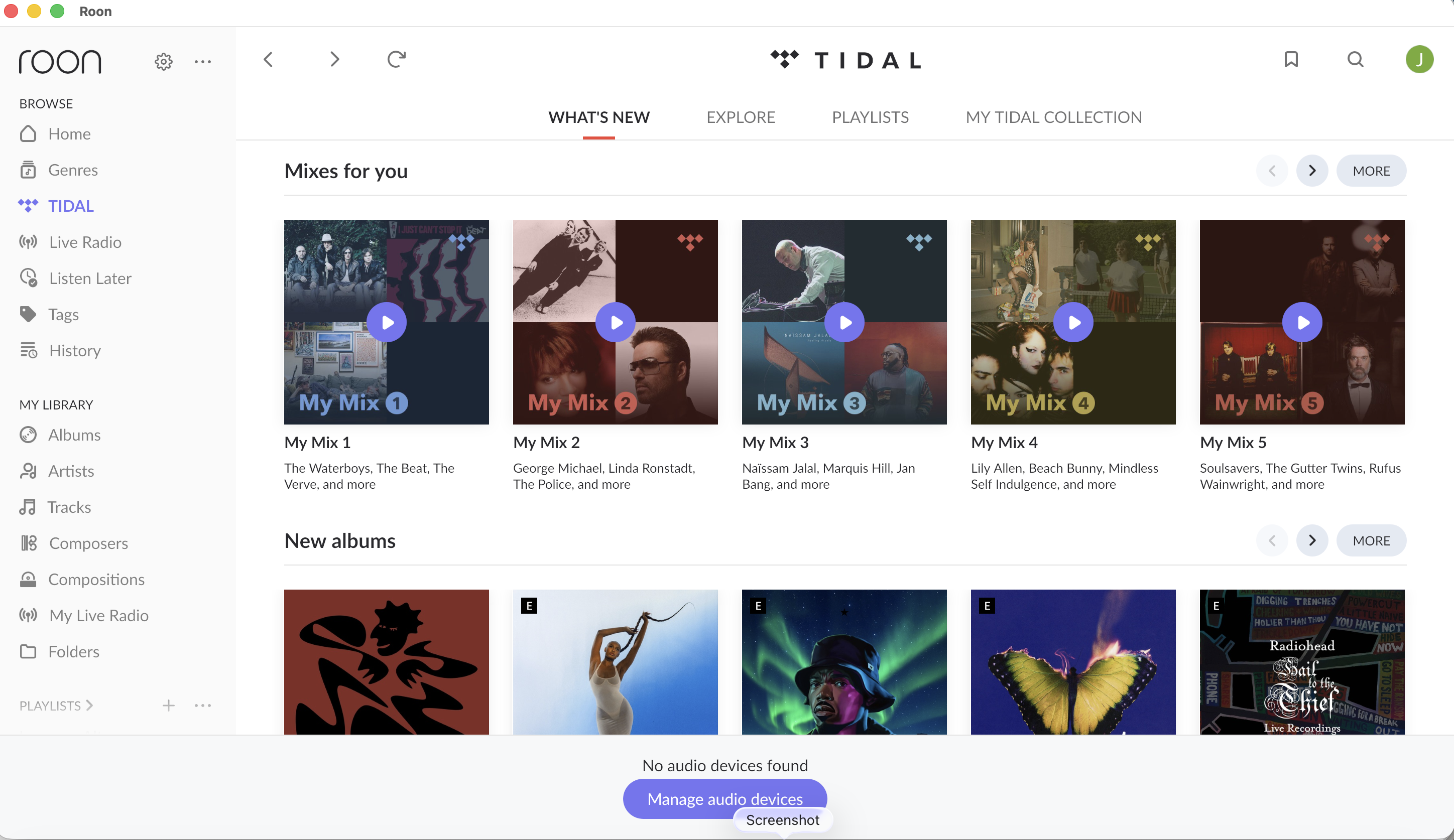
· A connected audio device is not appearing in Roon
What type of Zone is affected by this problem?
· *All of my Zones* are affected.
Is your RoonServer machine running MacOS 15 Sequoia or above?
· I still can't see my endpoints as available Zones.
Is the affected network Zone connected with Ethernet or WiFi?
· WiFi
Which network audio protocol is the Zone using with Roon?
· Squeezebox
Does the device show up at all in Roon Settings -> Audio?
· No, it does not show up there
Does the device play audio from another source when using the same connection?
· The device has no problems with another audio source
Have you checked that Roon is whitelisted in any firewalls?
· I've checked the firewall and the issue remains
Since you are using a network connection to the device, please ensure that your RoonServer is on the same subnet as the device
· My devices are on a single subnet but is not visible to Roon
Do you have a complex network setup?
· I have a *mesh network* with devices connected to multiples points
Your local network might need some re-arranging to support Roon.
· None of the suggestions have helped me. I'd like to submit a support request.
Do you have an approximate timestamp of when the issue last occurred?
· 14:00 on 14.12.25.
What are the make and model of the affected audio device(s) and the connection type?
· Apple, Naim, Sonicorbiter.
Describe the issue
After updating my Roon server software, it no longer works properly. I use a server running on an NAS device through a Sonore bridge to my Naim streamer. It used to push the signal through a Squeezebox setup. That is no longer visible, instead, the app (both on phone and Mac) says "no audio devices found".
Describe your network setup
I have an NAS connected by ethernet through a switch to my router. My NAIM streamer is also connected by ethernet and switch. My Mac and phone are connected on wifi, and we use mesh on the wifi.
Our diagnostic servers show a SqueezeLite Zone registering with this RoonServer, but we can’t confirm whether or not you’re still having device discovery issues with other protocols.
If you’re still having issues after trying the endpoint cache clearing, let us know and we’ll proceed.
If you’re using a managed switch in this setup, double-check that multicast forwarding is still enabled. Take this step in the main mesh router as well. What is the brand of mesh network you’re using? Even when relying on Ethernet, some mesh networks will manage packet scheduling and mDNS in a way Roon doesn’t expect.
Clearing the cache and enabling Squeezebox support toggle has brought it back. Toggle was not mentioned in support note but I think this was the culprit, it was switched off by the update.
Unfortunately neither the update nor the cache clearing has brought the Roon radio back to life. It is now little more than expensive way of playing hires tidal files and I will probably not renew.
If you share the precise error you’re encountering with Roon Radio, we’ll almost certainly be able to resolve the issue.
Roon logs show numerous failures related to Live Radio - can you please clarify whether your post above refers to internet radio stations within Roon or Roon Radio,the recommendation service built into Roon that can auto-select upcoming queue tracks?
The specific failures we see with Live Radio are with this station:
Are you able to play this radio stream in a web browser? Roon’s HTTPS request to that server go unanswered.
I recommend double-checking that the DNS service in your router is reliable. We recommend Cloudflare (1.1.1.1). This will help ensure that the URLs for the stations resolve reliably for Roon.
What is the make/model of switch in your setup? Logs show hundreds of timeouts and unanswered requests to internet services from Roon. Something in the network is possibly intercepting traffic to/from RoonServer and certain upstream services. This might be an inadvertent effect of an otherwise well-intended network feature. The more information you can share about your network settings and topology, the better equipped we’ll be to help.
Thank you for getting in touch. The error I’m referring to is internet radio stations within Roon (Live Radio). For me a big attraction to Roon is it (used to) let me play internet radio stations streaming FLACs, which are mainly European classical and jazz stations.
Roon played internet radio stations without any problem for many years. There has been no change to my hardware setup. I have always used Naim streamers connected by ethernet through switches to the same router. I have three Naim legacy streamers and I use Sonore Bridge to push the signal as UPnP. My Roon system works fine for music stored on my NAS. And it works for with Tidal. The problem is with Live Radio.
The Naim streamers play all internet radio stations fine when accessed directly through Naim. It’s only when I try to use Roon Live Radio that I have problems.
The problems started early last year when Naim issued a software update (4.9) which made a large alteration to the way their internet radio worked. I installed the updates (as I always would).
Overnight all but two internet radio stations streaming Flac through Roon Live Radio stopped working. The symptoms are always the same, the station is visible on Roon, I press play, it tries to play for two seconds, and then dies.
Two stations, Mother Earth Radio, and Sveriges Radio, continued to work. Then, this week, they stopped too. I can occasionally get an AAC stream to play through Roon. (But I can already access these through Naim. I’m using Roon to increase capability, not to duplicate.)
Previous enquiries to Roon support about this ended with someone trying to blame my router settings. (It’s always someone else’s fault.) The router settings have not been touched. This problem arose after installation of the Naim 4.9 update.
Apologies if this is glazed over, but if you use a different audio endpoint, like the system output of one of your Roon remotes, do you experince the same issues?
We can see that the radio stream opens successfully:
Open Result (Playing): Result[Status=Success]
Starting playback
[PLAYING @ 0:00]
Then playback suddenly ends with unnatural end of media:
Warn: [zone Squeeze] Track Stopped Due to Error
OnPlayFeedback StoppedEndOfMediaUnnatural
In addition, we see the main error message here:
[streammediafile] error reading stream: Cannot access a closed Stream.
The Naim firmware isn’t the problem, I and many others use Naim streamers with this version and Roon. (Anyway, the change that was alluded to was Naim‘s own radio implementation switching away from vtuner to their own server, and obviously this is completely unrelated to Roon)
Hi Benjamin, the radio seems to be working now, after many months. It is no longer ‘timing out’, but instead waits for the station to load (which takes longer than it used to) and then plays. And it is playing FLAC stations, which is good news, as that is the only point in using Roon Radio. (The bitrates available for MP3 and AAC when using the Naim app are higher than through Roon). The setting for audio control in my endpoint had been changed from ‘fixed’ to ‘device’ by an update, so I switched it back. That may have had an effect. Other than that , no change was made by me. Perhaps something was adjusted by Roon? Suggestions to downgrade to previous firmware are extraordinary and unhelpful. Roon is not that important. I would just cancel my subscription. But it’s working again, so I’m satisfied for the moment. Let’s hope it doesn’t become unstable again.
Hi Suedkiez, thank you for the response. I agree, Naim moving away from vtuner to their own server should be entirely unrelated. But I wonder if Roon did something similar in terms of changing their radio provision infrastructure. Because their available stations changed. And some of the bitrates changed. I’m guessing my problems have to do with settings in the endpoint changing following Roon updates and cache still holding on to station settings that were no longer valid when/if Roon made a change to its radio supply. What gets me is that this hasn’t come up during my help requests. The initial response was that the problem was in my router. Then came the useful suggestion of clearing cache. Followed by the crazy suggestion that I reinstall defunct firmware. It’s always someone else’s fault.
Thank you for the detailed follow-up and for taking the time to explain the full history — that context is genuinely helpful.
Based on everything you’ve described and what we see in diagnostics, this does not point to a simple router or connectivity fault. Instead, this appears to have been a combination of changes introduced over time, including:
Endpoint control settings being altered during a Roon update (e.g. volume control switching from Fixed to Device),
Cached Live Radio metadata and stream URLs that no longer matched the current upstream radio configuration,
Changes on the Live Radio side (station mirrors, stream endpoints, timing behaviour), which can expose stale cache or endpoint state issues.
Clearing the endpoint cache and restoring the expected endpoint control mode would have forced a clean re-initialization of those elements, which aligns with why playback is now stable again — even though no hardware or router changes were made on your side.
To be clear:
we do not see evidence here of a local network misconfiguration, nor anything that would require firmware rollback on your Naim devices.
I’m glad to hear that Live Radio — including FLAC stations — is now loading and playing correctly again, even if startup takes slightly longer than before. We’ll absolutely keep an eye on stability going forward, and your feedback around how this was handled is taken on board.
If the issue resurfaces or behaviour changes again, please don’t hesitate to update this thread — you won’t need to start from scratch.
Thanks again for sticking with it, and for the candid feedback.