Need help connecting iPad to my Linux system, it’s just stuck on connecting
Any help would be appreciated if not I guess I’ll have to abandon Roon sadly 
Need help connecting iPad to my Linux system, it’s just stuck on connecting
Any help would be appreciated if not I guess I’ll have to abandon Roon sadly
Are they both on the same subnet? This would be my starting point, second would be, have I given my iPad the correct permissions?
Yeah they are both on the same sub net
The first 6 numbers are the same
And yeah the iPad is allowed local connection if that’s what you mean 
the first 9 numbers need to be the same to be on the same subnet.
The ip address for both devices are different
192.168.0.48
192.168.0.32
They both have the same subnet mask
255.255.255.0
Is the Roon app on the iPad allowed network access?
Settings → Apps → Roon
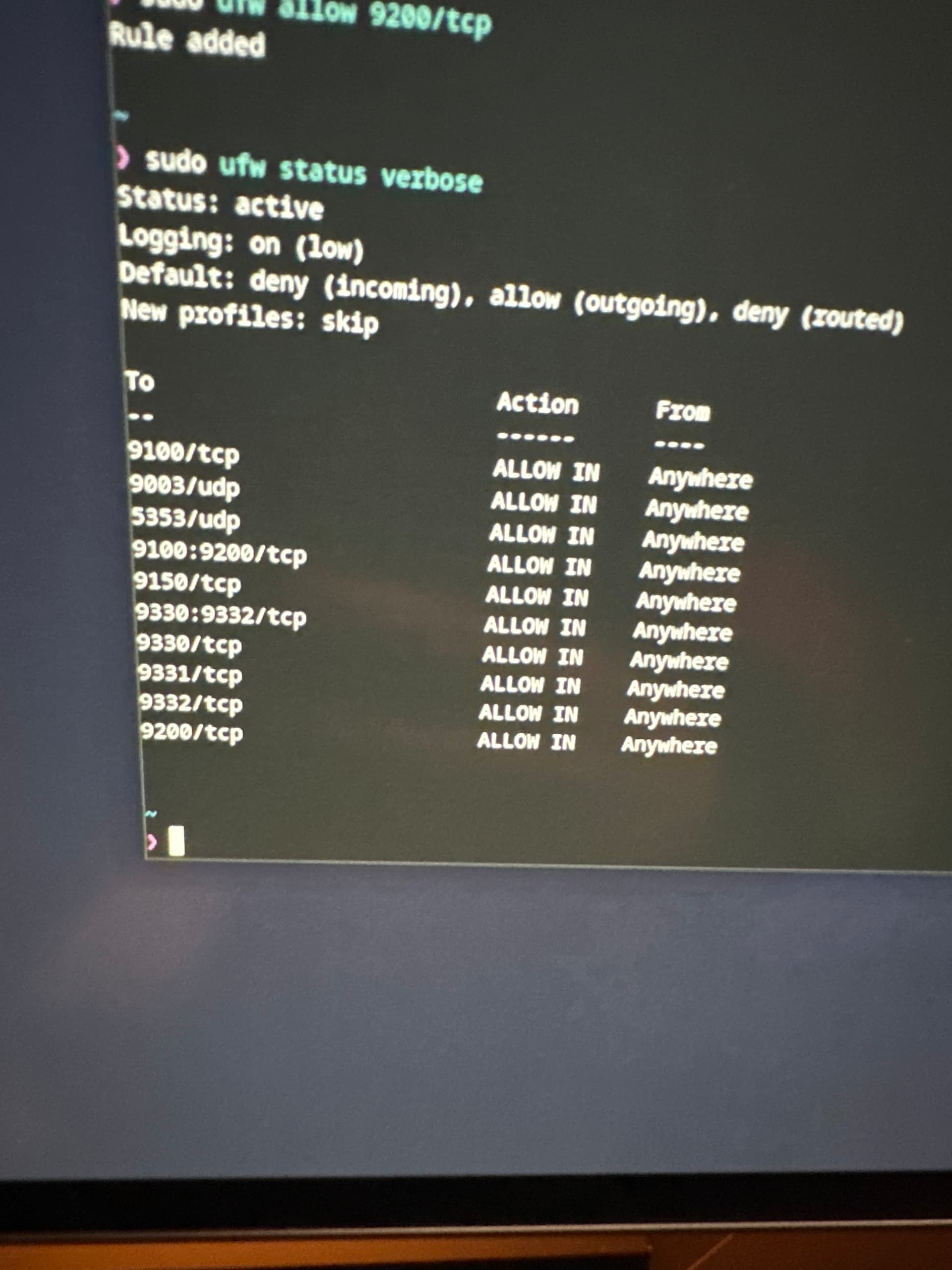
Do you have a firewall running on your Linux system?
See …
and …
I would first deactivate the firewall and check if Roon works this way, else it’s easy to start chasing ghosts
It connected straight away [after I disabled the firewall] so obviously it’s my firewall I just got no clue what is wrong with it.
Hi @anon80500944,
Roon relies on dynamic port negotiation for its suite of network-based protocols. This covers a wide and shifting range of ports. Although the rules in your screenshot capture most multicast traffic for Roon, it’s exceedingly difficult to create static port safelists for each service. When possible, we recommend just safelisting RoonServer/RAATServer/RoonAppliance if you have application-level security.
If you can’t create an inbound rule at the application level, the heavy-handed solution would be to safelist all LAN traffic via sudo udf allow from xxx.xxx.xxx.xx to any or similar.
Please let us know if this helps.
Well the thread started with
Oh sorry I wasn’t trying to be sarcastic or anything I was just saying it’s obvious to me now that it’s the firewall
I have got it to work now by doing this
sudo ufw allow in on wlan1 to any proto udp from 224.0.0.0/4
sudo ufw allow in on wlan1 to any proto udp from 192.168.0.0/24
sudo ufw allow in on wlan1 to any proto udp port 5353
Although I’m not sure exactly if it’s safe to do so haha but at least it’s working 
Thanks for the help hopefully I’ll be good now 
Good day @anon80500944 !
Thanks for confirming.
Feel free to come back if anything does not work.
Have a nice day!
Regards.