DIY built Windows 10 Home 64-bit machine (version 21H2)
AMD Ryzen 7 3700X cpu
16GB ram
Roon version 2.0 build 1143
Networking Gear & Setup Details
Whatever the modem / router AT&T sent me with my Fiber service. The computer that hosts the Roon Core is connected using ethernet.
Connected Audio Devices
Topping D90LE using USB
Number of Tracks in Library
2333 tracks
Description of Issue
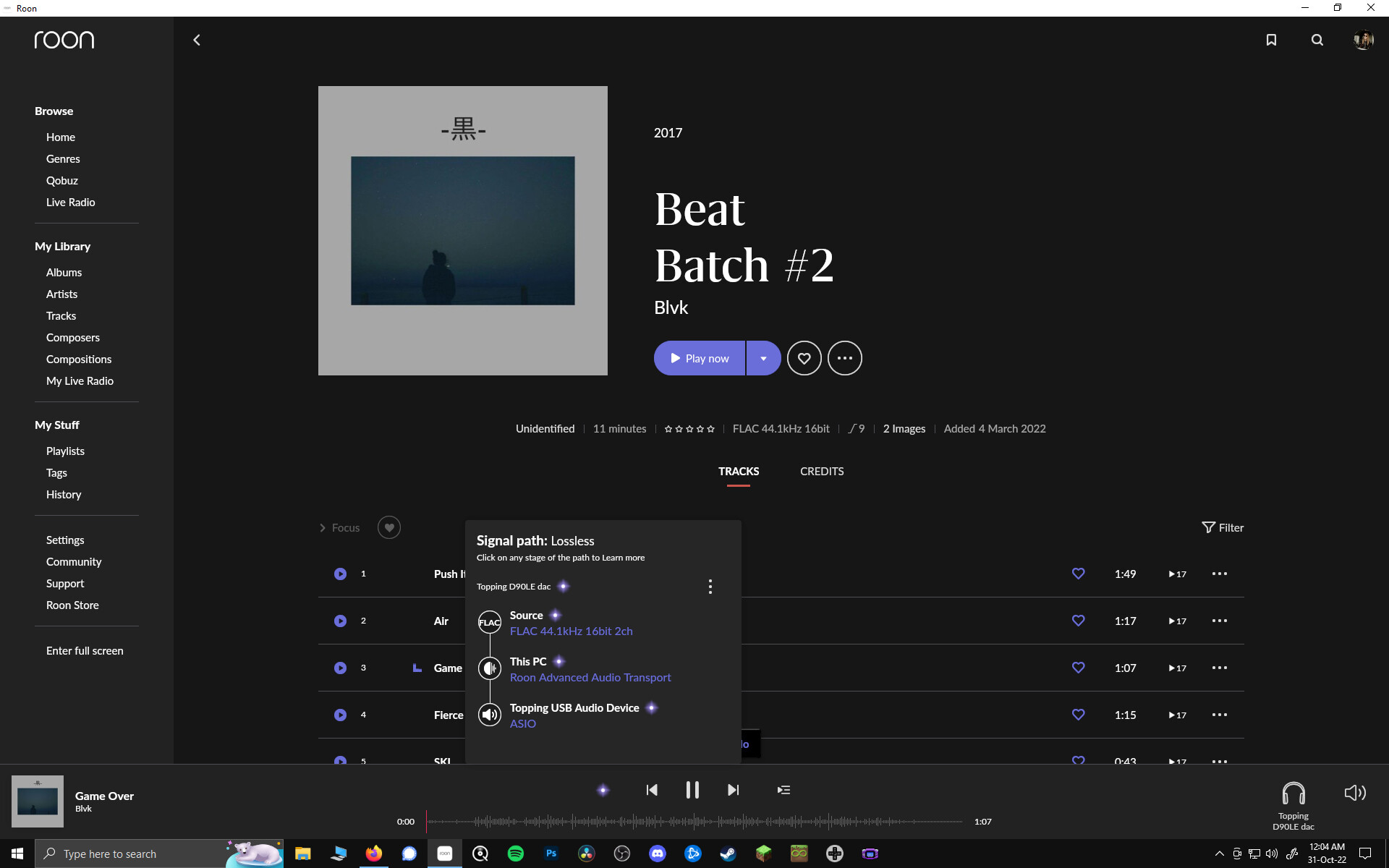
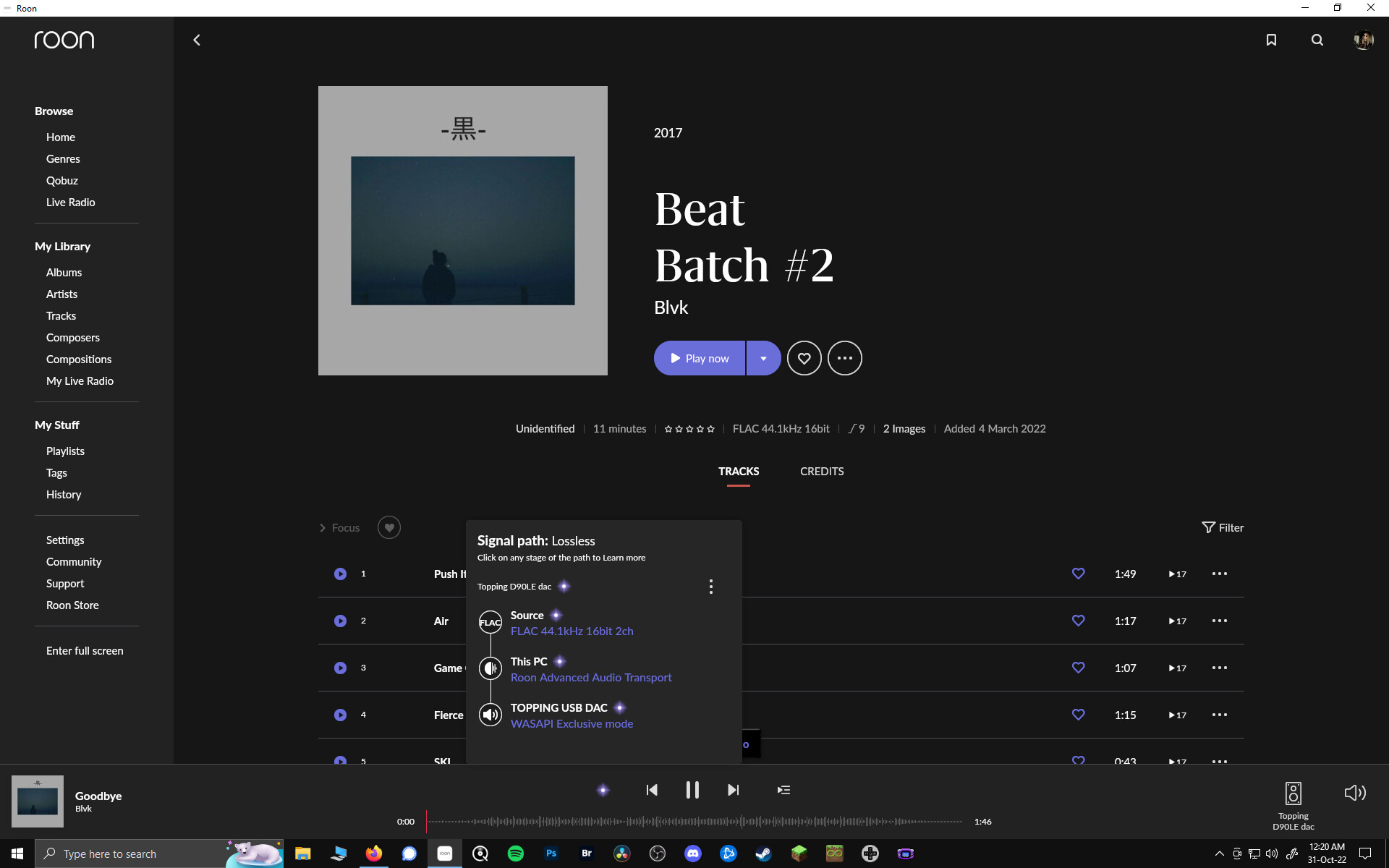
I frequently play music from Roon with my desktop computer, which also hosts Core. Normally it plays music just fine, but now this evening it skips any track queued up. It looks like it’s about to play the track, then skips to the next. However, I am able to send music for playback just fine to my living room stereo. I don’t know what prompted the change, since I don’t recall changing any settings.
I tried streaming from Qobuz, same issue. I installed a Windows update to version 22H2 to check if there was something there that would somehow resolve the issue, still no fix
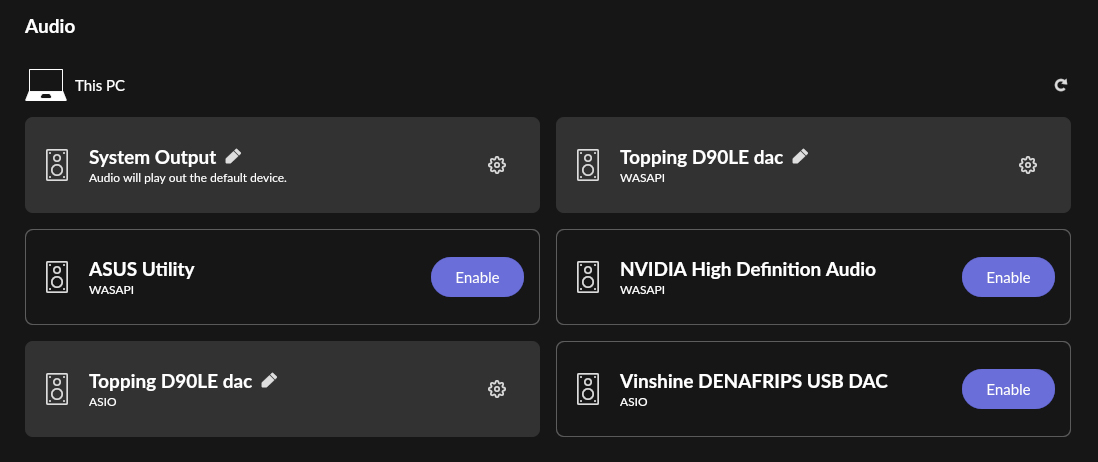
You seem to have two Zones with exactly the same name, but with different software drivers (WASAPI and ASIO). You’re not getting them mixed up, by any chance?
Thank you for patiently awaiting an official response from Roon support.
I would like to help you dig into this issue further. It seems like diagnostics logging would be the best way to go too. I just checked and it looks like your core is offline. Ideally, you’d duplicate the issue, note the date/time/track played when it happens, message me back with that information, and ensure your core stays online so I can follow through.
Please keep me posted. I will dig into things and help you get this figured out!
Now I’m confused. If my core is offline, then how am I able to access my Roon library from my living room stereo, but not from the computer where it lives?