Roon stops playing on Naim NSC222 after few seconds via Roon Connect (ref#BQT9UY)

What best describes your playback issue?

· Music stops playing unexpectedly

What type of Zone is affected by this problem?

· *Network Zones* are affected.

Is the affected network Zone connected with Ethernet or WiFi?

· Ethernet

Does the issue affect all file formats?

· The issue affects *multiple/all* file formats.

Does the issue happen with local library music, streaming service music, or both?

· *Both streaming and local* *library* music are affected.

Do you encounter any playback errors with the "System Output" Zone?

· The System Output has *no problem*, it's only my other Zone.

How is the affected Zone connected to your RoonServer machine?

· Network - Ethernet

Which network audio protocol is the Zone using with Roon?

· RoonReady

Does the device show up at all in Roon Settings -> Audio?

· Yes, it shows up there, but it isn't Enabled

Does the "Enable" button unlock the Zone?

· I pressed Enable, but the Zone remains disabled

Does the device play audio from another source when using the same connection?

· The device has no problems with another audio source

Have you checked that Roon is whitelisted in any firewalls?

· I've checked the firewall and the issue remains

If the device has multiple output options, do the other options work as expected?

· Only one output type is affected while the other output type works as expected

Is the device using the latest firmware as per the manufacturer?

· Firmware is up-to-date but the issue remains

Do you have an approximate timestamp of when the issue last occurred?

· It has same problem with any track. Time stamp is 22/01/2026 12:43 Israel time

What are the make and model of the affected audio device(s) and the connection type?

· Naim NSC222

Describe the issue

Roon stop playing on Naim NSC222 after few second when I connect via roon Connect. No problems when I connect via airplay2.

Describe your network setup

My windows Roon server is connected via wired ethernet to tge NSC222. the router is of fiber ethernet

I have rebooted both my windows server (which is the roon server) and the Naim NSC222 and it did not solve the probem.
I do not have this problen when I connect via roon connect to other devices (such as OPPO 205).
I do not have any problem playing on the NSC222 via Tidal Connect .

Hello @Haim_Sheffer1,

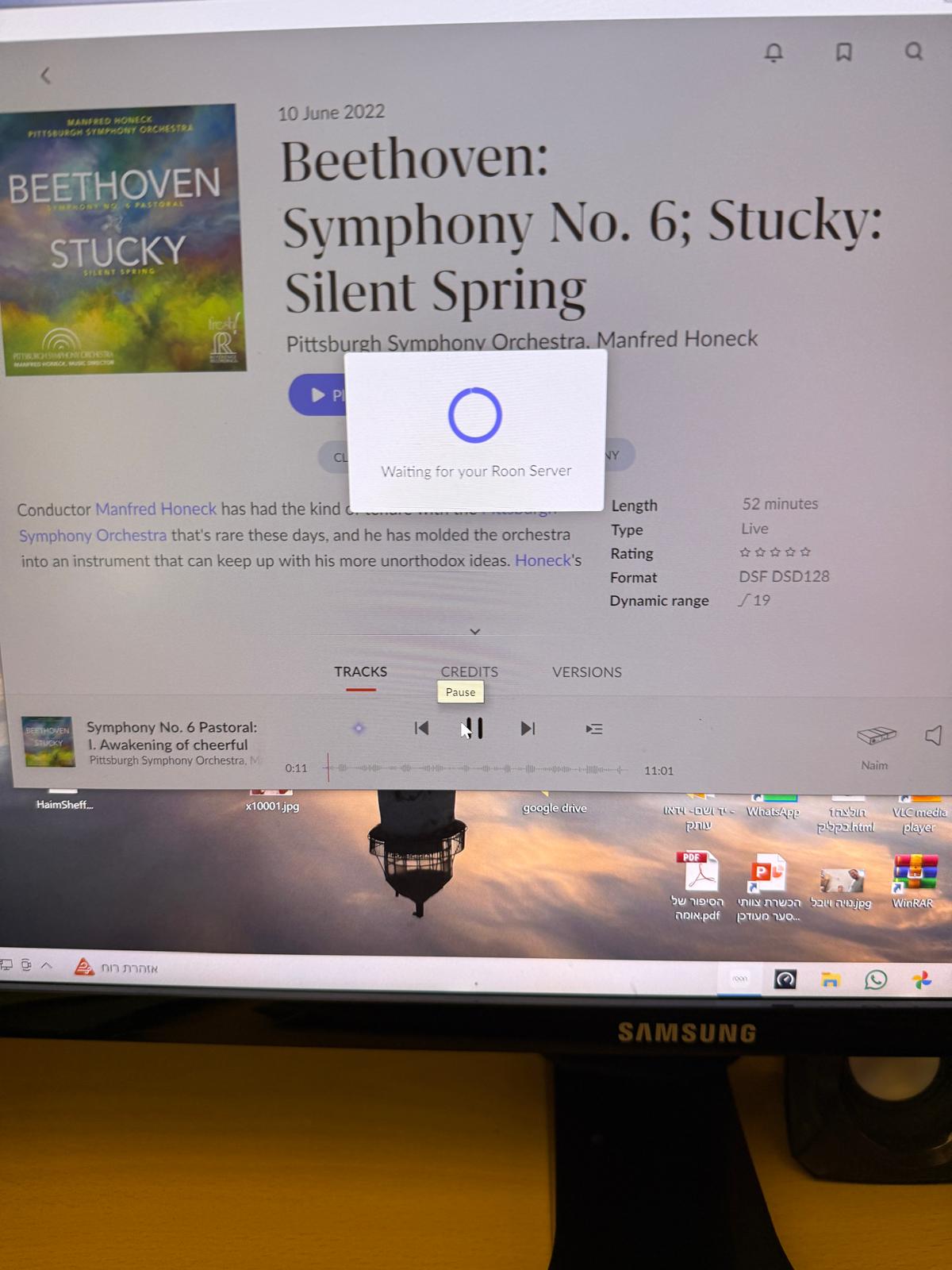
According to the logs from your diagnostic report, we can see that Roon Server crashed shortly after you started playback.

To confirm if the issue is related to playing bit-perfect DSD, could you please go to the Device Setup for your Naim zone and temporarily set the DSD Playback Strategy to “Convert to PCM”?

Once that is done, please test it again and let us know if the crash continues.

Thanks.

If it turns out to be related to DSD, it may be worth pointing out that although the NSC222 accepts DSD64 and DSD128, it’s pointless as all Naim streamers convert DSD internally to PCM, anyway.

Hi @Haim_Sheffer1,

We’ll really need to see a screenshot of the DSD settings in the Device Setup page (along with a screenshot of your Signal Path in Roon) in order to understand the problem.

However, your screenshot indicates that you’re having connectivity issues between Roon Remote and RoonServer. This would be a separate control layer from the RAAT-sanctioned communication with the Naim NSC222 as a Zone/device. Taken together, both symptoms strongly suggest that your network might not be handling multicast traffic in the manner Roon expects.

You mentioned that the Naim is connected via ethernet, along with RoonServer. Can you please elaborate on whether you have any managed switches and/or mesh nodes in the setup?

Have you double-checked that RAATServer.exe and RoonServer.exe are still safelisted in the Microsoft Defender firewall and any antivirus software?
We’ll watch for your reply.

This topic was automatically closed 7 days after the last reply. New replies are no longer allowed.