1.- Just to clarify. I did an initial migration from the M1 Macbook to the M5. However, as documented, around Feb 16 ROON crashed and I had to re-install it. That’s when I created the backup (I had not done it before).
2.- I copied the folder to a USB drive and tried to open it and didn’t work.
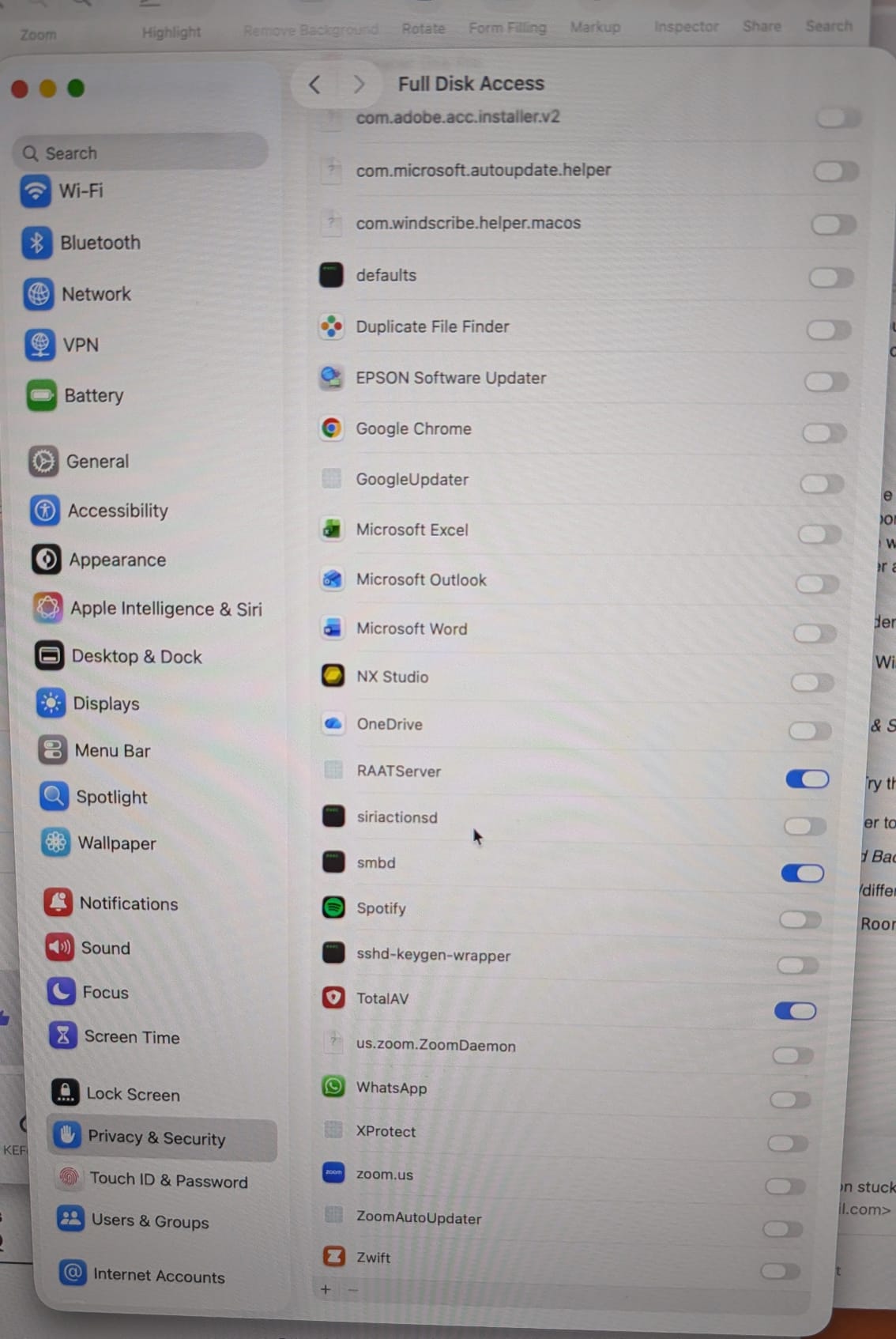
3.- In the process I discovered what is shown in the screenshot attached: Is RAAT server the same as Roon Sever?
Thanks for the info and for sticking with us @Santiago_Ferro
No, RAAT server and Roon Server are not the same thing, though they are inextricably linked parts of the same ecosystem.
Think of it like a conversation: Roon Server is the person speaking (the “brain”), and RAAT is the language they are using to talk (the “protocol”).
If you click the ‘+’ at the bottom of the list from your screenshot, you should be able to add Roon or Roon Server to this list. Let me know if this helps.
What specifically didn’t work here? Are you getting the same invalid Root error message?
Thanks for responding. I thought Roon had quit on me.
I clicked the ‘+’ at the bottom but can’t add Roon or Roon Server. The first one I see, but nothing happens when I click open after I find it. I can’t find ‘RoonServer’ to add.
I copied the folder to a USB drive and got the same message as before: “There was an error retrieving the backup listing (InvalidRoot). Please check the backup folder and try again”
Would you be able to share a screenshot of this, and specifically, the folder you select when attempting restore the backup?
With that, Roon doesn’t just look for music files; it looks for a specific hidden metadata file named roon_backup (with the underscores) inside that “random-looking” folder. If it can’t see that file, it assumes the folder isn’t a valid backup.
Let’s see if that specific file actually exists in your backup folder.
Open the folder named b498f2e0-2cdd-7b59-35ae-0f6cdb8e5f51 on your USB drive.
Look for a file named _roon_backup_.
Note: on Macs, files starting with a dot or underscore are sometimes hidden. Press Cmd + Shift + . (period) in Finder to toggle hidden files.
If the file is missing: The backup is unfortunately incomplete or corrupted. You'll need to check your original "Documents" folder source to see if it’s there.
If the file is there: We have a permission or "pathing" issue.
[quote="Santiago_Ferro, post:24, topic:316869"]
but nothing happens when I click open after I find it
[/quote]
This is interesting - our team will take a closer look into this.
I know @connor had mentioned this higher up in the thread, but Roon’s file browser can be a bit picky about where you click “Select this folder.”
Don't go inside the random-looking folder (b498f2...).
Do highlight the RoonBackups folder itself and click "Select."
If that fails, try selecting the Root of the USB drive (the "NO NAME" drive) as the backup location. Roon will then scan the drive for any valid RoonBackups folders it can find.
We’ll be monitoring for your reply, thank you Santiago! 🙏
Nothing works, Benjamin. It seems the file is corrupted.
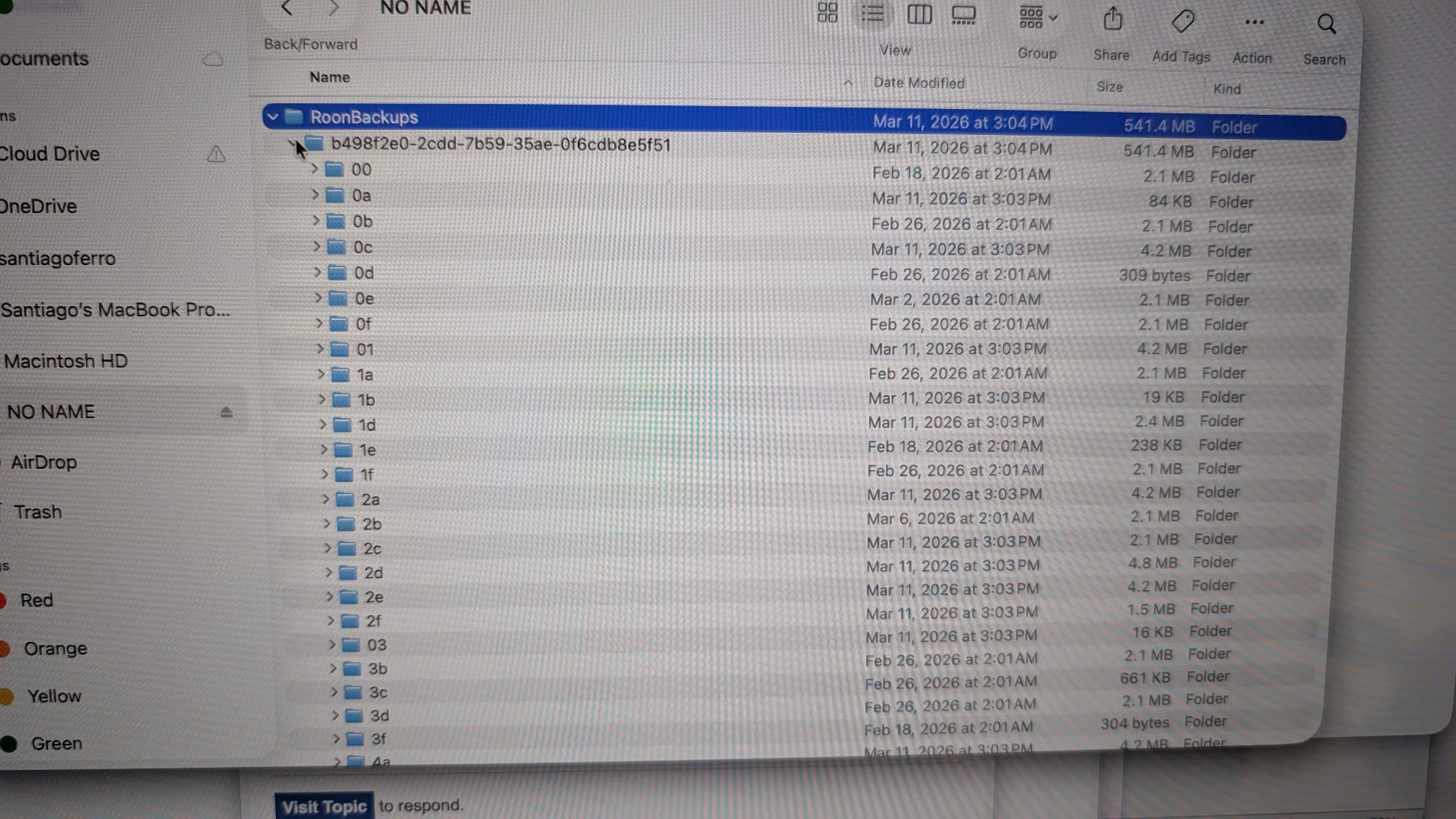
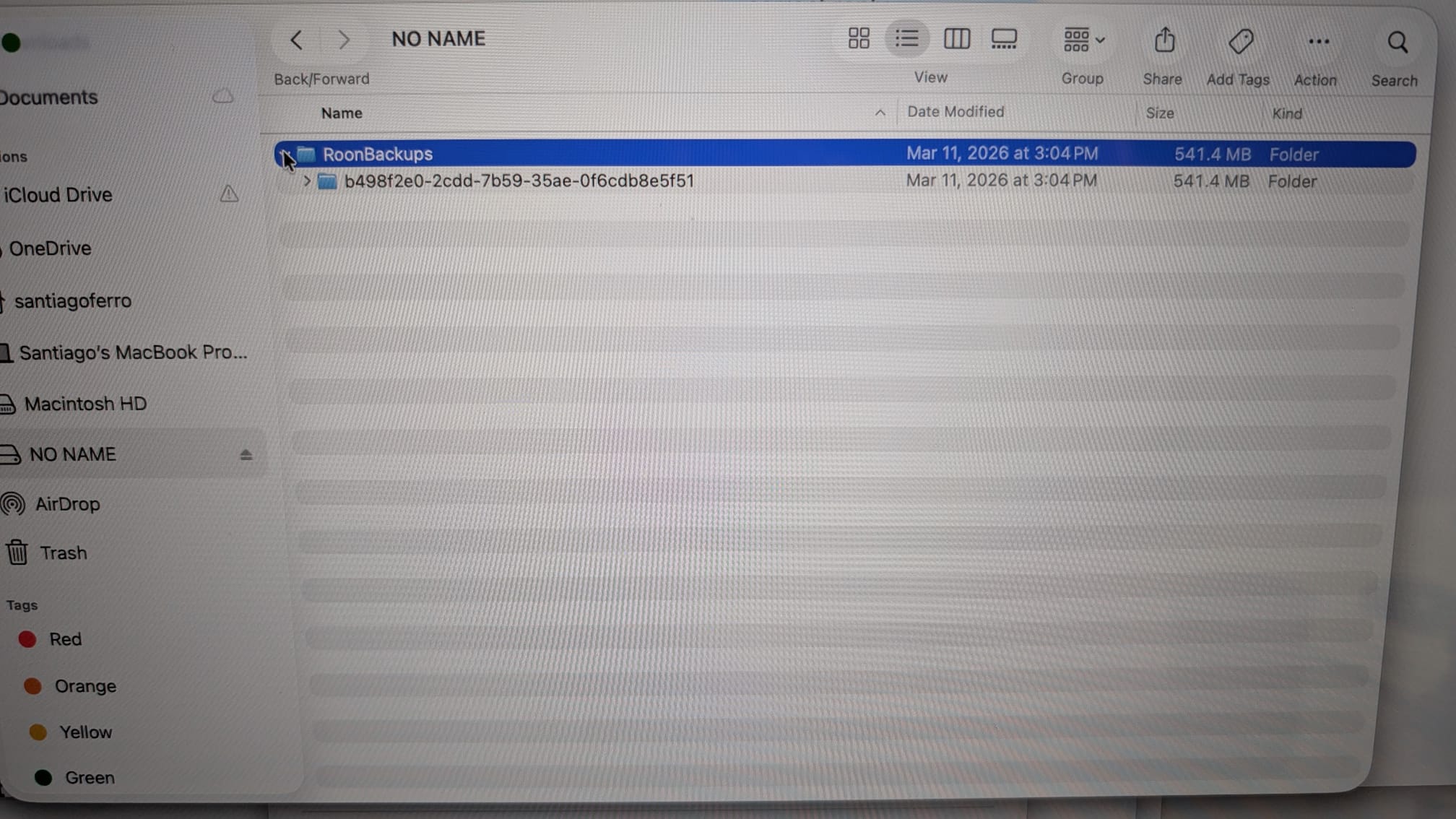
See screen images attached. First, I opened the Roon backup folder, and the only file is the one with the weird name. When I opened that there is a long list of small files, but no file named _roon_backup_
On a different topic, lately I’m playing music in Roon, and suddenly it stops. It seems to loose connection to the speakers. The only way to get it back on is by restarting the computer. I don’t think is the WiFi since everything else in the WiFi networks works fine.
I’m temped to do a re-install of Roon, but I’m afraid I will not be able to restore all the information. Any advice?
Thanks for your patience so far. Sorry to hear you haven’t been able to find the misisng file.
Since you’re unable to locate it, you may find it easier to create a fresh backup and attempt to restore a fresh backup.
Does this occur with Tidal tracks, or local tracks, or both? Please reproduce the issue and share a more specific track name, or date and time, and we’ll be able to take a closer look.
Without an available backup, you are correct here - it would be like you’re starting out fresh with Roon.
Are you able to create a fresh backup to a new, secure location that you’ll be able to fully access?
Benjamin, the questions you asked me are exactly the same as a month ago!… Please, be serious (don’t take it personally, it’s a general complaint to Roon Labs tech support group).
We will certainly escalate your case as requested and we apologize that you have felt abandoned in this thread.
How would you prefer to proceed from here? You’re facing two fundamental issues in this thread that we can likely resolve with a few basic steps. However, we’ll need to be straightforward about several realities of Roon’s network architecture:
RoonServer will always be vulnerable to WiFi interference that can lead to interruptions if you are relying on WiFi for your server machine. We recommend an Ethernet connection whenever possible. This is partially because Roon’s transport protocols are uncompressed to preserve audio fidelity. You can read more here.
If you haven’t already, the most expedient path forward is to hardwire this machine and see if the dropouts reproduce using the Mac speakers as a Zone.
If the Backup containing your previous database is unreadable by Roon and you have no additional Backups, you will, unfortunately, need to rebuild the database from scratch. We can walk you through this process.
We’ll watch for your response and ensure this case receives proper attention moving forward. Thank you again for your patience.
Is contacting customers once a week, and each week by a different technician, the usual way Roon labs take care of technical issues from the customers? It’s taking more than a month and we’re exactly in the same place. Just look at this thread of messages: it started March 8! 37 days ago.