· The entire solution is kind of sluggish for the lack of a better word.
Tell us about your home network
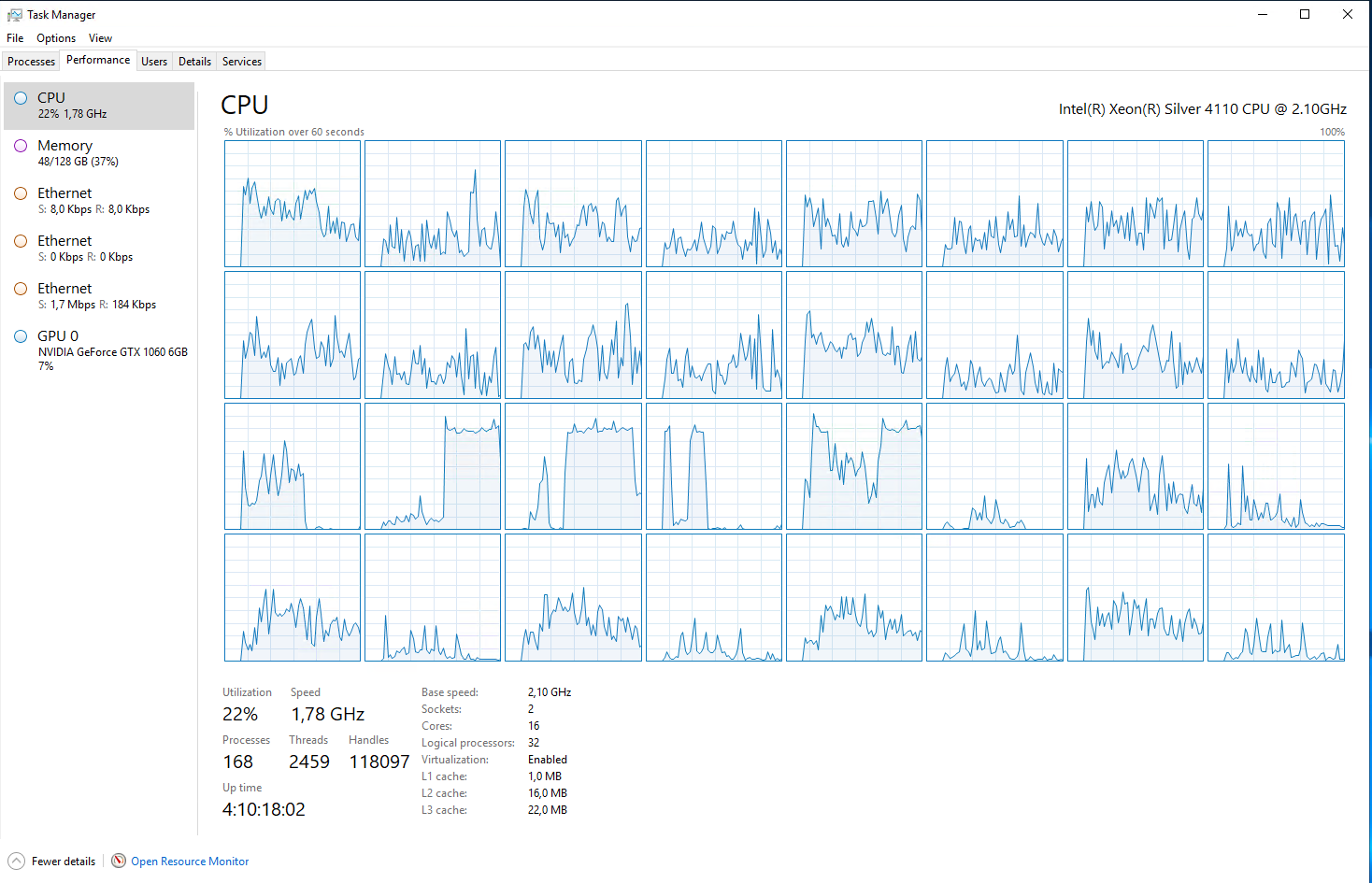
· I use a /22 network with Zyxel enteprise grade 1Gbit switched and Cat6a cabling. 750 Mbits WAN The software runs on a G10 Hp Server with 32 Cores Xeon Silver 4110 CPU and 128 Gb of ram on Enterprise SSD's i have about 480000 tracks. I am also working on developing a streamer with roon and hopefully have a product in proper beta within the year. I have been running an ropieee with Raspberry pi 5 and some DAC's that have been working flawless with the 7" raspberry pi screen and ropee. This will be a stremer that can choose moodle, volumio and roon.
Thank you for the detailed description of your setup — that’s very helpful.
To better understand what you’re experiencing, could you please help us clarify a few points:
What exactly feels sluggish?
For example:
general UI responsiveness (navigation, scrolling, search)
loading albums or artist pages
starting playback or switching tracks
editing metadata or managing the library
Is Roon Server running directly on the hardware, or inside a virtualized environment (VM, Docker, Proxmox, ESXi, etc.)?
Is the sluggish behavior consistent across the entire app, or does it appear mainly in specific areas (for example: large artist pages, search results, focus views, or during background analysis)?
Do you notice any correlation with background activity, such as library analysis, imports, or browsing?
When trying to load new albums it is sluggish. I experience up to 30 second wait from I have hit play to the streamer actually starts streaming. I have narrowed it down to database and performance. If I remove 100.000 tracks the system speeds up significantly.
It does not seem like roon is built for large libraries.
It is also slow when it loads artist metadata and top played songs.
I usually go to discography as soon as possible to avoid waiting for the loading of artist info.
Filtering albums and artists is way quicker than searching.
Is there a way to optimize the database or create a separate cache drive on an m.2 drive? Are the database indexed?
I have tried roon as a vm on Debian with proxmox on a m.2 raid 0+1. That did not give any better results. I have gotten the best results by installing it directly on the server hardware, giving roon all 32 cores and 128gb of ram. It seems like the windows version of roon is a bit more polished in the backend.
Slow loading of a local file is not due to HDD speed. A few users I know use HDD’s without complaint. You also mention SSD’s
Roon by default either uses 2 cores or throttled for library scans. If set to more cores please advise.
Roon carries out regular re-scans of libraries to match metadata. If you have a large number of unidentifiable albums/tracks this can bog things down regardless of total number of core. Also sometimes maxing out cores.
Some users, me included, have faced poor performance in a number of ways during these rescans. Roon has gotten better at this the last time I tested, but I have far less unidentifiable albums/tracks now.
I last used Roon on a i5-8500T with 390k tracks and it ran really well. Playback instant.
Upon reboot it would take up to 10 mins to be fully usable. During a re-scan, things were slow, but usable.
The above CPU has 6 cores, 6 threads. Its single core score is about 1200.
Yours has 16 cores using dual CPU’s, which gives you 32 logical processes. Which, from the info I can find has a single core score around 830. Happy to be corrected there.
I am using 12 cores for scanning so it can be efficient. And I can absolutely see you point if I had unidentified tracks or albums, but my problem exists each time I am trying to start playback of a track or album. I have also tried to reduce the amount of cores for scanning
If I reduce the number of tracks the database speeds up.. it seems to have a threshold of around 370-400k songs.. after that it starts to slow down little by little, and album by album.
I have reinstalled and rebuilt the complete base several times. I have as described earlier tried sad for the database and NVME drives with high performance. I have even bought a separate nvme controller card to eliminate the motherboard controller just to be sure.
I have a similar setup of another server, but this is used for plex. I have no problems pushing for good performance there.
Yes, and both will play music, but plex is way faster, but is missing a lot of the good analytics that roon offers, and i love that Roon is made for HiFi nerds. But both supports DSD and that is a plus’s in my book.
But I find it weird that Plex has no issues, and Roon do. Both services are only fetching metadata and analyzing tracks.
There is no noticeable difference in sound quality.
My equipment is a Canor Virtus A3 with Audio Note AN-E speakers, so it should be more than enough to notice a difference in sound.
My thought is that services like Tidal and Qobuz has no issues with large libraries and I find my self wanting a similar solution that has the same search speed.
I know that I will have to most probably invest I quick disks with a lot of cache disks for my most used files, and an indexing system. I have also thought about running a separate ZFS system for my database with it’s own cache disk as the Roon database engine isn’t as efficient as the system the large streaming companies use. I do not know which database the system is based on, but I tried to figure it out once, and was hoping for something like Postgres or some other sql system as I am quite familiar with those or some other kind of system I could optimize for a large number of small files…
My experience is that it is not the absolute no. of tracks in the library that roon is maxing out at. It is the absolute no. of tracks in each directory tree. Over the years I have dispersed a large library over 50+ independent directory trees on very modest hardware. Very early on I found that roon was unusable with my library organised as a single or a few directory trees.
As far as I can tell (but I haven’t used Plex for music), Plex has one artist and album artist, no other fields like Producer/Composer/Instruments, and doesn’t create cross-linked credits down to the track level that enables the analytics in the first place.
Thanks for sharing the details, the sluggish performance definitely stands out given your setup, so it’s understandable to flag this as not quite fitting any preset option.