What is the operating system of your Roon Server host machine?
· Nucleus
What kind of device are you using to perform the login?
· Mac
Where are you trying to login?
· I can't log into TIDAL, KKBox or nugs
Have you been redirected to the Tidal/KKBOX/nugs login page in your browser?
· Yes
Please try clearing the browser cache and cookies for the [l](https://account.roon.app/)ogin page where you have been redirected
· No, the issue remains the same
Content / Popup Blockers
· No, the issue remains the same
Temporarily try to use a different browser
· No, the issue remains the same
Please try to restart your Roon Server by closing the Roon Server app in the taskbar (MacOS), task manager (Windows) or rebooting your Roon Server machine.
· No, the issue remains the same
Different device
· I cannot switch to a different device
Are you still facing the issue on the different device
· No, the issue remains the same
Record the timestamp
· between 9:50pm and 10:18 pm nepal time.
Describe the issue
Roon will not connect with Tidal. Suddenly Roon prompted a Tidal login - which I did successfully - meaning that i was told that connection with Tidal account was successfull after logging into Tidal via Roon/services in settings. But then in Roon it keeps saying "waiting for Tidal login" after the succes prompt I received in the browser.
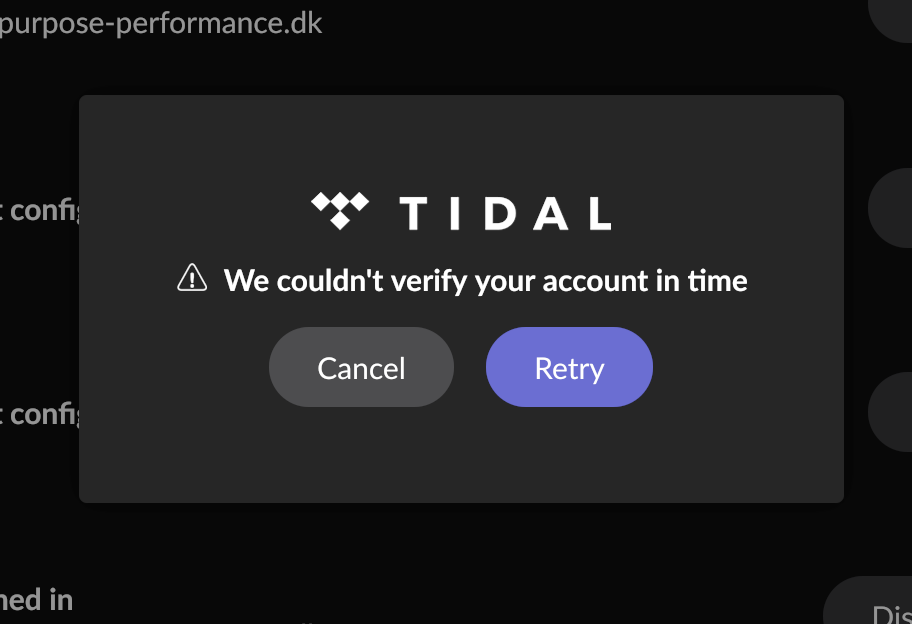
Ultimately a prompt in Roon says "we couldnt verify your account in time".
I have disabled adblocker; copied the link into another browser; rebooted Nucleus+; rebooted my router. Tidal is not being connected within Roon nobody what I do.
Problem is the same both on the Roon iOs app and the desktop app for Mac.
I can open my Tidal app and access my library without issues.
Describe your network setup
Worldlink nepal. Router is TPlink GXE75; Nucleus+ rev A; TPlink swith. Nucleus+ and NaimQb and 2 bluesound speakers are all connected to the TPlink switch.
We are sorry to hear you’re having trouble getting Tidal re-authenticated on your Nucleus+.
Based on your description, it seems like the “handshake” between the Tidal login page and your Roon Server is being interrupted. Since you have already tried different browsers and reboots, please try the following steps to resolve this:
Update DNS Settings: Sometimes local ISP DNS servers (like Worldlink) struggle to route the authentication token back to Roon correctly. Try changing the DNS on your router or Nucleus+ to Google DNS (8.8.8.8 and 8.8.4.4) or Cloudflare (1.1.1.1).
Clear Roon’s Tidal Cache: There may be a corrupted auth-file on the server side.
1. Access your Nucleus+ via the network (SMB) from your Mac.
2. Navigate to RoonServer/Cache.
3. Delete the folder named tidalservice.
4. Restart your Roon Server via the web administration interface and try to log in again.
Check System Time: Ensure that the time and time zone on your Nucleus+ are set correctly in the web administration interface. If the system clock is out of sync with Tidal’s servers, the security certificate will fail to verify in time.
Please also turn on your Nucleus+ so we can receive a diagnostics report from it for further investigation if these steps do not resolve the issue.
hello @alex_h thanks for responding.
The dns settings were updated just before the tidal breakdown (to 1.1.1.1 and 8.8.8.8) as I was having lagging Roon startup.
I have cleared Roon’s tidal cache by deleting the tidal folder in cache folder. There is also a folder called “tidal_.2db” in the cache folder. I didnt do anything to that.
I cant see in the web adm. interface where to check the system time..?
After deleting the tidal folder in cache, i retried connection with tidal in Roon, and it did not work. Same result as yesterday.
My nucleus is turned on, in case of diagnostics reports.
@alex_h hey, Tidal is connected now. For some reason there were only 0’s in the gateway field in nucleus+ web admin dhcp section. maybe that was a result of me changing the dns settings earlier in the router and in web admin.. Anyway, now it is up. Thanks so much for the support!