What best describes your playback issue?
· A connected audio device is not appearing in Roon
What type of Zone is affected by this problem?
· *Network Zones* are affected.
How is the affected Zone connected to your RoonServer machine?
· Network - Ethernet
Which network audio protocol is the Zone using with Roon?
· Linn
Since this is a Linn Zone, have you ensured your devices are using the same Linn playback subnet?
· I've verified the subnet and the Zone still won't function.
Does the device play audio from another source when using the same connection?
· The device has no problems with another audio source
Have you checked that Roon is whitelisted in any firewalls?
· I've checked the firewall and the issue remains
Since you are using a network connection to the device, please ensure that your RoonServer is on the same subnet as the device
· My devices are on a single subnet but is not visible to Roon
Do you have a complex network setup?
· Both the device and RoonServer are connecting to a *single router*
Try to disable any additional networking interfaces on your RoonServer machine.
· Disabling network interfaces had no change in behavior
Check to make sure RoonReady mode is selected on the device.
· I've checked this and the issue remains
If the device has multiple output options, do the other options work as expected?
· Multiple output types are affected
Is the device using the latest firmware as per the manufacturer?
· Firmware is up-to-date but the issue remains
What are the make and model of the affected audio device(s) and the connection type?
· Linn Selekt DSM Edition
Describe the issue
Roon cannot connect to / discover Linn Selekt DSM
Hi,
After creating a new user on my computer, I reinstalled the Roon app. While Roon connects fine to my NAS server, it is unable to discover my Linn Selekt DSM (both are on the same subnet).
Under Audio Settings, the Linn device appears for a few seconds before disappearing and failing to reconnect.
The Selekt DSM works perfectly with Spotify and Linn Kazoo.
Any ideas on how to resolve this?
Thanks,
Describe your network setup
The computer, Linn device, and NAS are connected to a simple switch, which is connected to the router via cable
Hey @juan_andres_roig_tur,
Thanks for writing in!
We were able to review a fresh Roon Server diagnostic report, and can confirm Roon is finding your Selekt DSM without any trouble. Discovery is working perfectly, and your Roon Server sees the full details of the device every time it looks. That’s why it briefly appears under Settings → Audio.
What’s failing is the next step. After finding the Selekt, Roon Server has to open a connection to it, and every one of those attempts is being refused at the network level. That’s what causes the zone to appear and then vanish again a few seconds later.
The key clue is that this isn’t specific to the Linn. Your Roon Server also can’t reach:
- the computer you’re running Roon on
- your Pixel phone
- your Sony TV
All of them fail in exactly the same way. So the Selekt isn’t the problem, your NAS has lost the ability to start connections out to other devices on your own network. Connections coming in to it still work fine, which is why the Roon app still connects to your Server normally, and why Spotify and Kazoo still work with the Selekt (those connections start from your phone or the Linn, so they never use the broken path).
I can also see when this started. Your Linn was playing normally on August 8th up until around 5:30pm. Your Roon Server restarted early on August 9th, and from that point on it hasn’t been able to reach a single device on your network. So something in the NAS’s network configuration changed between those two moments.
One thing worth mentioning: the new user account and the Roon reinstall on your computer aren’t the cause. This affects devices that had nothing to do with those changes.
A few things to try, in this order:
- Reboot the NAS. This is the quickest test, it clears out any stuck network state. Please try this first and let me know if the Selekt reappears and stays.
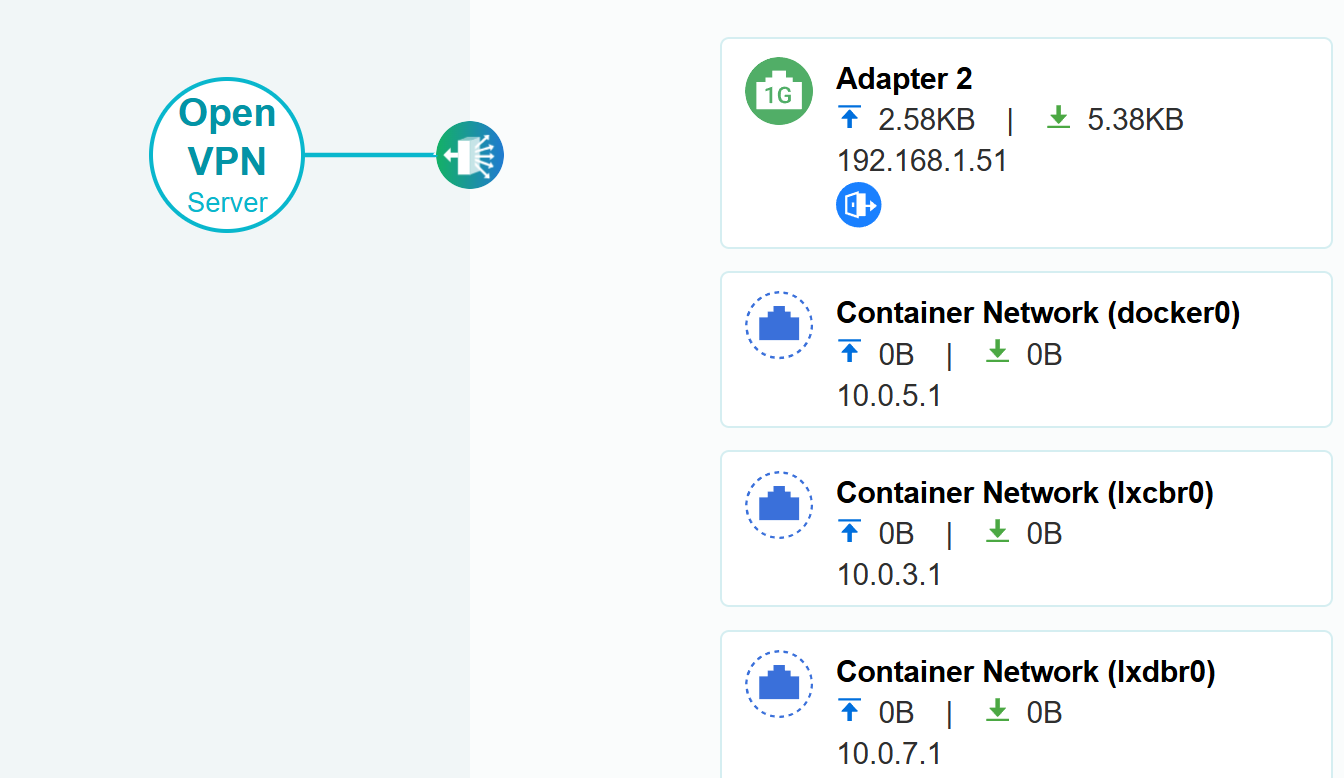
- If you’re running a VPN on the NAS, turn it off temporarily and restart Roon Server. I can see an active VPN connection on the NAS, and VPNs sometimes reroute traffic meant for your local network, which would produce exactly what we’re seeing.
- If you’re running Docker or container services on the NAS, stop those temporarily and restart Roon Server. These can add network rules that block local traffic.
- Check whether a firewall or security package on the NAS was enabled or updated recently, around August 8th or 9th.
- Check how many network cables are connected to the NAS. It looks like a second network port may be plugged in without being fully configured. If so, please unplug it and leave just one cable to the switch.
One last suggestion once things are working again: your Selekt’s IP address is changing almost daily. Setting a fixed IP for it in your router (a DHCP reservation) will make everything more stable going forward.
Let me know how you get on with the reboot and we’ll take it from there. 
Another question… I don’t know to set a fixed IP, I don’t see any option to change it
I’ll study the Linn documents
Hi Benjamin,
I’m not sure what changed, but Roon is now recognizing the Linn device as Roon Ready, and the sound is flowing!
After replying earlier, I went into Container Station, restarted the container, and deleted an unused virtual switch.
Either way, it’s working well today, fingers crossed for tomorrow!
Best regards,