There is nothing more to see until you connect the display to a zone and play some music to that zone. A guide explaining how to do this should show up when you click the question mark top right on that screen. Here is the same guide directly:
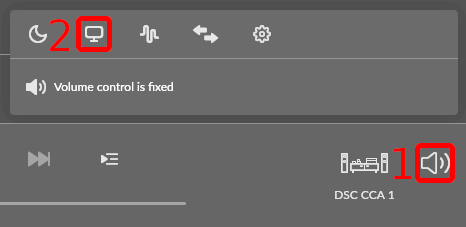
Klick the loudspeaker symbol (1) to bring up the menu, klick on the display symbol (2) to select the display you want to use.
PS: Roon Labs, please look into the missing pictures issue on your site.