Or having the membership status of “Regular” (as you have)…
1 Like
Thanks @Jan_Koudijs for updating the title of this thread.
I take the occasion to ask you if you’re ok if I reimplement QueueBot in this project.
I use QueueBot a lot, and it could just be a way to have one less docker container running…
I totally understand the policies and was not complaining about them. 
No worries - just clarifying the situation for the readers of this thread. 
Currently I am using the 10 foot interface on a small touchscreen because it looks the best. Is there a way to make the control buttons slightly larger Jan?
Hi @Jelte_Dijkstra,
I’m the dev of this extension, @Jan_Koudijs has been a kind supporter of this project and helping me for the integration in the Roon-extension-manager and for some forum related permission, because, let’s face it, he’s a legend around here .
First of all, thanks for the feedback on this new layout!
Regarding the size of the control (I assume you’re talking about the play/pause, next, previous button? or maybe it’s all buttons?), as stated, this layout is not responsive (a fancy word to describe the fact that its elements are not dynamically sized based on the size of the screen they are displayed).
As it has been developed for the big TV screen first, it should not change quickly.
But if there is a lot of interest to reuse the UX it brings for other screen sizes, I could implement changes in the coming weeks.
Let all me know if there is interest to reuse this kind of UX in a broader context.
Happy roon
Oops, my bad! Sorry nihil for not recognizing you as the dev of this beloved extension.
Yes I do like the 10 foot display mode for use on my 1920x1200 7" (!) touchscreen. The OS (DietPi) does not scale well on that particular machine (Pipo X9S mini-PC) and the 10 foot mode remedies that.
And yes I was referring to the play/pause , next , previous buttons. And the ‘track progress indicator’ (?) at the bottom.
If these were 1,5x or double the size I believe it would be perfect.
No offense @Jelte_Dijkstra
I’m focusing on another topic right now, but will definitely take your feedback to create more flexible layout option based on the new 10 feet layout after the subject I’m on right now.
Great! I’ll wait patiently. Unfortunately I don’t have the skills required to make a contribution.
Keep up the good work!
1 Like
That’s ok. Do you want to stick to the dummy track approach, or have queue stops otherwise integrated in the UI?
I will do both, to let the choice to the user.
It will be an occasion to implement settings.
Dummy track with basic settings is already merged in main branch.
Still need to find time to implement the UI/backend version.
Dummy track approach will have all the pros of being fully manageable through any official roon remotes but not in the app (as there’s no API to manage queue and I don’t think that the roon team wants to invest that much to maintain/expand the API).
UI/backend will be more flexible from the app, but won’t be manageable through other remotes or community apps…
It will be a virtual/custom queue item that will be injected by the backend and handled by the frontend. This will make the stop at the end of current album feature I’d like to have possible, on top of opening the possibility to move the item from the app. But, as stated, the tradeoff is it won’t be nor visible nor modifiable via any other clients (official or community driven).
At the end, it all depends on how people will want to use it, hence the possibility to drive that through settings in the extension.
Is there a chance to get a completely black background? The browser dark theme is a shade of gray actually.
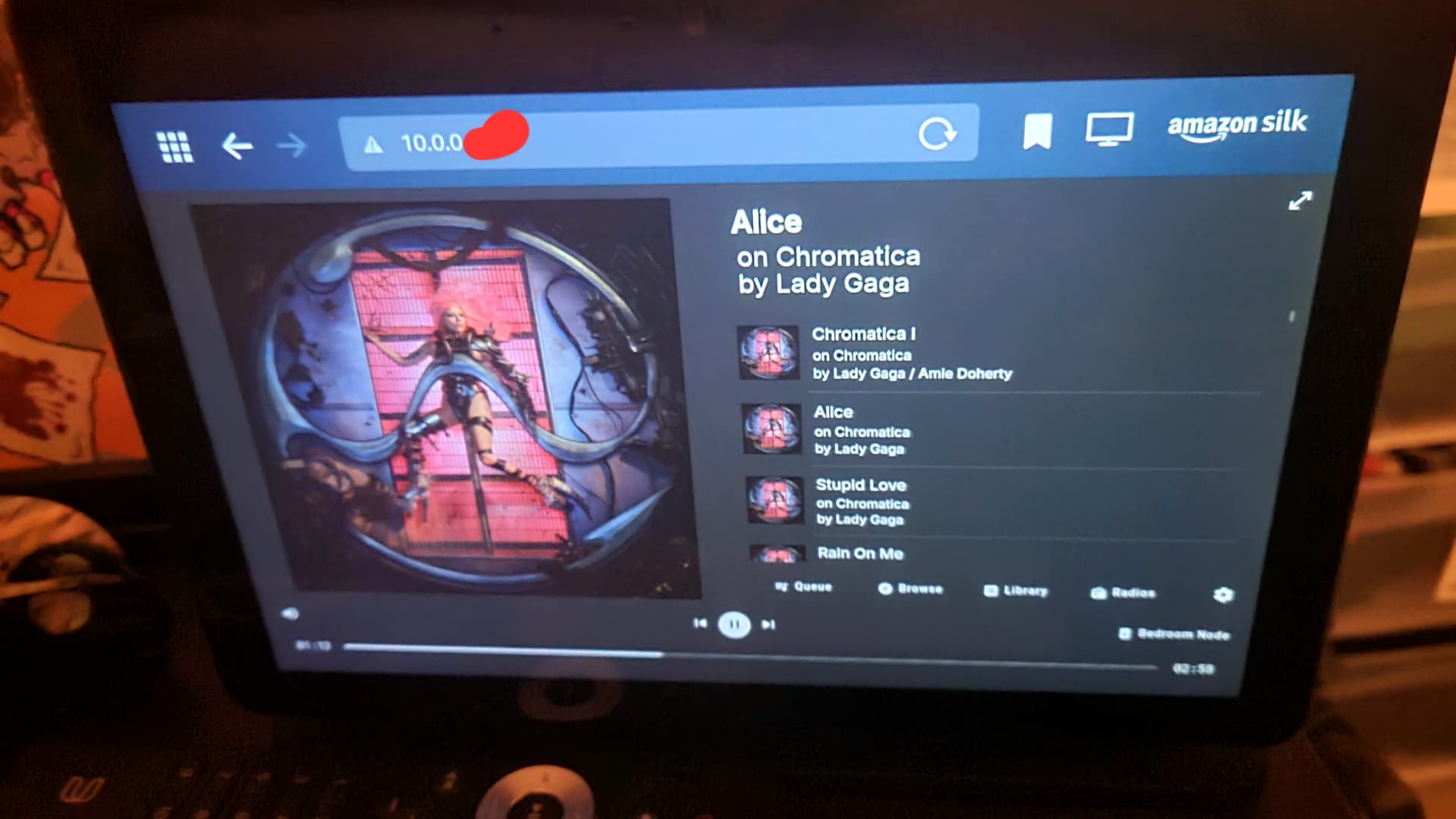
Finally got this running on my Synology. Amazing I can use my Alexa as a touch screen control now aka my wife will be happy.
2 Likes
Hi everyone,
First of all, this project is not abandoned. It has been in a sleeping situation, for months, but maintenance is still ongoing.
Today, version v0.0.11 has been released.
New images are available on docker-hub and should be available in roon-extension-manager (you might already use it if automatic updates are enabled).
It is mostly a maintenance version, including updates for libraries used (including an update to Angular 20).
For users, there is one new feature, an implementation of the roon queue-bot.
So thanks to @Jan_Koudijs for the idea!
This implementation works mostly the same: by using dummy tracks you can stop or standby playback for a given zone/group when this dummy track is played. The dummy track is skipped automatically to avoid appear in your play history.
You can define the name of the artist to watch and the name of each track in the settings of the extension (and enable/disable this functionality).
You can reuse the dummy that @Jan_Koudijs provides with his extension.
Coupled with the custom-action functionality, you can define a button that adds standby as the next track in a given zone/group, ensuring that playback will stop after the current track (you can use tags to help building the appropriate path for the given dummy track).
As this version uses the latest available Angular version, it might create issues with old/unsupported browsers. Sorry in advance if you’re impacted by this.
I’ll try to release version more regularly in the future.
Regarding feature enhancements, as this is currently a good compromise between my usage and the limitations from Roon-api, I’m not sure to add more. I’ve ideas, but I’d like to hear your feedbacks first.
What would you like as new functionalities?
Hapy roon everyone.
4 Likes
It would be nice to be able to show artist pictures as well. Maybe with a button to toggle between album art and artist picture, or auto change between them after a certain time.
Very late reply…
I would like that too, but sadly it won’t be easily done with the current state of the API, as none of the links available in the roon app are present in the API.
The next release will integrate audio-input API support (a way to play in a given zone, a stream, actionable via a custom button).
I have tried (quickly) to find a solution for Airplay (that could work for Spotify) which would not rely on Icecast, no quick win on that though, so basic support for audio-input API will be released first.
Thanks for making this available. Might there be a way to display the signal path or the file format/sample and bit rate for the current track?
Hi @Matt_Darragh, thanks for your feedback.
Such info are not available though Roon API, so I don’t have any way to display them.
Hi everyone, a new version, 0.0.13 has been published today.
It embeds a technical migration form node to bun, nothing that should impact users, but please report any issues that this migration could have caused.
The frontend has been migrated to Angular 22, because this project wants to stay up to date, as much as possible.
There’s also support for audio-input via an http-stream that has been added. It is configurable in Extensions settings in the roon interface.
This feature has also been used to offer a limited buy functional Airplay integration.
This integration uses a companion container, roon-airplay, that exposes an Airplay entry point and reexposes it as an http stream via liquidsoap.
It is simpler and lighter that the full setup offered via roon entrypoint. If you already use roon-entrypoint, this might not be for you, otherwise, if you’re interested, you’ll find documentation here:
airplay integration documentation
There might be another pause in development (except for weekly update of dependencies).
Feel free to propose new features you’d be interested by.
Happy roon everyone.
There has been some issues with the release pipeline, all images are now available under v0.0.13 and latest tags.
2 Likes
hi all,
I know, in these times of AI fast coding, that many projects have came as alternatives.
I don’t like AI tools, and don’t code that much recently… please let me know if you’re still using this project or if you’ve switched to alternatives, nothing personal, just trying to get an idea of the audience and expectations.
happy roon everyone.
1 Like