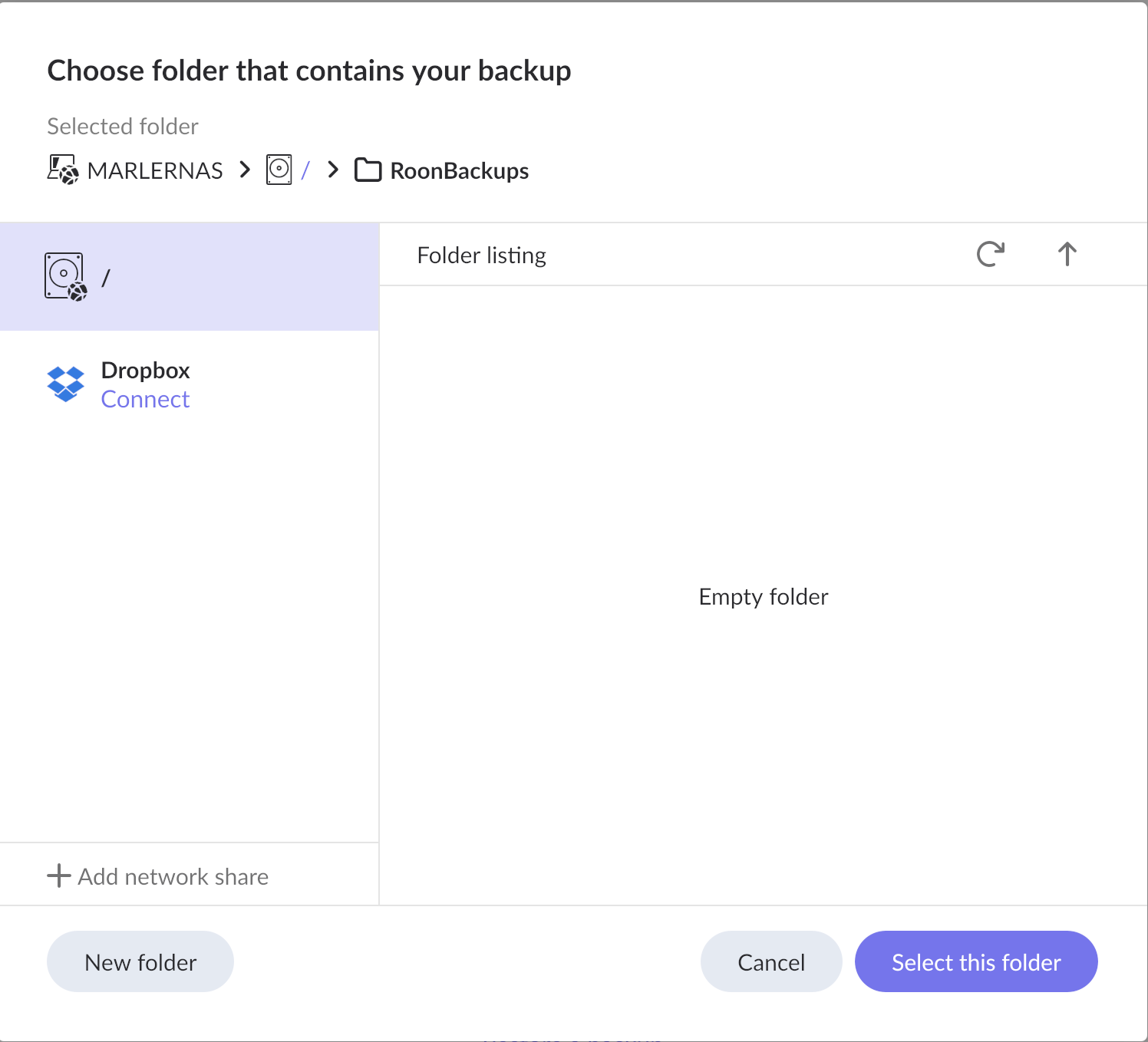
If you have opted for the default share path for Roon-Backups (the third location link in docker generator), you need to copy the backup data folders from previous RoonOnNAS installation, to the new folder under the /Container/Roon-backups path. Roon in container should be able to identify them afterwards and you can restore a backup of your choice.
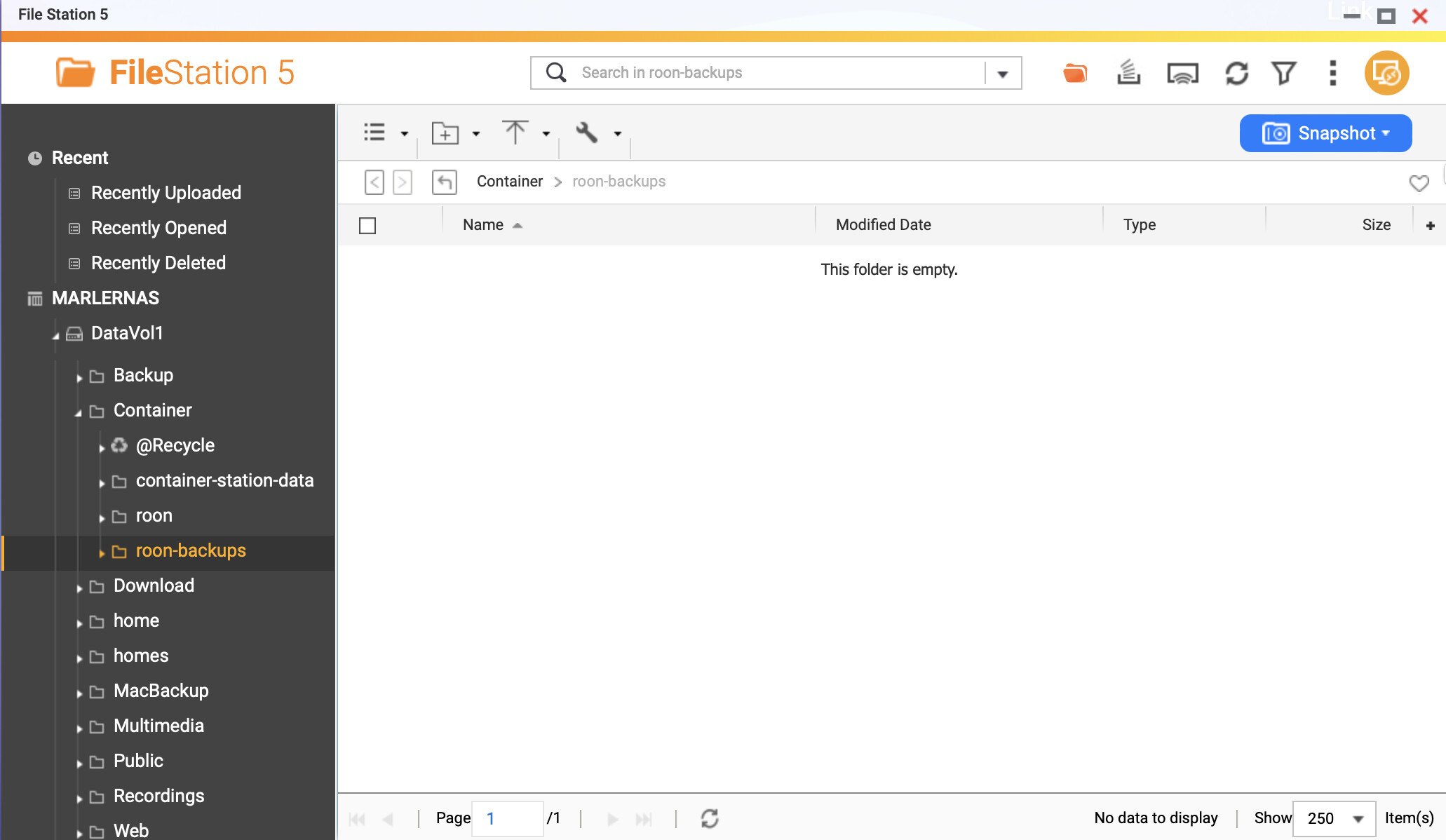
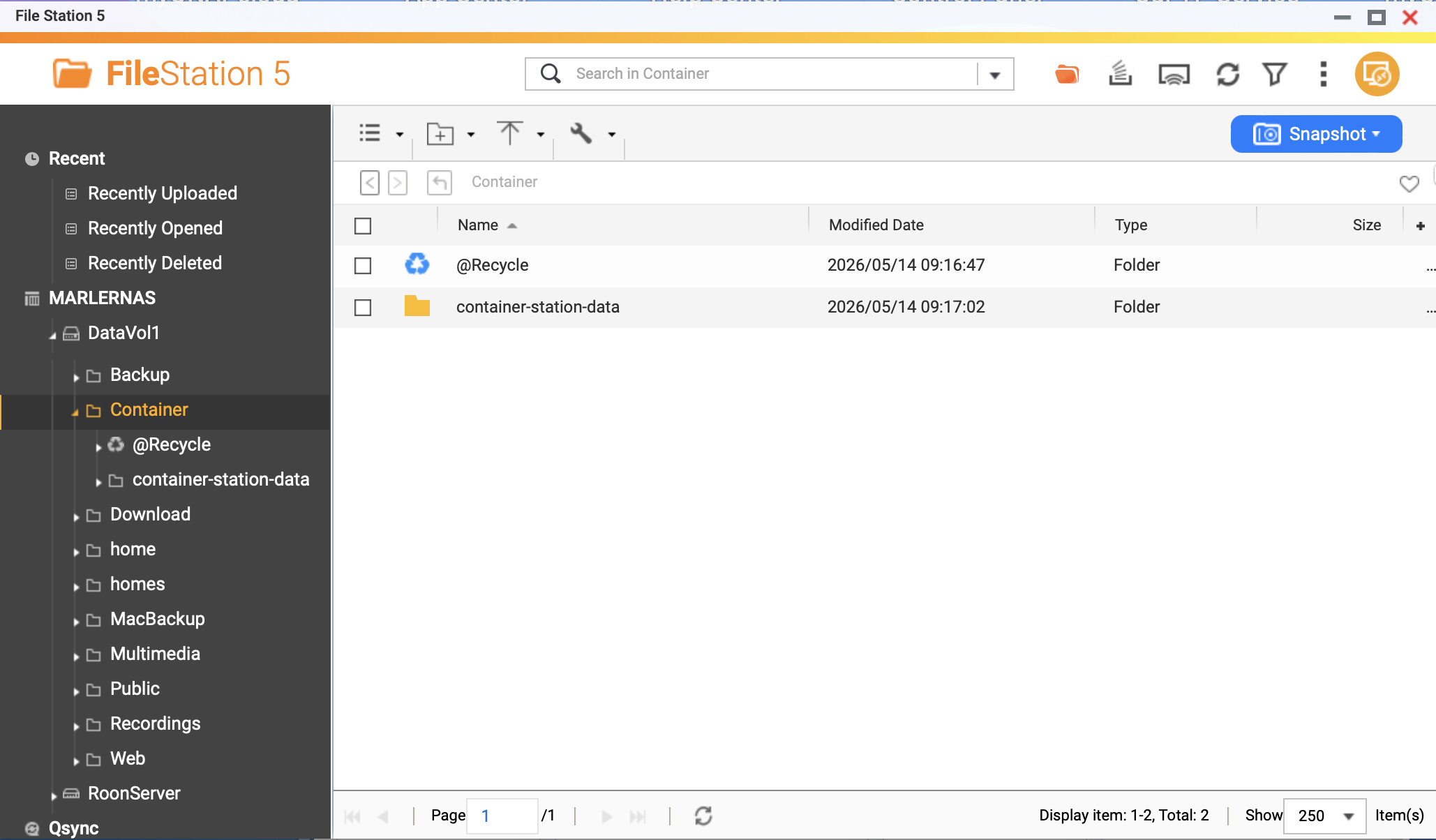
Thanks. I had already tried that but it doesn’t work. The process starts but nothing is copied; even through the log says that the backups have been copied, there is nothing in the roon-backups folder in Container. I’ve started the whole process from scratch - deleted Container Station & associated folders, reloaded Container Station and followed all the steps in the Installing RoonServer on QNAP with Docker guide but the end result is the same. Here is a screenshot of the NAS folder configuration:
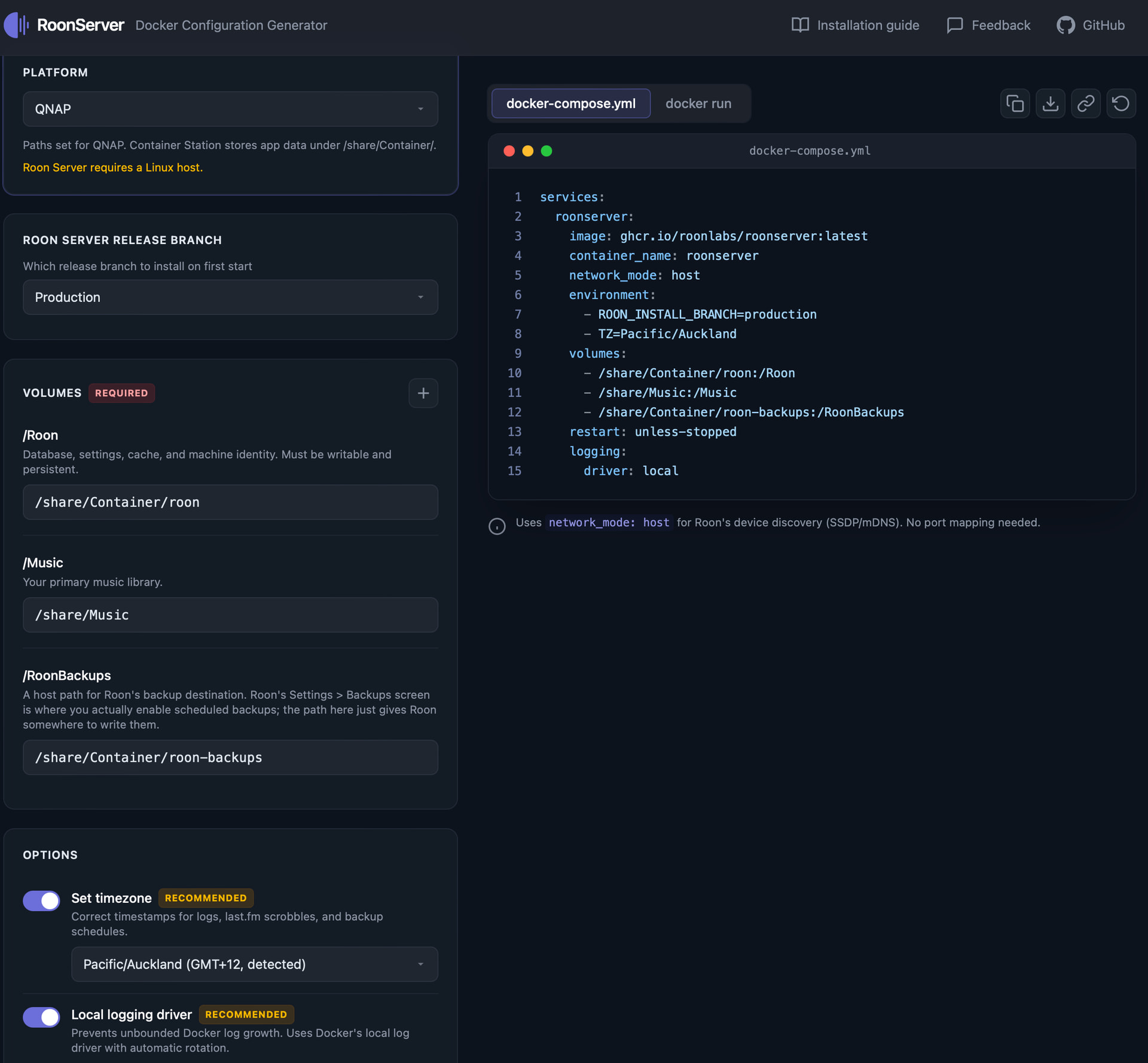
Weird. Could you share a screenshot of the docker script pls, particularly the second and third line under volumes? Maybe something is wrong with the third path redirecting the container to the roon-backups folder. Did you double-check that no other container script, like a previous attempt to install toon, is still active in Container Station?
If there is nothing wrong, what about pointing the container directly to the original location of RoonBackups under other top-level folder than /Container? Try as a third path:
share/XX/Roon Database/RoonBackups, with XX=Name of mounted top-level folder that hosts this path (name is not visible in your screenshot, slightly above the screen).
As for the rest: yes, it’s possible there is some script but how do I find this? Maybe because when I removed Container Station & deleted the Container folders, I didn’t delete the files…Have done this now & this looks better
But when I start Roon & try to find my backups, the same problem; plus, there is no music. So I think it must be a folder path problem. Do I need to make these changes in the ‘Volumes’ section of the Docker composer & what do you suggest?
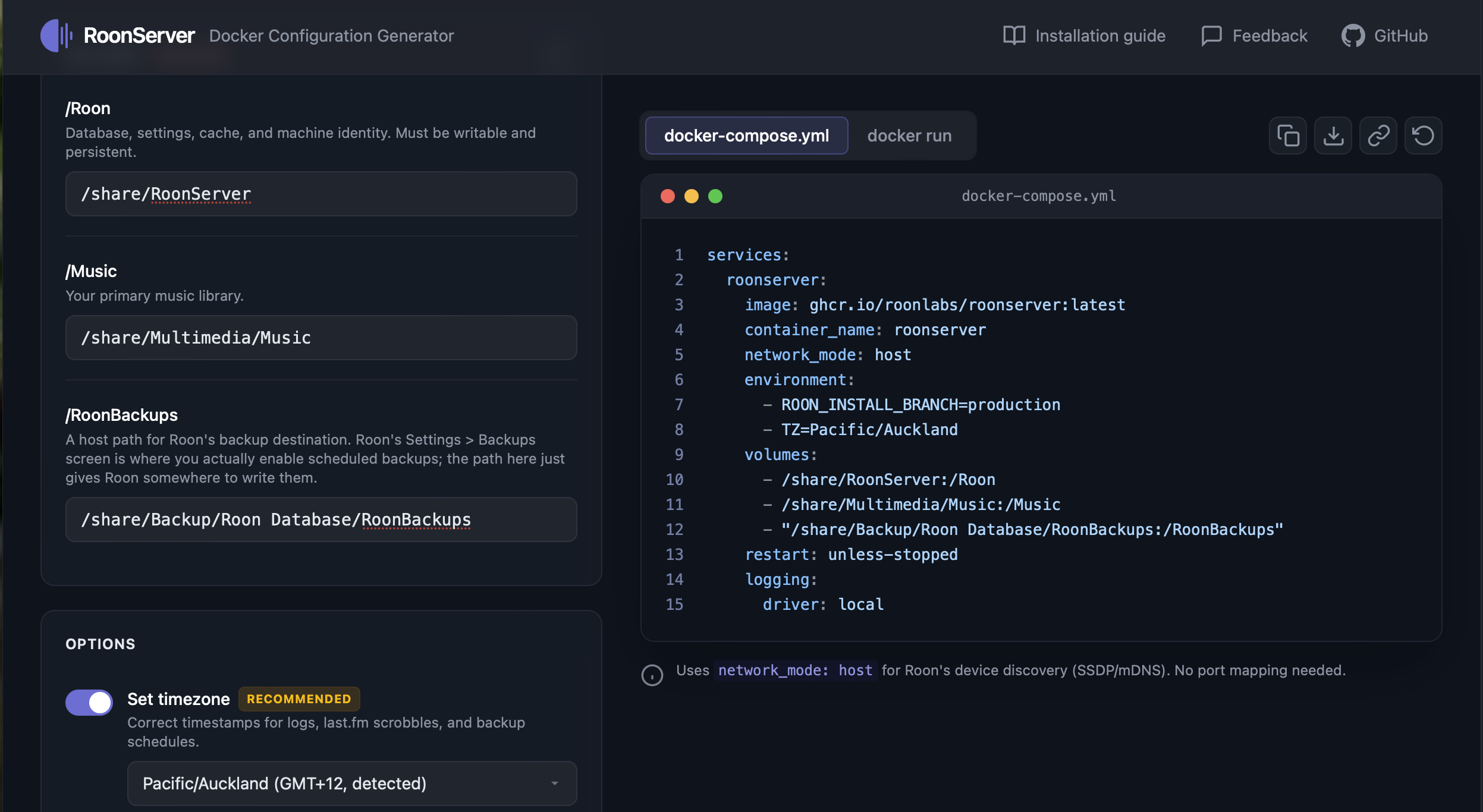
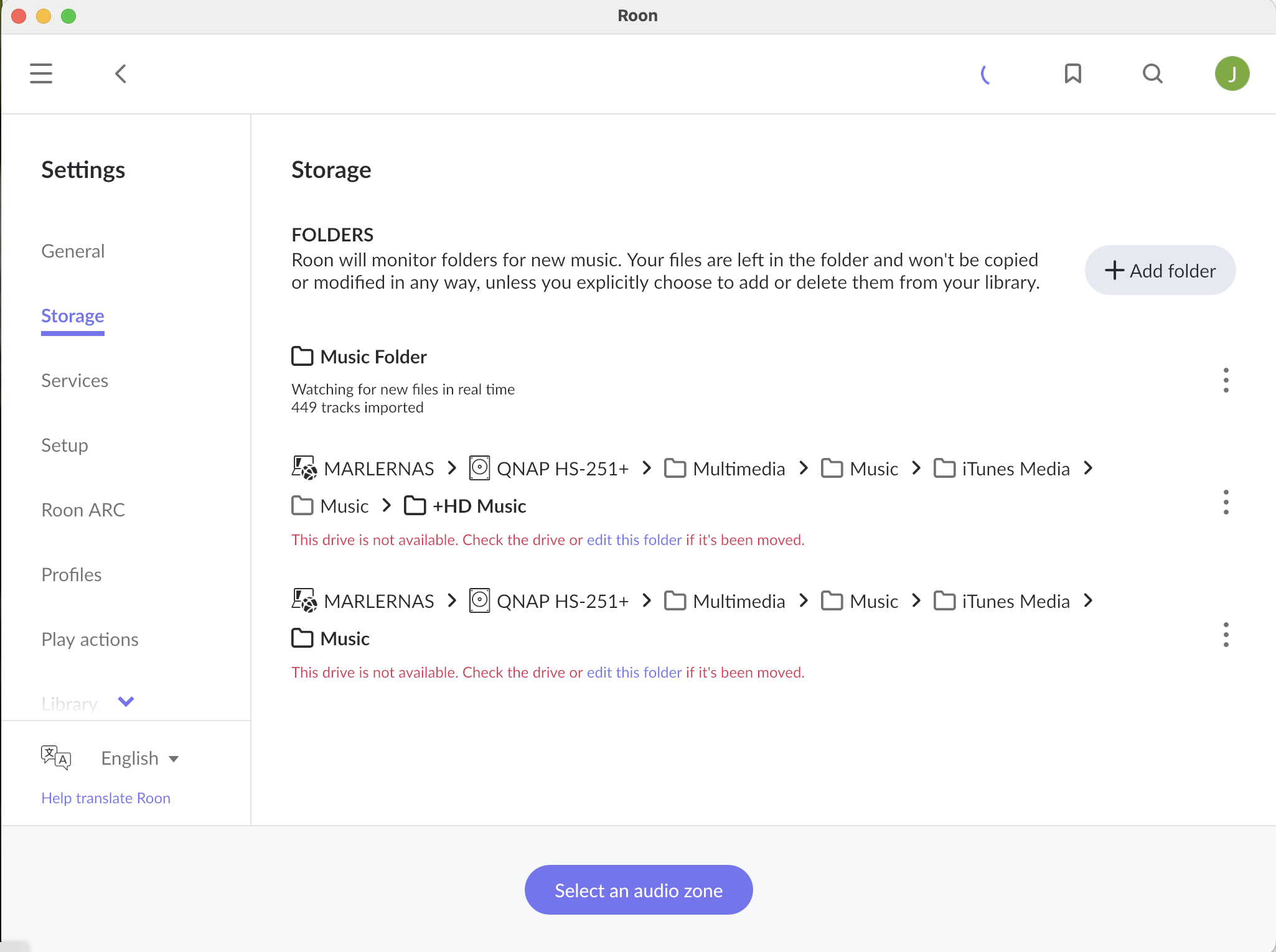
I tried the same. Deleted, started over. Roon instructions are incorrect, verify your /Music location. Mine is /share/Multimedia/Music. I did this and Roon can now read the music library. However, I’m not sure if the backup worked. Will know soon if all the work I did to merge files, add images, etc. show up. Very disappointed in Roon.
Easy things first: Your second path looks like it is wrong, as you don´t have a mounted top-level folder named “Music” on your volume. In which folder are your music files stored? Depending on that, the second path should be something like
/share/Multimedia
or
/share/Recordings
Am I getting it right that you have deleted all folders like RoonBackup or Roon-backup from the /Container folder, and /Container/roon-backups was created by Container Station during docker installation procedure?
Did you empty the @Recycle bin afterwards? If not, there might be remnants of files which you have deleted and are blocking further write procedures, but they are not visible nevertheless. So, maybe clean up that @Recycle folder, and afterwards copy all the subfolders of RoonOnNAS backup folder into the new /Container/roon-backups. And check if you find backups to restore in that one.
If that is not working either, I suggest to point roon in container to the existing backup folder, using a third path like:
/share/Backup/Roon Database/RoonBackups
don´t see the full hierarchy of that subfolder, so correct me if I got it wrong, but you get the idea?
@Shawn_Khan1, please start your own Support request instead of jumping onto someone else’s.
Likewise, avoid posting in multiple threads–I understand that it can be frustrating when things don’t work, which is why the best course is to open a ticket dedicated to your problem.
This configuration allowed me to find my backups in Roon and, after a few shenanigans, Roon has now populated the ‘Music’ folder. Everything looks ok but doesn’t work; plays sporadically, then drops out, can’t find the server, etc.
My HS251+ NAS has only 2Gb RAM (not upgradable) - I saw that the recommended minimum was 4Gb - so is this the problem, or is it something else? Some technical support from Roon would be appreciated, thanks, Benjamin
Both RAM and CPU power might be insufficient in this case. If roon is just slow, and not reactive, it might be lack of both.
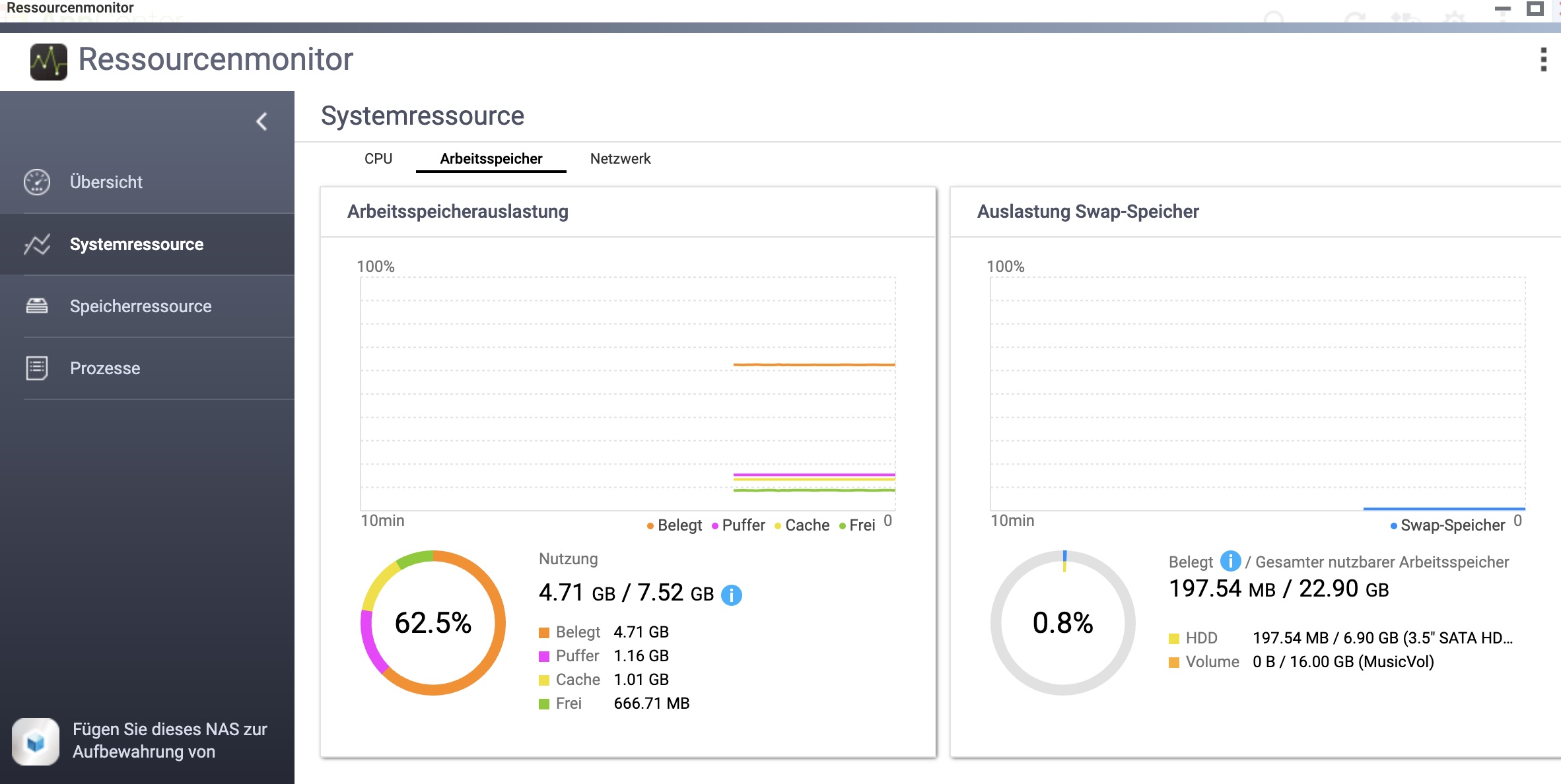
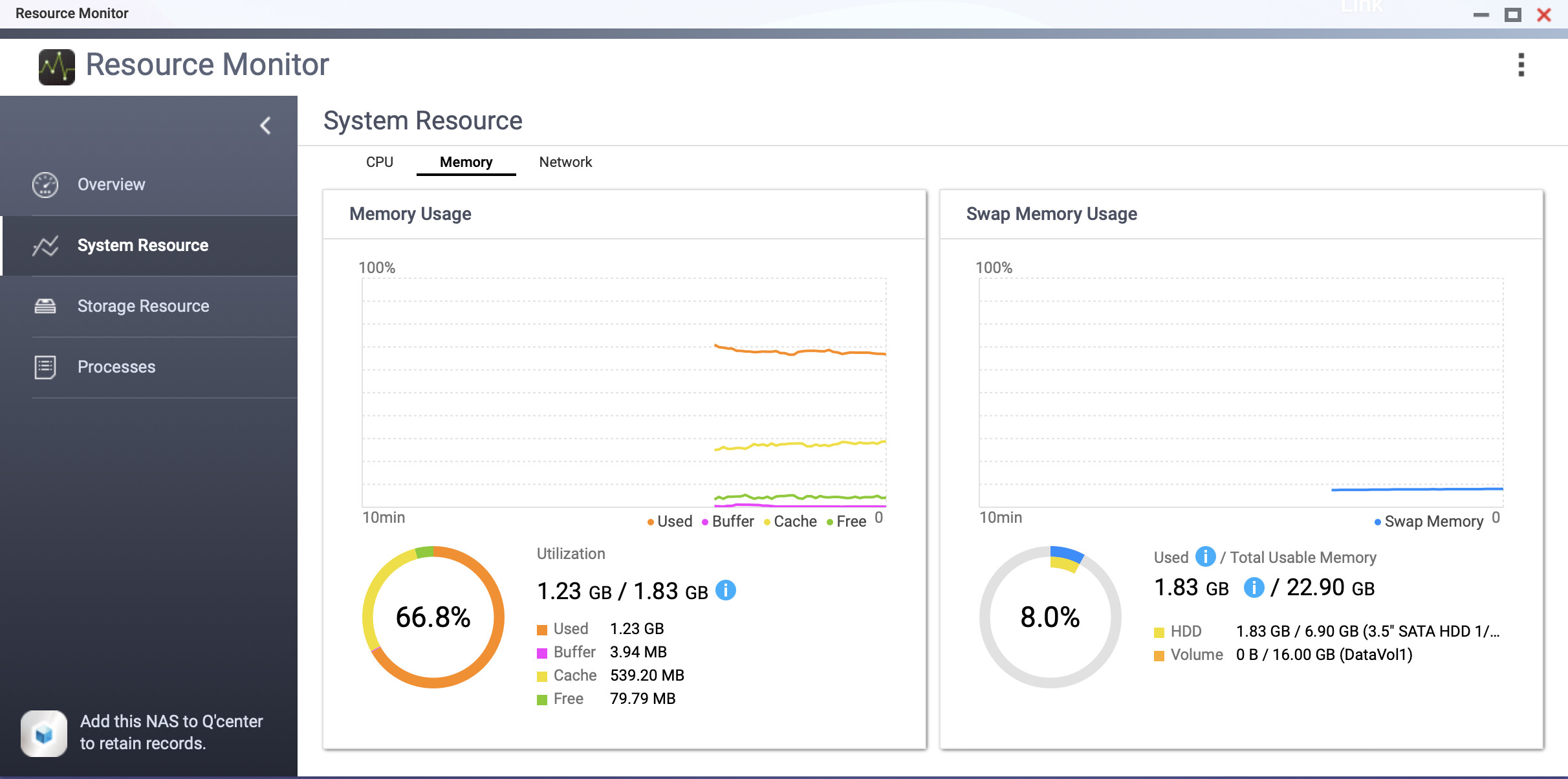
You can monitor to which extend your NAS is occupying RAM and using CPU capacity, if you have the app Resource Monitor installed, open it, then click System resources > RAM:
The right chart shows Swap RAM, i.e. the machine using usual storage space on the HDD or SSD volume as a replacement for RAM if it is running out of it. The moment you see any activity here, it explains slowdown.
Same with CPU - your Celeron is not very powerful, far below roon´s minimum specs. If you initiate any activity in roon, like hitting Play or starting a search query, and seeing CPU maxed out for more than a few seconds, you know it is at its limits.
I am afraid to say, you would need a more powerful machine for roon. If you need to stick with fanless NAS, there is not much of choice, just the HS-264.
I’ve read various QNAP community threads complaining about erroneous memory analytics, even with more powerful processors & gruntier RAM; so, I don’t know….Anyway, guess what? I’ve been out for a while, come back, and Roon is working fine. Now I really don’t know….Thanks!
Basically saying that more than 3GB of RAM are needed, and 1.83GB out of them ´live´ as swap memory on a magnetic HDD which is particularly disadvantageous in terms of speed.
Pleasure! It might have been just some background maintenance or identification processes bringing the machine to a standstill, and it might work while nothing else is drawing resources. Anyways - enjoy your music!
I’m glad to see the backup/folder path issue is now resolved, thanks for the assistance @Arindal!
On the performance side, @Arindal is certainly right that the HS251+'s hardware is the underlying constraint. Seeing swap usage of nearly 2GB on a magnetic HDD while Roon is running is a real problem; HDD-based swap is orders of magnitude slower than RAM, which explains the dropouts and the “can’t find server” errors. The fact that it stabilized after sitting idle for a while suggests Roon finished its initial library analysis/identification pass, which is the most resource-intensive phase.
A few things I’d note for anyone else running Roon on similarly spec’d hardware:
Expect the first library scan after a restore to be rough, give it time before concluding something is broken
Monitor swap activity in Resource Monitor; if the swap chart is consistently active, you're hitting a hardware ceiling
Roon on a 2GB/Celeron machine is below the edge of viability — it may work for day-to-day playback once everything is settled, but don't expect snappy response times.