RoonBridge Not Publishing Audio Output Source (ref#CDL60S)

What best describes your playback issue?

· A connected audio device is not appearing in Roon

What type of Zone is affected by this problem?

· *Directly-connected Zones* are affected.

Is your RoonServer machine running MacOS 15 Sequoia or above?

· I still can't see my endpoints as available Zones.

Is the affected network Zone connected with Ethernet or WiFi?

· Ethernet

Which network audio protocol is the Zone using with Roon?

· RoonReady

Does the device show up at all in Roon Settings -> Audio?

· No, it does not show up there

Does the device play audio from another source when using the same connection?

· The device has no problems with another audio source

Have you checked that Roon is whitelisted in any firewalls?

· I've checked the firewall and the issue remains

Since you are using a network connection to the device, please ensure that your RoonServer is on the same subnet as the device

· My devices are on a single subnet but is not visible to Roon

Do you have a complex network setup?

· Both the device and RoonServer are connecting to a *single router*

Try to disable any additional networking interfaces on your RoonServer machine.

· Disabling network interfaces had no change in behavior

Check to make sure RoonReady mode is selected on the device.

· I've checked this and the issue remains

If the device has multiple output options, do the other options work as expected?

· Multiple output types are affected

Is the device using the latest firmware as per the manufacturer?

· Firmware is up-to-date but the issue remains

Do you have an approximate timestamp of when the issue last occurred?

· This has always been the case

What are the make and model of the affected audio device(s) and the connection type?

· Windows 11

Describe the issue

RoonBridge Not Publishing Audio Output Source

Describe your network setup

The output RoonBridge and Roon software are literally on the same device
If you are running Roon Server and Roon Client on the same device as you wish to use as the endpoint, you do not need Roon Bridge.

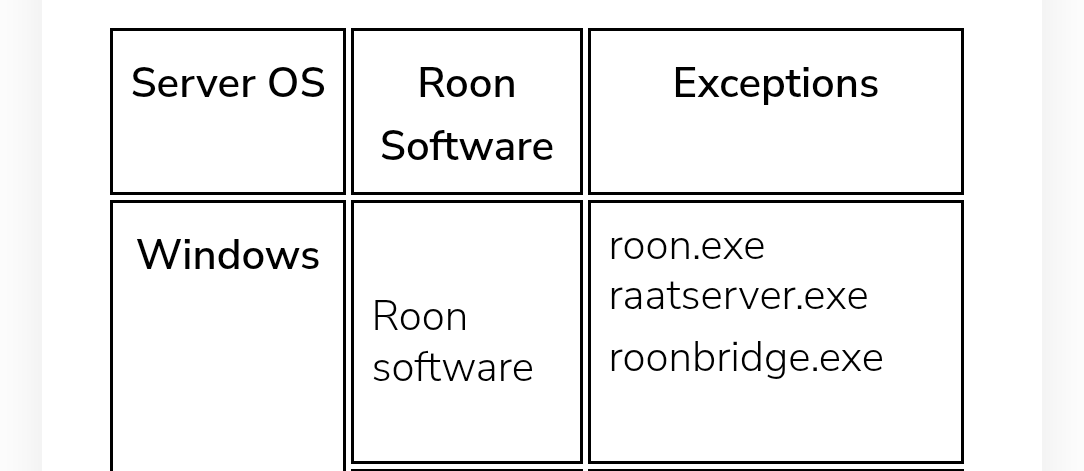
The fact your Windows outputs are not visible suggests Windows firewall could be a potential cause.

image

I am not sure that’s true. This seems correct from the doc you shared besides roon appearing to misdocument roonbridge and roonbridgehelper existing instead. It’s unclear if this is a documentation issue or the app is inaccurately being listed for another reason.

roon.exe, roonapplicance.exe and roonbridgehelper.exe all have private firewall access (roonbridgehelper has given itself public access). I have also tested this and opening Roon on a phone does show that device as an available output. It’s just this PC which is inaccessible from Roon and unable to play anything from it as a result.

You do not need to run Roon Bridge on the same device as Roon Server. However, this should do no harm.

There should also be these.

I vaguely recall a Roon staffer mentioning this could cause issues, but at that time I never saw any. I haven’t used Windows for a good while so no idea if anything has changed.

Where is your Roon Server running?

Since Roon Bridge is redundant, it may as well be removed, and the PC restarted.

Agreed, always good to simplify where possible especially as it aids troubleshooting.

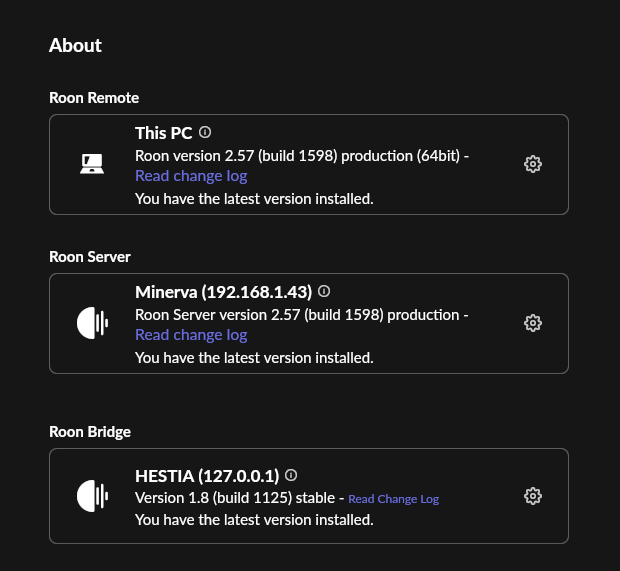
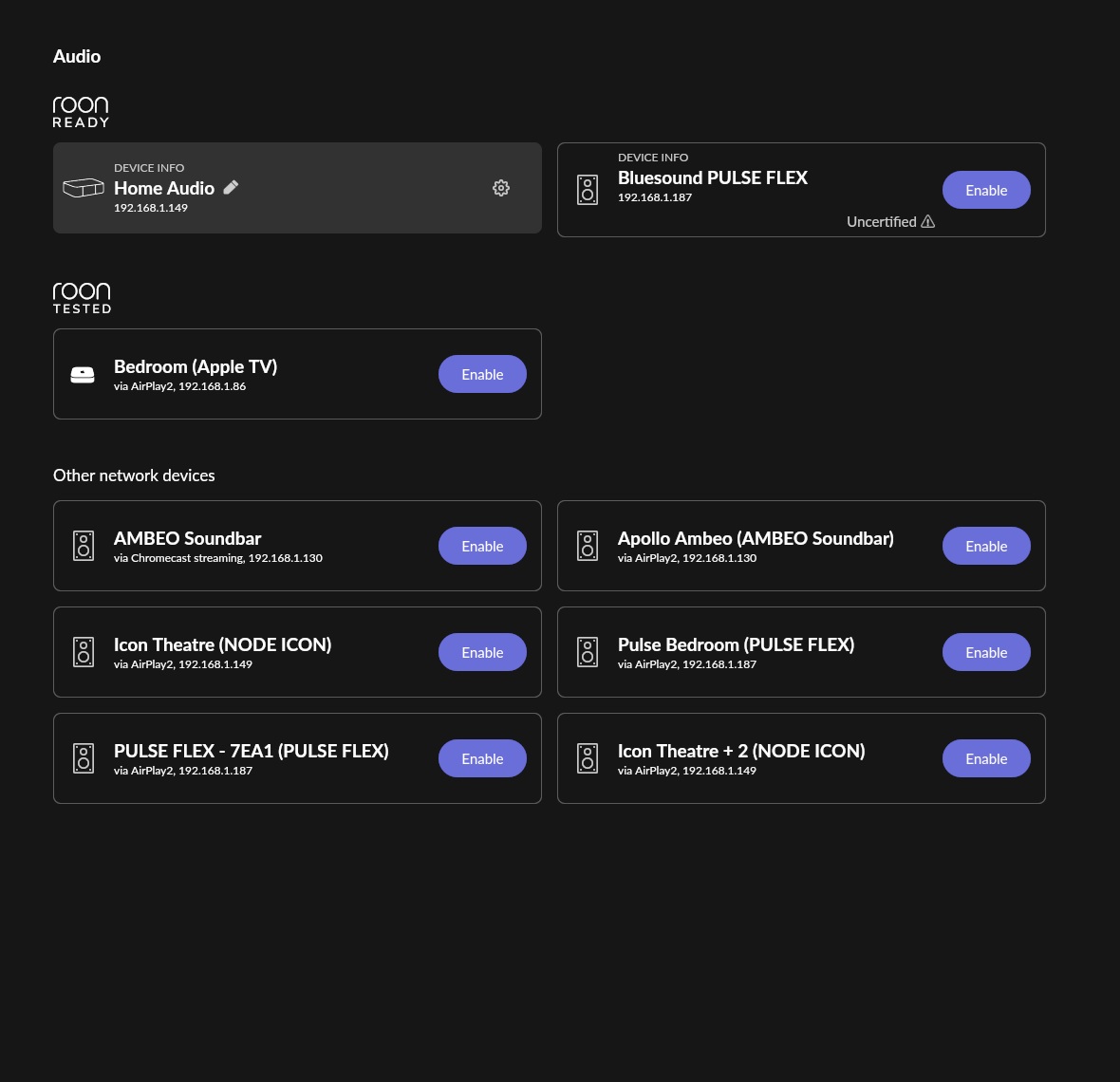
Those do not exist. Both Roon and RoonBridge are installed and the Roon application is recognizing roon bridge. Roon can stream to every other audio source except the Pulse Flex (but that’s a BlueSound issue with them mislabeling product as Roon Ready and it not being).

A lot of context was dropped by the auto-ticket thing and a lot of info is incorrect because options I needed to click to progress did not have accurate info available in the list. It is not possible to file accurate tickets about Roon issues with that service. There were originally 3 images attached showing everything. They got dropped it looks like.

Roon and Roon Bridge run on a Windows 11 machine that connects via ethernet on the same subnet to a Server running the Roon Server. IDK why a poster is mentioning a NUC8 - I am not running a NUC8 and did not mention that - it’s a full linux server blade running a Roon process inside TrueNAS.

The other apps mentioned by Roon in their docs do not exist on this machine after running Roon and RoonBridge to install. I have confirmed all of this is getting registered by Roon and appears correct and up to date.

Roon info:

Restarts do not resolve this or expose additional services in the Firewall. Those processes do not appear to exist.

Only three processes are running in this state named roon:

Get-Process -Name Roon*

Handles  NPM(K)    PM(K)      WS(K)     CPU(s)     Id  SI ProcessName
-------  ------    -----      -----     ------     --  -- -----------
   1061     105   600552     428296      24.06  29992   1 Roon
    300      19    22140      26892       0.11  42100   1 RoonBridge
    901      39    34320      51328       6.47  43124   1 RoonBridgeHelper

raatserver has firewall access for private networks.

This is the setup I intend to run Roon with. However local PC Audio devices did not exist as output devices with a local Roon Server either. That was tried first and failed. I installed RoonBridge because it seems to be listed as the solution to this https://help.roonlabs.com/portal/en/kb/articles/roonbridge. I’ve tried:

  • Roon Server on local PC
  • Roon Server and Roon Bridge on Local PC
  • Roon Remote on PC and Roon Server on Server
  • Roon Remote and Roon Bridge on Local PC, Roon Server on Server

None of these have picked up local audio devices on the PC.

None of what that help article says has worked either:

Roon Bridge is a software package that extends Roon’s audio playback capabilities to other devices or computers in your home. It runs on Windows, Mac OS X, and Linux, including inexpensive embedded platforms like the Raspberry Pi.

After installing Roon Bridge on a device, any audio hardware attached to that device is made into an available endpoint to your Roon install exactly as if Roon had direct access to the audio hardware. This enables you to place audio outputs anywhere in your home where you can connect an Ethernet cable or muster a decent WiFi signal, and makes it that much easier to separate the media server from your listening environment.

Once Roon Bridge is set up, you can use Roon to pick music to play to your new zone. You can also link it with other Roon Audio zones around the house for simultaneous bit-perfect playback!

Ignore as I replied to the wrong thread.

Well. I have changed nothing. It works now. There’s probably useful logs or something somewhere but IDK how to find those. Looking at my processes, the raatserver restarted an hour ago but apparently the solution here is “walk away”? That’s really unintuitive and kind of frustrating. Weird that just leaving a PC idle for hours fixes this but restarts/reinstalls and an entire day of idleness had no effect?