Continuing the discussion from EarlyAccess: RoonOS (Nucleus / ROCK) 3.0 build 272 is live!:
@ivan Is this upgrade also available for the original nucleus and nucleus+ devices?
Continuing the discussion from EarlyAccess: RoonOS (Nucleus / ROCK) 3.0 build 272 is live!:
@ivan Is this upgrade also available for the original nucleus and nucleus+ devices?
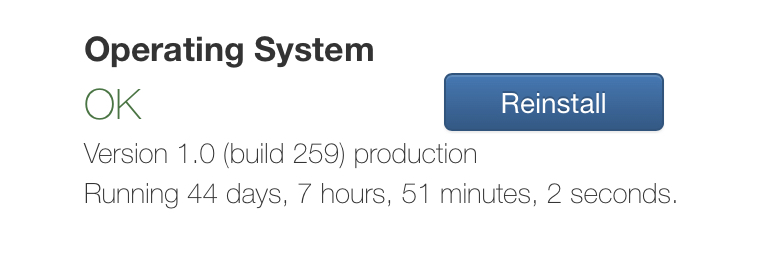
And other Roon OS / ROCK installations in BIOS mode, i.e. anything running OS 1.0 (build 259)?
Or is reinstall in UEFI mode required?
Don’t forget that Roon OS started to support UEFI 15 years after everyone else, so all pre-One/Titan Nucleuses and I’d guess most ROCKs are still in BIOS mode.
If OS 3.0 brings big improvements in speed (as was mooted on the premature KB page recently) you will have quite a big number of complaints if getting those requires a reinstall in UEFI.
If this requires UEFI will it be possible to have a very simplistic guide produced that will enable even the technophobes amongst us to work through it please.
And, maybe a guide to accessing Roon OS Data via Linux please.
Good point, the majority of ROCK users did it similarly at least once before (though some paid someone to install it), but Nucleus users never did (unless their drive failed) and probably purchased a Nucleus precisely to not to have to do these things.
The supported devices for Roon OS v3.0 is Nucleus One, Nucleus Titan, and the existing support for NUC UEFI boxes.
Thanks.
And please clarify if this promise from Sep 2024 is now canceled:
I will not, personally, benefit from any RoonOS developments since I host my Roon Server on DietPi. However, as someone who regularly offers help, when I can, on support requests it would be nice to:
Consequently, an official guide, in the help centre, to the process of converting BIOS Boot ROCK installs to UEFI boot would be much appreciated. Even better would be if that guide can be extended to changing Nucleus and Nucleus Plus devices to UEFI boot (with official support for the process, in the event of difficulties, from Roon Staff).
Whilst this update to RoonOS should reduce the number of support requests related to Windows 11 access to the RoonOS SMB share, it will not get rid of them all. Not will it provide a simple Tailscale solution for those that can’t update RoonOS beyond build 259.
As it stands RoonOS 3.0 should, at least, eliminate support requests that are regularly seen complaining that 'Tailscale is not up to date" which is no bad thing.
[moderator]
The original post this is replying to included for context. @Jim_F, please desist from deleting your posts after you have recieved a reply. Thank you.
Roon communications are horrible. Why would you not say this in the original post? Some of your customers, including me, are not gear heads and frequently have no idea what you are talking about. These are my Roon servers. Can I assume this does not involve any of them?
[/moderator]
Your assumption is correct, the Roon OS update does not include updating Roon OS v1 devices. The others are RoonServer running on Windows or macOS and outside of Roon OS.
This is very disappointing. What makes that the original nucleus cannot run 3.0?
Can I just confirm - I have RoonOS running on an Intel based ROCK server
NUC is a NUC7i7DNKE same board as a Rev B Nucleus+
Presently at RoonOS 1 B259 (non Tailscale, as Port forward for RoonARC works on my router), will this EA release be loaded onto my unit just by applying the file and ‘reinstall’ or do I need to reload the image from a USB stick as a different boot process?
I don’t use Tailscale or locally connected USB drives
What else does this release give, any performance improvement in Samba 4?
My NAS unit are NetGear ReadyNAS units running an older firmware, not sure Samba 4 is supported, so I presume it will default back to Samba 3.
So any advantage in moving to RoonOS 3.0?
Yes, this is the current state of affairs.
From what I read on the internet, the performance of Samba 3 and 4 seems to be generally the same for large files, and for small files might depend on the specific scenario and which settings are used. I would expect for the Roon OS case (no concurrent users, not lots of small files, etc.) to be similar.
Else:
While I agree that Roon Labs communications could be improved (a lot) - it was made clear in the original post:
This update is available for ROCK users running the UEFI build as well as for Nucleus One and Nucleus Titan users. We are actively developing a program to extend this update to a broader range of Nucleus devices - stay tuned!
Your screenshot shows that you have one of the original Nucleus models - and not either a Nucleus One or Nucleus Titan…
And, with respect, if you don’t consider yourself a gear head, you might be better off sticking with Production builds. In Early Access you can expect to encounter bumps in the road…
Well that was for 2.1. The same post promised that they would make Tailscale available for BIOS installs.
So, I don’t agree that because they limited 2.1 to UEFI installs it necessarily follows that they do the same for 3.0. There was never an explanation what the reason for this limitation was in the first place
I assume that Roon Labs have moved from the legacy BIOS to UEFI since 2.1 and will continue that going forward. You were complaining earlier that they were tardy in supporting UEFI.
Damned if they do and damned if they don’t, eh? 
No, I was complaining that they were first tardy in supporting UEFi, thereby forcing everyone with Roon OS to using Legacy BIOS until 1.5 years ago, and then suddenly switching to „well why are you using Legacy BIOS, that’s your own fault“ and hanging Nucleus/NucleusPlus users out to dry.
There would be no problem if they had supported UEFI when everyone else did 15 years ago.
Now that they have created a large number of customers with legacy installs on Nucleus (and ROCK, but arguably they have more responsibility for Nucleus which they sold as a hands-off appliance), they should keep supporting them if there is no hard technical reason to provide new versions only to UEFI
Agree - and while that was sort of stated in:
We are actively developing a program to extend this update to a broader range of Nucleus devices - stay tuned!
… I do think we need to hold their feet to the fire on this.
The issue is going to be how to make an easy-to-use migration for people who have invested in a black box music appliance… Because I do think it will have to be a migration, not a BIOS-based RoonOS 3.0
Perhaps but I still see no reason to, except having to maintain a slightly separate update path, and frankly this should be maintainable largely automatically. I’ve yet to come across a generic Linux install that supports specific things only if you installed by BIOS UEFI.
Well I told you this wouldn’t work
Are there any officially supported devices not capable of running a UEFI build? I’m pretty sure there isn’t but it would be good to know early. Other than that I’d guess Nucleus users may require specialist support if they don’t have the skills or manual agility to do a bios /change or update.