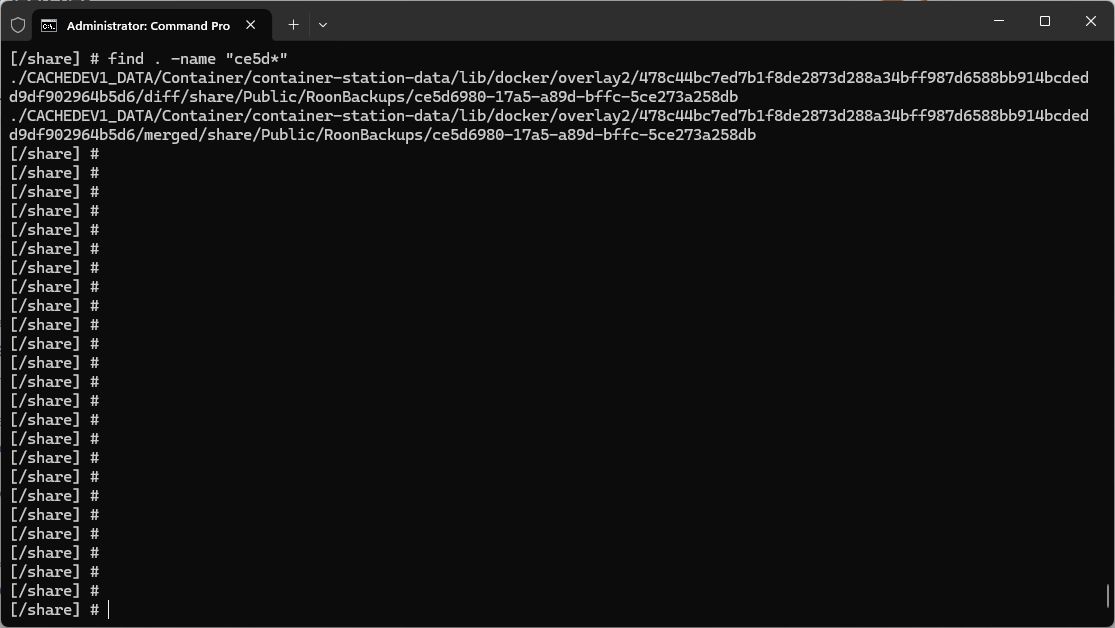
· On QNAP QTS I just updated to roonserver 1653 using the container. I was able to map the location of roon database and my music files but mapping of the roonbackups did not work. Backups are in /share/Public/RoonBackups and roonserver thinks this directory is empty but there is a backup starting with ce5d in it, which is empty, but does not exist in /share.... I did a backup and found the following directory:
Great job tracking down that file path using SSH! The fact that your new backup ended up deep inside the Docker overlay2 folder is a massive clue. It tells us that the Roon container is writing the backup to its internal virtual filesystem rather than your actual QNAP host drive.
This almost always points to a mismatch between how the volume is mapped in your Docker configuration and the path you are telling the Roon app to use in its interface. For example, if you mapped your host folder to /RoonBackups inside the container, but typed /share/Public/RoonBackups in the Roon UI, the container will just create a brand new, invisible internal folder instead of using your NAS drive.
To help us untangle this and get your metadata restored, could you please provide two things:
Check Permissions: Since you are already comfortable in the terminal, please run ls -ltr on your original backup folder (/share/Public/RoonBackups) and compare it to the newly created one in the overlay2 path. Let us know if the owner/permissions differ between your old backups and the new one. If Roon doesn’t have the correct permissions to read the old folder, it might see it as empty.
Your Compose File: Please copy and paste the volumes: section of your docker-compose.yml file here. We need to see exactly how those paths are mapped.
Once we can see your volume mappings and permissions, we can give you the exact path to enter in the Roon UI so it finally “sees” your old backups for the restore. Standing by!
In container …diff/share/Public I added a symbolic link to /share/Public/Roonbackups and restored the latest backup. I expect some backup/restore logic needs to be fixed but I am ok for now.
After the latest backup restore, a small backup it seems, Roon forced a re-import of music files. I am still missing a years worth of album title edits entered with Roon Remote.
Thank you for the update! We were able to review a fresh diagnostic report from your Roon Server, and see that the restore succeeded, but you’re missing a year’s worth of album title edits made via Roon Remote. The log shows the restore used backup 24f03b30 (dated 2026-04-24). That backup is only ~2 months old — not a year. Your older backups go back to 2020, but only 24f03b30 had a valid manifest that Roon could restore from.
The critical question is: were your title edits stored in the Roon database, and does the Apr 24 backup contain them? If the backup was healthy, the edits should be there. The re-import that happened afterward is what’s likely overwriting your edits, Roon re-scanned the library and is now preferring file tags over your Roon-edited metadata.
Let’s see if the following steps help:
First, let’s fix the ongoing backup failure.
The scheduled backup via the QNAP network path (/Public/RoonBackups) keeps returning NotAvailable. You need to fix this so you don’t lose data again. The cleanest fix is to change your backup target path in the Roon UI to /RoonBackups (the container-internal mount point from your compose file - /share/Public/RoonBackups:/RoonBackups), not the host path. That way Roon writes directly to the bind mount inside the container and avoids the broken network-path lookup entirely.
Then, let’s recover the missing album title edits.
The re-import after restore is the likely culprit. In Roon’s Settings → Library, check if “Prefer file” is set for metadata fields like album title. If Roon is preferring file tags over your edits, you’ll need to switch those fields to “Prefer Roon”.
We’ll be monitoring for your reply and results, thank you!
I enabled Music Folder and Roon imported the files in …/Public/audio. No album title edits restored. I am resolved to using Roon to play music and forget about edits and backup/restore.
There is an inconsistency with album sort where I request a last name sort. Usually it works (perhaps if the artist is known to Roon) and sometimes not. eg Vivianne Cardiinal must be edited in Roon or music file to be Cardinal, Vivianne to sort under “C”. Seems the last name sort has some undocumented rules.
I completely understand your frustration. Losing that much manual curation is incredibly disheartening, and it makes perfect sense why you’d want to just focus on listening to the music at this point rather than fighting with backups.
However, if you have it in you to try one last trick, there is a specific workaround to force Roon to re-associate your files with the restored database without triggering a fresh “destructive” import.
What likely happened is that when Roon woke up after the restore, it immediately saw your files in the default /Music directory and scanned them as brand-new imports before the database could properly link them back to your old edits.
The “Empty Directory” Workaround We can bypass this behavior by hiding the music during the restore process, and then manually pointing your old database paths to the actual location.
Create an empty folder: Create a completely empty folder on your QNAP (for example, /share/Public/NewMusic).
Edit your Container Station yaml file: Change your default Music mapping to point to that empty folder, and mount your actual music directory as a new, secondary path. Your volumes should look something like this: - /share/Public/NewMusic:/Music- /share/Public/audio:/ActualMusic
Restart and Restore: Save the configuration, restart the Roon container, and restore your 24f0 backup one more time.
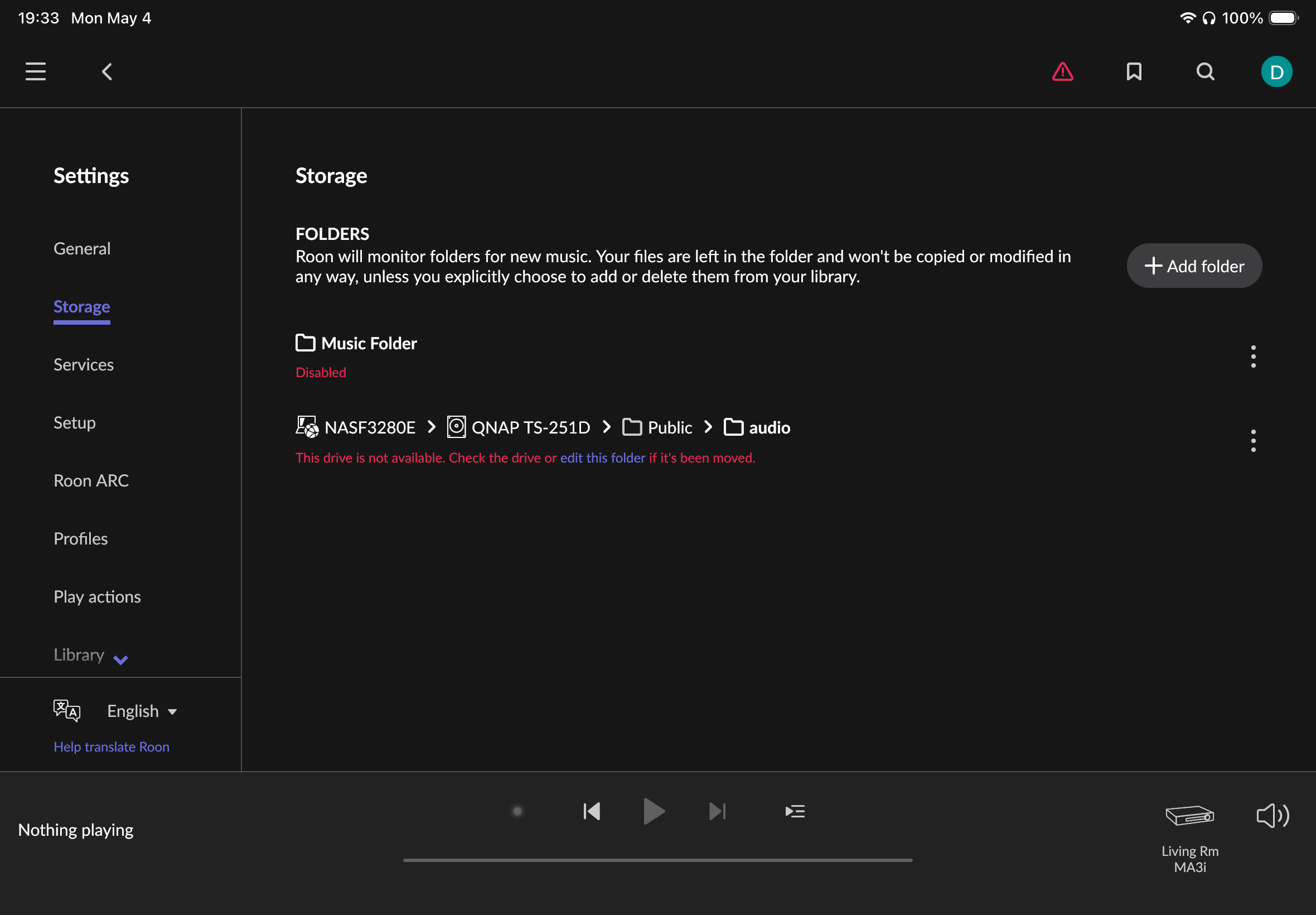
Re-link the Storage: Once Roon boots up after the restore, go to Settings > Storage. Your old storage location should now show an error in red text (because the files are missing). Click the three dots (⋮) next to that disabled folder, select Edit, and browse to the newly mapped /ActualMusic folder.
Roon will scan the folder and should re-link the tracks to the existing database entries, bringing your custom edits back to life. If this still fails, it unfortunately means those specific edits were simply not captured in that specific backup state.
Regarding the Last Name Sorting The inconsistency you are seeing with artists like Vivianne Cardinal happens because Roon’s sorting logic relies heavily on its cloud metadata. If Roon’s database recognizes an artist specifically as a “Person,” it automatically applies the last-name sorting rules. If the artist is unrecognized, or if the database classifies them as a “Group/Band,” Roon defaults to strict alphabetical sorting by the first letter unless you manually override it in the track/artist editor.
Let us know if you decide to give the mapping trick a try!
Thanks Vadim for your efforts. I did as requested, at step #3 I restored four backups, complete with the usual restarts and logins for each. The first seemed to be a full as it took a while and the next three were quick. After renaming in “storage” and enabling the music folder there was a scan and no album edits appeared. This backup/restore business is failing by being to secretive. There should be fulls and incrementals and nothing shows for a backup except date. There are more backups I can apply. Can you explain to me how backup/restore works ? Thank you.
I understand the frustration. Roon’s backup system can feel like a “black box” because it doesn’t use traditional single-file archives (like .zip or .bak). Instead, it uses a Living Database Snapshot system.
To help you get those edits back, we need to clarify exactly how you are pointing Roon to these files, because if the folder structure is fragmented, the restore will be incomplete.
How Roon Backups Actually Work
Roon backups are incremental and interdependent.
The Folder Structure: When you look inside your RoonBackups folder, you see multiple folders with long ID names (GUIDs) like 24f0... or ce5d....
The “Brain” File: There is also a file called _roon_backup_root_.
The Logic: These folders are not standalone backups. They are chunks of data that Roon stitches together. To perform a successful restore that includes all your historical edits, Roon must have access to the entire parent folder containing all those GUID sub-folders and the root file at once.
Why your restore might be “missing” data
If you tried to restore by pointing Roon specifically to one sub-folder (like just the 24f0... folder) or if you moved only specific sub-folders into your new Docker environment, Roon will only see a partial “slice” of your history.
If your edits were made a year ago but the “chunk” of data containing those specific database changes isn’t in the specific folder you linked, those edits won’t appear.
The Solution: Mapping the “Root”
Could you explain how you “carried out” the restore of those four backups? Specifically:
The Mapping: In your YAML, you have - /share/Public/RoonBackups:/RoonBackups. When you go to Settings > Backups > Find Backups, are you selecting the folder /RoonBackups (the root), or are you drilling down into the specific GUID sub-folders?
The Symlink: You mentioned adding a symbolic link inside the container diff folder earlier. This can cause major confusion for Docker’s volume logic. I strongly recommend removing that manual symlink and relying strictly on the YAML bind mount.
To get the best result: Point Roon to the top-level /RoonBackups folder. Roon will then automatically scan all the sub-folders, find the _roon_backup_root_ file, and present you with a list of “Restore Points” by date.
Choose the date that you know for certain was after you finished those major album edits. If you only see one or two dates, it means Roon isn’t seeing the rest of your incremental data chunks.
How many specific “Restore Points” (dates) does Roon show you when you point it to the root folder?
Without the symlink roon finds no backups. My restore attempts have all been with accepting the backup folder, not one of the GUIDs. Backup has always been configured for every four days with a maximum backups of 10. I assume somewhere in that 10 there is a full, they cannot all be incrementals. I made edits to album titles, for preamp volume settings, over a period of a year as I purchased downloads or ripped CDs (one SACD). My first restore was with selecting the most current, of 10, backup. Roon processed that and made no indication it was going for more as the database was new. No sign of edits when I go further back for a restore. I am done with this. I think roon support needs to go from app to container/docker, loose a database on a small system of 10k tracks, 10 backups with expected edits captured, and see what happens. If I am the only user reporting a problem then just forget it and I will re-enter my edits with MP3edit directly into the music files. I can still use roon for playback but nothing more.
I completely understand why you are ready to throw in the towel. Losing a year’s worth of meticulous volume settings and metadata edits is incredibly frustrating.
Before you spend hours manually re-entering everything with an external tagger, there is one “brute force” workaround we can use that completely bypasses the backup system and the symlink issues altogether.
If your old native Roon Server installation (the QPKG version) is still on your NAS—even if it is currently turned off or incompatible—your exact, live database from before the Docker migration still exists intact. We can manually “transplant” this brain directly into your new Docker container.
Here is how to do a manual database transplant:
Stop Everything: Open Container Station and completely stop your Roon Docker container. Ensure the old native QNAP Roon app is also completely stopped in the App Center.
Locate the Old Database: Open QNAP File Station. Navigate to the directory where your old native Roon installation stored its data. You are looking for the folder specifically named Database (usually located inside the main RoonServer folder).
Copy the Data: Copy that entire Database folder.
Paste into the Docker Volume: Navigate to the new host folder you mapped for the Docker container (the directory mapped to /Roon in your YAML configuration). Paste the copied Database folder directly into this new location. Renaming the existing database folder to ‘Database_old’ before copying.
Restart and Re-Link (Crucial Step): * Start the Docker container again and open your Roon Remote. Log in with your credentials.
Go immediately to Settings > Storage.
You will see your old QNAP music paths listed, but they will be marked in red as “Offline” or “Unavailable”.
Do NOT click “Add Folder”. If Roon has automatically added a new default music folder, disable it immediately.
Click the three dots (⋮) next to your old, unavailable music folder and select Edit.
Browse and point it to the new mapped location (e.g., the /Music folder inside the container).
Because this is a direct 1:1 physical copy of your live database, Roon will not treat this as a “restore.” By editing the old paths instead of adding new ones, you are simply giving Roon a “forwarding address” for your files. It will instantly re-link them without scanning them as new imports.
Every single album edit, volume setting, and playlist will be exactly as you left it.
Please give this transplant a try before resorting to MP3edit. Let us know if your edits reappear!
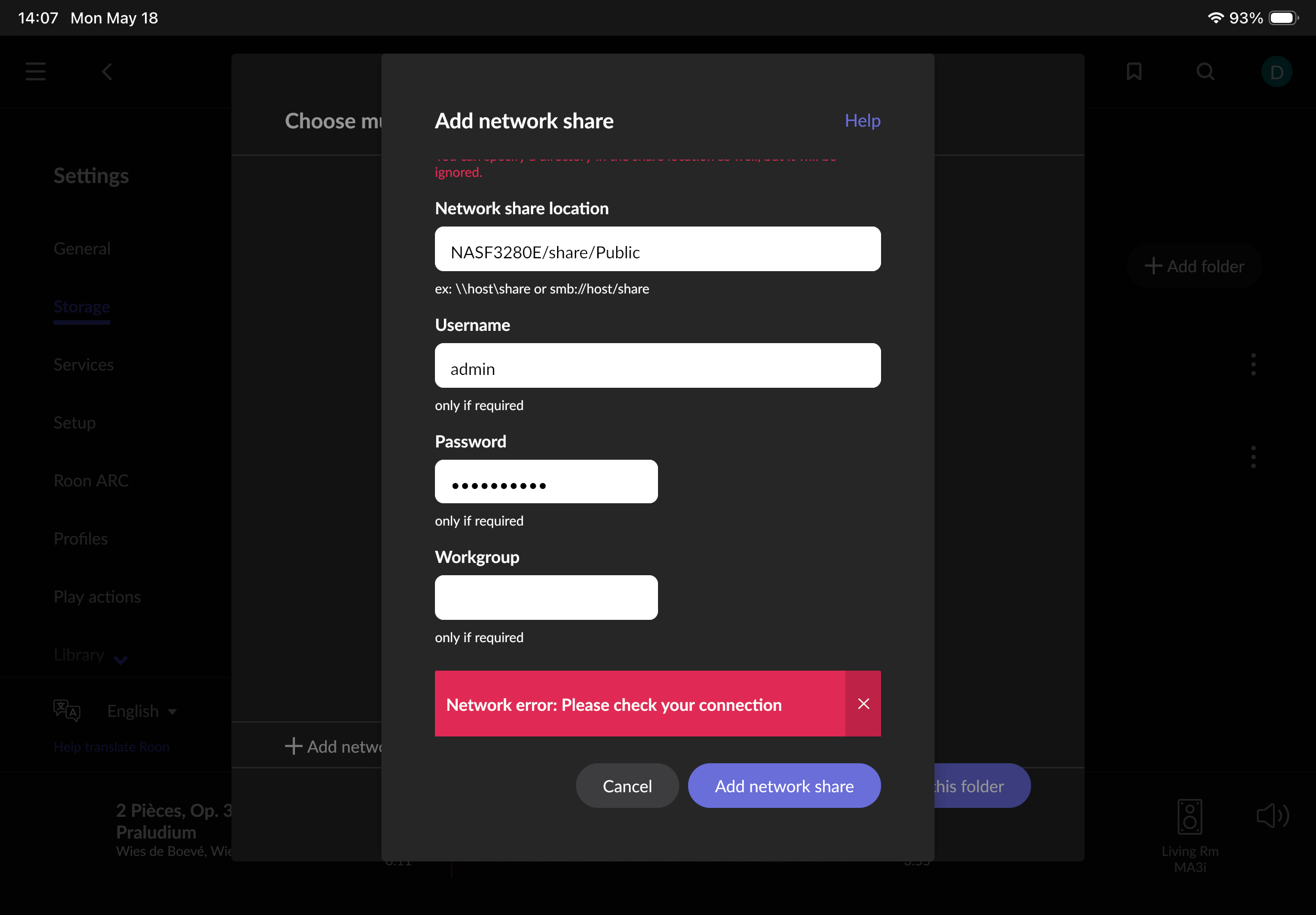
I tried various entries in “Network share location”, eg NASF3280E, and all gave an error. I aborted roon remote to try again but then roon thought I was setting up a second server and roon remote could not find the one I was working with.
I re-established the “database” directories and roon server, sans edits, is up now.
I suspect roon is too complex (or obfuscated) to resolve this. In any event that is
the way it has evolved and I should use it for playback only. Thank you for your efforts.
Thank you for the screenshot! Now I can clearly see exactly where you are getting stuck.
You are trying to add your music using the “Add network share” option. However, because you are now using Docker, you do not need to connect to your music over the network (using an SMB/IP address).
Your Docker configuration file has already physically mapped your QNAP’s Public folder directly into the container if everything is set correctly in the YAML compose file. To Roon, these files now look like regular local files on its own internal drive. This is why trying to add a network path is throwing a connection error.
Here is how to link it up correctly:
Click Cancel on that red error window to close the “Add network share” prompt.
Once again, click the three dots (⋮) next to your old, unavailable music folder and select Edit.
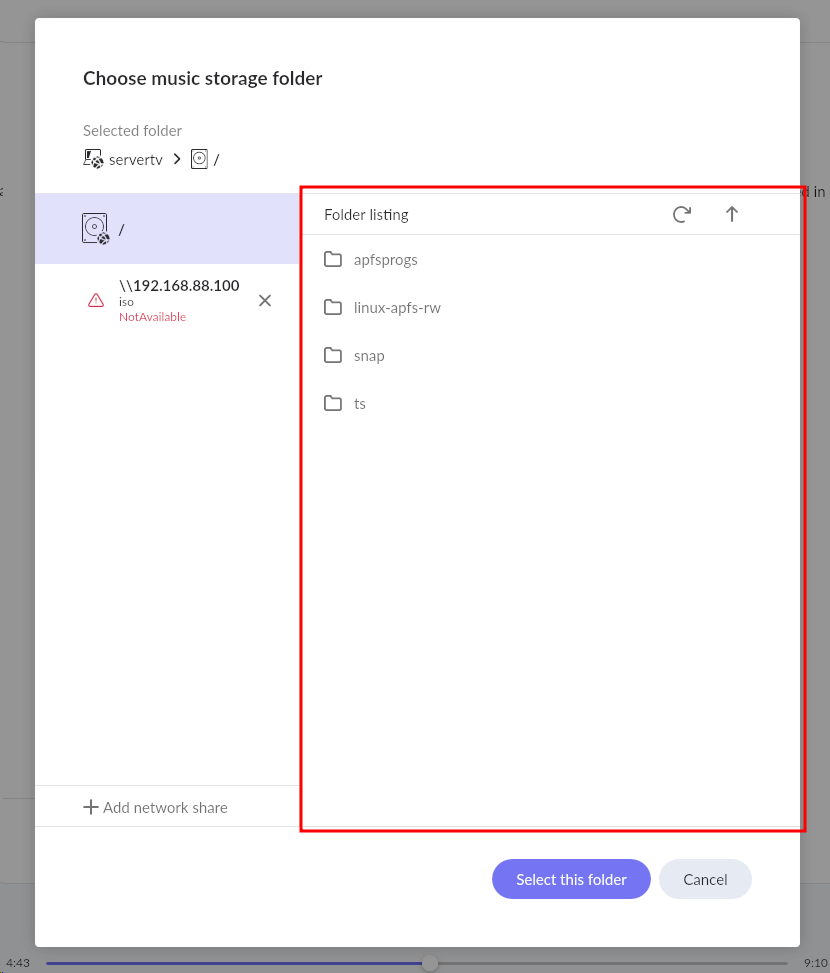
When the “Choose music storage folder” window opens, completely ignore the “Add network share” button at the bottom left.
Instead, look at the main folder navigation panel right in the middle of the screen. You should see the root folder structure (starting with /).
Navigate through that list of folders. You are looking for the exact folder you specified in your Docker YAML configuration (depending on how you mapped it, this is often /share/Public, /music, or /app/music).
Open that folder. Once you can actually see your artist and album folders inside, click the Select this folder button at the bottom.
Because this points directly to the container’s local file system, Roon will instantly recognize your files and restore all of your previous edits and settings. Give this a try and let us know if you can spot your music folder in that local list!
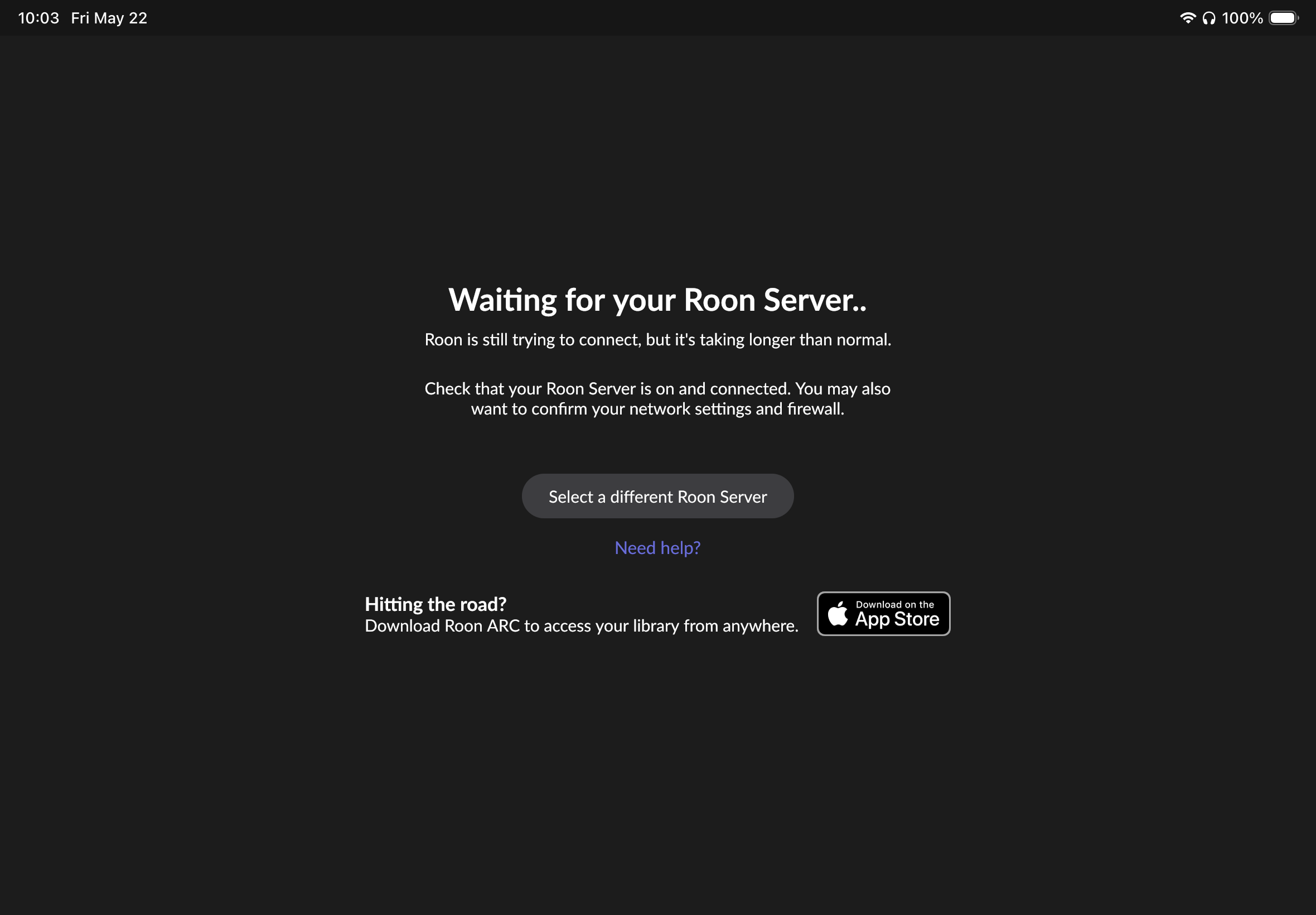
I could not get to your latest suggestions. I logged out of Roon server on
NASF3280E, stopped the container, renamed database directories so pre-container database is found on server restart, started the server container. Then roon remote
could not find the server. I waited several minutes. This was about 10:03 local time, May 22.