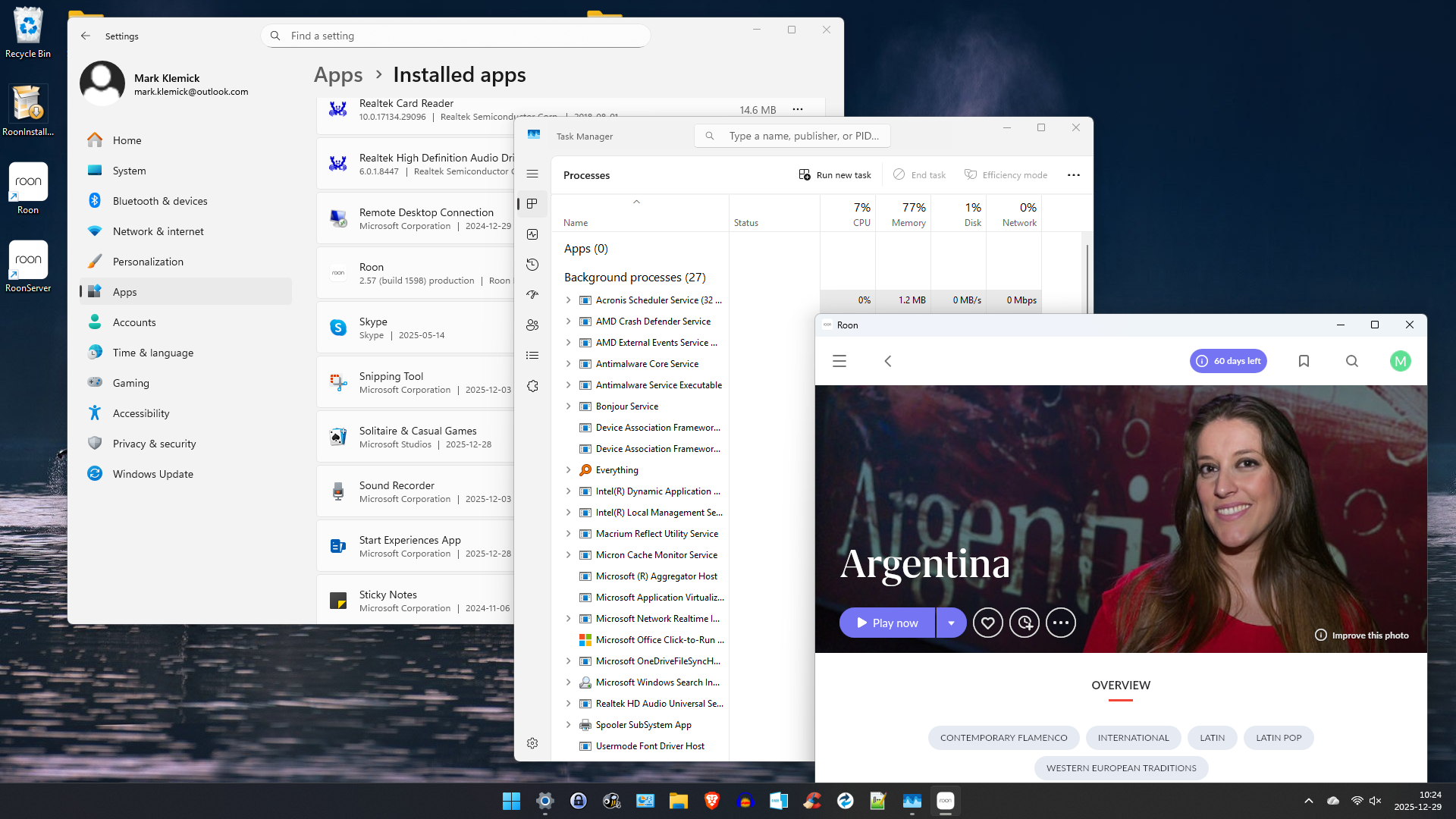
· Installation issues - i ran the installer on my win11 NUC. icons for "Roon" and "RoonServer" links appear on desktop. the Roon app actively built the library for my local music, about 7000 albums. when i double-click the RoonServer link, nothing happens. examining Settings/Installed Apps i see one Roon entry (2.57). although the roon app interface opens and runs, neither the app nor the server appear in Task Manager's 'Apps' or 'Background Processes' lists. my goal is to run the server and connect to 3 naim devices, a mu-so and 2 Qb's (all 2nd gen)
Tell us about your home network
· router - tplink axe5400 tri-band 6E; no switches or extenders; using Proton VPN for external network connection... i don't think it applies to local network ops.
Roon Server does not appear as a separate installed app in the Windows > Apps > Installed apps screen. the “Roon” entry is the package name, and includes both Roon and Roon Server.
However, Roon Server should certainly be listed in the Background processes section of Task Manager if it is running. Does the Event viewer contain entries showing a problem with Roon Server?
This is also curious - it would have been a running Roon Server that built your library, and if the Roon client is working, it implies that Roon Server is also active and working.
To go with what Geoff said. When RoonServer is running it will appear in the notification section on the Taskbar (click the carot to expand - the down pointer in my pic). See pic below:
geoff and dan - thanks for your quick response. it is now apparent to me that the server is actually running even though nothing is visible in Task Manager. there is definitely a RoonServer icon present in the notification area, which i had not previously noticed. on a separate note, i realized that my previous non-Roon use of two Naims had relied on bluetooth - so they were not connected to the wifi network. now they are connected. i can also see the NUC with roonserver connected to the router via wifi. in addition, i can see both naims in the Audio tab of roon app, where they are ‘Enabled’. but nothing happens when i select one and hit Play.
additionally, in the naim app on a separate tablet, nothing appears in the Servers selection page for audio source. that is, the Servers page is blank. should i see the RoonServer there?
Confused a bit. If you are running a NUC with RoonServer, then you should NOT be running RoonServer on the Windows PC, you should only be running Roon, the graphical client.
It’s now working. But (HA!) it wasn’t compromised by the VPN.
after shutting down VPN on all processors in my local network, i poked around in the router - thinking i might have installed a vpn client there, then forgot it. but no client was installed.
the actual culprit was an allegedly “smart” feature of the the router ironically named “SmartConnect”. this clever switch lets the router independently decide whether to assign components to the 2.4g band or the 5g band. the server and the naims were on different bands. once i disabled that little helper, everything fell into place.
given a choice, i prefer genuine intelligence over the artificial variety,
thanks to everyone for pointing me in the right direction!